
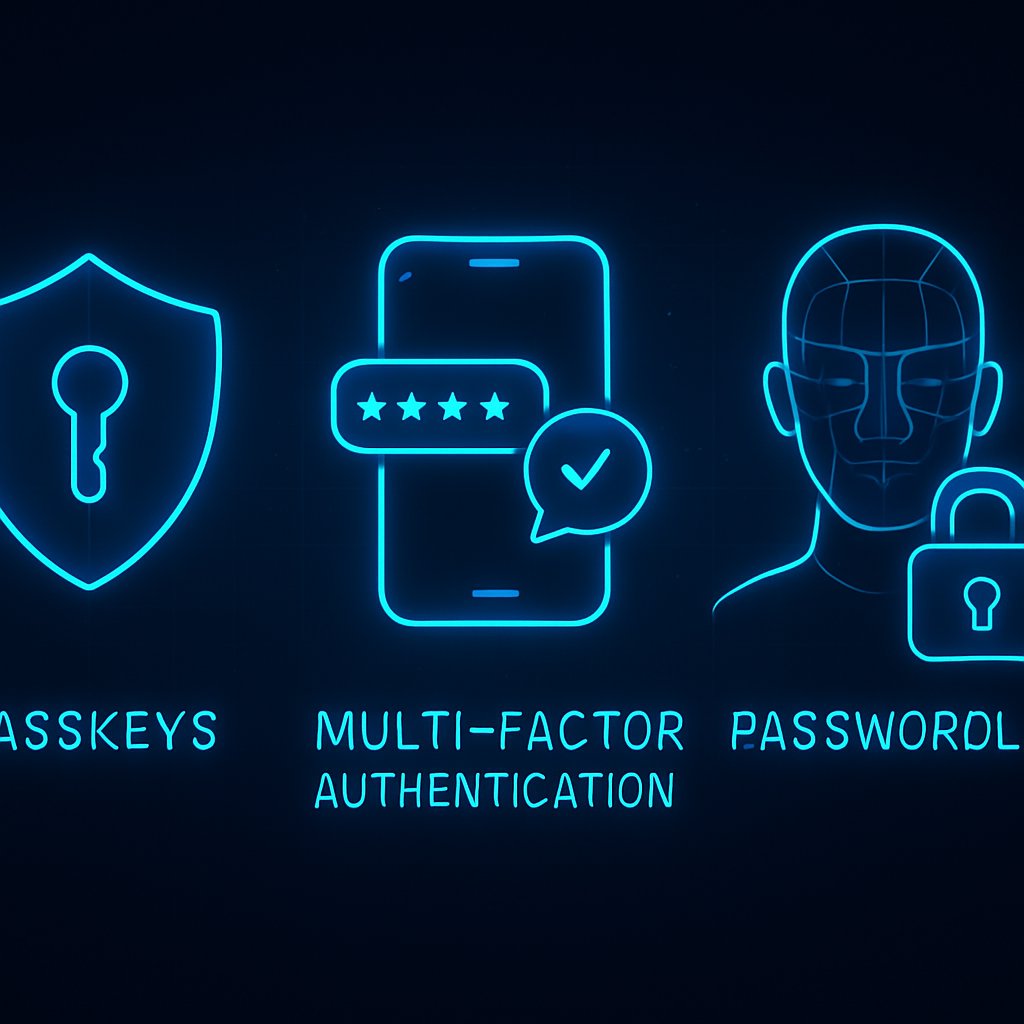
Legacy passwords are failing against today’s sophisticated attacks, and even “traditional” MFA (like SMS or TOTP) is no longer enough. Enterprises are adopting modern authentication: passkeys, phishing-resistant multi-factor authentication (MFA), device trust, and continuous verification. This post breaks down the current best practices, how they work, and the enterprise impact when moving beyond passwords.
Key Takeaways:
- Understand why passwords and legacy MFA are being phased out in favor of passkey-first authentication
- Learn how passkeys, phishing-resistant MFA, device trust, and continuous authentication actually work
- Compare security, usability, and deployment challenges across modern authentication methods
- Apply best practices, spot common pitfalls, and get actionable checklists to audit your organization’s authentication
- Connect authentication to broader incident response and security architecture concerns

Why Passwords Fail: Real-World Flaws and Threats
Passwords have persisted for decades, but their weaknesses are now impossible to ignore at scale. Attackers routinely bypass password-based authentication using:
- Phishing – well-crafted emails or fake login pages steal credentials
- Credential stuffing – using breached data to automate logins
- Brute force and password spraying – exploiting weak or reused passwords
- Man-in-the-middle (MitM) attacks – intercepting credentials in transit
According to Yubico’s 2026 authentication report, insecure passwords and weak MFA remain the #1 cause of breaches, despite awareness campaigns and technical controls.
Concrete Example: Password Breach Attack
# Simulated credential stuffing with Python and requests
import requests

with open('breached_credentials.txt') as f:
    for line in f:
        username, password = line.strip().split(':')
        resp = requests.post('https://target-app.example.com/login', data={
            'username': username,
            'password': password
        })
        if 'Welcome' in resp.text:
            print(f'Valid login: {username}:{password}')
What’s happening: Attackers automate login attempts using breached username/password pairs. If your users reuse passwords, your risk is multiplied.
Why MFA Alone Isn’t Enough
- SMS codes can be intercepted via SIM swapping
- Phishing kits can capture OTPs in real time
- MFA fatigue: Attackers bombard users with push notifications until they approve one
OWASP and NIST both recommend moving to phishing-resistant authentication methods (source).
Audit Checklist
- Inventory all apps using only passwords or SMS/TOTP MFA
- Check for password reuse and shared accounts
- Simulate credential stuffing and phishing attacks in your environment
Addressing these flaws is the foundation for modern authentication strategy. For related hardening strategies, see incident detection and response best practices.
Understanding the Risks of Legacy Authentication
Legacy authentication methods, such as passwords and SMS-based MFA, expose organizations to significant security risks. For instance, phishing attacks can easily compromise these methods, as attackers often exploit user behavior and trust. Additionally, many users tend to reuse passwords across multiple sites, increasing vulnerability. It is crucial for organizations to recognize these risks and transition to more secure authentication methods that are less susceptible to such attacks.
Modern Authentication Fundamentals: Passkeys, MFA, Device Trust
Modern authentication is about removing passwords, strengthening MFA, and tying access to trusted devices or user behaviors. The leading building blocks are:
- Passkeys (FIDO2/WebAuthn) – Cryptographically secure credentials bound to a device, never exposed to servers or phishable by design
- Phishing-resistant MFA – Hardware security keys, platform authenticators, or biometric factors (not SMS or OTP apps)
- Device trust – Only allowing access from registered or attested endpoints
How Passkeys Work (with Example)
Passkeys use asymmetric cryptography. Registration creates a public/private key pair stored on your device (e.g., phone, laptop, security key). On login, the private key signs a server challenge, proving presence without exposing secrets.

# Example: FIDO2/WebAuthn registration (Python pseudocode)
from fido2.server import Fido2Server
from fido2.ctap2 import AttestationObject

server = Fido2Server({"id": "your-app.com", "name": "Your App"})
# User starts registration
registration_data, state = server.register_begin({"id": user_id, "name": user_name})

# Client signs the challenge (using device biometrics or PIN)
attestation_object = AttestationObject(client_response['attestationObject'])
server.register_complete(state, client_response['clientDataJSON'], attestation_object)
Why it matters: Even if the server is breached, attackers get only a public key—useless for login. Phishing is blocked because the private key never leaves the device and is never typed or transmitted.
MFA Modalities Compared
| Authentication Factor | Phishing Resistance | User Experience | Enterprise Adoption |
|---|---|---|---|
| SMS/Email OTP | Poor | Frustrating (latency, delivery issues) | Widespread, but legacy |
| TOTP App (e.g. Google Authenticator) | Weak | Manual entry, less friction | Common, but increasingly targeted |
| Push Notification | Moderate | Simple, but MFA fatigue risk | Rising, but not phishing-proof |
| Passkey (FIDO2/WebAuthn) | Strong | Smooth (biometric, no typing) | Rapid 2024-2026 adoption |
| Hardware Security Key (YubiKey, etc.) | Strong | Physical key required | Enterprise, high-security |
Device Trust and Attestation
Device trust frameworks (e.g., Microsoft’s Conditional Access, Okta’s Device Trust) can require specific endpoint health, EDR presence, or device certificates before authenticating. This blocks access from unmanaged or risky devices—even if credentials are valid.
Audit Checklist
- Enable passkey or FIDO2/WebAuthn support for all apps
- Phase out SMS and TOTP in favor of push or passkey MFA
- Integrate device health and attestation into access policies
For containerized environments, consider hardening authentication at both the application and orchestration layer (container security strategies).
Best Practices for Transitioning to Modern Authentication
Transitioning to modern authentication requires a strategic approach. Organizations should start by conducting a thorough audit of their current authentication methods and identifying any weaknesses. Implementing user education programs about the importance of secure authentication can also help. Furthermore, gradually phasing out legacy methods and replacing them with passkeys and phishing-resistant MFA will enhance overall security posture.
Advanced Patterns: Continuous and Contextual Authentication
Authentication is no longer a one-time gate. Modern systems adopt continuous, adaptive, and contextual authentication to reduce risk throughout the user session.
- Continuous authentication – Re-evaluates trust during the session, not just at login (e.g., via behavioral biometrics, device posture, or network context)
- Contextual/risk-based authentication – Adjusts required factors based on device, location, user behavior, or risk signals
- Just-in-time (JIT) and step-up authentication – Prompts for additional proof only for sensitive actions (e.g., wire transfers, admin changes)
Continuous Authentication Implementation Example
# Pseudocode for session monitoring and step-up authentication
def monitor_session(user, session):
    if suspicious_geolocation(session.ip) or unusual_device(user, session.device):
        require_step_up_mfa(user)
    elif idle_time_exceeded(session):
        force_re-authentication(user)
    # Otherwise, maintain session

def require_step_up_mfa(user):
    # Trigger biometric or hardware key prompt
    pass
Why it matters: Attackers who hijack a valid session (e.g., via stolen cookies) will be challenged before causing damage.
Integrating with Zero Trust and Incident Response
- Modern authentication is a core enabler for Zero Trust architectures—no implicit trust, always verify
- Integrated signals (device, location, EDR alerts) can trigger session revocation or additional challenges
- Authentication logs feed directly into security monitoring and incident response workflows
For a deeper dive on detection and response workflows, see incident response strategies.
Audit Checklist
- Implement session monitoring for location/device anomalies
- Configure step-up authentication for critical transactions
- Integrate authentication logs with SIEM or SOAR platforms
Enterprise Implementation: Best Practices and Comparisons
Deploying modern authentication at scale requires careful planning. Below is a comparison of leading approaches, with pros, cons, and integration considerations.
| Method | Security | User Experience | Deployment Challenges | Best For |
|---|---|---|---|---|
| Passwords + SMS MFA | Low | Poor | Easy, but high residual risk | Legacy/transition |
| TOTP Apps (Authenticator) | Medium | Moderate | User training, manual entry | SMB, internal apps |
| Push MFA | Medium-High | Smooth, but fatigue risk | Mobile app required, phishing still possible | Cloud apps, workforce |
| Passkeys (FIDO2/WebAuthn) | Very High | Excellent | Device compatibility, migration | Enterprise, consumer apps |
| Hardware Security Keys | Very High | Physical key logistics | Cost, distribution, backup keys | Admins, privileged users |
| Device Trust + Continuous Auth | Very High | Seamless (if well-implemented) | Device management, endpoint attestation | Zero Trust, regulated sectors |
Best Practice Checklist
- Move toward passkey-first authentication as default (source)
- Use hardware-backed credentials for privileged users
- Layer device trust and continuous checks for sensitive access
- Phase out all password-only and SMS-based authentication
- Regularly audit authentication logs for anomalies
Standards and Regulatory Guidance
- NIST SP 800-63B: Digital Identity Guidelines
- OWASP Authentication Cheat Sheet: Modern best practices
- FIDO Alliance and WebAuthn specifications
For web-facing workloads, consider integrating authentication controls with your web application firewall strategy.
Pitfalls and Pro Tips for Modern Authentication
Common Pitfalls
- Fallback to passwords or SMS: Many deployments allow weak fallback flows, undermining security. Disable or tightly control fallback options.
- Poor device management: Lost or stolen devices with registered credentials can be exploited if not quickly revoked. Automate device inventory and revocation.
- Inadequate user onboarding/offboarding: Failing to enroll new users in phishing-resistant MFA, or not removing ex-employees’ devices promptly.
- MFA fatigue/excessive prompts: Over-prompting can train users to approve blindly. Use adaptive policies to balance security and usability.
- Backup and recovery gaps: Users losing all their devices can be locked out. Provide secure, well-documented recovery flows (e.g., backup passkeys, admin-assisted recovery).
Pro Tips
- Run regular phishing simulations—even with passkeys, to keep users alert
- Test authentication flows for both usability and attack resistance
- Integrate authentication signals with incident response and monitoring tools
- Document and rehearse device recovery processes
- Keep up with standard updates (NIST, FIDO, OWASP)
Audit Checklist: Pitfall Prevention
- No password or SMS fallback for privileged accounts
- Automated device inventory and offboarding integrated with HR systems
- Session and device revocation APIs tested and monitored
- Recovery flows reviewed every quarter
Conclusion: Next Steps for Authentication Strategy
Modern authentication—centered on passkeys, phishing-resistant MFA, device trust, and continuous checks—is now essential for enterprise security. Legacy passwords and weak MFA are simply not defensible against today’s threat landscape. Audit your authentication stack, prioritize passkey-first adoption, and integrate device and context-aware access controls. For broader hardening, review your container security and incident response strategies to ensure authentication isn’t a weak link.
Explore the latest NIST, FIDO, and OWASP guidance to future-proof your authentication roadmap. Consider piloting passkey-first flows in one application, measuring security and user experience impact, and scaling organization-wide from there.