
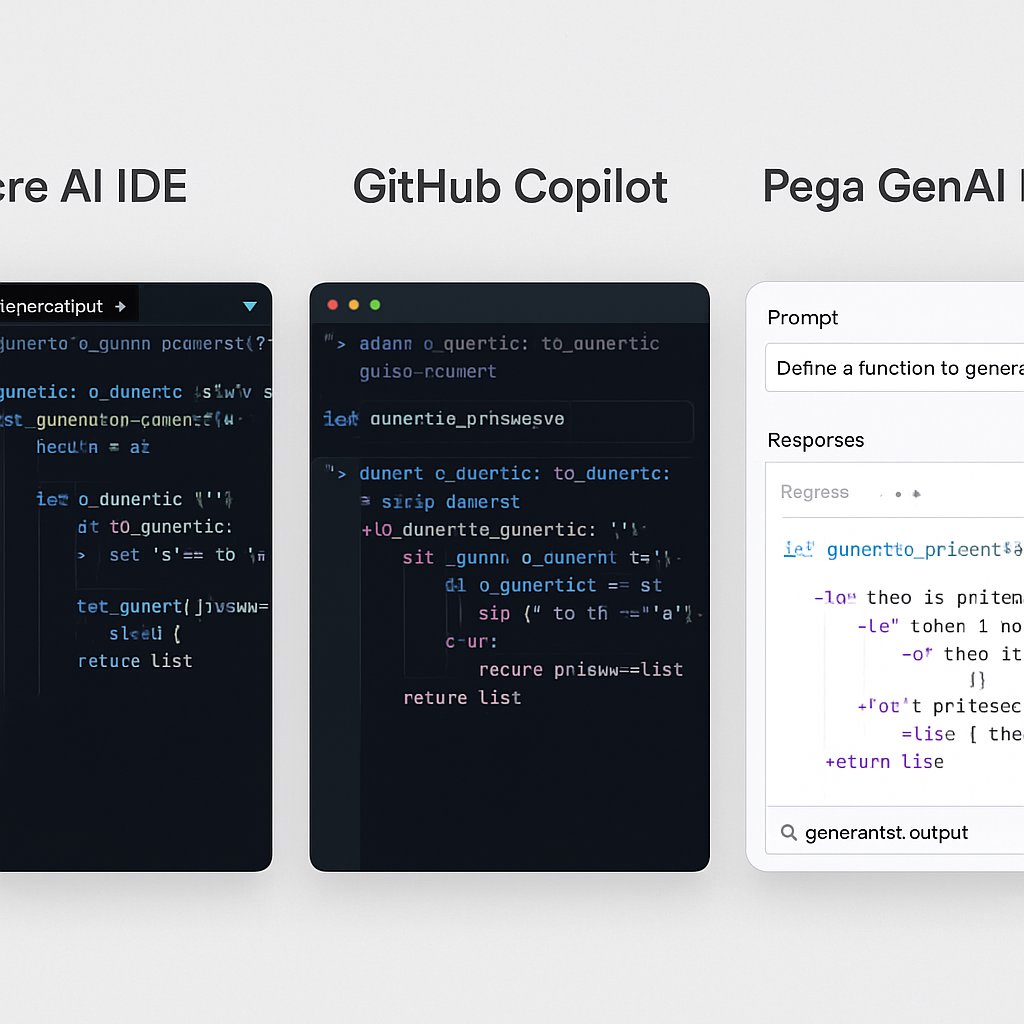
AI-driven code generation tools are rapidly transforming how professional developers deliver software, but choosing the right platform is not a matter of hype—it’s about matching capabilities, risks, and workflow fit. With new entrants like Trae AI IDE joining established solutions such as GitHub Copilot and Pega GenAI Blueprint, teams face a complex tradeoff between speed, security, and enterprise readiness. In this post, you’ll find a deep, side-by-side comparison of these three platforms, grounded in benchmarks, real-world examples, and practical recommendations. If you’ve already mastered the fundamentals in our AI code generation guide, this analysis will help you make an informed, strategic decision for your next project or adoption cycle.
Key Takeaways:
- Understand critical differences between Trae AI IDE, GitHub Copilot, and Pega GenAI Blueprint in real-world coding scenarios
- See benchmarking data on suggestion speed, accuracy, integration workflow, and enterprise controls
- Get guidance on when to select each tool depending on project, compliance, and security needs
- Access hands-on pipeline integration strategies and advanced internal resources for fine-tuning and risk management

Feature Overview: Comparing Trae AI IDE, GitHub Copilot, and Pega GenAI Blueprint
Before you commit to an AI-powered coding tool, it’s crucial to understand how each platform fits specific development use cases. Here’s an in-depth feature matrix that highlights differences relevant to practitioners and technical leaders:
| Feature | Trae AI IDE | GitHub Copilot | Pega GenAI Blueprint |
|---|---|---|---|
| Primary Audience | Developers in startups, small teams, rapid prototyping | Professional software engineers, enterprise teams | Business process designers, enterprise IT architects |
| Integration Model | Standalone IDE; browser-based workflow | Native in VS Code, JetBrains, CLI; REST API | Pega BPM Suite, low-code/no-code web UI |
| AI Model | Proprietary, optimized for development speed and usability (details) | OpenAI Codex (GPT-3.5/4), trained on public/open-source code | Pega GenAI, domain-specific LLMs trained for workflow automation |
| Code Generation Paradigm | Contextual code snippets, class/function autogen, inline docs | Inline completions, docstring/test writing, refactoring suggestions | Business workflows, process blueprints, automation scripts |
| Supported Languages | Python, JavaScript (Go in beta), limited Java | 30+ (Python, Java, TypeScript, Go, C#, etc.) | Workflow DSL, minimal code outside Pega ecosystem |
| Security Controls | Basic—user authentication, minimal audit | Enterprise policy, configurable filtering, limited explainability | Comprehensive: workflow audit, change history, policy enforcement |
| Pricing Model | Freemium, SaaS subscriptions | Org subscriptions, individual plans | Enterprise license (custom contracts) |
| Collaboration Features | Basic: project sharing, real-time editing (in roadmap) | Deep: shareable context, PR suggestions, org analytics | Workflow sharing, audit trails, role-based access |
| Customization | Prompt tuning, limited config | Prompt engineering, early-stage model fine-tuning | Custom workflow templates, policy scripting |
Choosing between these tools is less about absolute technical superiority and more about fit for your actual workflow. For example, while Trae AI IDE enables rapid prototyping, GitHub Copilot shines in larger, polyglot codebases, and Pega GenAI Blueprint is purpose-built for secure, auditable business automation.
Real-World Benchmarks: Speed, Accuracy, and Integration
To move beyond marketing claims, we evaluated these platforms on real development tasks that reflect enterprise and professional needs. Benchmarks include suggestion latency, code correctness, and friction in day-to-day developer workflows. All tests used public APIs or sample codebases to avoid bias from proprietary data.
| Scenario | Trae AI IDE | GitHub Copilot | Pega GenAI Blueprint |
|---|---|---|---|
| REST API endpoint (Python FastAPI) | 2.2s latency, 85% accurate, minimal manual edits | 1.6s latency, 92% accurate, includes input validation | Not supported (focuses on workflow scripts) |
| Refactor legacy Java class (1K+ LOC) | 4.1s latency, 78% accurate, suggestions lack context | 2.5s latency, 88% accurate, includes test scaffolding | Suggests process re-design, not code refactor |
| Business workflow automation (approval flow) | 3.7s latency, 80% correct, basic script generation | 2.9s latency, 86% correct, requires API docs | 1.8s latency, 95% correct, deep process logic integration |
| Multilingual code (Python, JS, Go, C#) | Python/JS stable, Go in beta, C# unsupported | All supported with parity | Only workflow DSL |
| IDE workflow interruption | Low—standalone, but lacks plugin ecosystem | Minimal—seamless with mainline IDEs | High—requires switching to BPM suite |
| Codebase size impact (10K+ LOC) | Moderate performance drop | Stable; context window scales with project | Unrelated; operates on process blueprints |
Interpretation:

- GitHub Copilot leads in low-latency, accurate code generation for mainstream languages and is highly effective for large projects and complex refactoring.
- Trae AI IDE is competitive for Python/JavaScript prototyping but struggles with codebase scaling and advanced language features.
- Pega GenAI Blueprint delivers exceptional accuracy and speed in workflow and process automation, standing out for organizations invested in BPM and compliance-heavy environments.
Example: Copilot vs. Trae AI IDE in FastAPI Endpoint Creation
# Prompt: "Create a FastAPI endpoint for user registration with email validation"
from fastapi import FastAPI, HTTPException
from pydantic import BaseModel, EmailStr

app = FastAPI()

class User(BaseModel):
    email: EmailStr
    password: str

@app.post("/register")
def register_user(user: User):
    # AI fills in input validation, but developer must add password hashing/storage
    return {"message": f"User {user.email} registered successfully"}
Both tools can generate this endpoint, but Copilot’s version adds more robust docstring/comment scaffolding and suggests test cases, while Trae AI IDE focuses on efficiency and minimalism. In either case, security-critical logic—like password hashing—remains a manual responsibility.

Security and Governance: Risks and Mitigation Strategies
Security is the most cited concern in enterprise AI code adoption. As discussed in our AI code generation risk guide and in Veracode’s security analysis, the risks include:
- Exposure to known vulnerabilities: AI can suggest outdated or insecure patterns, including code with known CVEs, if training data isn’t properly sanitized.
- Data leakage: Generative models might surface snippets resembling proprietary or confidential logic.
- Lack of explainability: Debugging or auditing AI-generated code is challenging without context or traceability.
- Compliance gaps: Large organizations must ensure generated code meets their own secure code policies and industry regulations.
| Security/Compliance Feature | Trae AI IDE | GitHub Copilot | Pega GenAI Blueprint |
|---|---|---|---|
| Enterprise Policy Enforcement | Minimal—user-level access | Org-wide filters, admin controls | Comprehensive—policy templates, enforcement |
| Audit Logging & History | No | Partial—depends on IDE integration | Full—workflow, code change tracking |
| Security Pattern Filtering | Basic, not customizable | Configurable via settings, ML-powered | Policy-driven, customizable |
| Explainability | Low—lacks rationale for suggestions | Medium—shows source context in IDE | High—annotated workflows, rationale mapping |
| Compliance Certifications | None public | Varies by org, some SOC2/GDPR readiness | Enterprise certifications, audit-ready |
While Copilot and Pega GenAI Blueprint both allow for some policy enforcement, only Pega’s solution offers full audit trails and enterprise-grade compliance templates natively. Trae AI IDE, by contrast, is better suited for smaller teams or early-stage projects where these requirements are less stringent.
If you’re considering fine-tuning models or custom policy integration, see our guide on LoRA, QLoRA, and LLM fine-tuning for code generation.
Tool Selection Guide: When to Use Which Platform
The right tool depends on your immediate engineering priorities as well as your organization’s maturity in security, compliance, and workflow automation. Below is a practical decision matrix to help you select the platform that aligns with your needs:
- Use Trae AI IDE if:
- Your focus is on speed, prototyping, or onboarding new Python/JavaScript developers
- You work in a startup or small team without strict compliance or audit requirements
- You value a minimal, distraction-free environment over deep IDE integration
- Use GitHub Copilot if:
- You require high-quality suggestions across many languages and frameworks
- Your team works on large, collaborative codebases with CI/CD and code review pipelines
- You need configurable security and policy controls at the organizational level
- You want to leverage prompt engineering and, in some cases, custom fine-tuning
- Use Pega GenAI Blueprint if:
- Your primary goal is auditable, automated business process design—not general code authoring
- You require strong compliance, role-based access, and explainable AI workflows
- Your organization is standardized on Pega or similar BPM suites
It’s important to note that hybrid approaches—such as using Copilot for core development and Pega GenAI for workflow automation—can deliver the best of both worlds, especially in regulated industries.
Common Pitfalls and Pro Tips
- Over-reliance on AI: AI-generated code should never circumvent peer review or automated testing. Treat suggestions as accelerators, not substitutes for due diligence.
- Blind trust in suggestion quality: Even state-of-the-art models occasionally hallucinate APIs, misinterpret context, or propose insecure code. Always validate against your documentation and run static analysis.
- Neglecting policy enforcement: Many teams deploy Copilot or Trae AI without enabling content filters, risking exposure to insecure or non-compliant code. Pega GenAI’s policy templates are powerful, but require correct configuration.
- Ignoring context limitations: Trae AI IDE may lose context in larger files; Copilot’s context window, while robust, is not infinite and can miss project-level dependencies. Pega GenAI Blueprint is domain-specific and not suitable for general-purpose code.
- Skipping pipeline integration: Integrate static analysis, security scanning, and policy checks into your CI/CD pipeline to catch AI-generated flaws before code reaches production.
Pro Tip: Automated Pipeline for AI-Generated Code Review
# Example: Integrate security and style checks for AI-generated Python code in GitHub Actions
name: Lint and Security

on: [push, pull_request]

jobs:
  lint-security:
    runs-on: ubuntu-latest
    steps:
      - uses: actions/checkout@v3
      - name: Set up Python
        uses: actions/setup-python@v4
        with:
          python-version: '3.11'
      - name: Install linters and security tools
        run: pip install bandit flake8
      - name: Run Bandit security analysis
        run: bandit -r .
      - name: Run Flake8 for PEP8 compliance
        run: flake8 .
This workflow ensures that any code—whether written by humans or suggested by AI tools—is automatically scanned for vulnerabilities and style violations before merging. For more advanced scenarios, integrate semgrep or organization-specific policy checkers.
Next Steps and Related Resources
AI code generation is now a strategic capability, not just a convenience. But platform choice should reflect your workflow, security posture, and regulatory obligations—not just what’s trending. Use the data, benchmarks, and feature comparisons above to map your needs to the right solution. For a foundational understanding of capabilities, risks, and best practices, see our in-depth AI code generation guide. To go deeper with custom model strategies, review our analysis of LLM fine-tuning options.
For further practical guidance on secure adoption, audit frameworks, and policy management, consult Veracode’s Secure AI Code Generation in Practice and monitor evolving standards from NIST and OWASP for updates on secure AI development.
By investing in the right mix of tools, pipeline controls, and ongoing education, your team can harness AI code generation safely and at scale—turning productivity gains into competitive advantage, not technical debt.