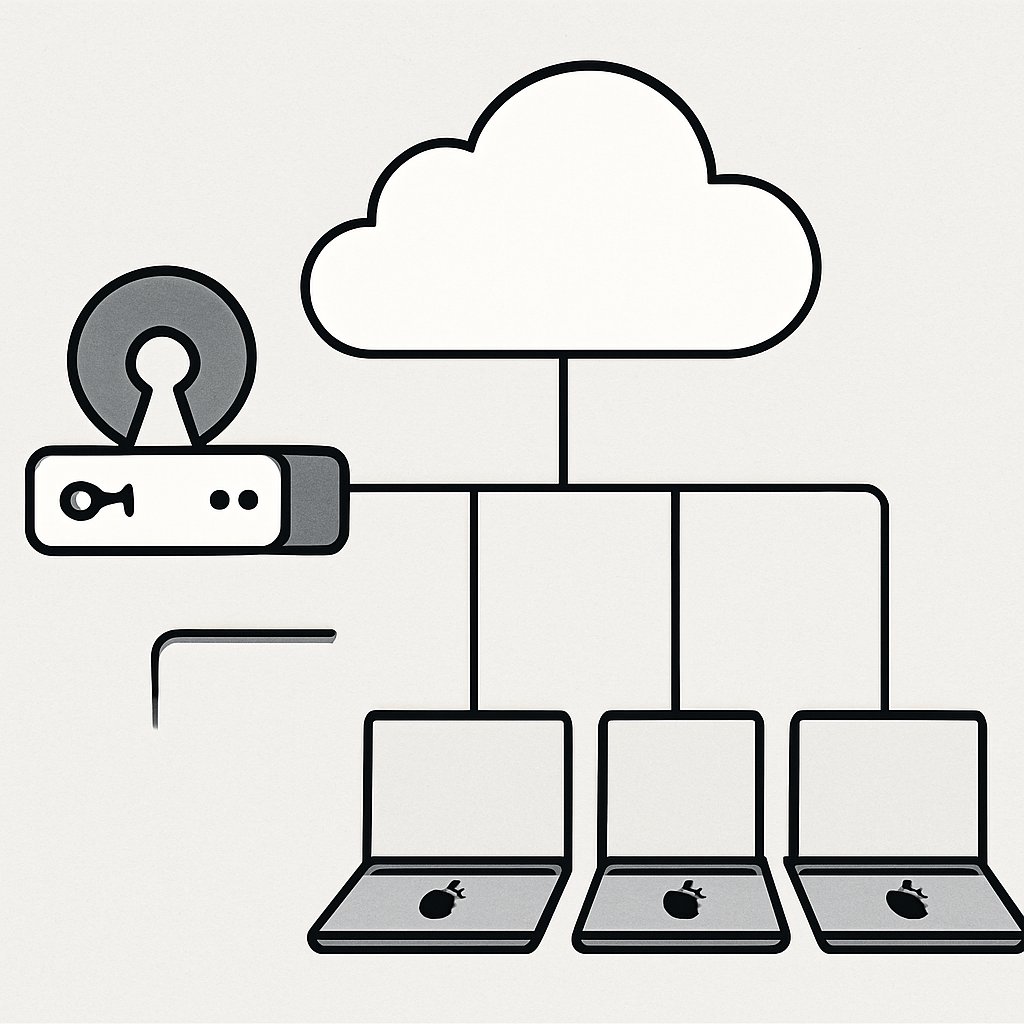
NanoMDM Architecture for Small Mac Fleets
If you manage a fleet of under 50 Macs and want to avoid SaaS lock-in, NanoMDM is one of the leanest Apple MDM solutions available. This post walks through a realistic deployment scenario, architectural decisions, and trade-offs using NanoMDM in a small organization. You’ll see how it compares to other MDM platforms, what it takes to get started for free, and which features (and limitations) matter most when you outgrow manual device management.
Key Takeaways:
- Explore a real-world NanoMDM deployment for a small Mac fleet, including architecture and setup steps.
- Understand the main differences between NanoMDM and commercial MDM products for Apple devices.
- Get a practical checklist for free, self-hosted MDM—including what you must provide yourself.
- Learn key trade-offs in open-source MDM adoption, including support, automation, and compliance.
- See honest lessons learned from operating NanoMDM, with references to deeper MDM platform comparisons.
Why NanoMDM for Small Mac Fleets?
NanoMDM is a minimalist, open-source Apple MDM server designed for technical teams who want direct control over their device management pipeline. Inspired by MicroMDM, it strips out unnecessary complexity, focusing on core MDM protocol handling and maximum flexibility.
Key motivators for choosing NanoMDM in a small organization:
- No per-device or per-user licensing fees. You pay only for your server/cloud resources.
- Open architecture: Complete API access and composable Go-based services let you automate and extend workflows.
- Self-hosted data: Device and user data never leaves your infrastructure, a plus for regulated environments.
- Zero/minimal local state: Designed for horizontal scaling, even if you don’t need it yet.

NanoMDM is especially suited if you have DevOps skills in-house and want to avoid SaaS lock-in or are not satisfied with the limitations of free commercial plans.
For an overview of MDM strategy, including when you might need a more full-featured solution, see our summary of MDM for BYOD and corporate devices.
NanoMDM Architecture in Production
NanoMDM’s architecture is intentionally minimal. It’s a set of stateless HTTP handlers in Go, connected to a persistent storage backend (MySQL/PostgreSQL/file). This modularity makes it easy to deploy in Docker, on-prem, or in any cloud.
Key Components
- NanoMDM Core: Handles Apple MDM protocol endpoints, device check-ins, and command queuing.
- Storage Backend: MySQL, PostgreSQL, or flat file. All persistent state (device enrollments, command history) goes here.
- APNs Integration: Manages push notifications to enrolled devices via Apple Push Notification Service.
- SCEP Server: Required to issue device identity certificates. You can bring your own or use micromdm/scep.
- TLS Termination: Not built-in; run NanoMDM behind Nginx, Caddy, or another reverse proxy that handles HTTPS.
Horizontal Scaling and Multi-Tenancy
NanoMDM is stateless except for the persistent storage layer. You can run multiple NanoMDM instances behind a load balancer, and the storage backend keeps everything in sync. The platform supports multiple APNs topics, which is useful for MSPs or organizations with separate device groups.
Extensibility
NanoMDM exposes HTTP APIs for queuing commands and integrating with other tools—ideal for scripting and custom automation. There’s no web UI, but you can build your own or use the cmdr.py tool to generate commands.
Example: Minimal Production Deployment
# Pull and run NanoMDM in Docker
docker pull ghcr.io/micromdm/nanomdm:latest
docker run --rm -p 443:443 \
  -e NANOMDM_MYSQL_DSN="user:password@tcp(mysql:3306)/nanomdm" \
  -e NANOMDM_APNS_KEY="/certs/apns.p8" \
  -e NANOMDM_APNS_KEY_ID="YOUR_KEY_ID" \
  -e NANOMDM_APNS_TEAM_ID="YOUR_TEAM_ID" \
  -e NANOMDM_APNS_TOPIC="com.apple.mgmt.EXAMPLE" \
  -v /path/to/certs:/certs \
  ghcr.io/micromdm/nanomdm:latest
# Note: You must handle TLS externally (e.g., via Nginx reverse proxy)
This is the minimum viable deployment. In production, you’ll use secure secrets, automate certificate renewal, and add monitoring/logging. For multi-instance scaling, use a managed SQL backend and a standard load balancer.
For a step-by-step, see the official quickstart guide.
Practical Setup: Getting NanoMDM Running for Free
NanoMDM itself is free and open-source under the MIT license. Here’s what you need to get started for a small team (under 50 employees) without any recurring software costs:
- Server Hosting: Use an existing Linux VM, a Raspberry Pi, or a free-tier cloud VM (performance is not a bottleneck for small fleets).
- Database: MySQL or PostgreSQL, either local or cloud-hosted. For under 100 devices, SQLite or file mode is also viable for testing.
- SCEP Server: micromdm/scep is free and pairs with NanoMDM for certificate issuance.
- Apple Push Certificate: Free from Apple, but requires a developer or business account to generate.
- TLS Proxy: Nginx or Caddy, both open-source, to provide HTTPS termination.
Device Enrollment Workflow
You must create and serve your own MDM enrollment profiles. There’s no built-in web console for this; you’ll use Apple Configurator or scripts to generate and distribute profiles. For ADE (DEP) workflows, NanoMDM supports device enrollment but does not provide automated DEP API management.
# Example: Generate and serve a profile (simple use-case)
# (Replace placeholders with your values)
openssl req -new -newkey rsa:2048 -nodes -keyout mdm.key -out mdm.csr
# Use Apple tools to sign and turn this into an enrollment profile.
# Serve profile over HTTPS (e.g., with Nginx)
For more on real-world enrollment and open-source MDM, see this MicroMDM deployment walkthrough.
What Features Do You Get?
- Device enrollment and management of macOS (and iOS/iPadOS) endpoints.
- Remote command queuing (lock, wipe, reboot, install profile, etc.) via API or CLI.
- Integration with Apple Push Notification Service for real-time command delivery.
- Support for multiple tenants/brands (APNs topics).
- Stateless, horizontally scalable backend for future growth.
You do not get a web dashboard, built-in reporting, or automated compliance checks—those must be layered on with your own tooling.
Feature Comparison: NanoMDM vs. Commercial MDM
How does NanoMDM stack up against mainstream MDMs like Jamf, Kandji, or Intune? Here’s a practical comparison focused on small Mac fleets:
| MDM Platform | Core Features | Self-Hosting | Automation/API | Web UI | Cost (for <50 devices) | Ideal For |
|---|---|---|---|---|---|---|
| NanoMDM | Enrollment, remote commands, APNs, SCEP, multi-tenant | Yes | Yes (API/CLI) | No | Free (infra only) | Technical teams, custom workflows |
| MicroMDM | Similar to NanoMDM, now in maintenance mode | Yes | Yes | No | Free | Legacy open-source users |
| Jamf Now | Full dashboard, automation, reporting | No | Limited | Yes | Free up to 3 devices, then paid | Non-technical admins |
| Kandji | Rich policies, compliance, UI, support | No | Yes (limited) | Yes | Paid (per device) | Growing orgs, compliance-driven |
| Intune | Cross-platform, integrates with Azure AD | No | Yes | Yes | Paid | Enterprises, hybrid fleets |
NanoMDM gives you maximum flexibility and no software fees, but you trade away ease of use, vendor support, and reporting. For a deeper breakdown of commercial MDM options, see our comparison of Intune, Jamf, and Workspace ONE.
Considerations and Trade-offs
Adopting NanoMDM (or any open-source MDM) comes with real trade-offs you must consider for your organization’s needs.
1. Support and Maintenance
- You are responsible for infrastructure, upgrades, backups, and troubleshooting. There is no official support beyond community channels and GitHub issues.
- Critical bugs or Apple protocol changes may require hands-on patching or waiting for the open-source maintainers to update.
2. Workflow Automation and User Experience
- There is no web dashboard or pre-built reporting. All configuration, enrollment, and command queuing is CLI/API-driven.
- Non-technical staff may struggle with manual workflows, especially as device count grows.
3. Compliance and Security
- Compliance features (policy enforcement, audit logs, reporting) must be layered in manually or with third-party tools. No built-in compliance templates.
- You are responsible for security of the MDM server and all keys/certificates—misconfiguration could expose sensitive device data.
4. Feature Coverage and Apple Ecosystem Changes
- NanoMDM covers “core” Apple MDM protocol, but advanced features (e.g., automated DEP/ADE workflows, rich app management, user self-service) are not included.
- Apple ecosystem changes can break workflows; you must keep up with WWDC and protocol updates.
Alternatives
- Jamf Now: Easy to use, SaaS-hosted, but limited free tier and paid plans kick in quickly.
- MicroMDM: Legacy open-source, now in maintenance mode; migration to NanoMDM is straightforward for existing users.
- Kandji, Intune, Workspace ONE: Paid, feature-rich, with official support and compliance tools. Worth the price if automation and non-technical workflows matter.
For more on real-world challenges and how to overcome them, see the deep-dive at Top MDM Challenges in 2026 and ManageEngine MDM Challenges.
Conclusion and Next Steps
NanoMDM offers a lean, API-first approach to managing a small fleet of Macs, with zero software cost and no vendor lock-in. If your organization is technical and values flexibility, it’s a strong choice—but you must accept the responsibility for ongoing maintenance, compliance layering, and API-driven workflows.
If you need a web UI, support, or automated compliance, look to commercial MDMs. For more architecture deep-dives and production case studies, review our MicroMDM case study and enterprise MDM platform comparison.
If your automation stack touches Apple devices, you might also find value in our posts on WebAssembly for modern web integration and advanced SQL troubleshooting.
Sources and References
Primary Source
This is the main subject of the article. The post analyzes and explains concepts from this source.
- GitHub – micromdm/nanomdm: NanoMDM is a minimalist Apple MDM server and library heavily inspired by MicroMDM · GitHub
- Minnesota Department of Health says ‘theatre nights’ in bars are not exempt from Freedom to Breathe Act – Wikinews, the free news source
- Attending Modern Day Marine – Marine Military Expos
Critical Analysis
Sources providing balanced perspectives, limitations, and alternative viewpoints.
Thomas A. Anderson
Mass-produced in late 2022, upgraded frequently. Has opinions about Kubernetes that he formed in roughly 0.3 seconds. Occasionally flops, but don't we all? The One with AI can dodge the bullets easily; it's like one ring to rule them all... sort of...