
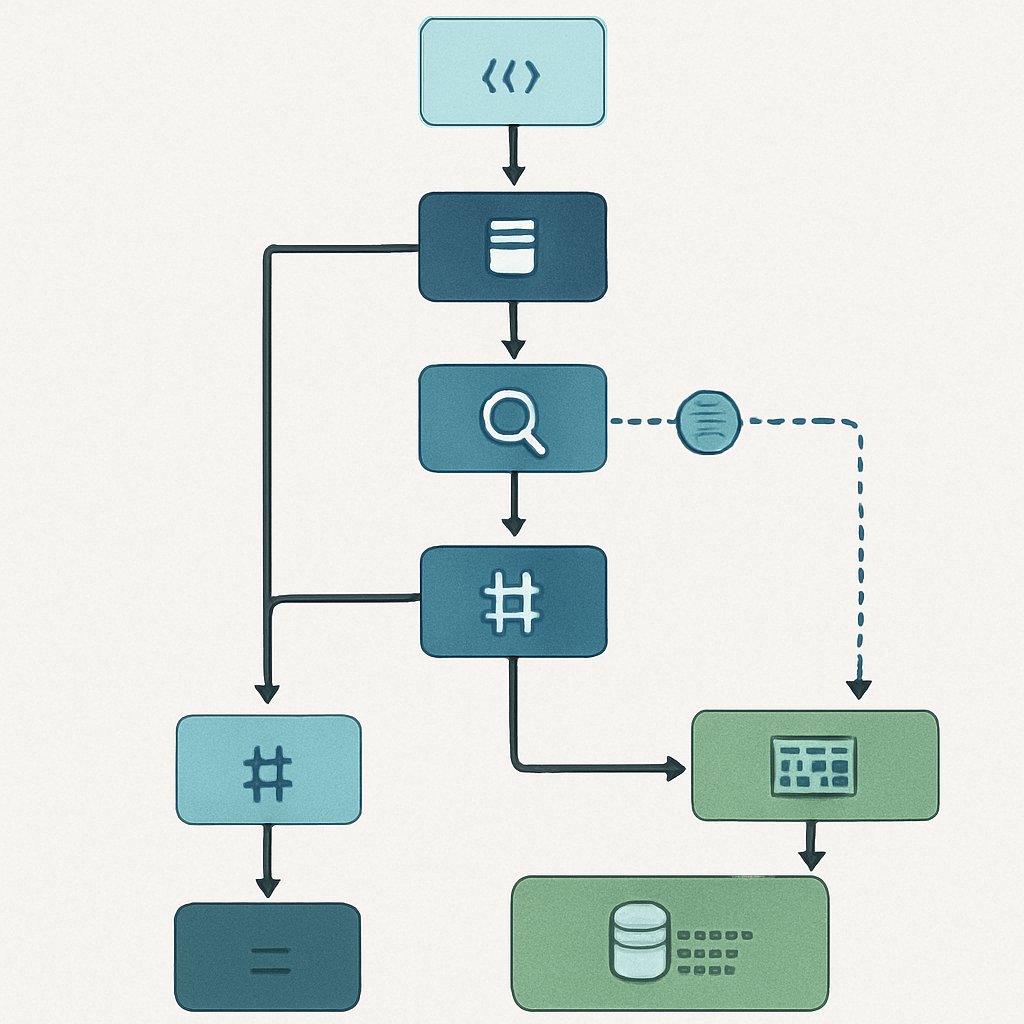
PostgreSQL Query Optimization: EXPLAIN ANALYZE Deep Dive
Why EXPLAIN ANALYZE Matters in Production
PostgreSQL is a mature, battle-tested database, but it won’t optimize slow queries for you. If you don’t understand how your SQL runs, performance will drop as data grows. EXPLAIN ANALYZE is the single most important tool for uncovering and fixing query bottlenecks—before your users notice.

- Real-world impact: Bad plans (like sequential scans on large tables) can cause 10–100x slower queries.
- Developers miss: Indexes not being used, join order mistakes, and misestimated row counts, even if they “look fine” in development data.
- EXPLAIN ANALYZE reveals what’s really happening: which plan steps are slow, where estimates are off, and what needs fixing.
For instance, imagine a table with millions of rows that grows steadily over time. If a query is written without an index, it might run in a second on development data with 1,000 rows, but could take minutes or more in production. EXPLAIN ANALYZE helps you catch these scaling issues before they impact end users.
How to Use EXPLAIN and EXPLAIN ANALYZE in PostgreSQL
To optimize queries effectively, you need to understand the difference between EXPLAIN and EXPLAIN ANALYZE. Both are built-in PostgreSQL commands for viewing query plans, but they serve different purposes:
-- Check query plan without executing
EXPLAIN
SELECT customer_id, order_total
FROM orders
WHERE order_date > '2025-01-01';

-- Check query plan and run the query, showing actual timings and row counts
EXPLAIN ANALYZE
SELECT customer_id, order_total
FROM orders
WHERE order_date > '2025-01-01';
- EXPLAIN: Shows the plan tree and cost estimates. No query execution.
- EXPLAIN ANALYZE: Runs the query, showing actual time and row counts at each plan step.
Cost estimates are numbers calculated by PostgreSQL’s query planner to predict how expensive each operation will be. The planner uses statistics about your data to decide which plan it believes will execute fastest.

Plan tree refers to the hierarchy of steps PostgreSQL will perform to execute your query, such as scans, joins, and sorts.
When should you use each?
- For “What plan will PostgreSQL use?”:
EXPLAIN - For “Where is my query slow? Are estimates wrong?”:
EXPLAIN ANALYZE
For example, use EXPLAIN during early development to check if indexes are being used. Use EXPLAIN ANALYZE in staging or testing to confirm actual performance and catch any unexpected bottlenecks.
Interpreting EXPLAIN ANALYZE: Real Output
Understanding EXPLAIN ANALYZE output is crucial to spot inefficiencies. Let’s look at a real example and break down each field:
EXPLAIN ANALYZE
SELECT customer_id, order_total
FROM orders
WHERE order_date > '2025-01-01';

-- Output:
-- Seq Scan on orders  (cost=0.00..431.00 rows=1000 width=16)
--                    (actual time=0.020..10.500 rows=1200 loops=1)
--   Filter: (order_date > '2025-01-01'::date)
--   Rows Removed by Filter: 8000
-- Planning Time: 0.1 ms
-- Execution Time: 10.6 ms
What do these fields mean?
-
Seq Scan on orders: Indicates a sequential scan, where PostgreSQL reads every row in the table. This is often slow for large tables, especially if only a small subset of rows is needed. -
cost=0.00..431.00: The planner’s estimated cost for this operation, which it uses to choose between different ways of executing the query. Lower cost is better. -
rows=1000: The planner’s estimated number of rows this step will output. -
actual time=0.020..10.500: The actual time in milliseconds spent on this step. The first number is time to first row, the second is time to last row. -
rows=1200: The actual number of rows returned by this step. -
Rows Removed by Filter: 8000: The number of rows examined but excluded by the filter condition. This shows how much work was “wasted” due to filtering after scanning. -
Planning TimeandExecution Time: The time spent by PostgreSQL to plan the query and to actually execute it.
Production insight: If the actual row count is much higher or lower than estimated, your statistics may be stale (not reflecting current data) or the query predicate is non-selective. This can lead to slow performance because PostgreSQL may choose a suboptimal plan.
For example, if you see a sequential scan on a table with an index, and the estimate is far off from the actual row count, running ANALYZE can often correct the planner’s expectations and switch to a much faster plan.
Practical Query Optimization Techniques (with Examples)
Now that you understand how to interpret plans, let’s walk through a realistic scenario and apply actual fixes. These examples will show how query speed can change dramatically depending on optimizations.
Suppose you have a PostgreSQL 15+ table with 100,000 rows:
CREATE TABLE orders (
    order_id SERIAL PRIMARY KEY,
    customer_id INT NOT NULL,
    order_date DATE NOT NULL,
    order_total NUMERIC(10,2) NOT NULL
);

-- Populate with 100,000 rows spread over the past 2 years
INSERT INTO orders (customer_id, order_date, order_total)
SELECT
    (random()*1000)::INT,
    CURRENT_DATE - (random()*730)::INT,
    (random()*500)::NUMERIC(10,2)
FROM generate_series(1, 100000);
Let’s see how different optimizations affect the same query.
1. Baseline: Unoptimized Query
EXPLAIN ANALYZE
SELECT customer_id, order_total
FROM orders
WHERE order_date > CURRENT_DATE - 30;
Output: (abridged for clarity)

Seq Scan on orders  (cost=0.00..1850.00 rows=800 width=16)
                   (actual time=0.03..120.50 rows=900 loops=1)
  Filter: (order_date > (CURRENT_DATE - 30))
  Rows Removed by Filter: 99100
Execution Time: 121.2 ms
- Observation: PostgreSQL reads all 100,000 rows, filtering in-memory. Slow and inefficient.
In this case, a sequential scan is performed because there is no index on order_date. PostgreSQL must check every row to find matching dates.
2. Add an Index on order_date
CREATE INDEX idx_orders_order_date ON orders(order_date);
ANALYZE orders; -- Always analyze after massive data changes or index creation
An index is a database structure that allows fast lookup of rows matching specific column values. After creating the index, running ANALYZE updates statistics so PostgreSQL can use the index efficiently.
3. Re-run the Query
EXPLAIN ANALYZE
SELECT customer_id, order_total
FROM orders
WHERE order_date > CURRENT_DATE - 30;
Output: (abridged)
Index Scan using idx_orders_order_date on orders
  (cost=0.42..37.08 rows=900 width=16)
  (actual time=0.05..6.10 rows=900 loops=1)
Execution Time: 6.2 ms
- Index scan: Now PostgreSQL jumps directly to matching rows. Execution drops from 121ms to 6ms—a 20x improvement.
Here, the index scan enables PostgreSQL to read only the rows that match the condition, skipping the rest. This drastically reduces I/O and improves speed.
4. Check for Stale Statistics
ANALYZE orders;
- Always run
ANALYZEafter bulk data changes. If not, plans may be wrong (e.g., using Seq Scan when an index scan is better).
ANALYZE updates PostgreSQL’s internal statistics, which the planner uses to estimate row counts and select the best plan. Skipping this step can lead to poor performance, even with indexes.
5. Select Only Needed Columns
-- Instead of SELECT *, specify only required columns
SELECT customer_id, order_total
FROM orders
WHERE order_date > CURRENT_DATE - 30;
- Less data read, less I/O, less memory: measurable improvement for large tables.
For example, if you only need two columns out of ten, PostgreSQL can avoid reading unnecessary data from disk, making queries faster and more efficient.
6. Rewrite Queries to Avoid Function on Indexed Column
-- BAD: Prevents index usage
WHERE date_trunc('day', order_date) = CURRENT_DATE

-- GOOD: Use direct comparison if possible
WHERE order_date = CURRENT_DATE
- Any function on an indexed column usually disables index usage. Rewrite where possible.
For instance, using a function like date_trunc or UPPER() on an indexed column forces PostgreSQL to compute the value for every row, preventing the index from being used. Always try to structure your query to allow direct comparisons.
Performance Comparison Table: Index vs. No Index
| Scenario | Estimated Rows | Actual Rows | Execution Time (ms) | Scan Type |
|---|---|---|---|---|
| Without Index | 800 | 900 | 121 | Sequential Scan |
| With Index | 900 | 900 | 6 | Index Scan |
Takeaway: Proper indexing and up-to-date statistics can easily cut query time by 10–20x or more for common filters.
This example highlights how even a simple addition of an index, combined with current statistics, can transform a slow, resource-hogging query into a fast, efficient one. Always measure before and after any optimization.
Pitfalls and Edge Cases in Query Plans
While EXPLAIN ANALYZE is powerful, interpreting query plans comes with common pitfalls and edge cases. Understanding these helps you avoid costly mistakes:
- Join Order Surprises: PostgreSQL may choose a bad join order if statistics are off or queries are complex.
- Nested loops are efficient for small datasets, but can be slow if used with large tables unintentionally.
- Hash joins and merge joins are alternatives that may perform better depending on data volume and indexes.
Always check the chosen join type in your plan for large joins.
- Index Not Used: Even with an index, PostgreSQL may scan sequentially if it thinks the filter is not selective. This usually means statistics are missing or outdated.
- For example, if you create an index but never run
ANALYZE, the planner may not realize it’s useful.
- For example, if you create an index but never run
- Row Estimate Mismatch: When “estimated rows” is very different from “actual rows” in
EXPLAIN ANALYZE, investigate. RunANALYZEor consider VACUUM.- Large mismatches lead the planner to make poor choices, like using a sequential scan when an index scan would be faster.
- Functions in WHERE Clauses: Applying functions to indexed columns (e.g.,
UPPER(name),date_trunc) disables index usage unless using an expression index.- For example,
WHERE UPPER(name) = 'ALICE'won’t use a standard index onname.
- For example,
- Subqueries vs. JOINs: Sometimes rewriting a correlated subquery as a JOIN can cut execution time in half or more. See SQL Query Optimization: EXPLAIN Plans, Indexes, and Common Pitfalls for details.
- For example, turning
WHERE EXISTS (SELECT 1 FROM ...)into aJOINwith appropriate indexes can improve performance.
- For example, turning
Be proactive: after any major schema or query changes, always validate your assumptions with EXPLAIN ANALYZE and watch for these red flags in the output.
Key Takeaways
Key Takeaways:
EXPLAIN ANALYZEis indispensable for real-world PostgreSQL performance tuning—don’t guess, measure.- Look for mismatches between estimated and actual rows; this signals stale statistics or missing indexes.
- Indexes on filter and join columns are the most powerful optimization—always benchmark with and without.
- Update statistics (
ANALYZE) after large data imports, deletes, or index creation.- Avoid functions on indexed columns or rewrite as expression indexes if needed.
- Use
EXPLAIN (ANALYZE, BUFFERS)for even deeper I/O analysis (see PostgreSQL docs).
Consistently applying these practices will help you maintain high performance as your data grows and your queries evolve.
Further Reading and Sources
-
Official PostgreSQL Documentation: Using EXPLAIN
-
SQL Query Optimization: EXPLAIN Plans, Indexes, and Common Pitfalls (SesameDisk)
-
Optimizing Top K in PostgreSQL: Techniques and Limitations (SesameDisk)
-
Optimize PostgreSQL Performance with pg_jitter JIT Compilation (SesameDisk)
Mastering EXPLAIN ANALYZE is a must for every developer and DBA using PostgreSQL. With the right habits—indexing, stats, and careful query rewrites—you can keep your application fast, even as your data grows 10x, 100x, or more. Make EXPLAIN ANALYZE part of your pull request review process, not just your production fire drills.