
Event-Driven Architecture with Apache Kafka: Designing Scalable Microservices Communication
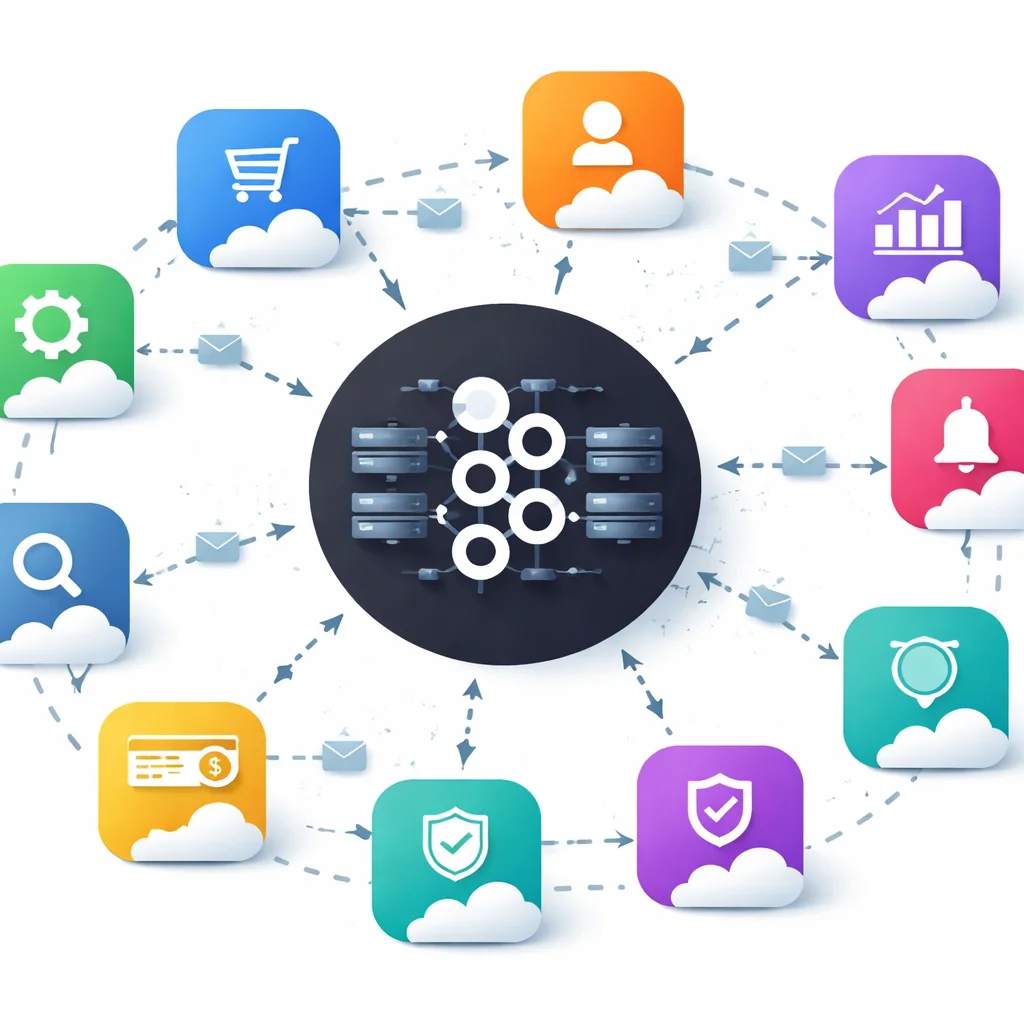
Building scalable, resilient microservices isn’t just about breaking a monolith into smaller pieces. The real challenge is reliable, flexible communication between those services when requirements—and traffic—change fast. Apache Kafka has become the backbone for event-driven architectures, enabling services to communicate through events at scale.

Why Event-Driven Architecture Matters for Microservices
Traditional microservices often started with REST APIs for communication. That works for simple CRUD, but quickly falls apart under heavy load, tight coupling, or asynchronous workflows. Event-driven architecture (EDA) flips this model:
- Loose coupling: Producers and consumers don’t know about each other. You can evolve, scale, or replace services independently.
- Asynchronous by default: Services react to events, not direct calls. This is essential for spikes, retries, and long-running processes.
- Scalability: Kafka’s distributed cluster lets you handle millions of events per second (source: Medium/@ozziefel).
- Resilience and auditability: Events are persisted, replayable, and replicated, making failures easier to recover.
According to Dev Note’s 2026 guide, event-driven architectures powered by Kafka are now the default for fintech, logistics, and large e-commerce platforms requiring real-time and decoupled systems.
Apache Kafka Core Concepts for Scalable Communication
Understanding Kafka’s primitives is critical before writing code. Here’s what matters for real-world microservices:
- Cluster: Kafka runs as a cluster of brokers. Add brokers for horizontal scale and high availability.
- Topic: The named event stream. Each topic can have multiple partitions for parallelism.
- Partition: Each topic is split into partitions; events in a partition are ordered, but order across partitions is not guaranteed.
- Producer: Publishes events to topics. Typically your microservice emitting a business event.
- Consumer group: Multiple instances of a service (or several services) reading from a topic in parallel. Each partition is read by only one consumer in the group at a time.
- Offset: The position of an event in a partition. Consumers track offsets for durability and replay.
- Replication: Partitions are replicated across brokers for fault tolerance.
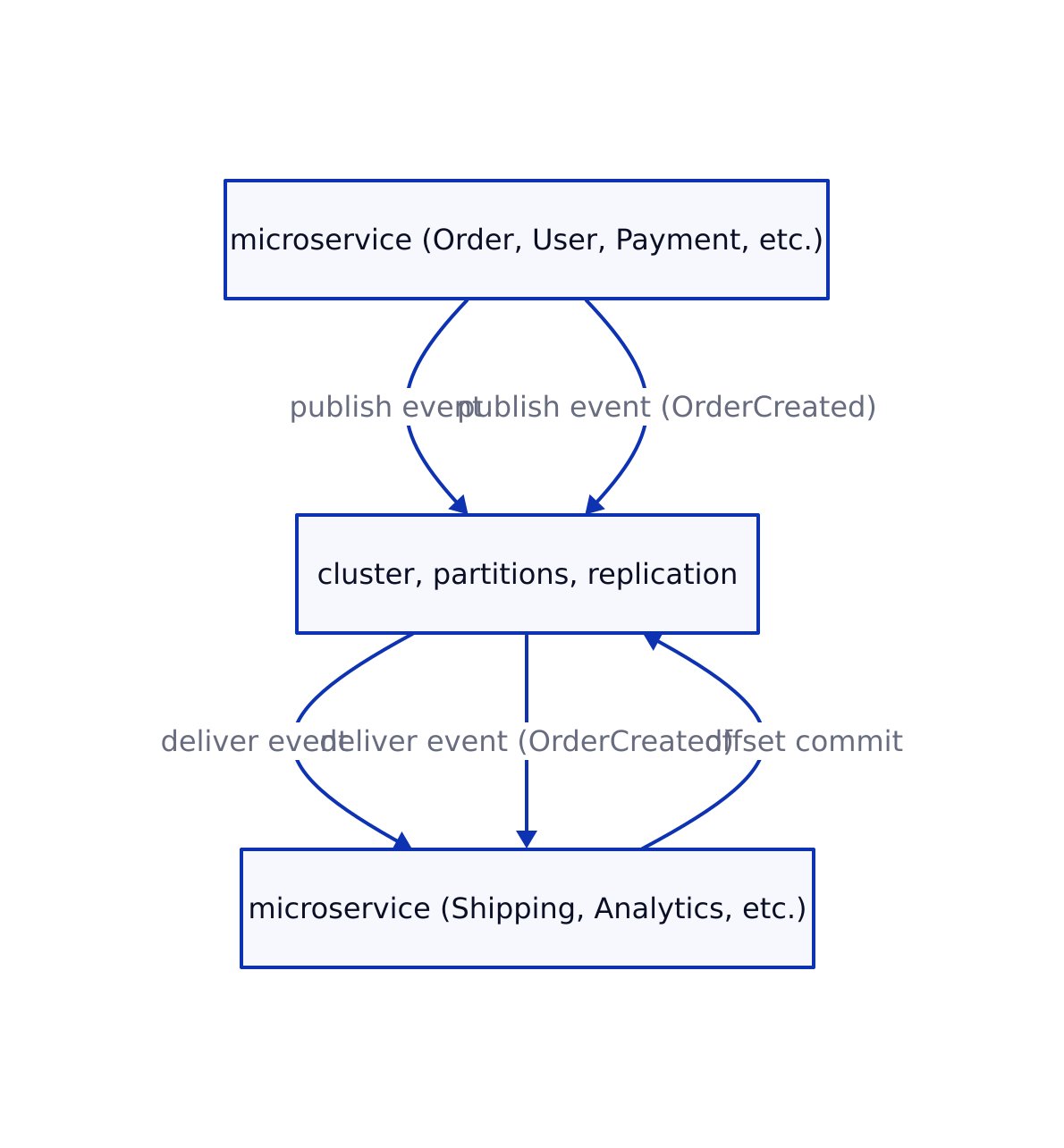
This pattern unlocks horizontal scaling and operational resilience. Here’s an architectural diagram summarizing the main Kafka event flow in microservices:
Production-Ready Kafka Setup: Code Examples
Let’s walk through a minimal, but production-grade, Kafka deployment and microservice integration with real code. These examples use Kafka 7.6.0 as referenced in Dev Note.

1. Spinning Up a Kafka Cluster (Docker Compose)
# docker-compose.kafka.yml
version: '3.8'

services:
  kafka-1:
    image: confluentinc/cp-kafka:7.6.0
    environment:
      KAFKA_NODE_ID: 1
      KAFKA_PROCESS_ROLES: broker,controller
      KAFKA_LISTENERS: PLAINTEXT://0.0.0.0:9092,CONTROLLER://0.0.0.0:9093
      KAFKA_ADVERTISED_LISTENERS: PLAINTEXT://kafka-1:9092
      KAFKA_CONTROLLER_LISTENER_NAMES: CONTROLLER
      KAFKA_CONTROLLER_QUORUM_VOTERS: 1@kafka-1:9093,2@kafka-2:9093,3@kafka-3:9093
      KAFKA_INTER_BROKER_LISTENER_NAME: PLAINTEXT
      KAFKA_OFFSETS_TOPIC_REPLICATION_FACTOR: 3
    volumes:
      - kafka-1-data:/var/lib/kafka/data
  kafka-2:
    image: confluentinc/cp-kafka:7.6.0
    environment:
      KAFKA_NODE_ID: 2
      KAFKA_PROCESS_ROLES: broker,controller
      KAFKA_LISTENERS: PLAINTEXT://0.0.0.0:9092,CONTROLLER://0.0.0.0:9093
      KAFKA_ADVERTISED_LISTENERS: PLAINTEXT://kafka-2:9092
      KAFKA_CONTROLLER_LISTENER_NAMES: CONTROLLER
      KAFKA_CONTROLLER_QUORUM_VOTERS: 1@kafka-1:9093,2@kafka-2:9093,3@kafka-3:9093
    volumes:
      - kafka-2-data:/var/lib/kafka/data
  kafka-3:
    image: confluentinc/cp-kafka:7.6.0
    environment:
      KAFKA_NODE_ID: 3
      KAFKA_PROCESS_ROLES: broker,controller
      KAFKA_LISTENERS: PLAINTEXT://0.0.0.0:9092,CONTROLLER://0.0.0.0:9093
      KAFKA_ADVERTISED_LISTENERS: PLAINTEXT://kafka-3:9092
      KAFKA_CONTROLLER_LISTENER_NAMES: CONTROLLER
      KAFKA_CONTROLLER_QUORUM_VOTERS: 1@kafka-1:9093,2@kafka-2:9093,3@kafka-3:9093
    volumes:
      - kafka-3-data:/var/lib/kafka/data
volumes:
  kafka-1-data:
  kafka-2-data:
  kafka-3-data:
This setup ensures:
- High availability with 3 brokers and replication (no single point of failure)
- Safe offset tracking for consumer groups
2. Producing Events from a Java Microservice
Here’s a full producer example based on real code from production systems:
import org.apache.kafka.clients.producer.KafkaProducer;
import org.apache.kafka.clients.producer.ProducerRecord;
import java.util.Properties;

public class KafkaEventProducer {
    public static void main(String[] args) {
        Properties props = new Properties();
        props.put("bootstrap.servers", "localhost:9092");
        props.put("key.serializer", "org.apache.kafka.common.serialization.StringSerializer");
        props.put("value.serializer", "org.apache.kafka.common.serialization.StringSerializer");

        KafkaProducer producer = new KafkaProducer<>(props);

        try {
            String topic = "order-events";
            String key = "order-12345";
            String value = "{\"orderId\":\"order-12345\",\"status\":\"CREATED\"}";
            ProducerRecord record = new ProducerRecord<>(topic, key, value);
            producer.send(record);
            System.out.println("Event published successfully to Kafka.");
        } catch (Exception e) {
            e.printStackTrace();
        } finally {
            producer.close();
        }
    }
}
// Output: Event published successfully to Kafka.
Best practices:

- Always close the producer to flush and release resources
- Use a unique key per aggregate (e.g., orderId) for event ordering
- Handle retries and errors (production code should include error callbacks and retry logic)
3. Consuming Events in a Scalable, Fault-Tolerant Way
import org.apache.kafka.clients.consumer.KafkaConsumer;
import org.apache.kafka.clients.consumer.ConsumerRecords;
import org.apache.kafka.clients.consumer.ConsumerRecord;
import org.apache.kafka.common.serialization.StringDeserializer;
import java.util.Collections;
import java.util.Properties;
import java.time.Duration;

public class KafkaEventConsumer {
    public static void main(String[] args) {
        Properties props = new Properties();
        props.put("bootstrap.servers", "localhost:9092");
        props.put("group.id", "order-processing-service");
        props.put("key.deserializer", StringDeserializer.class.getName());
        props.put("value.deserializer", StringDeserializer.class.getName());

        KafkaConsumer consumer = new KafkaConsumer<>(props);
        consumer.subscribe(Collections.singletonList("order-events"));

        while (true) {
            ConsumerRecords records = consumer.poll(Duration.ofMillis(100));
            for (ConsumerRecord record : records) {
                System.out.printf("Consumed event: key=%s, value=%s%n", record.key(), record.value());
                // Business logic here (process the order)
            }
            // For production: commit offsets after processing
        }
    }
}
// Output: Consumed event: key=order-12345, value={"orderId":"order-12345","status":"CREATED"}
Key points:
- Consumer group enables scaling: multiple instances share partitions for parallel processing
- Always handle failures and retries—Kafka supports replaying events from last committed offset
Event Design and Schema Management
Designing robust event schemas is critical to avoid versioning hell and production data corruption. Use standards like CloudEvents and a schema registry.
// TypeScript interface for a CloudEvent
interface CloudEvent<T> {
  specversion: "1.0";
  id: string;
  source: string;
  type: string;
  datacontenttype?: string;
  dataschema?: string;
  subject?: string;
  time?: string;
  data: T;
}

// Example: OrderCreated event payload
const orderCreatedEvent: CloudEvent<OrderCreatedData> = {
  specversion: "1.0",
  id: "A234-1234-1234",
  source: "/orders/service",
  type: "com.example.order.created",
  datacontenttype: "application/json",
  time: "2026-02-12T13:45:00Z",
  subject: "order-12345",
  data: {
    orderId: "order-12345",
    customerId: "customer-789",
    items: [
      { productId: "prod-1", quantity: 2, price: 29.99 },
      { productId: "prod-2", quantity: 1, price: 49.99 }
    ],
    totalAmount: 109.97,
    currency: "USD"
  }
};
Use a schema registry (like Confluent Schema Registry) to enforce schema evolution rules, compatibility, and validation across microservices (see Dev Note for Avro/JSON Schema usage).
Real-World Patterns, Edge Cases, and Pitfalls
Production Kafka microservices face tough problems that toy demos ignore:
- Exactly-once processing: Out-of-the-box, Kafka provides at-least-once delivery. To avoid duplicates, use idempotent consumers or the newer transactional APIs (requires careful handling and version support).
- Schema evolution: Always evolve schemas in a backward-compatible way. Breaking changes will break downstream consumers and may cause data loss or corruption.
- Consumer lag and monitoring: Use metrics and monitoring tools to track consumer lag—if a consumer falls behind, alerting and auto-scaling are critical to avoid data buildup.
- Topic partitioning: Under-partitioning limits parallelism; over-partitioning can stress brokers. Start with 2–4 partitions per consumer instance, monitor, and adjust.
- Dead-letter topics: Capture failed or poison events for later analysis and reprocessing. Never silently drop bad messages.
For more production-ready guidance, see C# Corner’s design guide.
Kafka vs REST for Microservices: Comparison Table
| Criteria | Apache Kafka (EDA) | REST APIs |
|---|---|---|
| Coupling | Loose (producers/consumers unaware of each other) | Tight (direct service-to-service calls) |
| Communication | Asynchronous, event-driven | Synchronous, request/response |
| Scalability | Horizontal (add brokers/partitions/consumers) | Vertical unless sharded |
| Delivery Guarantees | At-least-once/Exactly-once (configurable) | At-most-once (unless custom retry logic) |
| Failure Recovery | Replay events from offset, dead-letter queues | Manual retries, harder error handling |
| Observability | Built-in offset tracking, lag metrics | Manual logging/tracing required |
| Use Cases | Event sourcing, CQRS, long workflows, analytics | Simple CRUD, synchronous APIs |
As discussed in our analysis of LLM-augmented development, the shift to event-driven and asynchronous APIs is accelerating as systems scale and real-time analytics become table stakes.
Key Takeaways
Key Takeaways:
- Apache Kafka is the gold standard for scalable, loosely coupled microservices communication.
- Production Kafka setups require cluster replication, monitoring, and schema management.
- Event design, partitioning, and consumer group strategy are the difference between smooth scaling and production pain.
- REST is still simpler for CRUD APIs, but Kafka dominates for real-time, high-throughput, and decoupled workflows.
- Always monitor, test, and evolve schemas with a registry to avoid breaking production consumers.
References
- Event-Driven Architecture with Apache Kafka: Building Scalable Real-Time Systems
- Kafka In Microservices Architecture: Enabling Scalable And Event-Driven Systems
- How to Design Event-Driven Systems Using Apache Kafka and Microservices?
For more on designing scalable, production-grade software systems, see our related coverage on building robust CLI tools in Go and workflow transformation with LLMs.