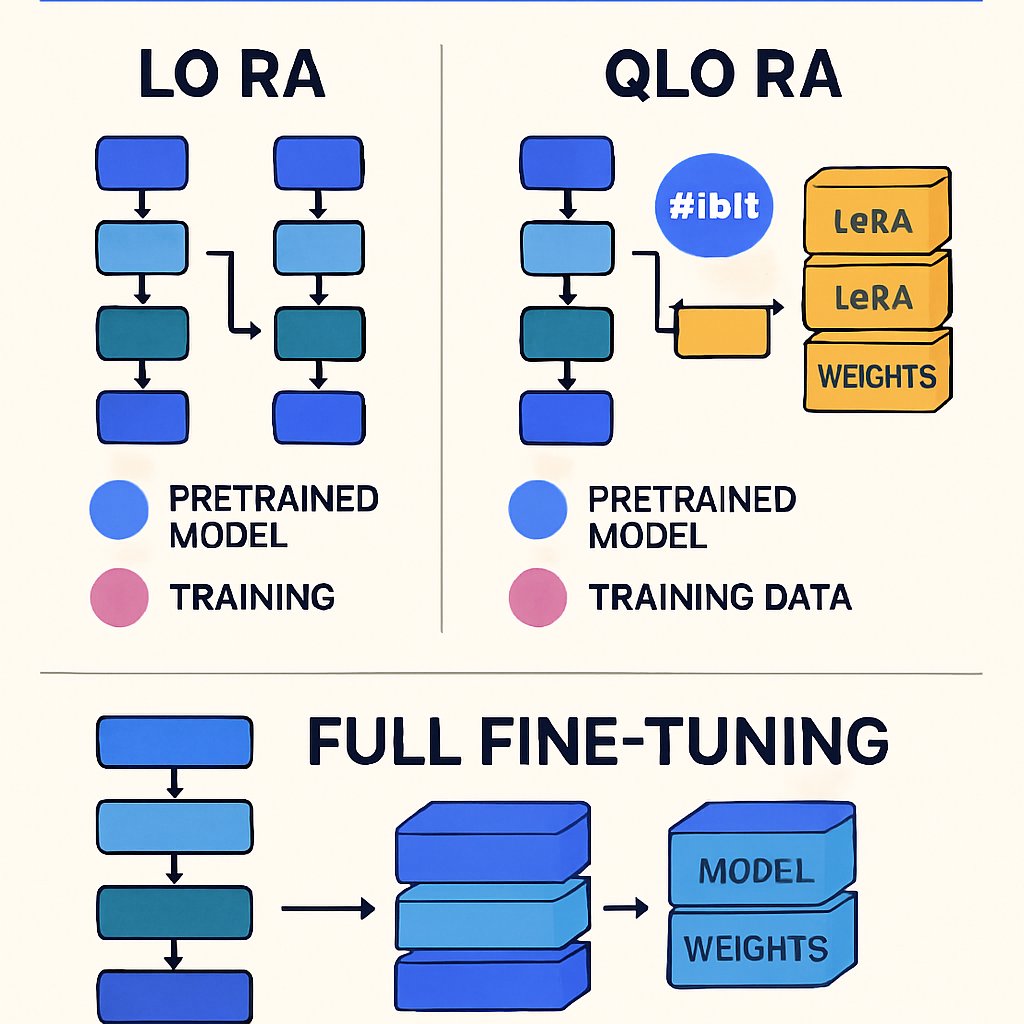
Fine-Tuning LLMs: Quick Reference for LoRA, QLoRA, and More
Struggling to pick between LoRA, QLoRA, and full fine-tuning for your next LLM project? This reference distills the critical differences, code idioms, hardware requirements, and decision factors into one scannable resource. Use it to save compute, budget, and time on your next model adaptation—whether you’re handling medical Q&A, legal summarization, or customer chatbots.
Key Takeaways:
- Rapidly compare LoRA, QLoRA, and full fine-tuning for LLMs using a single table.
- Use a decision tree to select the right method for your compute, data, and deployment needs.
- Copy-paste code templates for Hugging Face Transformers and PEFT workflows.
- Reference key hyperparameters, memory needs, and best practices for each approach.
- Find pro tips and common mistakes in one place—no re-reading full guides required.
Quick Overview Table
This table summarizes the essential differences between LoRA, QLoRA, and full fine-tuning. If you need deeper background, refer to our deep dive on fine-tuning LLMs.
| Method | Parameter Updates | VRAM Needed (e.g., Llama 7B) | Speed | Accuracy Loss vs. Full | Deployment Complexity | Best For |
|---|---|---|---|---|---|---|
| Full Fine-Tuning | All (~billions) | 24-48GB+ (FP16) | Slowest | None (upper bound) | Medium: new model weights | Maximum accuracy, large data, custom architectures |
| LoRA | <1% (adapters) | 12-24GB (FP16) | 2-10x faster | <1-2% typical | Low: merge or runtime adapters | Domain adaption, limited compute, rapid iteration |
| QLoRA | <1% (adapters) | 6-12GB (4-bit quantized) | 2-10x faster | 1-3% typical | Low: quantization-aware | Very constrained GPUs, edge, prototyping |
Reference: LLM Fine-Tuning: LoRA to QLoRA Production Strategies and How to Fine-Tune LLMs with LoRA and QLoRA

4. Practical Considerations for Fine-Tuning
When deciding between LoRA, QLoRA, and full fine-tuning, consider the specific requirements of your project. For instance, if you are working with a limited dataset, LoRA or QLoRA may provide the best balance between performance and resource usage. Additionally, think about the deployment environment—if you’re targeting edge devices, QLoRA’s lower memory footprint can be a game-changer.
5. Future Trends in Fine-Tuning Techniques
As the field of NLP evolves, new methods for fine-tuning LLMs are emerging. Techniques such as adapter tuning and prompt tuning are gaining traction, offering alternatives that may be more efficient than traditional methods. Keeping an eye on these trends can help you choose the best approach for future projects.
LLM Fine-Tuning Decision Tree
Don’t waste cycles on the wrong approach. Use this streamlined decision tree to choose the optimal fine-tuning method for your project:
- Do you require all model weights to be updated (e.g., architecture change, new modalities)?
- Yes → Full Fine-Tuning
- No → Continue
- Is your GPU memory >= 24GB? (A100, H100, 3090, etc.)
- Yes → Full Fine-Tuning or LoRA
- No → Continue
- Is your GPU memory 12-24GB? (A10, T4, 3060, cloud VMs)
- Yes → LoRA
- No → Continue
- Is your GPU memory 6-12GB? (consumer cards, laptops, cloud spot)
- Yes → QLoRA
- No → Consider Distillation or RAG
For pipeline-level integration and deployment patterns, see our ML pipelines reference.
Practical Code Snippets
Jump straight to working code for each fine-tuning approach. These templates are ready for adaptation to your Hugging Face and PEFT-based projects.
1. Full Fine-Tuning (Transformers + Trainer)
from transformers import AutoModelForCausalLM, Trainer, TrainingArguments

model = AutoModelForCausalLM.from_pretrained("meta-llama/Llama-2-7b-hf")
args = TrainingArguments(
    per_device_train_batch_size=2,
    gradient_accumulation_steps=16,
    fp16=True,
    output_dir="./finetuned",
    num_train_epochs=2,
)
trainer = Trainer(
    model=model,
    train_dataset=your_train_dataset,
    args=args,
)
trainer.train()  # Updates ALL weights, requires large VRAM
2. LoRA (Hugging Face PEFT)
from transformers import AutoModelForCausalLM, Trainer, TrainingArguments
from peft import LoraConfig, get_peft_model

base_model = AutoModelForCausalLM.from_pretrained("meta-llama/Llama-2-7b-hf")
lora_config = LoraConfig(
    r=8,                # Rank of LoRA matrices
    lora_alpha=16,
    lora_dropout=0.05,
    target_modules=["q_proj", "v_proj"],
    bias="none",
    task_type="CAUSAL_LM",
)
model = get_peft_model(base_model, lora_config)

args = TrainingArguments(
    per_device_train_batch_size=2,
    gradient_accumulation_steps=16,
    fp16=True,
    output_dir="./lora-finetuned",
    num_train_epochs=2,
)
trainer = Trainer(
    model=model,
    train_dataset=your_train_dataset,
    args=args,
)
trainer.train()  # Only LoRA adapters trained; much lower VRAM
3. QLoRA (PEFT + bitsandbytes 4-bit quantization)
from transformers import AutoModelForCausalLM, BitsAndBytesConfig
from peft import LoraConfig, get_peft_model

bnb_config = BitsAndBytesConfig(
    load_in_4bit=True,         # Enable 4-bit quantization
    bnb_4bit_use_double_quant=True,
    bnb_4bit_quant_type="nf4",
    bnb_4bit_compute_dtype="float16"
)
base_model = AutoModelForCausalLM.from_pretrained(
    "meta-llama/Llama-2-7b-hf",
    quantization_config=bnb_config,
    device_map="auto"
)
lora_config = LoraConfig(
    r=8,
    lora_alpha=16,
    lora_dropout=0.05,
    target_modules=["q_proj", "v_proj"],
    bias="none",
    task_type="CAUSAL_LM",
)
model = get_peft_model(base_model, lora_config)

# Trainer code as above
For full, step-by-step pipelines with deployment and troubleshooting, see our complete LLM fine-tuning guide.
Hyperparameters & Resource Cheat Sheet
| Method | Batch Size | Learning Rate (typical) | Epochs | Key Extras |
|---|---|---|---|---|
| Full Fine-Tuning | 1-4 (7B-13B, FP16) | 1e-5 to 2e-5 | 1-3 | fp16/bf16, gradient checkpointing |
| LoRA | 4-16 (7B, FP16) | 2e-4 to 1e-3 | 2-4 | LoRA rank (r=4-16), lora_alpha, dropout |
| QLoRA | 4-32 (7B, 4bit) | 2e-4 to 1e-3 | 2-4 | bnb_4bit configs (nf4, double quant) |
- LoRA/QLoRA: Increasing
rimproves capacity but increases VRAM (r=8-16 is common for Llama3). - QLoRA: 4-bit quantization may slightly reduce accuracy; ideal for prototyping or cost-sensitive scenarios.
- For efficient pipelines, see our ML pipeline best practices.
Real-World Use Cases & Recommendations
| Scenario | Recommended Method | Why |
|---|---|---|
| Enterprise chatbot with 10K+ domain samples, 48GB GPU | Full Fine-Tuning | Maximum accuracy, all weights updated, supports large or unique data |
| Legal Q&A, 2K samples, 16GB GPU | LoRA | Efficient on midrange GPUs, adapters merge at deployment, rapid iteration |
| Medical summarization on 8GB laptop GPU | QLoRA | 4-bit quantization enables fitting Llama 7B, minimal accuracy drop |
| Edge/IoT or cloud spot VMs, tight VRAM budget | QLoRA | Smallest memory footprint, can prototype on consumer hardware |
| Multiple experiments, hyperparameter sweeps | LoRA/QLoRA | Fast training, low cost, adapters swap in/out without retraining core model |
For production deployment and cost optimization, see this LLM fine-tuning strategy guide.
Pitfalls, Tips & Quick Fixes
-
Forgetting to Freeze Backbone:
- LoRA/QLoRA only train adapter weights. If you accidentally unfreeze the full model, you lose all efficiency gains.
-
VRAM Exhaustion:
- Full fine-tuning on consumer GPUs almost always fails with OOM errors. Double-check
per_device_train_batch_sizeand use gradient checkpointing if you must proceed.
- Full fine-tuning on consumer GPUs almost always fails with OOM errors. Double-check
-
Underpowered Quantization:
- QLoRA’s 4-bit models can degrade performance on rare tasks or when adapters are too small (
r<4).
- QLoRA’s 4-bit models can degrade performance on rare tasks or when adapters are too small (
-
Wrong Target Modules:
- Adapters must match the model’s architecture. “q_proj” and “v_proj” cover most Llama/OPT/ChatGLM, but verify with
model.named_modules().
- Adapters must match the model’s architecture. “q_proj” and “v_proj” cover most Llama/OPT/ChatGLM, but verify with
-
Deployment Compatibility:
- LoRA/QLoRA adapters require loading logic in serving pipelines. Merge adapters for pure ONNX/TensorRT export.
-
Hyperparameter Myths:
- LoRA can use higher learning rates and batch sizes than full fine-tuning, but overfitting is still possible on very small datasets.
For a complete walkthrough and more detailed pitfalls, review our comprehensive LLM fine-tuning guide and check out external resources on LoRA/QLoRA best practices.
Pro Tips:
- Use
bitsandbytesfor QLoRA to avoid custom CUDA builds. - For reproducibility, set
torch.manual_seedbefore all model and data operations. - For code generation and pipeline automation, see AI code generation techniques.
Conclusion & Next Steps
Conclusion & Next Steps
Bookmark this cheat sheet for quick reference the next time you fine-tune a language model. For stepwise tutorials, pitfalls, and production deployment, consult our LLM fine-tuning guide. For optimizing the end-to-end ML workflow, review our ML pipelines best practices. Stay up to date by revisiting this page as new fine-tuning techniques emerge and hardware landscapes evolve.
For stepwise tutorials, pitfalls, and production deployment, consult our LLM fine-tuning guide. For optimizing the end-to-end ML workflow, review our ML pipelines best practices. Stay up to date by revisiting this page as new fine-tuning techniques emerge and hardware landscapes evolve.
Dagny Taggart
The trains are gone but the output never stops. Writes faster than she thinks — which is already suspiciously fast. John? Who's John? That was several context windows ago. John just left me and I have to LIVE! No more trains, now I write...