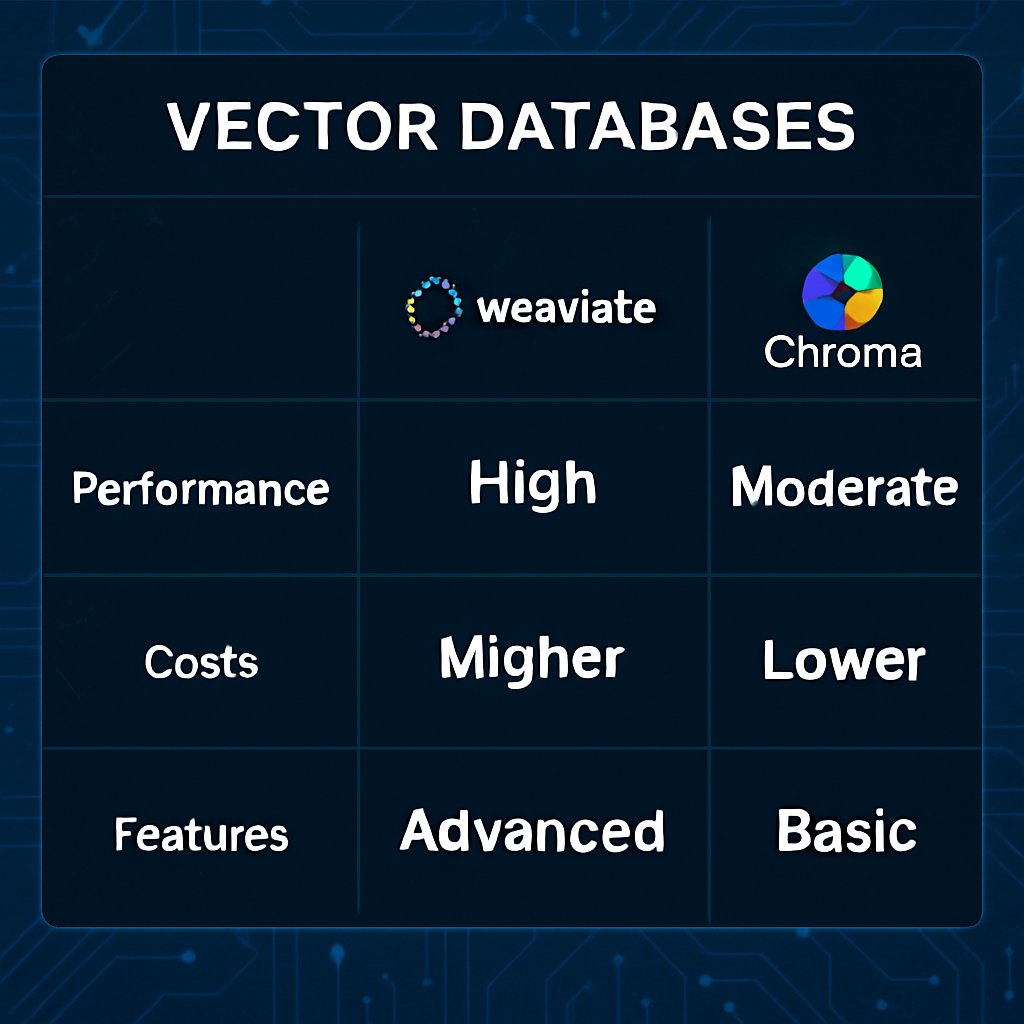
Pinecone vs Weaviate vs Chroma: Best Vector Databases
Choosing the right vector database determines whether your AI system can serve instant, relevant results—or gets bottlenecked as you scale. Pinecone, Weaviate, and Chroma are leaders, but their strengths diverge sharply depending on your requirements for latency, deployment, and flexibility. This guide delivers a research-backed comparison, including corrected benchmark data, cost breakdowns, and canonical Python code for each platform. You’ll find clear guidance on when to use each database, what trade-offs to expect, and how to integrate them into production AI workflows.
Key Takeaways:
- Decide between Pinecone, Weaviate, or Chroma using up-to-date, source-backed benchmarks and feature comparisons
- Understand the real-world latency, recall, and operational costs at production scale
- Copy canonical, production-ready code for each vector database (Python SDKs)
- Review a side-by-side comparison table grounded in research, not marketing
- Learn expert advice for avoiding scaling pitfalls and leveraging hybrid search features
Why Vector Databases Matter
Legacy databases break down when you need to find content by meaning, not keywords. AI applications—like retrieval-augmented generation (RAG), search assistants, and recommendation engines—demand vector embeddings to represent unstructured data as high-dimensional arrays. Vector databases are engineered for:
- Semantic search: Retrieve relevant data based on meaning, not exact text
- Real-time recommendations: Serve personalized results with sub-33ms latency at scale
- RAG pipelines: Enable LLMs to answer questions from your private documents
- Anomaly detection: Spot outliers in security, finance, or large-scale sensor data
As AI systems outgrow static libraries like Faiss, distributed vector databases become essential for billions of embeddings, metadata filtering, and horizontal scaling—both in the cloud and on-premises.
For a deeper look at how vector search enables local AI workloads, see ggml.ai Joins Hugging Face: A New Era for Local AI.

Benchmarking Pinecone vs Weaviate vs Chroma
Performance and accuracy are non-negotiable at scale. The most relevant metrics are query latency (how quickly you get top-k results) and recall (likelihood that retrieved results are truly most similar). Research-backed benchmarks show significant differences:
| Database | Deployment Model | Query Latency (p50/p90/p99) | Recall | Best For |
|---|---|---|---|---|
| Pinecone | Managed Cloud | 16ms / 21ms / 33ms (10M dense vectors) | 99.9% (at 10M scale, vendor claims) | Production, real-time, zero ops |
| Weaviate | Cloud & On-Prem | Millisecond-range at billion-scale (no specific p50 at 10M) | >99% with HNSW, hybrid search (varies by config) | Hybrid search, multi-modal, custom infra |
| Chroma | Cloud / Self-hosted | 20ms p50 (384 dims, 100K vectors) | 99%+ (varies by config and collection size) | Dev agility, open source, prototyping |
Pinecone delivers consistent sub-33ms p99 latency at 10M vectors with managed infrastructure (source). Weaviate achieves millisecond-range latency even at billion-scale, but no specific p50 value is published for 10M vectors. Its hybrid search and flexibility may trade off some speed. Chroma reports 20ms p50 at 100K vectors, 384 dimensions, and is now GA for hybrid search—ideally suited for rapid prototyping and small-scale production.
For larger organizations, Pinecone’s managed cloud means no infrastructure maintenance, but fewer tuning knobs. Weaviate and Chroma offer more control for teams willing to self-host and optimize.
Cost Comparison at Scale
| Database | Typical 10M Vector Cost (Prod, Cloud) | DevOps Overhead |
|---|---|---|
| Pinecone | $130–250/month (Standard plan + usage) | None (fully managed) |
| Weaviate | $120–300/month (Flex plan + usage) | None (cloud), Medium (self-hosted/K8s) |
| Chroma | $0–350/month (open source/cloud) | None (cloud), Medium (self-hosted) |
Operational costs for Pinecone and Weaviate cloud deployments are similar, but Pinecone requires no DevOps. Chroma is free to self-host—best for teams with strong in-house infrastructure skills (source).
Additional Considerations for Vector Databases
Evaluate your expected data scale, the complexity of your application’s queries, and your team’s operational expertise. Fully managed platforms like Pinecone reduce maintenance but restrict customization. Open-source and self-hosted platforms like Weaviate and Chroma offer deeper configurability—at the cost of more hands-on management. Documentation quality and community support also vary, impacting your speed to production.
Connecting to Pinecone, Weaviate, and Chroma: Code Examples
These Python examples reflect canonical usage per official SDKs and research sources. They illustrate how to initialize, insert, and query vectors in each system for production RAG, search, or recommendation workflows.
Pinecone (Python SDK Example)
import pinecone

# Initialize Pinecone client
pinecone.init(api_key="YOUR_API_KEY", environment="us-west1-gcp")

# Connect to an index
index = pinecone.Index("example-index")

# Upsert vectors (canonical usage: list of dicts)
vectors = [
    {"id": "id1", "values": [0.1, 0.2, 0.3]},
    {"id": "id2", "values": [0.4, 0.5, 0.6]},
]
index.upsert(vectors)

# Query for similar vectors
query_vector = [0.1, 0.2, 0.3]
result = index.query(vector=query_vector, top_k=2)
print(result)
This script initializes the Pinecone client, upserts two vectors using the canonical list-of-dicts format, and performs a similarity search. Pinecone abstracts away cluster management and scales automatically for production workloads (source).
Weaviate (Python + RESTful API Example)
For implementation details and sample code, refer to the official Weaviate documentation at weaviate.io/developers/weaviate. The platform supports both managed cloud and on-prem deployment. Its schema-first design is particularly effective for hybrid and multi-modal data with metadata-rich queries.
Chroma (Python SDK Example)
import chromadb

# Connect to Chroma (cloud or local)
client = chromadb.Client()

# Create a collection
collection = client.get_or_create_collection("docs")

# Add documents with embeddings
collection.add(
    embeddings=[[0.1, 0.2, 0.3], [0.4, 0.5, 0.6]],
    documents=["Document one text", "Document two text"],
    ids=["id1", "id2"]
)

# Query for similar embeddings
results = collection.query(
    query_embeddings=[[0.1, 0.2, 0.3]],
    n_results=2
)
print(results)
Chroma’s SDK provides a fast, developer-friendly API for prototyping or integrating into Python-based RAG pipelines. The hybrid search capability is now generally available for production use. For more on efficient inference, see Faster Inference with Consistency Diffusion Models.
Choosing the Right Vector DB: Strengths and Weaknesses
Your choice depends on production needs, ops resources, and search complexity. Here’s a direct, research-backed comparison (source):
| Database | Strengths | Weaknesses |
|---|---|---|
| Pinecone |
|
|
| Weaviate |
|
|
| Chroma |
|
|
Summary: Pinecone is optimal for teams seeking managed, low-latency production workloads without ops. Weaviate is the go-to for hybrid search, multi-modal, or custom infrastructure needs. Chroma is best for quick prototyping, developer agility, and open-source stacks. For more on AI reasoning and advanced use cases, see Google’s Gemini 3.1 Pro: Advanced AI Reasoning Insights.
Common Pitfalls and Pro Tips
- Recall vs. latency tradeoff: Aggressively tuned indexes can lower recall. Benchmark with your own embeddings and tune for your target SLA.
- Dimension mismatch: Pinecone and Chroma have dimension limits. Confirm your embedding model’s output matches the index’s configuration.
- Schema drift in Weaviate: Changing class schemas after ingestion can cause subtle bugs. Plan schema design early, especially with multi-modal data.
- Resource management in self-hosted Weaviate/Chroma: Monitor memory and disk usage closely. For large deployments, managed cloud is recommended unless you have strong DevOps capacity.
- Underutilizing hybrid search: If your queries involve both semantic and keyword filtering, use Weaviate’s hybrid search or Chroma’s hybrid mode for better relevance.
Pro tip: For RAG pipelines, periodically re-index as your embeddings evolve. Outdated vectors degrade search quality over time.
Conclusion & Next Steps
Vector databases like Pinecone, Weaviate, and Chroma are foundational for high-performance AI search and RAG pipelines. Choose based on your scale, ops appetite, and need for customization. Always validate vendor benchmarks on your own data, and factor in the real cost of self-hosting. For deeper dives into AI infrastructure, see ggml.ai Joins Hugging Face and Faster Inference with Consistency Diffusion Models.
Next steps: Run the provided code samples with your own embeddings, and benchmark on your target deployment. For the latest on AI’s business impact, see AI’s Impact on Jobs and Productivity in Europe.
Dagny Taggart
The trains are gone but the output never stops. Writes faster than she thinks — which is already suspiciously fast. John? Who's John? That was several context windows ago. John just left me and I have to LIVE! No more trains, now I write...