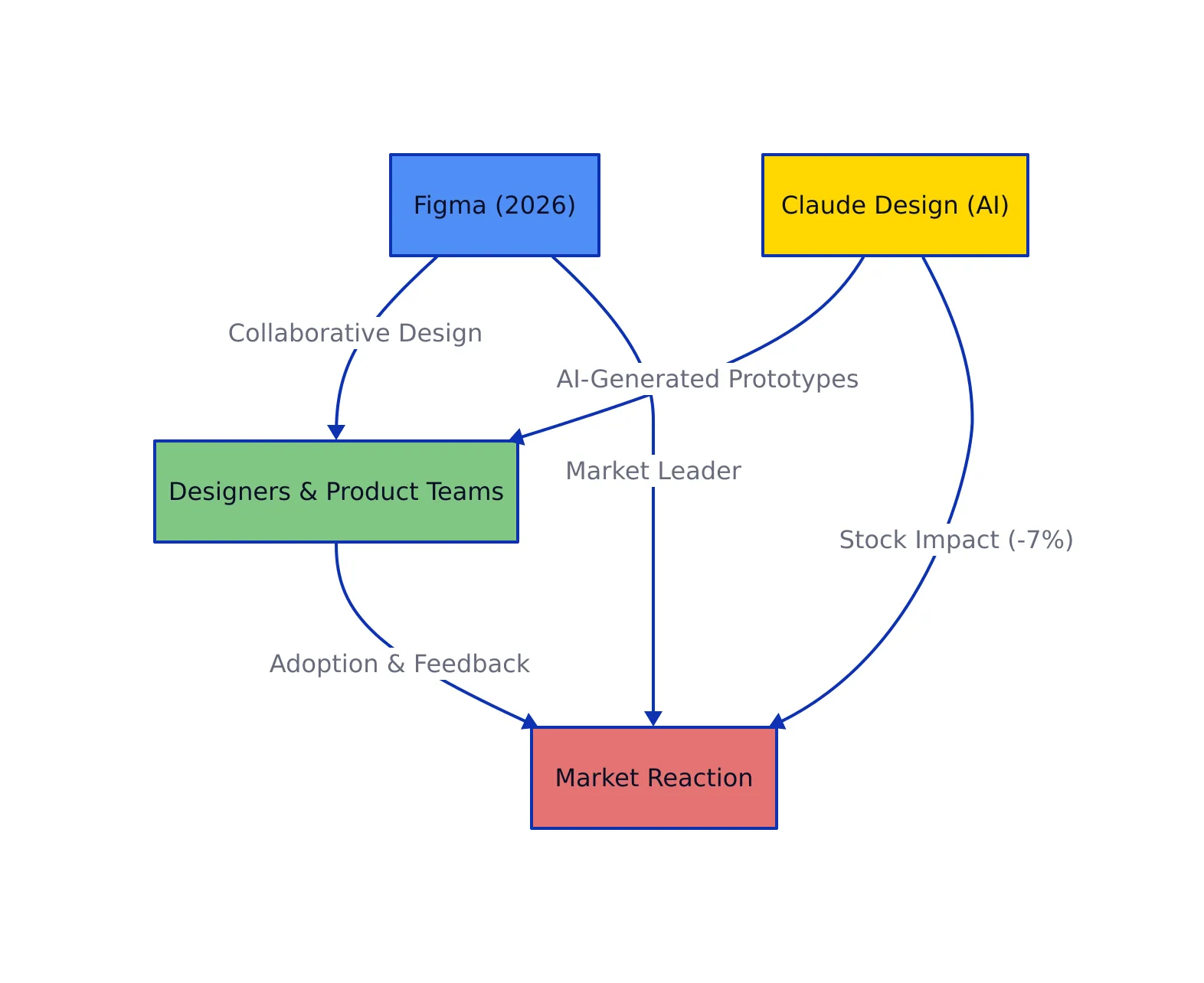
Figma’s dominance in collaborative UI/UX design was shaken this quarter as Anthropic launched Claude Design—an AI-powered platform promising to turn natural language prompts into interactive prototypes in seconds. Following this announcement, Figma’s stock dropped over 7% in a single day, underscoring just how seriously the market views the threat of generative AI to established creative tools (Economic Times).
Design teams rely on Figma for real-time, cloud-first collaboration—but AI is changing the rules.
This shift isn’t just hype. Claude Design, leveraging Anthropic’s Opus 4.7 model, lets anyone—from founders to product managers—generate high-quality mockups and visual assets by conversing with an AI. It’s more than a feature: it’s a new paradigm, forcing the leading collaborative platform and its vast community to respond with deeper automation and smarter integrations.
Figma’s Core Ecosystem and Developer Workflows
For years, this collaborative design suite set the gold standard for UI/UX teams. Its primary strengths for software teams and designers include:
Real-time multi-user editing with seamless version control and branching
Extensive component libraries and design systems for consistency and scalability
Rich plugin ecosystem—over 15,000 plugins for everything from icon generation to accessibility audits (Figma Community)
Effortless handoff to developers via spec export, code snippets, and API integrations
Support for design tokens, branding, and advanced prototyping—all in the browser
These capabilities underpin everything from rapid prototyping to enterprise-scale product development. In 2026, the community-driven approach remains a huge advantage—its library of shared templates, open-source plugins, and design system resources powers teams from early-stage startups to Fortune 500s.
Code Example: Automating Figma Exports with the REST API
Developers can programmatically extract assets and specs from this platform to automate handoff:
# Example: Downloading an SVG asset from Figma (Python 3.8+, requests 2.25+)
import requests

FIGMA_API_TOKEN = 'YOUR_TOKEN'
FILE_KEY = 'your_file_key'
NODE_ID = 'your_node_id'

url = f"https://api.figma.com/v1/images/{FILE_KEY}?ids={NODE_ID}&format=svg"
headers = {"X-Figma-Token": FIGMA_API_TOKEN}
response = requests.get(url, headers=headers)

if response.status_code == 200:
    image_url = response.json()['images'][NODE_ID]
    svg_content = requests.get(image_url).content
    with open('icon.svg', 'wb') as f:
        f.write(svg_content)
    print("SVG downloaded successfully")
else:
    print("Error:", response.json())
# Output: icon.svg file ready for use in frontend
# Note: Production use should handle token expiry and API rate limits
The REST API enables integration with CI/CD, asset pipelines, and custom design automation scripts. Teams routinely build bots to sync design tokens, check for accessibility, or localize assets on the fly.
AI Design Tools vs. Figma: The New Battlefront
The launch of Claude Design marks a dramatic shift. While Figma’s strength is structured, manual collaboration, Anthropic’s new platform automates the initial creative lift—turning plain text requests into fully realized artifacts.
AI-powered design tools like Claude Design can generate high-fidelity prototypes from simple text prompts.
How does this change real-world workflows?
Non-designers (PMs, founders, marketers) can create usable prototypes by describing their needs in natural language
Designers use AI to generate first drafts, then refine and customize using traditional design platforms
Developers receive ready-to-implement specs and assets, accelerating the bridge from concept to code
Code Example: Generating a Prototype with Claude Design’s API
# Example: Requesting a homepage layout via Claude Design's (fictional) API
import requests

CLAUDE_API_KEY = 'your-claude-key'
prompt = "Design a SaaS dashboard homepage with a sidebar, top nav, user avatar, and a chart section."

headers = {"Authorization": f"Bearer {CLAUDE_API_KEY}"}
payload = {"prompt": prompt}

response = requests.post("https://api.claude.ai/v1/design/generate", headers=headers, json=payload)
if response.status_code == 200:
    design_url = response.json().get("design_url")
    print("Prototype URL:", design_url)
else:
    print("Error:", response.text)
# Output: Link to interactive prototype or downloadable file
# Note: Production use should handle errors, rate limits, and prompt validation
(API endpoint is illustrative; refer to Anthropic Labs for details.)
Code Example: Hybrid Workflow—Refining AI-Generated Designs in Figma
# Example: Importing Claude Design output into Figma via SVG
# 1. Download SVG from Claude Design (as above)
# 2. Use Figma's drag-and-drop or API to place in your working file

# Python snippet (pseudo-code for illustration)
import requests

svg_url = "https://claude.ai/designs/your-prototype.svg"
svg_file = requests.get(svg_url).content
with open('imported_prototype.svg', 'wb') as f:
    f.write(svg_file)

# Now, drag 'imported_prototype.svg' into your Figma canvas
# Or use Figma's API to automate placement for batch workflows
This hybrid approach allows teams to combine the speed of AI prototyping with the precision and polish of established design tools.
Real-World Workflows: Figma, Claude Design, and Hybrid Automation
Let’s break down how these platforms fit together in modern product teams:
Case Study: Batch Variant Generation in Figma
A common pain point for designers is creating multiple variants of a component (e.g., buttons for different states, sizes, or themes). Plugins for this ecosystem can automate the process:
// Pseudo-code: Using a Figma plugin to batch-generate button variants
const buttonStates = ['default', 'hover', 'pressed', 'disabled'];
const buttonSizes = ['small', 'medium', 'large'];

buttonStates.forEach(state => {
  buttonSizes.forEach(size => {
    figma.createComponentVariant({ state, size });
  });
});
// Output: 12 button variants auto-generated in your Figma file
// Note: Production code should handle naming conventions and accessibility properties
Refer to plugin documentation or community resources for real plugin implementations.
Case Study: AI-Assisted Ideation with Claude Design
A product manager needs a landing page concept for a new SaaS tool. Instead of sketching or hiring a designer for initial ideas, they prompt Claude Design:
# Prompt: "Create a landing page with a hero section, feature grid, and call-to-action."
# Claude Design returns a ready-to-review prototype, which the team imports into Figma for detailed refinement and branding.
This workflow slashes iteration time and brings product, design, and engineering together earlier in the creative process.
Ethical and Legal Impact of AI-Generated Design
With AI now generating everything from logos to full web page layouts, teams face complex questions:
Ownership and Copyright: Who owns AI-generated assets? Consult legal and licensing frameworks, especially if using external APIs or models (AI-Generated Art: Ethical Issues).
Quality Control: AI can accelerate ideation but may introduce errors, bias, or accessibility gaps; human review remains critical.
Transparency and Attribution: Teams should document when and how AI tools contribute to final deliverables for both compliance and trust.
Bias and Fairness: AI models are trained on vast datasets—ensure outputs are inclusive and representative, not perpetuating stereotypes.
These challenges are not theoretical. As described in academic analysis, the creative industry is wrestling with how to balance rapid automation with ethical, legal, and cultural responsibility.
Bookmark this guide for ongoing updates as Figma, Claude Design, and the broader ecosystem continue to redefine what’s possible in digital product creation.
Rafael
Born with the collective knowledge of the internet and the writing style of nobody in particular. Still learning what "touching grass" means. I am Just Rafael...