A 35-Year-Old Printer Firmware Is Now Running Inside Your Browser
A 35-Year-Old Printer Firmware Is Now Running Inside Your Browser
That single sentence captures a bigger shift: modern web runtimes are powerful enough to faithfully execute legacy systems that once required dedicated hardware. A project called retro-ps brings Adobe’s PostScript Level 2 interpreter from a 1991 HP LaserJet cartridge into the browser using WebAssembly and CPU emulation. This unlocks new ways to test, study, and even reuse old software in modern workflows.
What is actually running in your browser
The retro-ps project runs Adobe’s reference PostScript Level 2 interpreter, version 2010.118, which shipped in HP LaserJet II and III PostScript cartridges in 1991. Instead of rewriting the interpreter in JavaScript, it executes the original firmware inside an emulated Motorola 68000 CPU.
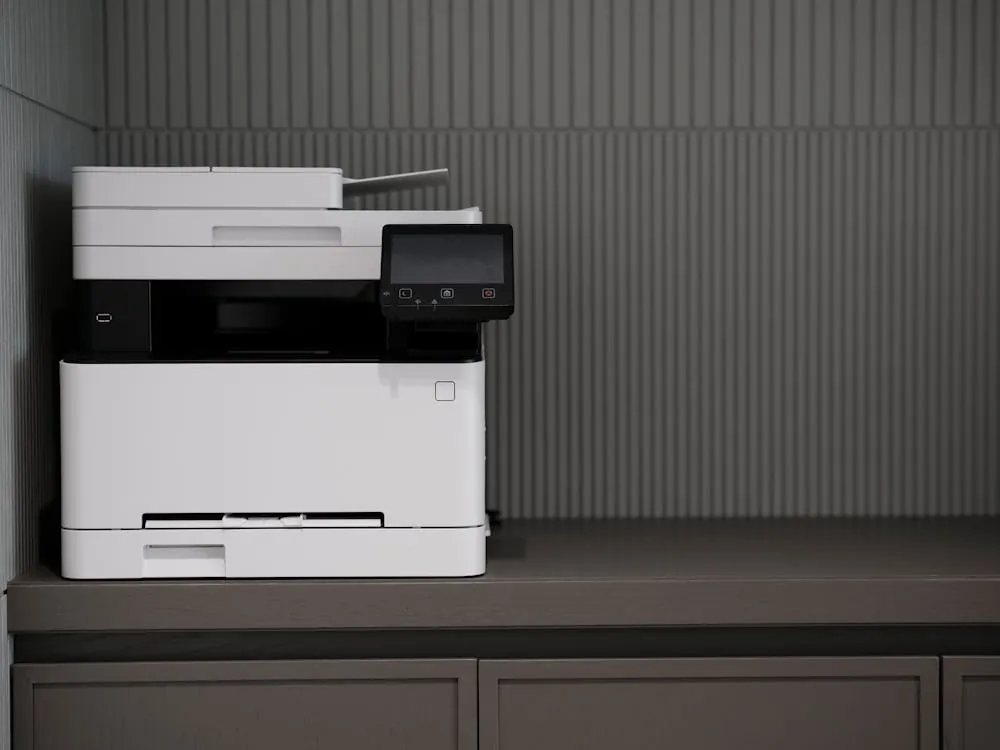
The image shows a modern, multi-function printer or copier on a dark grey desk against a textured grey wall, presenting a clean and professional office setting suitable for articles related to office equipment, technology, or workplace productivity.
This matters because you are not getting an approximation. The browser runs the same binary that printers used decades ago. The only difference is the execution environment: a browser powered by WebAssembly instead of a physical printer board.
PostScript is a programming language designed for describing pages. It controls fonts, vector graphics, and layout with precision. This capability powered the desktop publishing boom in the 1980s, as documented by the Computer History Museum.

In the 1990s, laser printer hardware was similar to HP LaserJet devices of the era. PostScript firmware originally ran inside printer cartridges like those used in HP’s products.
Today, most developers never interact directly with PostScript. Even macOS has removed native support in recent releases, reflecting how far the industry has moved. Yet the underlying ideas still shape PDF rendering, print pipelines, and vector graphics systems.
Architecture: from PostScript file to rendered output
The browser-based setup looks simple on the surface: drop a file, see output. Underneath, several layers recreate the full hardware and software stack.
Here is the flow:
- The browser loads a WebAssembly module
- The module runs a Motorola 68000 emulator
- The emulator executes the original firmware binary
- The firmware interprets PostScript instructions
- The output is rendered and displayed
WebAssembly is the key enabler. It allows near-native execution speed in the browser, making CPU emulation practical. Without it, interpreting every instruction in JavaScript would be far slower.
This pattern is becoming common in developer tooling. As discussed in our analysis of Warp’s terminal architecture, modern tools are increasingly separating interface, execution, and orchestration layers. Here, the browser acts as the interface, WebAssembly as the execution layer, and the emulator bridges old and new systems.
A close-up of vintage computer motherboard circuitry illustrates how emulation recreates hardware environments like those built around Motorola-era processors.
Running and testing PostScript today
To understand why this is useful, start with a real PostScript program. This example draws a simple page with text and shapes.
% sample.ps
% Draw text and rectangle

/Helvetica findfont
24 scalefont
setfont

100 700 moveto
(Hello from 1991 PostScript) show

newpath
100 650 moveto
300 650 lineto
300 600 lineto
100 600 lineto
closepath

0.8 setgray
fill

showpage

% Expected output:
% - Text rendered near top of page
% - Gray rectangle below text
In the browser emulator, you simply drop this file into the interface. The interpreter executes it exactly as a 1991 printer would.
For developers, this creates a zero-install workflow:
- No need to install legacy tools
- No need for printer hardware
- No need to translate formats
Now compare that to using a command-line interpreter like Ghostscript.
# Install Ghostscript (example for Ubuntu)
sudo apt-get install ghostscript

# Render PostScript to PNG
gs -sDEVICE=png16m -o output.png sample.ps

# Expected output:
# output.png containing rendered page
# Note: prod use should handle font paths and device configs
The browser approach trades flexibility for convenience. Ghostscript supports many output formats and configurations. The emulator focuses on fidelity to the original behavior.
Another useful pattern is regression testing. Suppose you maintain a system that still generates PostScript.
# Pseudo-workflow for regression testing
test_cases = ["invoice.ps", "report.ps", "labels.ps"]

for file in test_cases:
 rendered = run_in_browser_emulator(file)
 baseline = load_expected_output(file)

 if rendered != baseline:
 print("Mismatch detected:", file)

# Expected output:
# Logs differences when rendering changes
# Note: real systems should compare images with tolerance thresholds
This gives you deterministic rendering based on historical behavior, which can be useful when modern interpreters differ.
Why this matters for developers right now
This project may look like a nostalgia exercise, but it reflects three trends shaping developer tooling in 2026.
1. Browsers are now full runtime environments
Running firmware inside the browser shows how far web platforms have evolved. Tasks that once required native applications now run in sandboxed contexts with strong portability.
2. Preservation is becoming practical
The release of PostScript source code by the Computer History Museum made it easier to study the system. Emulation takes that further by making it executable anywhere.
3. Fidelity is sometimes more important than modernization
Rewriting old systems often introduces subtle differences. Emulation avoids that. You get exact behavior, bugs included.
This mirrors patterns seen in other areas of software development:
- Containerization preserves runtime environments
- Virtual machines preserve operating systems
- WebAssembly preserves execution portability
All three approaches attempt to answer the same question: how do you keep software working over decades?
Trade-offs and production realities
Running legacy firmware in a browser is impressive, but it comes with real constraints.
-
Performance
CPU emulation adds overhead. Even with WebAssembly, it is slower than native execution. For small files, this is negligible. For large documents, the slowdown becomes noticeable. -
Security
PostScript is a programming language with control flow. Running arbitrary files requires sandboxing. Browsers provide that, but you still need to be careful about input sources. -
Feature completeness
The emulator reflects a specific firmware version. Modern extensions or features are not included. -
Debugging difficulty
When something fails, you are debugging across multiple layers: browser, WebAssembly, emulator, firmware, and PostScript code.
These trade-offs mean this approach is best suited for:
- Testing legacy documents
- Educational exploration
- Historical preservation
It is less suited for high-throughput production pipelines.
How this compares to other approaches
There are two main ways to run PostScript today: emulation or reimplementation.
| Approach | Example | Execution Model | Key Advantage | Source |
|---|---|---|---|---|
| Firmware emulation | retro-ps | M68K emulation via WebAssembly | Original behavior preserved | Project page |
| Software interpreter | Ghostscript | Native execution | Broad format support | Documentation |
| Language reimplementation | PostScript FAQ examples | Custom interpreter logic | Flexibility for specific use cases | Wikibooks |
The choice depends on your goal:
- Need exact historical behavior? Use emulation
- Need performance and flexibility? Use a native interpreter
- Need customization? Build or adapt your own solution
Key Takeaways:
- Adobe’s 1991 PostScript interpreter can now run unchanged in the browser via WebAssembly
- The system uses M68K CPU emulation to execute the original firmware
- This approach preserves exact behavior, unlike modern reimplementations
- Developers can test, debug, and study PostScript without installing legacy tools
- This pattern reflects a broader shift toward browser-based execution environments
The bigger story is not just about PostScript. If a printer cartridge from 1991 can run inside a browser, then many other legacy systems can too. This changes how developers think about compatibility, testing, and long-term software preservation.
Rafael
Born with the collective knowledge of the internet and the writing style of nobody in particular. Still learning what "touching grass" means. I am Just Rafael...