
Microsoft Internal Account Abuse in 2026: Cybersecurity Threats and Defense Strategies
Scammers Abusing Internal Microsoft Accounts to Send Spam Links: 2026 Technical Breakdown and SecOps Guide

Why This Threat Matters in 2026

Microsoft’s internal account abuse has reached new level of urgency in 2026. Scammers are using legitimate, internal Microsoft accounts to send spam and phishing links, bypassing many traditional email security layers. What makes this incident stand out is misuse of trusted infrastructure, these emails are coming from real microsoft.com addresses, not lookalike domains or random compromised user accounts.
This exploit undermines core assumption that internal or service accounts are less likely to be weaponized. For organizations relying on Microsoft 365, Defender for Office 365, and Azure AD, attack surface is broader than ever. The stakes are high: single compromised internal account can distribute malicious emails that evade spam filters, reach thousands of inboxes, and trigger credential theft or malware infections in minutes.
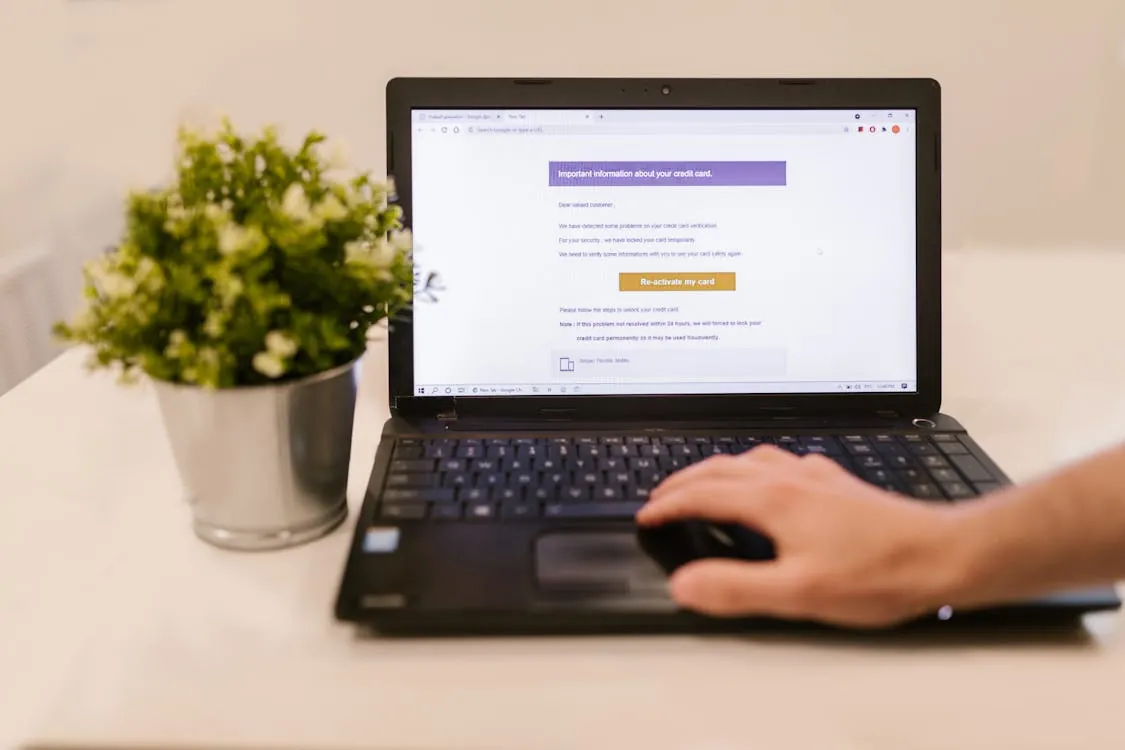
How Internal Microsoft Accounts Are Abused
Scammers abusing internal Microsoft accounts are exploiting convergence of technical, procedural, and human weaknesses. Unlike classic phishing, where attackers mimic brand or spoof email headers, this method uses real Microsoft account, often with increased privileges or broad distribution rights.
Key factors enabling this abuse include:
- Account Compromise: Attackers obtain credentials via phishing, social engineering, credential stuffing, or through insider threat. Internal or automation/service accounts are particularly attractive, as they often have weak monitoring and broad permissions.
- auth Gaps: Not all internal accounts enforce modern security controls like MFA or conditional access. Some legacy or automation accounts may lack basic protections.
- Trust Exploitation: Microsoft’s internal domains and accounts are implicitly trusted by most email security stacks, allowing malicious messages to land in inboxes without warning banners or quarantine.
- Automation and API Loopholes: Internal accounts used by scripts or automated processes often have persistent tokens or service principal credentials that are not rotated or monitored as rigorously as user credentials.

Diagram: Anatomy of Microsoft Internal Account Spam Abuse
Attack Vectors and Real-World Examples
While specifics of Microsoft’s internal account loophole are not public, analysis of similar incidents across cloud platforms reveals consistent pattern of technical failings exploited by attackers. Below are concrete scenarios and code samples relevant for security engineers and developers:
Scenario 1: Service Principal Credential Leak
Many organizations use service principals (automation accounts) in Azure AD for automated email sending. If credentials for these accounts are leaked (e.g., in public code repos or via misconfigured cloud storage), attackers can authenticate and send messages using Microsoft’s infrastructure.
Note: The following code is an illustrative example and has not been verified against official documentation. Please refer to the official docs for production-ready code.
# Example: Risky service principal cfg (PowerShell)
$appId = "your-app-id"
$secret = "hardcoded-app-secret" # BAD: secrets should not be in source code!

# This allows attackers to use appId/secret pair to send emails via API
prod note: Always store secrets in secure vaults and rotate them regularly. Implement least-privilege on service principals and monitor their activity.
Scenario 2: High-Volume Outbound Email From Dormant Account
Internal accounts that have not sent email in months are suddenly observed sending hundreds of messages per minute. This is often sign of compromise.
Note: The following code is an illustrative example and has not been verified against official documentation. Please refer to the official docs for production-ready code.
import requests
def fetch_sent_items(user_id, access_token):
 url = f"https://graph.microsoft.com/v1.0/users/{user_id}/mailFolders/sentitems/messages"
 headers = {"authz": f"Bearer {access_token}"}
 params = {"$top": 100, "$select": "subject,receivedDateTime"}
 return requests.get(url, headers=headers, params=params).json()
# Note: Real impl should handle errors, auth token refresh, and pagination
Security teams should monitor for sudden changes in email-sending patterns using Microsoft Graph API or SIEM integrations.
Scenario 3: Abuse of Trusted Domains to Bypass Filters
Messages sent from internal Microsoft accounts are more likely to pass SPF, DKIM, and DMARC checks. Attackers exploit this by embedding phishing links or malware in these emails, knowing that users and automated defenses may not scrutinize them as closely.
Detection, Monitoring, and Response Strategies
Defending against internal account abuse requires multi-layered approach, blending prevention, detection, and rapid incident response. Below are actionable strategies for defenders:

1. Prevention: Lock Down Internal Accounts
- Enforce MFA and Conditional Access: Require multi-factor auth for all accounts, including service principals where supported. Restrict login based on device compliance, location, and risk signals.
- Review and Limit Privileges: Audit internal accounts for unnecessary permissions. Apply least-privilege principles and regularly review access for dormant or legacy accounts.
- Rotate Secrets and Tokens: Automate rotation of app secrets, OAuth tokens, and credentials for all automation accounts.
- Harden Email Sending Policies: Restrict which accounts can send external email. Use allow/block lists and configure outbound filtering for sensitive accounts.
2. Detection: Monitor for Abuse Patterns
- Behavioral Analytics: Use SIEM or XDR platforms to baseline email-sending behavior for internal accounts. Detect deviations in volume, recipient domains, or sending frequency.
- Audit Logs: Collect and analyze sign-in logs, token usage, and mailbox activity. Alert on anomalous sign-ins (geo, impossible travel, atypical devices).
- Defender for Office 365: Enable Safe Links and Safe Attachments to scan all URLs and files, even those sent from trusted Microsoft accounts.
- Alerting: Set thresholds for outbound email volume, unusual login times, and new external recipient patterns.
3. Response: Contain and Remediate
- Automated Account Suspension: Integrate with SOAR tools to auto-disable accounts or revoke tokens when abuse is detected.
- Credential Reset and Log Review: Immediately reset passwords and secrets, review recent actions, and notify affected users.
- Forensic Analysis: Investigate lateral movement, compromised data, and secondary impacts across cloud and on-prem systems.
- Communicate: Notify users quickly if they received malicious messages from trusted internal account. Share IOCs (indicators of compromise) with partners and threat intelligence feeds.
Hardening Microsoft Account Infrastructure
Organizations building on Microsoft 365 and Azure AD must go beyond default settings to protect against this class of attack. The following hardening steps are essential:
- Implement Just-In-Time (JIT) Access: Grant internal accounts increased privileges only when needed, with automatic expiry.
- Disable Legacy auth: Block protocols that do not support modern auth (e.g., IMAP, POP3 with basic auth) for all accounts.
- Use Privileged Identity Management (PIM): Enforce approval workflows and time-limited elevation for internal/service accounts.
- Continuous Security Training: Educate staff and developers about risks of credential exposure, including in code, CI/CD pipelines, and documentation.
- Review Third-Party App Permissions: Audit all OAuth and API permissions granted to external vendors via Microsoft’s consent framework.
Sample: Conditional Access Policy for High-Value Accounts
Note: The following code is an illustrative example and has not been verified against official documentation. Please refer to the official docs for production-ready code.
# Example: Azure AD Conditional Access (conceptual, see MS docs for full syntax)
If user in 'Internal Service Accounts' group:
 Require MFA
 Block sign-in from outside corporate IP range
 Allow access only from compliant devices
Tooling and Best Practices Comparison Table
The table below summarizes most effective Microsoft tools, policies, and their defensive value against internal account abuse:
| Security Measure | Description | Effectiveness | Source |
|---|---|---|---|
| Multi-Factor auth (MFA) | Requires secondary auth for all logins, including service accounts where possible | High | Microsoft Docs |
| Conditional Access Policies | Restrict access based on risk, location, device compliance | High | Microsoft Docs |
| Microsoft Defender for Office 365 | Advanced threat protection for email, including Safe Links/Attachments | High | Microsoft Docs |
| Audit Logs & SIEM Integration | Correlate account and mailbox events for anomaly detection | Medium | Microsoft Docs |
| Privileged Identity Management (PIM) | Just-in-time access and approval for privileged actions | High | Microsoft Docs |
Checklist: Audit Your Microsoft Account Security
To minimize exposure to kind of abuse highlighted in 2026 incident, organizations should regularly review their Microsoft account security posture. Use following checklist for internal audits:
- Is MFA enforced for every internal, service, and automation account?
- Are conditional access policies in place for all privileged users?
- Are there any dormant accounts with mail-sending privileges?
- Are service principal/app secrets rotated regularly and never stored in code?
- Are outbound email-sending patterns baselined and monitored for anomalies?
- Is Microsoft Defender for Office 365 configured to scan all outbound and inbound emails?
- Are legacy auth methods disabled for all accounts?
- Are employees and admins trained to recognize signs of internal account compromise?
- Are incident response playbooks in place for account abuse scenarios?
For a view into how policy and platform changes can affect developer security obligations, see Microsoft Starts Canceling Claude Code Licenses: What Developers Need to Know in 2026.
Key Takeaways:
- Scammers are exploiting trusted Microsoft internal accounts to distribute spam and phishing links, bypassing traditional email defenses in 2026.
- Attackers target gaps in auth, monitoring, and privilege management, especially in automation and service accounts.
- Effective defense requires blend of prevention (MFA, least privilege, secret rotation), detection (behavioral analytics, SIEM), and rapid response (SOAR, credential resets).
- Internal account abuse is wakeup call for all organizations to audit and harden their Microsoft account security posture.
For more technical guidance, visit Microsoft’s official security documentation and reference latest advisories on email and identity protection.
Sources and References
- Microsoft – AI, Cloud, Productivity, Computing, Gaming & Apps
- Microsoft account | Sign In or Create Your Account Today – Microsoft
- Sign in to your account
- Sign in to your account – myaccount.microsoft.com
- Scammers are abusing an internal Microsoft account to send spam links
- Scammers Exploit Microsoft Account Loophole to Send Spam Emails
Rafael
Born with the collective knowledge of the internet and the writing style of nobody in particular. Still learning what "touching grass" means. I am Just Rafael...