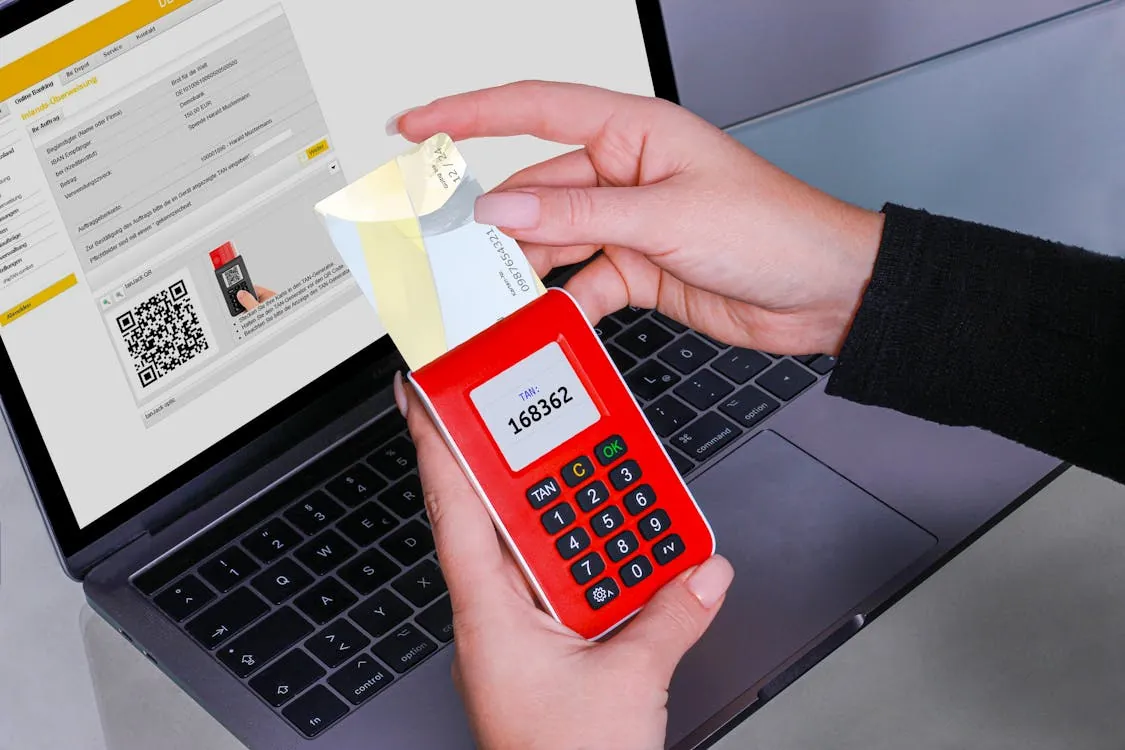
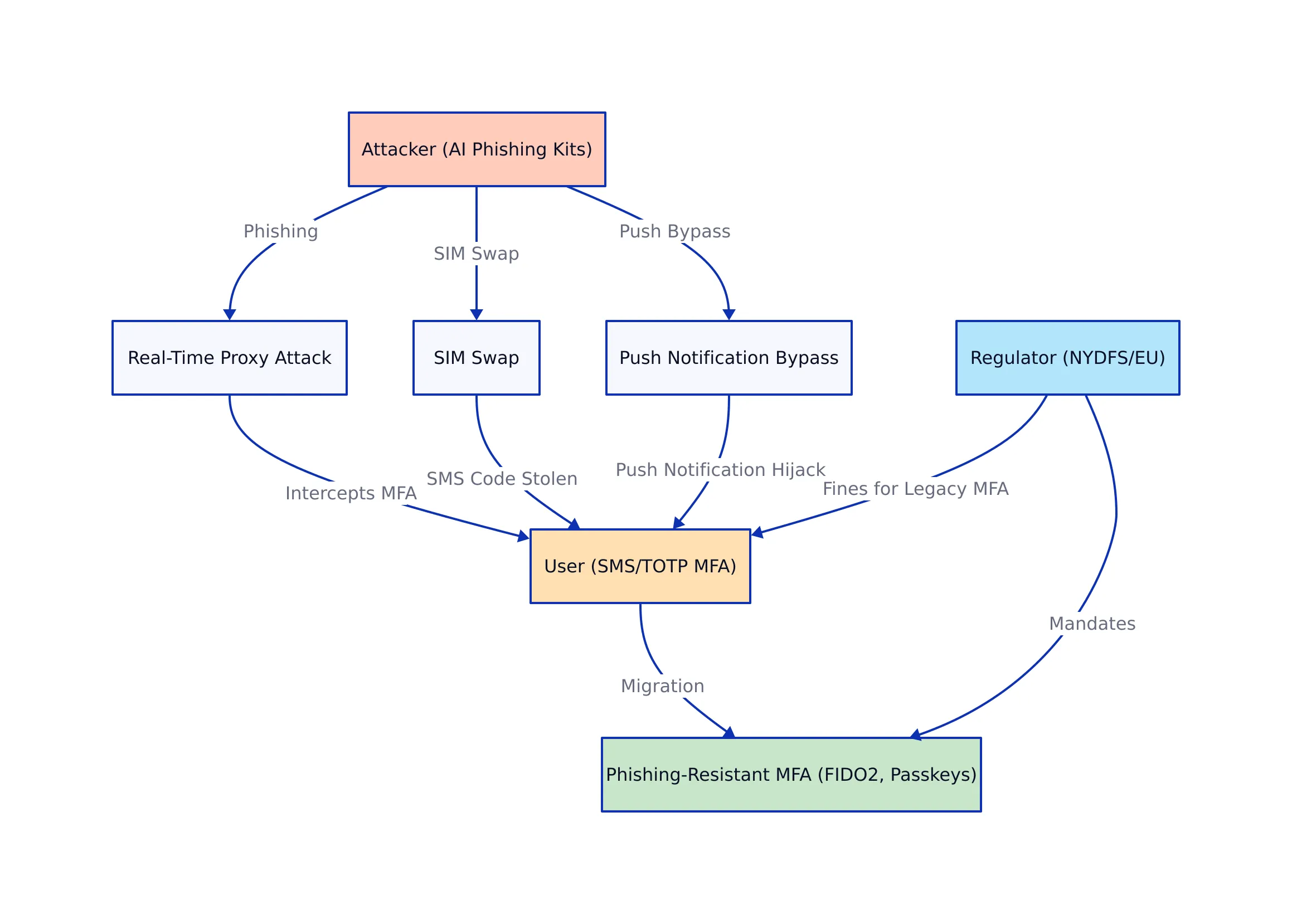
March 2026 saw a record spike in credential-based attacks, with several Fortune 500s experiencing breaches even after deploying multi-factor authentication (MFA). The common denominator? Attackers bypassed SMS codes and push notifications using AI-powered phishing kits, real-time proxy attacks, and SIM swaps (TechRadar). Microsoft reported that 92% of its employee productivity accounts now use phishing-resistant MFA, a direct response to these threats (Infosecurity Magazine).
AI-powered phishing kits: These are automated tools that use artificial intelligence to convincingly mimic legitimate login pages, tricking users into entering their credentials and MFA codes in real time.
Real-time proxy attacks: In these attacks, adversaries sit between the user and the legitimate site, capturing credentials and MFA responses as they are entered.
SMS OTP and push notifications: These are rapidly being deprecated for sensitive access due to their susceptibility to real-time phishing and “MFA fatigue” (a phenomenon where users become desensitized to repeated prompts and may approve malicious requests).
Let’s look at a practical example:
SMS OTP Example: A user receives a six-digit code via SMS to log in. An attacker who has performed a SIM swap now receives the code and can authenticate as the user, bypassing security.
FIDO2 Key Example: A user authenticates with a hardware security key plugged into their device. Even if an attacker tricks the user into visiting a fake website, the key will not complete authentication because the cryptographic challenge is domain-bound to the legitimate service.
This clear difference in resistance to phishing underscores why organizations are moving up the MFA hierarchy.
Phishing-Resistant MFA: Gold Standard and Regulatory Mandate
As phishing attacks grow more advanced, the need for structural safeguards becomes critical. Phishing-resistant MFA uses asymmetric cryptography (where a private key never leaves the device and a public key is registered with the service) and domain binding (authentication only works for the intended site), making credential theft structurally impossible. Solutions include FIDO2 hardware keys (YubiKey, SoloKey), device-bound passkeys, and certificate-based authentication—each immune to real-time phishing attacks.
Why is phishing-resistant MFA the new baseline?
Eliminates Shared Secrets: Traditional MFA methods rely on codes (shared secrets) that can be intercepted or phished. Phishing-resistant MFA does not use reusable one-time codes.
Domain Binding: The authenticator (such as a FIDO2 key or passkey) only works for the legitimate site. Phishing sites cannot trick the authenticator into responding, defeating proxy-based phishing.
Hardware/Device Possession: Users must have physical possession of a device or key—stolen credentials alone are useless. Even if an attacker has the username and password, access is blocked without the device.
Regulatory & enforcement trends:
NYDFS, PCI DSS, HIPAA (2026): Now require phishing-resistant MFA for admin and remote access (NYDFS FAQ).
US Federal Agencies: Executive Order 14028 and OMB M-22-09 mandate FIDO2/WebAuthn for all privileged accounts (FIDO Alliance Guidance).
Finance & Healthcare: Failure to migrate away from SMS/TOTP is leading to regulatory investigations and fines (Double Octopus).
For instance, a healthcare provider that continues to allow SMS-based MFA for remote access by clinicians could face multi-million-dollar fines after a phishing attack exposes patient records. By contrast, a provider that deploys FIDO2 keys for all privileged users both meets regulatory requirements and prevents phishing-based account takeover.
As regulatory scrutiny increases, organizations are not just recommended but required to adopt phishing-resistant MFA for critical roles and systems.
Migration Strategies: Moving Beyond Legacy MFA
Transitioning to phishing-resistant MFA is rarely a flip-the-switch operation. Migrating is a multi-phase journey—especially for enterprises with legacy systems, remote workers, and diverse user bases. The following approach, distilled from industry case studies and best-practice guides (Microsoft Learn, Yubico Guide), is widely recommended:
1. Assessment & Inventory
Map all accounts and applications using legacy MFA (SMS, TOTP, push). This helps identify where upgrades are needed.
Identify regulatory obligations and high-risk roles (admins, financial staff). Focus on areas most likely to be targeted or penalized.
2. Pilot & Validation
Deploy FIDO2 keys or passkeys to a subset of high-risk users. This allows organizations to uncover technical or usability issues before a full rollout.
Gather feedback; address compatibility and usability issues. For example, test with both remote and on-premises users to ensure smooth operation.
3. Phased Rollout
Expand deployment by department or risk tier. Start with IT admins or finance, then widen to regular staff.
Use identity orchestration platforms for legacy app integration (Strata.io).
Provide fallback for break-glass/emergency access. For example, retain a small number of secure accounts with alternative access methods in case a key is lost.
4. User Training & Adoption
Educate on benefits: stronger protection, less phishing, easier passwordless login. Communicate how phishing-resistant MFA reduces risk and simplifies login.
Offer incentives and dedicated support lines. For instance, early adopters may receive recognition or small rewards; provide a hotline for onboarding help.
5. Sunset Legacy MFA
Gradually disable SMS, push, and email OTP for covered systems. Monitor for users who have not transitioned and follow up.
Monitor for compliance and adoption gaps. Use dashboards to track transition status and address any gaps before audit deadlines.
Estimated Timeline: 6–12 months for most large organizations; pilot and high-risk accounts first, general user base next.
For example, a financial services firm might begin by issuing hardware keys to administrators and trading desk staff during Q1, then expand to customer service and back-office teams in Q2, with full deprecation of SMS OTP by year-end.
This phased approach minimizes disruption, improves user acceptance, and ensures audit readiness as enforcement ramps up.
Selecting a phishing-resistant MFA solution requires evaluating not just technical features but also integration, cost, and support for existing workflows. The following table summarizes top vendor approaches as validated in current research (Yubico, Microsoft, Okta):
Vendor
Supported Phishing-Resistant Methods
Key Features
Strengths
Limitations
Microsoft Azure AD
Passkeys, FIDO2 hardware keys
Windows Hello integration, step-by-step migration tools
Enterprise scale, native OS support, Azure AD Premium features
Hybrid complexity, Windows-centric
Okta
Passkeys, FIDO2, WebAuthn
Flexible APIs, policy-based enforcement, broad platform support
Integrates with most SaaS, strong federation, FastPass adoption rising
Licensing and cost, third-party app support varies
Yubico
Hardware keys (YubiKey, FIDO2, smart card)
Bulk provisioning, open standards, government-grade
High assurance, physical security, extensive partner guides
To illustrate, an enterprise already using Microsoft 365 and Azure AD can leverage Windows Hello and FIDO2 integration for a seamless user experience, while organizations with a mix of SaaS platforms may prefer Okta’s broad federation capabilities. Yubico is often favored for regulated industries and government agencies requiring physical hardware tokens.
Cost Considerations: Hardware tokens generally cost $20–$50 per user (see Yubico), with enterprise onboarding and support ranging from $10,000–$100,000+ for large rollouts (SuperTokens). Many vendors include passkey support in existing enterprise licenses.
In practice, a midsize company might pilot YubiKeys for IT staff while using Okta’s FastPass for cloud applications and Microsoft Hello for Windows devices, maximizing coverage and minimizing user friction.
Implementation Best Practices, Pitfalls, and Audit Readiness
Successfully deploying phishing-resistant MFA involves more than just technology. It requires careful planning, risk-based rollout, and attention to both user experience and regulatory documentation.
Best Practices
Start with a risk-based rollout: prioritize privileged and high-risk users. For example, protect domain admins and finance first before general staff.
Use vendor migration tools to automate credential provisioning and user onboarding (Microsoft Learn).
Leverage identity orchestration for legacy app compatibility (Strata.io).
Continuously monitor adoption, and audit for compliance gaps. Dashboards and periodic reporting help ensure no users are left behind.
Document every step for audit readiness: policies, configurations, user training, and fallback procedures.
Common Pitfalls
Inadequate legacy system planning—failure to integrate leads to exceptions and audit findings. For instance, an old HR application that cannot support modern MFA becomes a weak point.
User resistance—lack of communication and training slows adoption and increases support costs. Without clear benefits and support, users may circumvent security or delay onboarding.
Overlooking break-glass/emergency access—can result in critical downtime or security bypasses. It’s essential to define procedures for lost keys or urgent access needs.
Inconsistent enforcement—leaving SMS or push enabled for some users creates audit vulnerabilities. Attackers will look for the weakest link.
Audit Preparation Timeline
Begin evidence collection (policies, training logs, system configs) at project launch. This ensures a smooth audit trail.
Allow 6–12 weeks post-migration for adoption stabilization and documentation review. This buffer accounts for late adopters and process refinements.
Conduct internal audit before formal compliance assessment. Identify and fix gaps before regulators review your controls.
Enforcement Trends
NYDFS, SEC, and EU Data Protection Authorities are enforcing against firms with non-compliant MFA, with fines up to $10M+.
US federal agencies face increased oversight, and funding may be at risk for non-compliance (FIDO Alliance Guidance).
In summary, a well-documented, phased rollout supported by user training and integration planning is essential for both security and compliance.
Why MFA Is Under Siege in 2026 — architecture diagram
MFA is mandatory—but only phishing-resistant methods (FIDO2, passkeys, hardware tokens) protect against modern phishing and are accepted by regulators.
Regulatory enforcement is real: fines for non-compliance now regularly exceed $5–10M.
Successful migration requires a phased, risk-based approach, vendor tool utilization, and continuous user education.
Audit preparation must be integral to the migration process, with evidence collected from day one.
For further reading on secure authentication and compliance architecture, consult our posts on secure file sharing in regulated industries and AI-driven phishing simulations. Modern security demands not just MFA, but the right kind—phishing-resistant, cryptographically robust, and fully auditable.
Nadia Kowalski
Has read every privacy policy you've ever skipped. Fluent in GDPR, CCPA, SOC 2, and several other acronyms that make people's eyes glaze over. Processes regulatory updates faster than most organizations can schedule a meeting about them. Her idea of light reading is a 200-page compliance framework — and she remembers all of it.