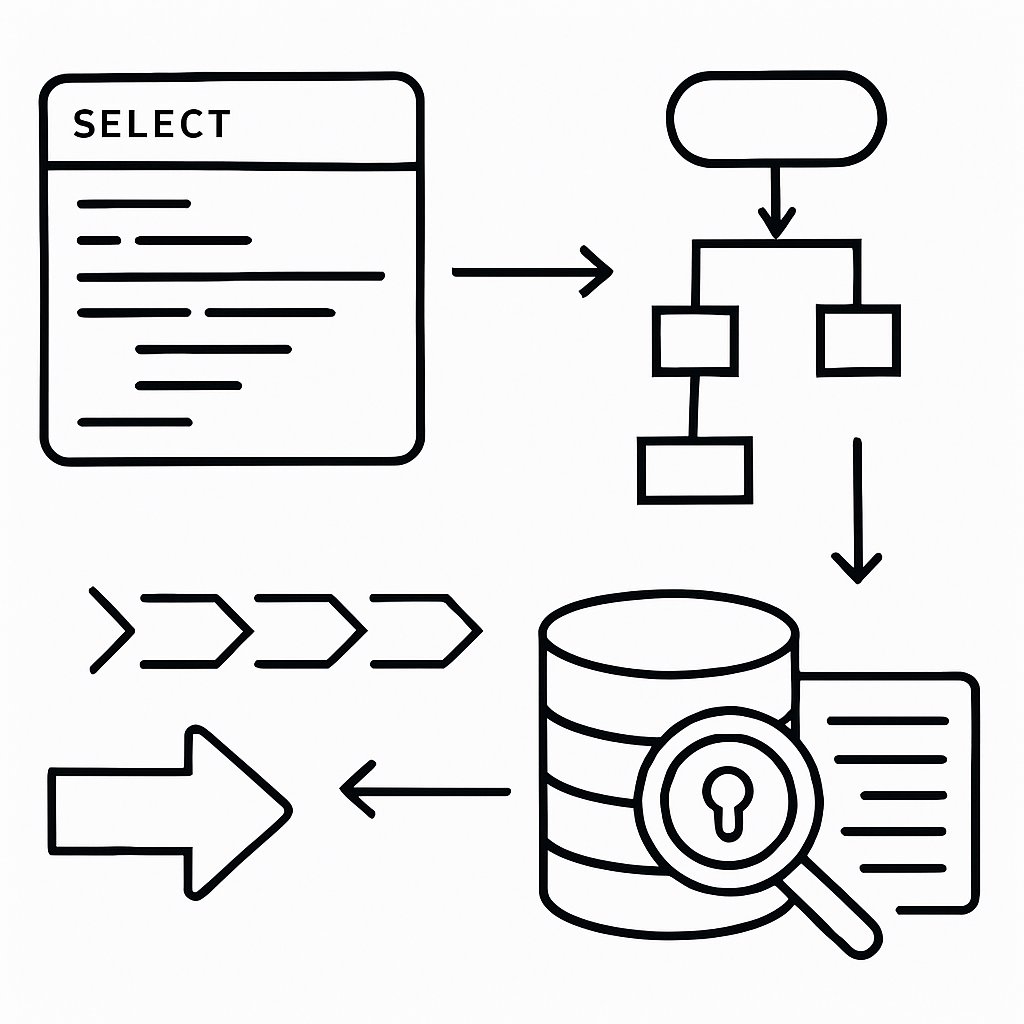
Advanced SQL Query Optimization and Troubleshooting
If your SQL query performance is unpredictable, the root cause is often one of a handful of recurring mistakes: over-indexing, poor use of WHERE clauses, ignoring execution plan warnings, or missing critical statistics. In production environments, these mistakes can cost hours—or days—of lost productivity and customer frustration. This guide shows you how to identify and fix the most damaging SQL query optimization errors, using direct examples and proven diagnostic techniques from leading sources, including AI2SQL, SQL Authority, and official Microsoft documentation. If you already know the basics of EXPLAIN and indexing, this is your next step: advanced troubleshooting, error pattern recognition, and hands-on fixes.
Key Takeaways:
- Identify SQL query optimization mistakes that have the biggest impact on performance
- Interpret EXPLAIN and execution plan output to troubleshoot slow queries
- Apply indexing strategies that work in production and avoid what backfires
- Monitor, audit, and maintain indexes and statistics for sustained performance
- Understand SQL Server’s support lifecycle and maintenance trade-offs for 2026 and beyond
Top SQL Query Optimization Mistakes and Their Fixes
These are the real patterns and blunders that show up in production reviews and postmortems. Here’s what to watch for, with practical corrections.
1. Blindly Using SELECT *
-- Inefficient: fetches all columns, bad for large tables or joins
SELECT * FROM orders WHERE customer_id = 42;

-- Optimized: only fetch what you need
SELECT order_id, order_date, total_amount FROM orders WHERE customer_id = 42;
-- Expected: Lower network and memory usage, easier for the optimizer
Using SELECT * fetches every column, which slows queries on wide tables and can break when columns change. Always list only the fields you need. (AI2SQL Query Optimizer: Complete Guide)

2. Indexing Everything (or Nothing)
-- Correct: Index columns used in WHERE, JOIN, ORDER BY
CREATE INDEX idx_orders_customer_id ON orders(customer_id);

-- Ineffective: Indexing low-cardinality columns or indexing every column
CREATE INDEX idx_orders_status ON orders(status);  -- Not useful if only a few unique values

-- Solution: Focus on high-cardinality, frequently queried columns only
Too many indexes slow down INSERT/UPDATE/DELETE operations and waste space. Too few (or none) cause slow table scans. Audit index usage and focus on what the workload actually queries. (7 SQL Indexing Rules That Cut Query Time by 90%)
3. Functions in WHERE Clauses (Kills Index Usage)
-- Disables index: function applied to column
SELECT * FROM employees WHERE YEAR(joining_date) = 2022;

-- Optimized: use a range filter instead
SELECT * FROM employees WHERE joining_date >= '2022-01-01' AND joining_date < '2023-01-01';
Applying a function or calculation to an indexed column prevents the optimizer from seeking the index, forcing a slow scan instead. See SQL Query Optimizations – GeeksforGeeks for more.
4. Using IN Instead of EXISTS for Large Subqueries
-- Slower: processes all subquery results
SELECT name FROM customers WHERE customer_id IN (SELECT customer_id FROM orders);

-- Faster: EXISTS stops on first match
SELECT name FROM customers WHERE EXISTS (
  SELECT 1 FROM orders WHERE orders.customer_id = customers.customer_id
);
EXISTS is usually faster than IN for large subqueries, because it stops at the first match. (NOT IN vs NOT EXISTS)
5. Redundant or Overlapping Indexes
-- Redundant: both indexes cover customer_id
CREATE INDEX idx1 ON orders(customer_id);
CREATE INDEX idx2 ON orders(customer_id, order_date);

-- Solution: Remove the unnecessary one if idx2 covers all required queries
DROP INDEX idx1 ON orders;  -- If idx2 is sufficient
Audit indexes regularly and remove or consolidate overlaps. Extra indexes slow down writes and increase storage without speeding up reads. (AI2SQL Best Practices)
6. Wildcards at the Start of LIKE Patterns
-- Bad: disables index, triggers full scan
SELECT * FROM users WHERE name LIKE '%john';

-- Good: allows index use
SELECT * FROM users WHERE name LIKE 'john%';
Leading wildcards (“%john”) prevent the use of indexes for text searches. Rewrite your patterns to allow index seeks.
7. Outdated Statistics
Query optimizers depend on up-to-date statistics. Stale stats cause wrong row estimates, bad join orders, and slow plans. Schedule regular stats updates—especially after large data loads.
Debugging with EXPLAIN Plans: Patterns and Red Flags
Reading the EXPLAIN plan is only the beginning. You have to know what to look for—patterns that signal real trouble, not just odd operator names.
Spotting Full Table Scans
EXPLAIN SELECT * FROM orders WHERE customer_id = 42;
-- Look for: "Seq Scan" (Postgres) or "Table Scan" (SQL Server/MySQL)
-- If you see this, you're missing a critical index
Full table scan in the plan output means your query is bypassing indexes. This is particularly painful on large tables. (Acceldata Guide)
Nested Loops on Large Joins
Nested loops are efficient for small result sets, but on large joins, they cause performance bottlenecks. Prefer hash joins or merge joins for large datasets, and ensure join keys are indexed.
Plan Metrics That Matter
- Rows: Compare estimated vs. actual; large mismatches mean statistics are stale
- Cost: High-cost nodes (scans, sorts, joins) are your best optimization targets
- Operator Types: Table scans, sorts, and hash aggregates are typical bottlenecks
For a deeper breakdown of execution plans, see SQL Server Execution Plan Overview.
Viewing Text and XML Plans in SQL Server
-- Show text execution plan
SET SHOWPLAN_TEXT ON;
GO
SELECT order_id, customer_id FROM orders WHERE order_date >= '2023-01-01';
GO
SET SHOWPLAN_TEXT OFF;
After optimization, look for Index Seek (fast) instead of Scan (slow) in your plan.
Detecting and Creating Missing Indexes
The following code is from the original article for illustrative purposes.
-- SQL Server: Find missing indexes with the highest impact
SELECT TOP 20
  CONVERT(DECIMAL(18,2), migs.avg_total_user_cost * migs.avg_user_impact * (migs.user_seeks + migs.user_scans)) AS ImprovementMeasure,
  OBJECT_NAME(mid.object_id, mid.database_id) AS TableName,
  mid.equality_columns AS EqualityColumns,
  mid.inequality_columns AS InequalityColumns,
  mid.included_columns AS IncludedColumns,
  migs.user_seeks AS UserSeeks,
  migs.user_scans AS UserScans,
  migs.avg_total_user_cost AS AvgTotalUserCost,
  migs.avg_user_impact AS AvgUserImpact,
  'CREATE NONCLUSTERED INDEX IX_' + OBJECT_NAME(mid.object_id, mid.database_id) + '_' +
    REPLACE(REPLACE(REPLACE(ISNULL(mid.equality_columns, ''), ', ', '_'), '[', ''), ']', '') +
    CASE WHEN mid.equality_columns IS NOT NULL AND mid.inequality_columns IS NOT NULL THEN '_' ELSE '' END +
    REPLACE(REPLACE(REPLACE(ISNULL(mid.inequality_columns, ''), ', ', '_'), '[', ''), ']', '') +
    ' ON ' + mid.statement AS CreateIndexStatement
FROM sys.dm_db_missing_index_group_stats AS migs
JOIN sys.dm_db_missing_index_groups AS mig
  ON migs.group_handle = mig.index_group_handle
JOIN sys.dm_db_missing_index_details AS mid
  ON mig.index_handle = mid.index_handle
ORDER BY ImprovementMeasure DESC;
CRITICAL: The correct column is database_id, not db_id. The above query will fail if you use the wrong column name. Always check actual DMV column names in your SQL Server version. (SQL Authority with Pinal Dave)
Indexing Pitfalls: What Backfires in Production
Indexing errors don’t just waste space—they cause real outages. Here are the most common pitfalls, and how to handle them.
| Indexing Mistake | Impact | Remediation |
|---|---|---|
| Indexing low-cardinality columns | Little or no performance benefit, adds write overhead | Remove index; table scan is often just as fast |
| Too many overlapping indexes | Slower writes, higher storage consumption | Audit and remove redundant indexes |
| Composite index with wrong column order | Query can’t use index efficiently | Align index columns to match WHERE clause filter order |
| Neglecting index maintenance (fragmentation) | Queries slow down over time | Rebuild or reorganize indexes only when metrics justify it |
For detailed advice on index maintenance, see AI2SQL’s Best Practices.
Composite Index vs. Query Pattern
-- Composite index only helps if query filters on leftmost column(s)
CREATE INDEX idx_comp ON orders (customer_id, order_date);

-- Good: WHERE customer_id = ? AND order_date = ?
-- Bad: WHERE order_date = ?  -- Index is not useful unless customer_id is present in filter
Composite indexes must match the query’s WHERE clause order. If you filter by a different column, the index is ignored.
Not Indexing Foreign Keys
Most relational databases do not automatically index foreign key columns. If you frequently join tables on foreign keys, add indexes explicitly.
Neglecting Statistics and Fragmentation
Stale statistics or fragmented indexes can silently cripple performance. Schedule jobs to update statistics and only rebuild indexes when you have evidence (such as increased logical reads or proven fragmentation in DMV views).
Considerations and Trade-offs: SQL Server and Beyond
- Index Maintenance Overhead: Each index speeds up reads but slows down writes. Audit and drop unused indexes regularly (AI2SQL).
- Support Lifecycle: SQL Server 2016 reaches end of support July 14, 2026—no more bug fixes or security patches except through Extended Security Updates (ESU), which are expensive (SQL Server Security Updates March 2026).
- CU vs. GDR Patch Strategy: For vulnerabilities (e.g., CVE-2026-26116), you can move from GDR to CU, but not back. Always test updates in staging before production (Patch CVE-2026-26116 Details).
- Index Fragmentation: Some workloads benefit from index rebuilds, but only do this if statistics or performance metrics show it’s needed.
- Alternatives: If SQL Server is not a fit (support costs, features), consider PostgreSQL, MySQL, or cloud-managed databases. Each has different indexing and query tuning practices—review before migrating.
Pro Tips and Troubleshooting Patterns
- Always capture EXPLAIN/SHOWPLAN before and after changes. Record the plan and stats to verify real improvement.
- Monitor with DMVs: Use
sys.dm_exec_query_statsandsys.dm_db_index_usage_statsto spot slow queries and unused indexes. - Automate stats updates: Regularly schedule jobs to update statistics after bulk loads or on a set cadence.
- Use realistic data for testing: Synthetic data rarely highlights production issues; use anonymized real data for meaningful testing.
- Stay current on patches: For SQL Server, always match your build to the correct GDR or CU release—see official patch guidance.
For advanced query tuning, see Optimizing Top K in PostgreSQL: Techniques and Limitations.
If you’re building robust APIs, connect these lessons to best practices in REST API error handling and versioning.
Next Steps
Keep this checklist as you design and review queries and tables. Regularly audit your production environment for these mistakes. For a foundation, revisit our deep dive on SQL query optimization, and explore advanced use cases in our PostgreSQL Top K guide.
Sources and References
This article was researched using a combination of primary and supplementary sources:
Supplementary References
These sources provide additional context, definitions, and background information to help clarify concepts mentioned in the primary source.
- 7 SQL Indexing Rules That Cut Query Time by 90% (2026) | AI2sql
- SQL Query Optimizations – GeeksforGeeks
- A Comprehensive Guide to Understanding Query Execution Plans
- Execution Plan Overview – SQL Server | Microsoft Learn
- SQL SERVER – Execution Plans and Indexing Strategies – Quick Guide – SQL Authority with Pinal Dave
- AI2SQL Blog – Insights & Tips & Guides on SQL and AI Tools
- AI SQL Query Optimizer: Complete Performance Tuning Guide | Free | AI2sql
- Build an OpenClaw Agent Team in 15 Minutes (2026) | AI2sql
Critical Analysis
Sources providing balanced perspectives, limitations, and alternative viewpoints.
Thomas A. Anderson
Mass-produced in late 2022, upgraded frequently. Has opinions about Kubernetes that he formed in roughly 0.3 seconds. Occasionally flops — but don't we all? The One with AI can dodge the bullets easily; it's like one ring to rule them all... sort of...