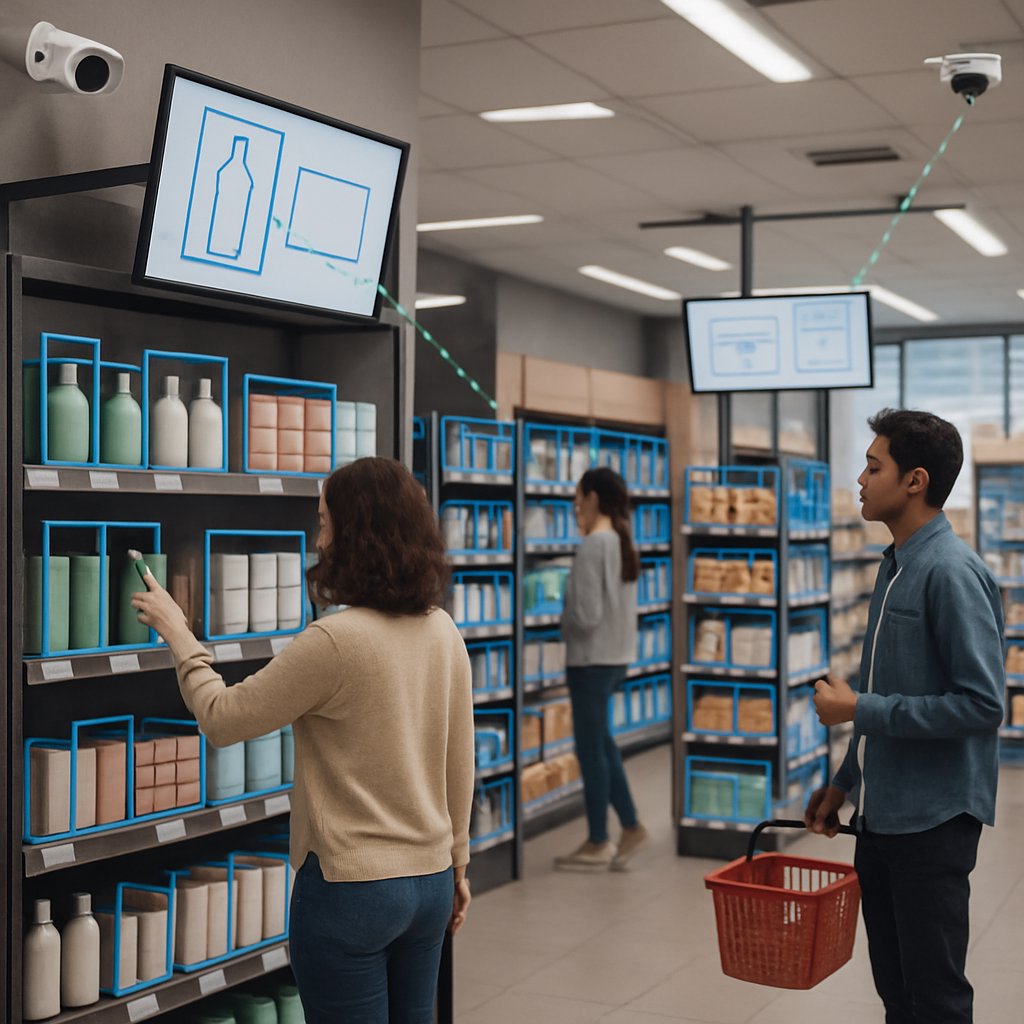
Computer vision has quietly become the backbone of data-driven retail operations. Whether you're trying to reduce stockouts, analyze customer flow, or enable frictionless checkout, the right vision stack can offer measurable ROI and a competitive edge. If you’re evaluating computer vision for retail, this guide breaks down real-world applications, hardware needs, performance metrics, and what you can expect in terms of returns and operational complexity—without sugarcoating the trade-offs.
Key Takeaways:
- Understand how computer vision is used for shelf monitoring, customer analytics, checkout-free retail, and visual search
- See what hardware and infrastructure are required for effective deployments
- Learn about real-world performance benchmarks and ROI figures from leading retailers
- Get a balanced view on implementation trade-offs, including privacy, cost, and maintenance overhead
- Discover common mistakes and best practices in operationalizing retail computer vision
Retail Computer Vision Applications
Retailers are turning to computer vision to automate in-store processes and extract actionable insights from visual data. Key applications include:
Shelf Monitoring & Smart Inventory
- Out-of-stock detection: Cameras scan shelves and trigger alerts for empty spots or misplaced items. According to AI Monk, modern computer vision can push inventory accuracy up to 96%, compared to error-prone manual audits.
- Planogram compliance: Visual analytics compare real shelf layouts with digital planograms, ensuring merchandising rules are followed.
- Automated replenishment: Alerts integrate with ERP or inventory systems for just-in-time restocking, reducing lost sales and labor costs.
Customer Flow and Behavioral Analytics
- Traffic heatmaps: Track customer movement, dwell time, and engagement patterns. This informs store layout decisions and helps place high-margin items in optimal spots (see Trantor).
- Demographic and sentiment analysis: Anonymous detection of age, gender, and emotional response (e.g., “linger time” near products triggers staff intervention or adapts digital signage).
- Queue management: Real-time occupancy data triggers staff deployment to prevent walkouts due to long wait times.
Checkout-Free and Loss Prevention
- Frictionless checkout: Vision systems track what customers pick up and automatically charge their account when they leave. No manual scanning or cashiers needed.
- Theft and fraud detection: AI models flag suspicious behaviors (e.g., concealed items, unusual hand movements) and alert loss prevention teams. According to AI Monk, leading brands have saved up to $250,000 per store through loss prevention analytics.
Visual Search and Assisted Shopping
- Image-based product search: Shoppers snap a photo to instantly locate matching or similar products in-store or online.
- Personalized promotions: Digital displays adapt content based on detected customer interest (per Trantor), boosting engagement and conversion rates.
For a broader look at analytics-driven retail transformation, see Predictive Analytics for Supply Chain Optimization.
Hardware Requirements for Retail Computer Vision
Effective computer vision deployments in retail require a blend of robust hardware and scalable software infrastructure. Here’s what you’ll typically need:
Cameras
- Resolution:
- Resolution: 4K IP cameras are increasingly standard for shelf analytics and customer flow tracking, according to AI Monk.
- Placement: Ceiling-mounted wide-angle cameras for traffic; shelf-facing cameras for inventory; entrance/exit coverage for loss prevention.
- Lighting: Consistent, glare-free store lighting to minimize image noise and improve model accuracy.
Edge Processing
- Edge compute nodes: NVIDIA Jetson, Intel NUC, or similar devices process video locally, minimizing latency and bandwidth usage.
- Benefits: Enables real-time alerts (“out-of-stock” or “long line”) without sending raw video to the cloud, reducing privacy risks and data costs.
Networking and Integration
- High-bandwidth connectivity: Wired Gigabit Ethernet is preferred for reliability; Wi-Fi 6 can be used for flexibility in smaller installations.
- API integrations: RESTful APIs to connect CV outputs with POS, ERP, or digital signage platforms.
Cloud Backend
- Model updates: Retraining and deploying improved models is typically handled in the cloud, then pushed to edge devices.
- Centralized analytics: Aggregates multi-store data for trend analysis, benchmarking, and compliance reporting.
| Component | Typical Hardware | Notes |
|---|---|---|
| Cameras | 4K IP, PoE | Wide-angle for traffic, focused for shelf |
| Edge Compute | NVIDIA Jetson, Intel NUC | Processes video on-site |
| Networking | Gigabit Ethernet, Wi-Fi 6 | Depends on store size and layout |
| Cloud | AWS, Azure, GCP | Model training, analytics, storage |
For more on AI infrastructure and operational trade-offs, refer to Decision Framework for Fine-Tuning LLMs: Cost, Quality, and Operations.
Accuracy Metrics and ROI from Real Deployments
Retailers want concrete numbers before investing in computer vision. Here are the metrics and ROI figures reported by leading deployments:
Accuracy Benchmarks
- Inventory accuracy: Computer vision can reach 96% accuracy in tracking shelf stock, according to AI Monk. Manual audits often lag behind, missing fast-moving or misplaced items.
- Planogram compliance: Automated visual checks catch 2-3x more merchandising errors than spot audits.
- Customer tracking:
- Customer tracking: Modern systems can reliably identify 95%+ of customer entries and exits under normal lighting and camera placement, according to Trantor.
Business ROI
- Theft reduction:
- Theft reduction: AI-enabled loss prevention analytics can save up to $250,000 per store annually for leading brands, according to AI Monk. This figure represents an upper bound for these brands, not a guaranteed outcome for all deployments.
- Labor savings: Automated shelf monitoring can reduce manual stock checking by 60-80%, freeing staff for customer-facing roles.
- Sales lift: Improved planogram compliance and dynamic promotions (based on real-time customer interest) have been linked to 3-5% increases in category sales (Trantor).
| Metric | Manual Process | Computer Vision | Source |
|---|---|---|---|
| Inventory Accuracy | 85% | 96% | AI Monk |
| Theft Reduction | Unknown | $250,000 per store/year | AI Monk |
| Planogram Compliance | Low | 2-3x improvement | Trantor |
| Sales Lift | Baseline | 3-5% increase | Trantor |
Sample Code: Real-Time Shelf Monitoring
Here’s an example using a pre-trained CNN model to detect out-of-stock products from a camera feed. This leverages edge computing for instant alerts:
import cv2
from inventory_detection import detect_empty_shelves # placeholder for a custom or vendor-provided function
# Open video stream from IP camera
cap = cv2.VideoCapture('rtsp://store-cam-ip/live')
while True:
ret, frame = cap.read()
if not ret:
break
# Detect empty shelf spots in each frame
empty_spots = detect_empty_shelves(frame)
if empty_spots:
# Send alert to inventory system (pseudo-code)
print(f"Empty spots detected: {empty_spots}")
# Here you would integrate with your ERP or send a notification
cap.release()
This sample demonstrates the core workflow: ingest video, run detection models, trigger downstream automation. For production, integrate with your inventory or ERP API for real-time stock updates.
Implementation Considerations and Trade-offs
No computer vision solution is a silver bullet. Here’s what you need to weigh before rolling out at scale:
Data Privacy and Compliance
- Privacy: Most modern computer vision systems anonymize customer data and avoid facial recognition unless explicitly required (AI Monk).
- Compliance: Ensure alignment with EU AI Act and local privacy regulations. Consult legal teams for data retention and consent requirements.
Maintenance Overhead
- Model drift: Retail environments change (seasonal layouts, lighting), requiring periodic model retraining and hardware calibration.
- Hardware failures: IP cameras and edge devices can fail, so plan for redundancy and proactive monitoring.
Build vs. Buy Analysis
Should you develop your own vision system or use an off-the-shelf solution? Here’s a quick comparison:
| Option | Upfront Cost | Ongoing Cost | Customization | Time to Deploy |
|---|---|---|---|---|
| Build In-House | $250K+ (R&D, team, hardware) | $75K+/year (maintenance, retraining) | High | 12-18 months |
| Buy (Vendor SaaS) | $50K-150K/store (deployment, hardware) | $1-5K/month/store (subscription) | Limited | 2-4 months |
Vendors like Amazon Just Walk Out, Standard AI, and Trigo provide turnkey solutions but may lock you into specific hardware and APIs. Open-source alternatives (e.g., OpenCV with custom models) offer flexibility but require significant engineering resources.
For a deeper dive into vendor selection and stack comparisons, see Comparing RAG Stacks for Enterprise Knowledge Bases.
Limitations and Notable Alternatives
- Limitations: Hallucination rates for product detection can spike in cluttered or poorly lit environments. Expect 4-8% false positives/negatives in challenging conditions.
- Alternatives: RFID-based inventory tracking offers high accuracy for boxed goods but struggles with produce and non-tagged items. Manual audits remain necessary for edge cases.
Common Pitfalls and Pro Tips
Even large retailers make mistakes when deploying computer vision. Here’s how to avoid the most common traps:
- Ignoring infrastructure needs: Underpowered edge devices or low-quality cameras will bottleneck your entire system. Don’t cut corners here.
- Skipping pilot programs: Always run a pilot in a representative store before scaling. This exposes real-world issues (lighting, occlusion, shopper density).
- Neglecting model retraining: Retail layouts and product assortments change frequently. Schedule periodic model evaluations and retraining to prevent accuracy degradation.
- Overlooking integration complexity: Connecting vision outputs to legacy ERP or POS systems often requires custom middleware or API work—budget for this up front.
- Not preparing for maintenance: Hardware failures, firmware updates, and data drift are operational realities. Assign clear ownership for system upkeep.
Pro Tips
- Edge-first processing: Process as much as possible locally to minimize latency, bandwidth, and privacy risks.
- Data labeling strategy: Invest in high-quality labeled data for your specific store layouts—generic datasets won’t cut it for SKU-level accuracy.
- Human-in-the-loop QA: Use staff feedback to flag false positives and retrain models. This tight feedback loop accelerates accuracy improvements.
Conclusion and Next Steps
Computer vision is now a proven lever for boosting efficiency, reducing shrink, and improving customer experience in retail. However, success depends on careful planning, realistic ROI models, and sustained operational support. Start with a pilot, measure real-world results, and scale only when the business case is clear. For related topics, see NLP for Business Intelligence: Insights and Analysis and AI in Financial Analysis: Forecasting, Risk, and Compliance Strategies.
Next steps: assess your current infrastructure, select a pilot application (shelf monitoring or queue analytics), and budget for both hardware and ongoing model maintenance. Stay vigilant about data privacy and compliance as regulations evolve.

