Categories
Cybersecurity Data Security & Compliance

What Your Bluetooth Devices Reveal About Your Privacy

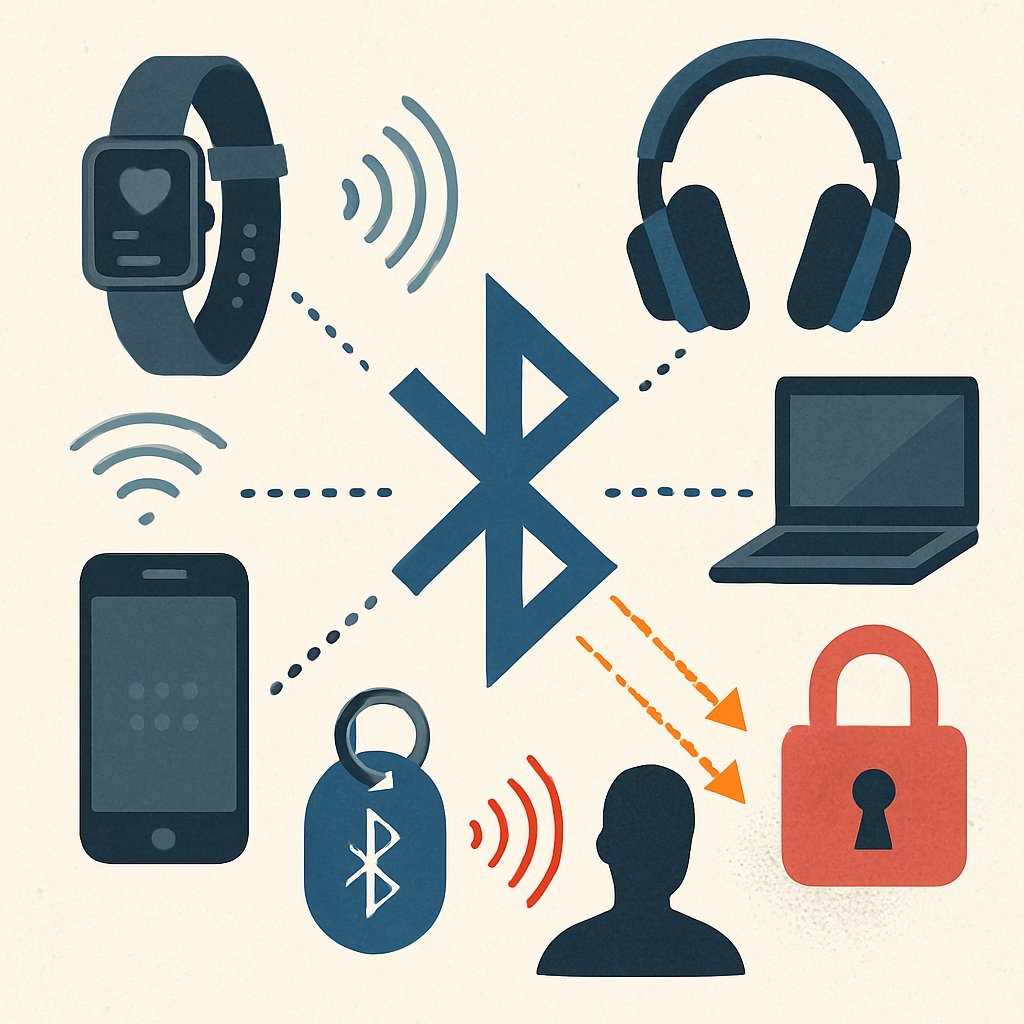
Leaving Bluetooth enabled on your devices seems harmless, but passive scanners like Bluehood show just how much personal information you’re leaking—often without realizing it. From daily routines to device ownership, attackers and even nosy neighbors can quietly build a profile about you. Here’s what your Bluetooth signals really reveal—and how to protect yourself.

Key Takeaways:

  • Bluetooth broadcasts metadata that can reveal your routines, device types, and sometimes your location.
  • Tools like Bluehood demonstrate how passive scanning uncovers what you’re unintentionally sharing.
  • Recent vulnerabilities (e.g., WhisperPair, CVE-2025-36911) highlight real risks of Bluetooth-enabled devices.
  • Effective mitigation requires a mix of user awareness, system settings, and monitoring strategies.
  • Every scanning approach has operational trade-offs and technical limitations you should understand.

Bluetooth Leaks: Fundamentals and Real-World Exposure

Most modern devices—phones, laptops, cars, wearables—broadcast Bluetooth signals by default. These signals aren’t just background noise; they’re rich with metadata. According to security researcher Danny McClanahan, a passive scanner running in a home office could detect:

  • When delivery drivers arrive and whether it’s the same driver each time
  • Patterns of neighbors’ arrivals and departures, based on their phones and wearables
  • Which devices appear together (e.g., phone + smartwatch = same person)
  • The exact times certain people are home, at work, or elsewhere

What’s being leaked? Typically, the following:

  • MAC addresses (sometimes randomized, but not always)
  • Device class/type (phone, audio device, car, etc.)
  • Device name (often user-configured, sometimes includes real names)
  • Bluetooth Low Energy (BLE) advertisement data

This data can be aggregated over time to build a surprisingly detailed picture of your habits. Even randomized MAC addresses don’t always protect users, especially if devices use static names or predictable patterns.

Real-world incident: In 2026, a critical flaw called WhisperPair (CVE-2025-36911) was disclosed, allowing attackers to remotely hijack headphones, eavesdrop, and track locations via Bluetooth audio device vulnerabilities (source). This shows that Bluetooth isn’t just a privacy risk—it’s increasingly an attack vector.

Emerging Bluetooth standards such as Channel Sounding (enabling sub-meter asset tracking) further increase the granularity of location data, raising new privacy and security concerns (Bluetooth industry forecast).

Summary Table: What Bluetooth Devices Broadcast

Data TypeLeaked by Default?Can It Identify You?
MAC AddressYes (though may be randomized)Potentially (if static or poorly randomized)
Device NameYes (often user-set)Often (e.g., "John’s iPhone")
Device Type/ClassYesSometimes (unique combos or rare device types)
BLE Advertisement DataYesRarely (but rich in context)

Business and Security Implications

  • Attackers can passively track physical movements and infer routines without ever connecting to a device.
  • Bluetooth-related vulnerabilities (like WhisperPair) expose organizations to eavesdropping and location tracking at scale.
  • Asset tracking and geofencing, while driving business innovation, also increase the attack surface and the privacy burden for compliance teams.

See also: Lessons for Account Security for parallels in metadata exposure and incident response.

Scanning Bluetooth Traffic with Bluehood

Bluehood is an open-source Bluetooth scanner designed to show what data you’re leaking simply by having Bluetooth enabled (project details). Unlike active reconnaissance tools, Bluehood operates in passive mode, meaning it just listens—it never attempts to connect or interact with target devices. This approach emulates what an attacker or nosy neighbor could learn from the airwaves alone.

Installation and Usage Example

To deploy Bluehood on a Linux system:

git clone https://github.com/dannymcc/bluehood.git
cd bluehood
docker compose up -d

Alternatively, for a direct install on Arch or Debian/Ubuntu:

sudo pacman -S bluez bluez-utils python-pip  # Arch
sudo apt install bluez python3-pip           # Debian/Ubuntu
pip install -e .
sudo bluehood

Bluehood outputs a live stream of detected devices, showing:

  • MAC address (or randomized identifier)
  • Device name and type
  • Signal strength (RSSI)
  • First and last seen times

With this data, you can reconstruct:

  • Presence patterns (who is home, when do they leave)
  • Device groupings (e.g., one person’s phone and watch always appear together)
  • Rare device sightings (identifying visitors, delivery drivers, etc.)

Sample Output (Redacted for Privacy)

The following code is an illustrative example and has not been verified against official documentation. Please refer to the official docs for production-ready code.

The following code is an illustrative example and has not been verified against official documentation. Please refer to the official docs for production-ready code.

ADDR              NAME              TYPE         RSSI    FIRST_SEEN          LAST_SEEN
FA:CE:0E:12:34:56 John's iPhone     Smartphone   -55     2026-03-01 08:12    2026-03-01 17:45
10:AF:EE:99:01:FF Bose QC45         Headphones   -70     2026-03-01 08:13    2026-03-01 17:45
...

This visibility is possible without any device interaction—demonstrating the risk surface for both individuals and organizations.

Advanced Use: Pattern Analysis

  • Correlate device appearance times with shift schedules or delivery hours
  • Detect regular visitors to a location (e.g., cleaners, recurring guests)
  • Monitor for outlier devices that might indicate a rogue presence (potential attacker or unauthorized asset)

For a security team, this sort of passive reconnaissance can be used to audit Bluetooth exposure in sensitive environments or to validate the effectiveness of existing privacy controls.

Related: For more on securing infrastructure at scale, see Container Security Cheat Sheet: Scanning and Protection.

Defensive Strategies for Bluetooth Privacy

Given the depth of metadata exposed by Bluetooth, privacy protection requires a multi-layered approach. Here’s how to mitigate risk:

1. Disable Bluetooth When Not Needed

  • Turn off Bluetooth on phones, laptops, and IoT devices when not actively using them.
  • Educate users on the privacy risks of “always-on” Bluetooth, especially in sensitive workplaces.

2. Use MAC Address Randomization

  • Most modern operating systems support randomizing the Bluetooth MAC address during scanning or advertising.
  • Verify that your devices are actually randomizing (settings may differ by OS and hardware).

3. Sanitize Device Names and Types

  • Avoid including real names, job titles, or other identifiers in device names.
  • Where possible, use generic naming conventions for company- or org-owned equipment.

4. Patch and Monitor for Bluetooth Vulnerabilities

  • Apply Bluetooth stack and firmware updates promptly—especially in light of critical flaws like WhisperPair (CVE-2025-36911).
  • Monitor vulnerability feeds (e.g., NIST NVD, vendor advisories) for new Bluetooth risks.

5. Audit and Pen-Test Your Environment

  • Run passive Bluetooth scans (e.g., with Bluehood) in your facilities to assess what outsiders could learn.
  • Document and remediate any unnecessary device broadcasts.

Detection and Monitoring

  • Deploy wireless intrusion detection systems (WIDS) with Bluetooth support to alert on unknown or suspicious devices.
  • Correlate Bluetooth device logs with physical access records for anomaly detection.

For a regulatory perspective, note that Bluetooth leaks can have compliance consequences if user or asset tracking data is exposed without consent—especially under GDPR or CCPA-like laws. For more on legal implications, see California’s Age Verification Law: Impact on Operating Systems.

Considerations and Trade-offs of Bluetooth Scanning Tools

While tools like Bluehood are powerful for auditing and research, practitioners should be aware of key limitations and operational trade-offs.

1. Vendor Database Reliability

Bluehood relies on the IEEE OUI MAC vendor database to classify devices. According to reported issues, if the vendor database download fails (due to a network timeout or HTTP error), scanning can hang or stop entirely. This impacts reliability, especially in air-gapped or firewalled environments.

2. Incomplete Device Discovery

  • Devices with Bluetooth disabled, or that use advanced privacy features, may not show up during scans.
  • Some devices randomize their MAC addresses or rotate identifiers frequently, reducing tracking accuracy.

3. Ethical and Legal Boundaries

  • Passive Bluetooth scanning can be legal in some jurisdictions but may cross ethical or regulatory lines in others—always review local laws and obtain proper authorization for audits.

4. Not a Silver Bullet

  • Bluehood is not an active exploitation tool—while it reveals metadata exposure, it doesn’t test for vulnerabilities like WhisperPair. Complement with active vulnerability scanning and patching.

Alternative Tools

ToolFocus AreaPassive/ActiveNotable Limitation
BluehoodMetadata exposure, passive analysisPassiveVendor DB dependency; no active exploits
BlueZBluetooth stack/tools (Linux)BothRequires root; less user-friendly
Wireshark (with Bluetooth plugins)Packet-level analysisPassiveSteep learning curve; may need extra hardware

Actionable Bluetooth Privacy Checklist

  • Audit your Bluetooth devices using a passive scanner (e.g., Bluehood) at least quarterly.
  • Review device naming conventions and sanitize any personally identifiable information.
  • Enforce MAC address randomization where supported; test with scanning tools to confirm effectiveness.
  • Regularly patch all devices and monitor for new Bluetooth CVEs (e.g., WhisperPair, CVE-2025-36911).
  • Deploy and tune wireless intrusion detection for unknown Bluetooth devices in critical areas.
  • Document your Bluetooth exposure in risk assessments and privacy impact analyses.

For further reading on evaluating security architectures and balancing detection with usability, see WAF Architecture Case Study: ModSecurity vs Cloudflare vs AWS.

Common Pitfalls or Pro Tips

  • Assuming MAC randomization is always enabled: Many devices only randomize during scanning, not during advertising. Test before relying on this as a defense.
  • Leaving Bluetooth enabled “just in case”: This creates unnecessary exposure. Disable it when not in use.
  • Ignoring device names: Device names often contain real names, company info, or other identifiers. Always sanitize these fields.
  • Neglecting updates: Bluetooth vulnerabilities are actively exploited. Set up a patch management process for all Bluetooth-enabled assets.
  • Overlooking physical security: Attackers with physical proximity can bypass many controls. Consider wireless monitoring as part of your physical security program.

Conclusion

Bluetooth signals leak more information than most users or organizations realize—from device types to daily routines and physical presence. Use passive scanning tools like Bluehood to audit your exposure, patch known vulnerabilities, and implement privacy-by-default settings. For a deeper dive into securing wireless and connected infrastructure, review your detection controls and stay informed about both standards evolution and new attack vectors.

Sources and References

This article was researched using a combination of primary and supplementary sources:

Supplementary References

These sources provide additional context, definitions, and background information to help clarify concepts mentioned in the primary source.

Critical Analysis

Sources providing balanced perspectives, limitations, and alternative viewpoints.

Additional Reading

Supporting materials for broader context and related topics.