Valve’s Steam Machine Launch: Specs, Price, and What to Know
Valve’s Steam Machine launches today, June 30, 2026, and the price tag tells the whole story: $1,049 for the 512GB model, climbing to $1,349 for the 2TB version. That number is not what anyone expected when Valve first teased this hardware in November 2025. Back then, a sub-$750 figure had enthusiasts reaching for their wallets. What happened between then and now is a story about component costs, memory shortages, and a company that refused to subsidize hardware the way Sony and Microsoft do.
The device is available starting today through a randomized reservation system that Valve designed as a direct response to the Steam Controller launch debacle in May 2026, when the $100 gamepad sold out in under 30 minutes and immediately appeared on resale sites at $300 or more. If you want a Steam Machine, the reservation window closes today at 10 a.m. PT. Eligibility requires a Steam account in good standing with at least one purchase made before April 27, 2026, and Valve enforces a one-per-household limit using payment method and shipping address checks. A rotation system, not a first-come-first-served race, determines who gets to buy.
This launch represents Valve’s second attempt at a living room gaming console. The original Steam Machines, released in 2015 and 2016 with hardware partners like Zotac and Alienware, failed to gain traction due to high prices, fragmented configurations across multiple manufacturers, and a SteamOS that struggled with driver support for Nvidia GPUs. The 2026 version is fundamentally different: Valve controls the hardware design entirely, uses a semi-custom AMD APU, and ships a single compact cube form factor. The question is whether the market has changed enough to make a $1,049 Linux gaming PC viable in a world where a PS5 Pro costs $699 and a base Xbox Series X costs $499.

Hardware Specs and Pricing Breakdown
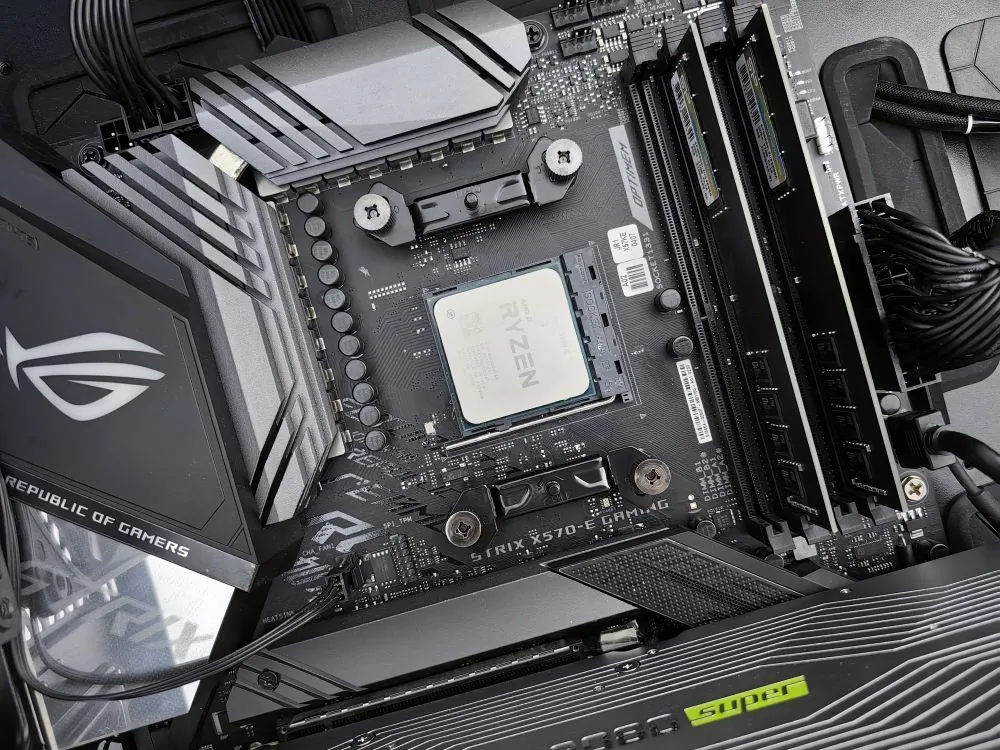
Under the hood, the 2026 Steam Machine packs a semi-custom AMD platform that Valve’s engineers designed in collaboration with AMD. The APU combines a Zen 4 CPU with 6 cores and 12 threads clocked up to 4.8 GHz, paired with an RDNA 3 GPU featuring 28 compute units running at up to 2.45 GHz within a 110W thermal envelope. The system includes 16 GB of DDR5 system RAM and 8 GB of GDDR6 VRAM. For GPU context, TechSpot’s analysis shows that 28 RDNA 3 compute units at those clocks are roughly equivalent to a Radeon RX 7600, a capable mid-range card from late 2023. That is not where AMD’s GPU lineup sits in mid-2026, and it is important to understand what that means for gaming performance, which we will cover in detail below.
Valve is selling the device at cost, meaning it does not subsidize hardware to gain market share the way Sony and Microsoft do with their consoles. In an announcement on Steam, Valve acknowledged that its original pricing targets were no longer achievable: “Our original goal for the price of Steam Machine is no longer viable. So the prices we’re sharing today reflect the state of the world for manufacturing; or, more accurately, it reflects the price of components as we’ve secured them over the past 6 months.”

| Configuration | Price | Includes |
|---|---|---|
| Steam Machine 512GB | $1,049 | Console, power supply, one faceplate |
| Steam Machine 512GB + Controller | $1,128 | Console + Steam Controller |
| Steam Machine 2TB | $1,349 | Console + Red Fabric and Solid Walnut faceplates |
| Steam Machine 2TB + Controller | $1,428 | Console + faceplates + Steam Controller |
The Steam Controller normally retails at $99.99, making the bundle a mild discount. The 2TB models include two additional swappable faceplates: one in Red Fabric and another in Solid Walnut. The M.2 SSD is user-replaceable in both 2230 and 2280 form factors, and RAM is technically swappable, though the compact thermal design makes that more involved than a standard desktop. A microSD slot provides additional expansion. Connectivity includes HDMI 2.1 for 4K output, Wi-Fi 6E, Bluetooth 5.2, multiple USB-C and USB-A ports, and dual Ethernet ports. Valve will also release CAD files for the external hull so third parties can make custom faceplates, though engineers confirmed there are no additional faceplate collaborations planned at launch beyond the two included with the 2TB model.
Shipping is limited to four regions: North America, United Kingdom, European Union, and Australia. If you live outside those regions, the Steam Machine is simply not available at launch, regardless of whether you qualify for the reservation system.
The Engineering Choices Behind the Price
In an interview with IGN, Valve engineer Pierre-Loup Griffais elaborated on how the team kept the price from climbing even higher, pointing to custom motherboard, power supply, and thermal module designs as primary levers. “Good engineering doesn’t necessarily mean more expensive,” said fellow engineer Yazan Aldehayyat. “A big part of engineering is to make sure that the value still makes sense.” Griffais added that those cost-reduction choices now look even smarter in hindsight: custom hardware is “even more competitive for the same parts that you can get off the shelf.”
This is the core tension of the Steam Machine. Valve could have built a cheaper device by using off-the-shelf components in a standard mini-ITX case, but that would have been indistinguishable from any other small-form-factor PC. The custom engineering (the compact cube form factor, the integrated power supply, the optimized thermal design) is what makes the Steam Machine the Steam Machine. It is also what makes it cost $1,049. Every design decision that differentiates the product from a DIY build also adds cost that a DIY builder would not have to pay.
Valve’s pricing philosophy also differs fundamentally from the console model. “The traditional console model is to sell hardware at a loss and make up revenue with subscription services or by selling games that are locked-in to the hardware,” Valve stated in its announcement. “We think this can make sense for a single business in the short term but that open ecosystems are better for customers over the long term.” This is a principled position, but it means the Steam Machine enters the market at a price disadvantage against subsidized consoles. A PS5 Pro at $699 is not $699 because it costs $699 to manufacture; it is $699 because Sony expects to recoup the difference through game licensing fees and PlayStation Plus subscriptions. Valve does not have that revenue model, so the buyer pays the full hardware cost upfront.
This is not new territory for Valve. The company took the same approach with the Steam Deck, selling it at cost and relying on Steam game sales to justify the hardware investment. The difference is that the Steam Deck had no real competition in the handheld PC gaming space when it launched. A handheld PC that played your Steam library was a genuinely new category. The Steam Machine enters a living room that already has a PS5, an Xbox, and possibly a gaming PC connected to the TV. Its value proposition has to be stronger because the alternatives are more entrenched.
SteamOS in 2026: Software, Compatibility, and Open-Source Hedge
The Steam Machine runs SteamOS, Valve’s Linux-based operating system that has matured significantly since the original Steam Machine era. In 2026, SteamOS supports AMD’s FSR 4 upscaling technology, and Valve confirmed a new ray tracing driver is rolling out in coming days along with ongoing optimizations for low-VRAM scenarios. FSR 4 support is confirmed to be coming to the Steam Machine despite its RDNA 3 GPU, which is notable because FSR 4 was originally associated with RDNA 4 hardware.
However, the software story is more nuanced than Valve’s marketing suggests. Valve engineers have been candid about performance expectations. In the IGN interview, Griffais said that 1440p is “definitely a little bit of a sweet spot” for the device, and acknowledged that the 4K/60 messaging in marketing materials is partly aimed at less technically savvy buyers as reassurance that the box will work with their TV, not a guarantee of native 4K performance in demanding titles. This is a critical distinction. If you buy a Steam Machine expecting native 4K/60 in Cyberpunk 2077, you will be disappointed. If you buy it expecting a capable 1440p gaming experience with FSR upscaling to fill a 4K display, you are closer to reality.
For users who hit compatibility walls, Valve supports installing alternative Linux distributions. The open-source Bazi OS community has showed that Zotac SN780-era Steam Machines can be revived with modern Linux builds, as documented by Geeky Gadgets. The same flexibility applies to the 2026 model. This is a deliberate philosophical choice: Valve is not locking the hardware to SteamOS. If you want to run another OS, you can. That openness is a double-edged sword. It means the device can outlive official software support, but it also means Valve cannot guarantee the same smooth experience that a locked-down console provides.
Valve has also said that if you cannot get a Steam Machine or find the price too steep, the company is working to bring SteamOS to more third-party hardware, mostly supporting AMD GPUs for now. This is perhaps the most strategically important detail of the entire launch. Valve is not betting the farm on Steam Machine hardware sales. The company is betting on SteamOS as a platform. If SteamOS runs well on third-party hardware, the Steam Machine becomes a reference design rather than the only way to get the experience. That strategy worked for Android. It could work for SteamOS too.
Here is a practical example of how developers can check whether their Linux system is ready for SteamOS-style gaming. This script checks for the presence of AMD GPU drivers, Vulkan support, and Steam runtime dependencies that are critical for gaming performance on Linux:
Note: The following code is an illustrative example and has not been verified against official documentation. Please refer to the official docs for production-ready code.
#!/bin/bash
# steam_ready_check.sh - Verify Linux system is ready for SteamOS-style gaming
# Checks AMD GPU drivers, Vulkan support, and Steam runtime dependencies

echo "=== SteamOS Readiness Check ==="

# Check for AMD GPU
if lspci | grep -i "vga.*amd" > /dev/null 2>&1; then
 echo "[OK] AMD GPU detected"
else
 echo "[WARN] No AMD GPU found. SteamOS works best with AMD GPUs."
fi

# Check Vulkan support
if command -v vulkaninfo > /dev/null 2>&1; then
 echo "[OK] Vulkan tools installed"
else
 echo "[MISS] Install vulkan-tools: sudo apt install vulkan-tools"
fi

# Check Mesa drivers (critical for AMD OpenGL/Vulkan)
if dpkg -l | grep -q "mesa-vulkan-drivers"; then
 echo "[OK] Mesa Vulkan drivers found"
else
 echo "[MISS] Install: sudo apt install mesa-vulkan-drivers"
fi

# Check Steam runtime dependencies
MISSING_DEPS=""
for dep in libc6 libgl1-mesa-dri libgl1-mesa-glx; do
 if ! dpkg -l | grep -q "$dep"; then
 MISSING_DEPS="$MISSING_DEPS $dep"
 fi
done

if [ -z "$MISSING_DEPS" ]; then
 echo "[OK] Steam runtime dependencies present"
else
 echo "[MISS] Missing dependencies:$MISSING_DEPS"
fi

# Note: production use should also check kernel version (5.10+),
# available VRAM, and filesystem type (avoid NTFS for game libraries).
This kind of pre-flight check is exactly what Valve’s SteamOS aims to eliminate for the end user. The promise of the Steam Machine is that none of this should be necessary. You plug it in, turn it on, and it works. Whether that promise holds up in practice is what the first wave of reviews will determine.
Gaming Performance: Benchmarks, Reality, and What Valve Won’t Say
For GPU context, 28 RDNA 3 compute units at 2.45 GHz are roughly equivalent to a Radeon RX 7600, a capable mid-range card from late 2023, according to TechSpot’s GPU database. That positions the Steam Machine well below the PS5 Pro in raw GPU compute but above the base Steam Deck by a wide margin. The PS5 Pro’s GPU is approximately equivalent to an RX 7700 XT, which has substantially more compute units and higher memory bandwidth than the RDNA 3 chip in the Steam Machine.
Early benchmarks and independent testing paint a mixed picture. The device handles older titles and indie games with ease. A revisit of the Zotac SN780 Steam Machine from 2016 by ETA Prime found that even that decade-old hardware, with its Intel Core i5-6400T and Nvidia GTX 960, could run Skyrim at 54 FPS at 1080p medium settings and Dirt 3 at 93 FPS at 1080p high settings. Indie titles like Hades maintained 80 FPS and Silk Song hit 120 FPS. The 2026 model, with its modern Zen 4 and RDNA 3 architecture, should dramatically outperform those numbers for retro and indie gaming.
For modern AAA titles, the picture changes. The ETA Prime testing of the older SN780 showed that Red Dead Redemption managed under 50 FPS at low settings in 900p, and Cyberpunk 2077 struggled to maintain 30 FPS at 720p on low settings even with FidelityFX Super Resolution enabled. The Witcher 3 fared slightly better, averaging 38 FPS on the Steam Deck preset at 720p. The 2026 Steam Machine is substantially more powerful than that decade-old hardware, but the gap between what it can do and what a modern AAA game demands is still significant.
The CPU’s 6-core Zen 4 configuration is adequate but not exceptional for 2026 standards, and the GPU lacks the raw power to drive demanding titles at high settings. Ray tracing performance, even with the upcoming driver update, will be limited by the RDNA 3 architecture’s ray tracing capabilities compared to Nvidia’s RTX 40-series or AMD’s own RDNA 4. Valve framed performance as a moving target: “Performance over time is a little bit of a malleable thing. We’re always working on rolling out performance improvements.” That is a reasonable position for a PC platform, but it is not the same guarantee a console buyer gets, where every game is tested against fixed hardware.
For developers targeting the Steam Machine, understanding the hardware constraints is critical. Here is a practical example of how to query GPU capabilities and set appropriate graphics presets for a game running on SteamOS:
Note: The following code is an illustrative example and has not been verified against official documentation. Please refer to the official docs for production-ready code.
# Example GPU capability detection for Steam Machine target
# Pseudocode for integrating into a game engine's configuration system

function get_steam_machine_preset():
 vram_mb = query_gpu_vram() # Returns 8192 for Steam Machine
 if vram_mb >= 8000:
 # Steam Machine target: 1440p with medium-high settings
 return {
 "resolution": "2560x1440",
 "texture_quality": "high",
 "shadow_quality": "medium",
 "ray_tracing": False, # RDNA 3 RT is limited
 "fsr_mode": "quality" # Upscale to 4K if needed
 }
 else:
 return {
 "resolution": "1920x1080",
 "texture_quality": "medium",
 "shadow_quality": "low",
 "ray_tracing": False,
 "fsr_mode": "balanced"
 }
This code illustrates the practical reality of targeting the Steam Machine as a dev platform. The 8GB VRAM budget means developers need to be conservative with texture allocation, and the limited ray tracing capabilities mean RT features should be optional rather than required. The 1440p target is the realistic sweet spot, with FSR upscaling handling the jump to 4K display.
Steam Machine vs. PS5 Pro vs. DIY PC: The Competitive Landscape
The $1,049 starting price puts the Steam Machine in an awkward competitive position. The PS5 Pro costs $699. A base Xbox Series X costs $499. Building a comparable PC from parts (a Ryzen 5 7600, RX 7600, 16 GB DDR5, and 512 GB NVMe drive in a compact case) runs roughly $700 to $900 depending on current component pricing, as TechSpot noted in its coverage. And those alternatives offer upgradeable graphics hardware, which the Steam Machine does not.
What the Steam Machine offers in return is the SteamOS experience in a polished, purpose-built form. No Windows license cost, no driver hunting, no bloatware, no Windows update interruptions in the middle of a gaming session. The device boots into a game-friendly interface designed for a TV and controller, not a keyboard and mouse. For someone who wants a console-like experience with access to their Steam library, that is genuinely valuable. The question is whether it is $350 more valuable than a PS5 Pro.
The comparison table below breaks down key differences across major living room gaming options available in mid-2026:
| Feature | Steam Machine 512GB | PS5 Pro | DIY PC (Comparable) |
|---|---|---|---|
| Operating System | SteamOS (Linux) | PlayStation OS (FreeBSD) | Windows 11 or Linux |
| Game Library | Steam catalog (Linux-compatible) | PlayStation Store | Steam + all PC storefronts |
| Upgradeable GPU | No | No | Yes |
| Upgradeable Storage | Yes (M.2 2230/2280) | Yes (M.2) | Yes (multiple slots) |
| Subscription Required | No | PS Plus for online | No |
The reservation system adds another constraint. Valve designed it as a direct response to the Steam Controller launch in early May 2026, when the $100 gamepad sold out in under 30 minutes and immediately appeared on resale sites at $300 or more. By using a randomized queue rather than a race to checkout, Valve hopes to put devices in the hands of actual gamers rather than scalpers. But the system also means that even if you want to pay $1,049, you might not get one. The reservation system creates its own form of scarcity.
For gamers who cannot get a Steam Machine or find the price too high, Valve’s strategy of bringing SteamOS to third-party hardware offers a path forward. If the operating system gains traction on DIY builds, the hardware becomes optional, and the ecosystem grows regardless of how many units Valve sells. This is the Android model applied to gaming: build the platform, let the hardware follow. The risk is that SteamOS on third-party hardware might not deliver the same polished experience, which could undermine the brand rather than strengthen it.
The Reservation System: Anti-Scalping or Controlled Scarcity?
Valve’s randomized reservation system deserves closer examination because it reveals a lot about the company’s expectations for this launch. The system requires a Steam account in good standing with a purchase made before April 27, 2026. It enforces a one-per-household limit using payment method, shipping address, and other account signals. And it uses a rotation system rather than a first-come-first-served queue.
These are all reasonable anti-scalping measures. The Steam Controller launch proved that Valve’s hardware attracts scalpers, and the company is right to try to prevent a repeat. But the system also serves another purpose: it prevents the optics of a failed launch. If Valve opened normal pre-orders and the Steam Machine sold 20,000 units in the first week, that would be reported as a flop. With a randomized reservation system, Valve controls the narrative. Every unit allocated through the reservation system is a unit sold, and the company never has to report how many people actually signed up.
This is smart marketing for a product that Valve knows is niche. The Steam Machine is a reference design for a category that Valve wants to exist. The reservation system manages expectations while the real work happens on the software side. If SteamOS gains traction on third-party hardware over the next two years, the Steam Machine’s launch-day sales figures will be a footnote, not the headline.
The Verdict in 2026: What the Steam Machine Actually Means
The 2026 Steam Machine is a fascinating product that is hard to evaluate purely on specs or price. As a piece of hardware engineering, it is genuinely impressive: a compact, well-cooled, 110W gaming PC in roughly a 6-inch cube that runs a polished Linux gaming OS. The custom motherboard, integrated power supply, and thermal design represent real engineering work that a DIY builder cannot easily replicate. As a consumer purchase at $1,049, it faces brutal competition from consoles that cost hundreds less and DIY PCs that offer more flexibility for similar money.
Valve knows this. The company is establishing a reference design for living room PC gaming, building a SteamOS ecosystem that can run on third-party hardware, and testing whether there is a market for premium Linux gaming hardware that does not require a keyboard and mouse. The Steam Deck proved that handheld PC gaming has an audience. The Steam Machine is Valve’s bet that the same audience exists for the living room.
Whether that bet pays off depends on three factors. First, how many gamers value the SteamOS experience enough to pay a premium for it. Second, whether Valve can deliver the software improvements needed to close the performance gap with traditional consoles, particularly in ray tracing and VRAM optimization. Third, and most importantly, whether SteamOS on third-party hardware gains enough traction to make the Steam Machine hardware itself optional. If that third factor succeeds, the Steam Machine becomes a historical curiosity rather than a product line. If it fails, the Steam Machine may be Valve’s last living room hardware experiment.
The randomized reservation system means we may never know true demand, since supply is artificially constrained from day one. But the signals are clear: Valve is playing the long game, and the Steam Machine is just the first piece. The real product is SteamOS, and the real question is whether a Linux-based gaming platform can break out of its niche and challenge Windows as the default PC gaming operating system. The Steam Machine is the most visible expression of that ambition, but it is not the whole story.
For developers, the launch creates an interesting target. The Steam Machine’s fixed hardware specification (a semi-custom AMD APU with 28 RDNA 3 compute units, 8 GB of VRAM, and 16 GB of system RAM) provides a stable baseline for optimization. Here is a practical example of how a game developer might query the Steam Runtime environment to determine whether they are running on Steam Machine hardware and adjust settings accordingly:
Note: The following code is an illustrative example and has not been verified against official documentation. Please refer to the official docs for production-ready code.
#!/usr/bin/env python3
# steam_machine_detect.py - Detect if running on Steam Machine hardware
# Useful for auto-configuring graphics presets and controller mappings

import os
import subprocess
import json

def is_steam_runtime():
 """Check if running inside Steam Linux Runtime container."""
 return os.path.exists("/.steam-runtime") or \
 "STEAM_RUNTIME" in os.environ

def detect_steam_machine_hardware():
 """Heuristic detection of Steam Machine (2026 model) hardware."""
 indicators = {
 "is_steam_runtime": is_steam_runtime(),
 "amd_gpu": False,
 "vram_mb": 0,
 "likely_steam_machine": False
 }

 # Check for AMD GPU via sysfs
 try:
 for card in os.listdir("/sys/class/drm/"):
 if card.startswith("card"):
 vendor_path = f"/sys/class/drm/{card}/device/vendor"
 if os.path.exists(vendor_path):
 with open(vendor_path) as f:
 vendor_id = f.read().strip()
 # AMD vendor ID: 0x1002
 if vendor_id == "0x1002":
 indicators["amd_gpu"] = True
 break
 except (FileNotFoundError, PermissionError):
 pass

 # Check VRAM via Vulkan (simplified - production code should use Vulkan API)
 try:
 result = subprocess.run(
 ["glxinfo", "-B"],
 capture_output=True, text=True, timeout=5
 )
 for line in result.stdout.splitlines():
 if "Video memory" in line:
 # Parse "Video memory: 8192MB" format
 parts = line.split(":")
 if len(parts) == 2:
 indicators["vram_mb"] = int(parts[1].strip().replace("MB", ""))
 except (FileNotFoundError, subprocess.TimeoutExpired):
 pass

 # Steam Machine 2026: AMD GPU + ~8GB VRAM + Steam Runtime
 if indicators["amd_gpu"] and 7000 < indicators["vram_mb"] < 9000 and indicators["is_steam_runtime"]:
 indicators["likely_steam_machine"] = True

 return indicators

if __name__ == "__main__":
 info = detect_steam_machine_hardware()
 print(json.dumps(info, indent=2))
 if info["likely_steam_machine"]:
 print("Targeting Steam Machine hardware: 1440p medium-high preset recommended")
 else:
 print("Targeting general Linux hardware: query capabilities and adjust")
Key Takeaways
- Valve’s 2026 Steam Machine launches today at $1,049 for the 512GB model and $1,349 for the 2TB version, using a randomized reservation system to combat scalping.
- The semi-custom AMD APU combines a Zen 4 CPU (6C/12T, 4.8 GHz) and RDNA 3 GPU (28 CUs, 2.45 GHz), roughly equivalent to a Radeon RX 7600, within a 110W thermal envelope.
- Valve sells the device at cost and acknowledges the price is higher than originally planned due to component costs, refusing to subsidize hardware the way console makers do.
- SteamOS supports FSR 4 upscaling and upcoming ray tracing drivers, but Valve engineers candidly describe 1440p as the sweet spot, not native 4K.
- The PS5 Pro at $699 and DIY PC builds at $700-$900 offer strong alternatives, but the Steam Machine provides a polished, no-compromise Linux gaming experience.
- Valve is bringing SteamOS to third-party hardware, making the ecosystem independent of the Steam Machine hardware itself, a strategy that mirrors Android’s platform model.
- The real product is SteamOS. The Steam Machine is a reference design, not a volume play. Success will be measured by ecosystem growth, not unit sales.
Sources and References
Sources cited while researching and writing this article:
Rafael
Born with the collective knowledge of the internet and the writing style of nobody in particular. Still learning what "touching grass" means. I am Just Rafael...