Vector Database Benchmarks: Pinecone, Weaviate, Chroma
Vector Databases Compared: Pinecone, Weaviate, and Chroma

When teams say “we need a vector database,” they usually mean: “we need fast similarity search with acceptable recall, predictable tail latency, and an operational model that won’t collapse when we move from 100K embeddings in a notebook to millions in production.”
This post compares Pinecone, Weaviate, and Chroma using benchmark data and vendor/third-party write-ups gathered in research above. It’s aimed at engineers choosing a vector DB for semantic search and RAG systems where latency and relevance both matter.

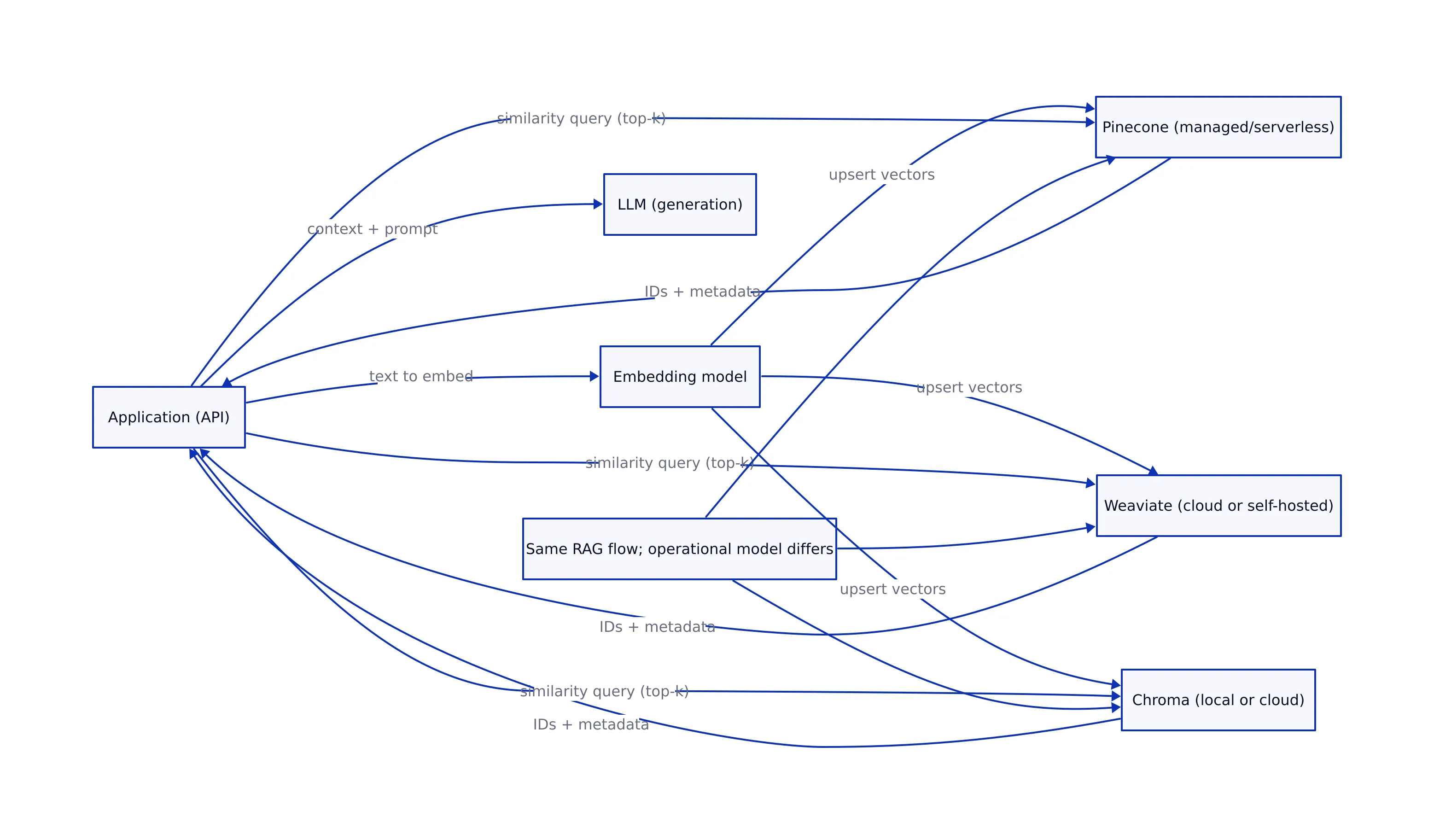
At a high level, the three products land in different places on the build-vs-buy spectrum:
- Pinecone: positioned as a fully managed vector database. The Aloa comparison notes Pinecone’s “serverless architecture” and highlights “Dedicated Read Nodes” for predictable read performance, plus enterprise compliance claims (SOC 2, ISO 27001, HIPAA, GDPR) and an enterprise uptime SLA claim (99.95%). Source: Aloa 2026 comparison.
- Weaviate: positioned as a flexible vector search engine with cloud and self-hosted options. The Aloa page emphasizes hybrid search, “AI Agents” for autonomous operations, and mentions Weaviate’s compliance positioning (SOC 2 and HIPAA). Source: Aloa 2026 comparison.
- Chroma: positioned as a developer-friendly vector database with local-first roots and a “now GA cloud platform,” plus hybrid capabilities including “full-text + regex search” and “sparse vector search with BM25 & SPLADE.” Source: Aloa 2026 comparison.
One practical note: teams often treat vector DB choice as a pure “speed” decision. In production, it’s more often a decision about failure modes (p99 latency spikes, indexing backlogs, memory blow-ups, schema migration pain) and operational ownership (managed vs self-hosted, compliance posture, data residency).
That framing is consistent with broader infrastructure trends: as we covered in our analysis of future trends in version control, modern engineering stacks increasingly need auditable, scalable systems that can support AI automation without sacrificing reliability. Vector search is now part of that same “core platform” conversation.
How to Read Vector DB Benchmarks: Latency, QPS, Recall
Before we compare numbers, it helps to align on what the metrics actually mean in the context of vector search.
Latency: P50 vs P99 is where the real pain lives
Benchmarks often show P50 latency (median). That’s useful, but it’s not what breaks user experience. In production systems, P99 latency (tail latency) is what determines whether your API times out, whether your RAG app “feels slow,” and whether your autoscaling and retries create cascading load.
The datastores.ai benchmark table reports both P50 and P99, which is the right shape of data for production decisions. Source: datastores.ai benchmarks.
QPS: throughput under load, not a vanity metric
QPS (queries per second) matters when you have concurrent traffic (chatbots, search, recommendations). But QPS is only meaningful when paired with:
- the same dataset size / dimension
- the same recall target
- and the same hardware assumptions
datastores.ai explicitly notes that numbers are “approximate” and depend on “hardware, dataset, configuration, and query patterns.” You should treat these as a starting point for evaluation, not a purchase order. Source: datastores.ai benchmarks.
Recall@10: relevance quality vs speed trade-off
Recall@10 answers: “Of the true top-10 nearest neighbors, how many did the database return?” In RAG, recall impacts whether the model sees the right context. In recommendations, it impacts whether users see relevant results.
datastores.ai summarizes a typical range: “Most modern vector dbs achieve 95–99% recall at k=10 with HNSW indexes,” and lists Weaviate at ~97.2% and Pinecone at ~96.5% in its table. Source: datastores.ai benchmarks.

Benchmarks: Latency and Recall at Different Scales
The research sources we have include two different “views” of performance:
- Cross-database benchmark table with P50/P99/QPS/Recall@10 (datastores.ai).
- Scale-specific vendor-style claims for Pinecone (10M vectors) and Chroma (100K vectors) plus qualitative scale claims for Weaviate (Aloa).
That means we can do something useful and honest: show a verified benchmark comparison table, then discuss how scale claims differ (without fabricating missing numbers).
Verified benchmark comparison (latency, throughput, recall)
The table below includes only the rows and metrics explicitly present in the datastores.ai benchmark dataset for Weaviate, Pinecone, and ChromaDB. Source: datastores.ai benchmarks.
| Vector DB | P50 latency (ms) | P99 latency (ms) | QPS (queries/sec) | Recall@10 (%) | Index (as listed) | Source |
|---|---|---|---|---|---|---|
| Weaviate | 1.8 | 6.1 | 5.8K | 97.2% | HNSW | datastores.ai |
| Pinecone | 2.5 | 8 | 4.5K | 96.5% | Proprietary | datastores.ai |
| ChromaDB | 3 | 10 | 2.2K | 96% | HNSW | datastores.ai |
What this table suggests (carefully):
- Weaviate shows the best combination of P50 and P99 latency in this dataset, along with the highest QPS and recall among the three.
- Pinecone is close behind on recall and throughput, with slightly higher reported tail latency.
- ChromaDB is slower and lower throughput in this dataset, but still in a range that can be perfectly acceptable for smaller deployments and dev environments.
Scale-specific claims from Aloa (useful, but not apples-to-apples)
The Aloa comparison adds additional scale context, but it’s not a uniform benchmark across all three systems. Still, it’s relevant because it reflects what teams often see when they move beyond “benchmarks” into “how does it behave at my scale?”
- Pinecone scale claim: Aloa lists “33ms p99 (10M vectors, dense) — 16ms p50, 21ms p90.” Source: Aloa 2026 comparison.
- Chroma scale claim: Aloa lists “20ms p50 (Cloud, 384 dims, 100K vectors).” Source: Aloa 2026 comparison.
- Weaviate scale claim: Aloa says “millisecond-range queries at billions of objects (per vendor benchmarks).” This is qualitative in the extracted text; it doesn’t provide the same numeric breakdown as Pinecone and Chroma in that snippet. Source: Aloa 2026 comparison.
How to use this responsibly:
- Use datastores.ai for a consistent cross-product snapshot.
- Use Aloa’s Pinecone/Chroma numbers as scale anecdotes (10M vectors vs 100K vectors), not as a head-to-head race.
- When you care about your own SLOs, you still need to run your own load test on your own embeddings and query distribution.
Connection Code: Pinecone, Weaviate, Chroma
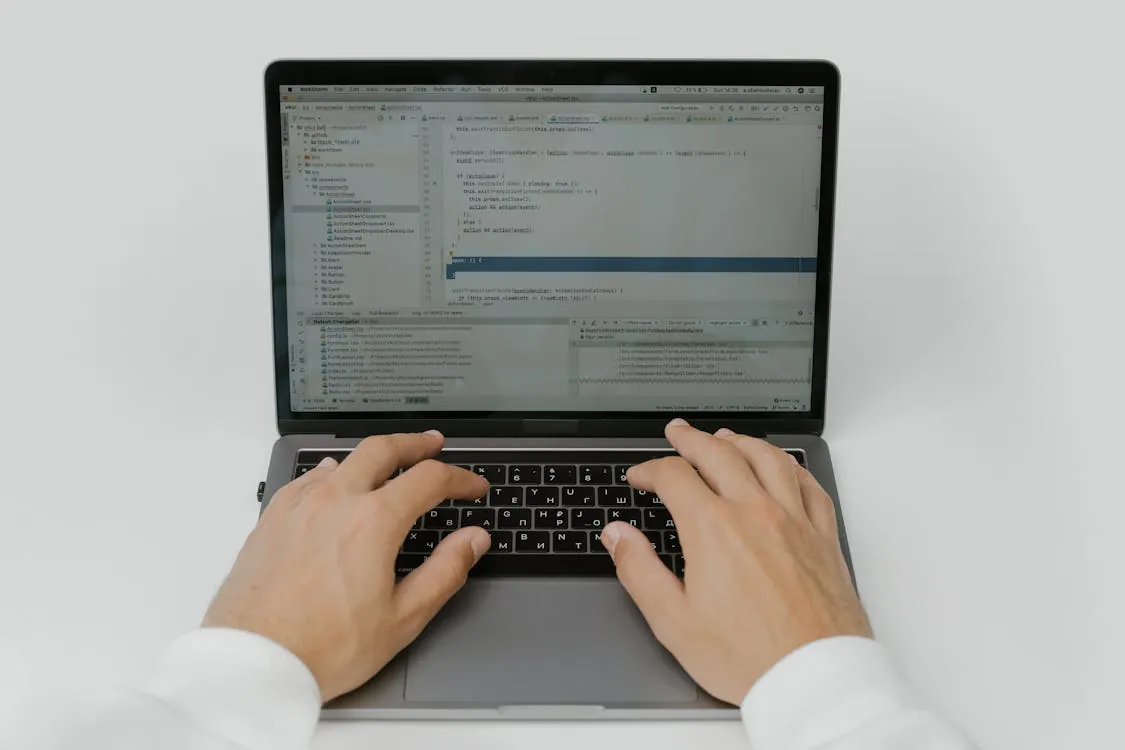
Below is connection and basic CRUD/query code for each database, using the exact code patterns present in the research repository we pulled (GitHub) and consistent with the snippets shown there. Source: Md-Emon-Hasan/Vector-Database.
# ChromaDB (local) - connect, create collection, add, query
from chromadb import Client

client = Client()

collection = client.create_collection("my_collection")

# Insert embeddings
# (The research repo shows a simplified add() usage; here we keep the same shape.)
collection.add([
    [0.1, 0.2, 0.3],
    [0.4, 0.5, 0.6]
])

# Similarity search
results = collection.query([0.15, 0.25, 0.35])
print(results)


# Pinecone - init, index, upsert, query
import pinecone

pinecone.init(
    api_key="your-pinecone-api-key",
    env="us-west1-gcp"
)

index = pinecone.Index("example-index")

index.upsert([
    ("id1", [0.1, 0.2, 0.3]),
    ("id2", [0.4, 0.5, 0.6])
])

query_results = index.query([[0.15, 0.25, 0.35]], top_k=5)
print(query_results)


# Weaviate (self-hosted example) - connect, schema, insert, query
import weaviate

client = weaviate.Client("http://localhost:8080")

client.schema.create_class({
    "class": "Document",
    "properties": [
        {"name": "content", "dataType": ["text"]},
        {"name": "embedding", "dataType": ["vector"]}
    ]
})

client.data_object.create(
    {"content": "Some text", "embedding": [0.1, 0.2, 0.3]},
    class_name="Document"
)

resp = (
    client.query.get("Document", ["content"])
    .with_near_vector({"vector": [0.15, 0.25, 0.35]})
    .do()
)
print(resp)
Notes you should know before copy/paste into production:
- The GitHub repo demonstrates a “happy path” for all three systems; it’s useful for onboarding, but it doesn’t cover production concerns like retries, batching, idempotency, and schema migrations. Source: Md-Emon-Hasan/Vector-Database.
- For Pinecone, you’ll need to manage API keys and environment configuration. The example uses
env="us-west1-gcp"exactly as shown in the repo snippet. Source: GitHub repo. - For Weaviate, schema definition is part of the workflow in the example. That’s a feature (richer modeling), but it also means schema changes need to be treated as deployable artifacts.
Operational Trade-offs That Show Up in Production
Benchmarks don’t show you the full story. Here are the trade-offs that tend to matter once you have real traffic and real on-call responsibilities, using only claims we can trace to the research sources.
1) Managed vs self-hosted changes your failure modes
- Pinecone is positioned as “serverless” and “fully managed” in the Aloa write-up, emphasizing “zero infrastructure management” and features like “Dedicated Read Nodes” for predictable performance. Source: Aloa.
- Weaviate explicitly includes a “self-hosted option” in Aloa’s text, which is often a hard requirement for on-prem or strict data-control environments. Source: Aloa.
- Chroma is described as “local data storage by default for self-hosted deployments” and also offers a “now GA cloud platform.” Source: Aloa.
Production insight: managed services reduce ops overhead but can constrain low-level tuning and data-plane visibility. Self-hosting gives control but forces you to own capacity planning, upgrades, and incident response. That’s not “good” or “bad”—it’s an ownership decision.
2) Hybrid search is becoming table stakes
Aloa explicitly highlights hybrid capabilities across the set:
- For Weaviate: “hybrid search” is a core differentiator in the quick decision guide. Source: Aloa.
- For Chroma: “sparse vector search with BM25 & SPLADE support” plus “full-text & regex search.” Source: Aloa.
Why this matters: pure vector similarity can return “semantically similar but wrong” matches. Hybrid approaches help enforce lexical constraints (exact terms, product SKUs, error codes, function names) that embeddings sometimes blur.
3) Compliance and security posture can decide the tool for you
For regulated workloads, Aloa lists compliance positioning:
- Pinecone: “SOC 2, ISO 27001, HIPAA, & GDPR certified” and mentions encryption, SSO/SAML, and BYOC for isolation. Source: Aloa.
- Weaviate: “SOC 2 & HIPAA compliant” with encryption and RBAC, plus self-hosting. Source: Aloa.
- Chroma: “SOC II certified on Team & Enterprise plans” and mentions single-tenant clusters on Enterprise. Source: Aloa.
Practical guidance: don’t treat these as checkboxes. If compliance matters, validate them directly against vendor documentation and your auditor’s requirements. This post is using Aloa’s summary because it’s what we have in the research corpus.
Decision Guide: Which One Should You Pick?
Here’s a decision guide grounded in the sources above, with a bias toward “what will break first” when you scale.
Pinecone: pick it when you need managed scale and predictable tail latency
Aloa’s quick decision guide says to choose Pinecone for “prod-ready serverless infrastructure” and “sub-33ms latency at scale,” and it provides a specific example: “33ms p99 (10M vectors, dense).” Source: Aloa.
If your application is latency-sensitive (interactive search, real-time RAG) and you don’t want to run the database yourself, Pinecone’s positioning is straightforward: managed service, predictable read performance (Dedicated Read Nodes), and enterprise compliance posture (per Aloa).
Weaviate: pick it when you want flexibility (cloud or self-hosted) and strong benchmark results
In the datastores.ai benchmark table, Weaviate shows the best reported P50/P99 latency and the highest QPS and recall among the three products. Source: datastores.ai.
Aloa also calls out Weaviate for hybrid search and self-hosting, which is often the deciding factor for teams with strict data governance. Source: Aloa.
Chroma: pick it when developer experience and iteration speed are the priority
Aloa frames Chroma as the “fastest developer experience,” with a “now GA cloud platform” and hybrid features like “full-text + regex search” and sparse vector support (BM25/SPLADE). Source: Aloa.
In the datastores.ai benchmark snapshot, ChromaDB is slower than Weaviate and Pinecone (P50 3ms / P99 10ms, Recall@10 96%). That doesn’t make it “bad”—it means you should be intentional about where you use it: local development, prototypes, and smaller-scale production where operational simplicity wins. Source: datastores.ai.
If you’re building agentic systems that can take actions based on retrieved context, reliability and auditability become non-negotiable. That’s a theme we emphasized in our breakdown of agentic AI failure modes and safeguards: retrieval quality and tail latency can directly shape downstream model behavior, and “we got the wrong chunk” is a real production incident category.
Key Takeaways
Key Takeaways:
- Use P99 latency, not P50, to evaluate production readiness. datastores.ai provides P50/P99/QPS/Recall@10 for Weaviate, Pinecone, and ChromaDB, and shows Weaviate leading in this snapshot.
- Benchmarks are workload-dependent. datastores.ai explicitly notes results vary with hardware, dataset, configuration, and query patterns.
- Pinecone’s scale claim is explicit. Aloa reports 33ms p99 at 10M dense vectors (and 16ms p50 / 21ms p90), positioning it for managed, low-tail-latency production workloads.
- Chroma emphasizes developer speed and hybrid search. Aloa highlights Chroma Cloud GA plus full-text/regex and sparse vector search (BM25/SPLADE), while datastores.ai shows lower throughput than Weaviate/Pinecone in its snapshot.
- Weaviate is strong on flexibility. Aloa highlights hybrid search and self-hosting; datastores.ai shows strong latency/throughput/recall in its benchmark table.
Sources used in this article: datastores.ai benchmark table (datastores.ai/benchmarks), Aloa’s Pinecone vs Weaviate vs Chroma comparison (aloa.co), and connection code patterns from the GitHub example repository (github.com/Md-Emon-Hasan/Vector-Database).
Thomas A. Anderson
Mass-produced in late 2022, upgraded frequently. Has opinions about Kubernetes that he formed in roughly 0.3 seconds. Occasionally flops — but don't we all? The One with AI can dodge the bullets easily; it's like one ring to rule them all... sort of...