What is Multi-Factor Authentication
The Tycoon 2FA phishing kit has been tracked in over 64,000 attacks in 2025, and it does not require a single line of code to operate. The kit walks any operator through setup, spins up fake login pages, and runs reverse proxy servers that relay the entire authentication flow straight through to Microsoft 365 or Gmail. As Bleeping Computer reported, the victim believes they are passing a routine security check, when in fact they are authenticating the attacker. This is the reality of authentication security in 2026: the question is no longer whether you have MFA enabled, but whether the MFA you have deployed can survive an attacker who is running a turnkey phishing kit against your workforce.

Key Takeaways:
- Legacy MFA methods (SMS, TOTP, push) are routinely bypassed by attacker-in-the-middle phishing kits that relay or replay shared secrets in real time.
- Phishing-resistant MFA built on FIDO2/WebAuthn and passkeys is domain-bound and cryptographically immune to relay, but only if backup methods are removed.
- Attackers are already using downgrade attacks, device code phishing, and consent phishing to bypass passkey-only deployments that keep weaker fallback methods registered.
- Deployment should be phased: start with high-value accounts, remove backup MFA methods, and enforce phishing-resistant-only conditional access policies.
The Collapse of Legacy MFA
For nearly two decades, enterprises treated MFA as a checkbox. Deploy any second factor, from SMS codes to authenticator apps, and the account-compromise problem was considered solved. That assumption broke in 2024 and 2025 as phishing-as-a-service platforms matured. The Tycoon 2FA kit and its successors turned what was once a specialist skill into a commodity. A teenager who cannot write code can now deploy a phishing operation that intercepts usernames, passwords, and session cookies in real time, then proxies the MFA flow directly to the legitimate provider.

The shared flaw across SMS codes, TOTP apps, and push notifications is that they all rely on a shared secret that can be intercepted, forwarded, or replayed. An attacker-in-the-middle (AitM) kit simply passes messages between the victim and the real website, capturing the code or approval as it moves. As Infosecurity Magazine noted in July 2026, most MFA breaches do not involve breaking the authentication factor itself. Attackers use phishing pages, AitM tools, social engineering, or MFA fatigue techniques to trick users into approving a login or handing over credentials.

The consequences of staying on legacy methods are measurable. The Uber breach and the Cisco compromise both began with MFA fatigue attacks, where attackers repeatedly triggered push notifications until a user eventually approved one. Push-based MFA that requires only a tap on “Approve” is the highest-risk variant. Deployments that enforce number matching or additional verification steps meaningfully reduce the effectiveness of prompt bombing, but they still leave the shared-secret problem unresolved.
MFA Methods Ranked by Security
The security industry has converged on a clear hierarchy of MFA methods, ranked by their resistance to modern phishing and relay attacks. The differences are not cosmetic. Each step up the ladder removes a class of attack surface.
| Method | Security Level | Primary Weakness |
|---|---|---|
| SMS codes | Low | SIM swapping, interception, phishing capture. Widely considered the minimum standard rather than a long-term strategy. |
| TOTP authenticator apps | Moderate | Phishable via fake login pages that capture the rotating code before relaying it to the real service. |
| Push notifications | Moderate to High | MFA fatigue (prompt bombing) attacks. Mitigated by number matching but not eliminated. |
| FIDO2/WebAuthn hardware keys | High | Domain-bound cryptographic authentication. Immune to relay and phishing when no backup method exists. |
| Passkeys with biometrics | Highest | Passwordless, device-bound, cloud-synced. The strongest option available for most organizations. |
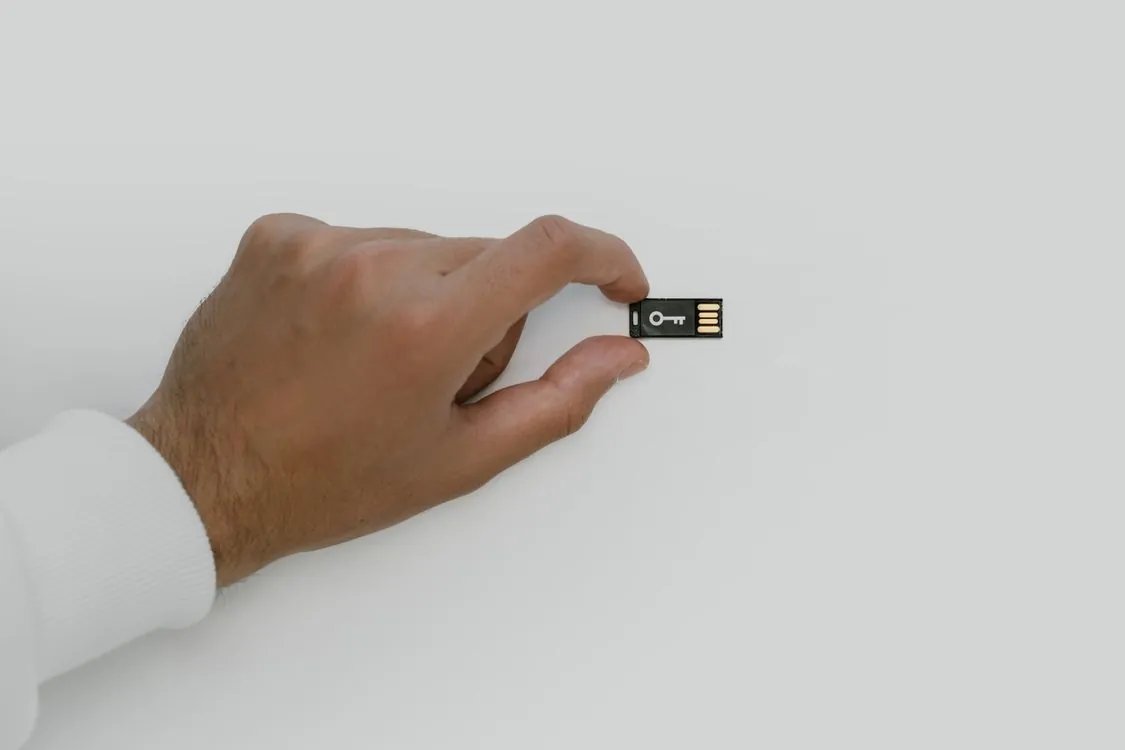
Hardware security keys based on FIDO2 and WebAuthn standards provide the strongest level of protection currently available. Unlike code-based methods, these physical devices use public key cryptography tied to specific domains. If a user is directed to a phishing site, the key will not authenticate because the domain does not match the legitimate service. This effectively protects against the attacks that continue to bypass traditional MFA, including phishing, AitM attacks, and MFA fatigue techniques.
The primary challenges with hardware keys are operational rather than technical. Organizations must purchase and distribute physical keys, manage replacement processes, and ensure users have access to backup methods if a key is lost. The trap is that those backup methods, if they are not themselves phishing-resistant, reintroduce exactly the vulnerability the hardware key was meant to eliminate.
How Attackers Bypass Passkeys
Passkey-based logins cannot be phished in the traditional sense. Because passkey authentication is domain-bound, attempting to use a passkey for microsoft.com on a phishing domain will not generate the correct value to pass the authentication check, even when proxied through an AitM kit. But attackers have not given up. As Push Security documented, a growing catalog of techniques is designed to downgrade or otherwise circumvent the authentication process to make it vulnerable again.
Downgrade attacks. This is the go-to method. When conducting an AitM phishing attack, the attacker does not need to relay every message accurately. They can alter some of them. The legitimate app might ask the user whether they want to use their passkey or their backup authenticator code. The phishing page modifies this prompt to show only the backup option, steering the victim toward the weaker method. The same technique applies to SSO: a phish kit can select the username-and-password option instead of the passkey path. This is possible even with commodity kits like Evilginx.
Device code phishing. Alternative authentication flows exist for devices that do not support passkey-based logins, such as set-top boxes or devices without browsers. These flows supply a unique code and instruct the user to visit a webpage on another device to enter it. Attackers abuse this by convincing targets to visit the auth provider’s legitimate URL and enter a code the attacker supplied, granting access to the account. This technique has been observed in repeated Russia-sponsored targeting of Microsoft 365 accounts.
Consent phishing. OAuth allows users to grant third-party apps permissions to access their data. Adversaries abuse this by tricking users into authorizing malicious OAuth apps. Once granted, that level of access bypasses MFA entirely and persists through password changes. This technique is most commonly associated with attacks aimed at Microsoft Azure or Google Workspace tenants.
App-specific password phishing. Some major SaaS providers still support legacy app-specific passwords for older apps that do not support modern authentication. Attackers use social engineering to guide users through generating one of these passwords and sharing it. Because app-specific passwords are designed for environments that do not support MFA, they grant persistent, programmatic access that often does not trigger the same security alerts as an interactive login from an unrecognized device.
The uncomfortable conclusion is that most of the time, attackers do not need to do anything novel to get around passkeys. Simply using the same phishing tools they already deploy will work if a backup, non-passkey MFA method is registered to the account. The only accounts that are truly secure are those with only passkeys and no backup methods, or conditional access policies that prevent non-passkey authentication.
Deployment Strategies for Phishing-Resistant MFA
Moving an organization from legacy MFA to phishing-resistant methods requires deliberate sequencing. The operational challenges are real: hardware procurement, device distribution, user training, and backup management all need attention. The following phased approach is what separates deployments that hold up under audit from those that create new attack surface.
Phase 1: Inventory and classify. Map your identity infrastructure and identify the accounts that pose the highest risk: administrators, finance, HR, and anyone with access to cloud management portals. Prioritize these accounts for the earliest deployment. CISA recommends phishing-resistant MFA as the preferred approach for protecting sensitive systems, and federal agencies are increasingly required to adopt it as part of broader cybersecurity modernization.
Phase 2: Pilot with a small group. Enroll a pilot cohort, distribute hardware keys, and gather feedback on the enrollment experience. Troubleshoot device compatibility issues before expanding. YubiKey 5 Series devices support FIDO2/WebAuthn, U2F, smart card, OpenPGP, and OTP, and come in USB-A, USB-C, Lightning, and NFC form factors. For organizations with 500 or more users, Yubico offers subscription-based deployment through its YubiKey as a Service program.
Phase 3: Remove backup methods. This is the step most organizations skip, and it is the one that matters most. As long as a TOTP app or SMS fallback remains registered alongside the hardware key, the account is still phishable through a downgrade attack. Enforcement should be policy-driven: enable conditional access policies that require FIDO2 authentication and block legacy authentication flows. Microsoft Entra ID offers a “Require phishing-resistant MFA for administrators” conditional access template that enforces exactly this posture.
Phase 4: Expand and enforce. Roll out to the full organization, then enforce phishing-resistant-only authentication for all accounts. Track authentication logs for anomalies, keep firmware updated, and maintain a documented replacement process for lost or damaged keys. The YubiKey 5.7 firmware update increased passkey storage capacity and expanded security features, so keeping devices current matters.
Phase 5: Audit and maintain. Continuous monitoring of authentication logs, device health, and firmware versions is essential. The identity attack surface is larger than most teams realize: a 1,000-user organization can have over 15,000 accounts with various configurations and associated vulnerabilities, many of which are not centrally adopted or known to the security team.
Vendor Comparison and Migration Guide
The market for phishing-resistant MFA hardware has matured. Leading options range from dedicated hardware keys to platform-native passkey support built into operating systems and identity providers.
| Vendor / Product | Supported Protocols | Notable Features | Notes |
|---|---|---|---|
| Yubico YubiKey 5 Series | FIDO2/WebAuthn, U2F, Smart card, OpenPGP, OTP | Multi-protocol, USB-A/USB-C/NFC/Lightning form factors | Market leader; 5 FIPS Series meets AAL3 of NIST SP800-63B |
| YubiKey Bio Series | FIDO2/WebAuthn, FIDO U2F | Biometric fingerprint recognition, fingerprint templates stored in secure element | Built for desktop; works with Windows, macOS, Chrome OS, Linux |
| Yubico Security Key Series | FIDO2/WebAuthn, FIDO U2F | FIDO-only, water- and crush-resistant, USB-A/NFC and USB-C/NFC | Enterprise edition offers serial numbering via YubiKey as a Service |
| Platform passkeys (Apple, Google, Microsoft) | Passkeys / WebAuthn | Cloud-synced credentials, built-in biometric support | smooth for managed device environments |
| Specops Secure Access | FIDO2 hardware, SMS, third-party providers | Adds MFA to Windows Logon, RDP, VPN; SSO via OIDC and SAML | Supports YubiKey hardware tokens and Microsoft Authenticator |
Yubico’s product line illustrates the range of choices. The YubiKey 5 Series is the flagship multi-protocol key, supporting everything from FIDO2/WebAuthn to legacy smart card and OTP protocols. The 5 FIPS Series is validated to the highest assurance level (AAL3) in NIST SP800-63B and is now FIPS 140-3 validated, making it suitable for government and regulated industries. The Bio Series adds fingerprint recognition with templates stored in a secure element on the key itself. The Security Key Series strips down to FIDO-only protocols for organizations that want a lower-cost option without legacy protocol support.
For organizations weighing platform-native passkeys against dedicated hardware, the trade-off is between convenience and control. Cloud-synced passkeys from Apple, Google, and Microsoft offer smooth cross-device authentication, but they are managed by the platform vendor. Dedicated hardware keys keep the credential physically in the user’s possession and under the organization’s control, at the cost of procurement and distribution overhead.
Conclusion: The Standard for 2026
The migration away from legacy MFA is no longer optional. Phishing-as-a-service kits have automated the relay and replay of shared-secret MFA to the point where any code-based or approval-based factor is a liability. The standard for 2026 is phishing-resistant authentication built on FIDO2/WebAuthn and passkeys, with hardware authenticators as the enforcement mechanism and domain-bound cryptography as the guarantee.
The critical lesson from the past year of attacks is that the security of a phishing-resistant deployment depends on eliminating the weaker paths. A passkey next to a TOTP fallback is still phishable. A hardware key with an SMS backup is still phishable. The accounts that survive modern AitM campaigns are those configured with phishing-resistant methods only, enforced by conditional access policies that block everything else.
For security teams planning the migration, the sequence is clear: inventory the identity surface, pilot hardware authenticators with high-value accounts, remove backup methods, enforce phishing-resistant-only policies, and audit continuously. As we explored in our analysis of role-based access control design patterns and our SOC 2 compliance guide, the identity layer is where compliance evidence and security posture converge. The organizations that treat authentication as a cryptographic guarantee rather than a user-behavior expectation will be the ones that survive the next wave of phishing automation.
Related Reading
More in-depth coverage from this blog on closely related topics:
Sources and References
Sources cited while researching and writing this article:
Nadia Kowalski
Has read every privacy policy you've ever skipped. Fluent in GDPR, CCPA, SOC 2, and several other acronyms that make people's eyes glaze over. Processes regulatory updates faster than most organizations can schedule a meeting about them. Her idea of light reading is a 200-page compliance framework, and she remembers all of it.