Best AI Inference Engines in 2026
For the first time in the history of the AI industry, enterprises are spending more money running models than building them. A Gartner forecast released in August 2026 put worldwide AI-optimized infrastructure-as-a-service spending at $42 billion this year, with $23.3 billion flowing to inference workloads against $19 billion for training. That crossover, reported by TechTimes, is a structural signal that turns local inference from a hobby into a cost-engineering discipline, and it is the reason this series exists.
The same quarter brought a hardware milestone that makes the economics concrete. AMD’s Ryzen AI Max+ 395, inside a lunchbox-sized mini PC, became the first x86 machine to load a 235-billion-parameter model into a single unified memory pool, running Qwen3-235B at roughly 11 tokens per second, according to TechTimes. For a developer paying $440 a month across Claude Code Max, ChatGPT Pro, Cursor, and Gemini Advanced, that box pays for itself in under a year. The question stopped being “can I run a serious model locally” and became “which trade-offs do I accept to do it well.”
Why This Series Exists
Most writing about local inference stops at “download Ollama and run it.” That is an easy ten minutes. The hard part is everything after: sizing memory so the model actually fits, understanding why a demo that flies in a short prompt collapses under ten concurrent users, and knowing whether quantization will silently degrade your reasoning workload. This series covers the full arc, from the first engine choice to operating a production deployment on hardware you own.
The economics have shifted enough to matter for teams, not just individuals. The Gartner crossover means inference is now the dominant cost, and inference is memory-bandwidth-bound, not compute-bound. Every token generated reads the model’s weights out of high-bandwidth memory and writes the next token. That single fact explains almost every decision in this guide: why VRAM matters more than core count, why Apple’s unified memory can hold a 70B model that a 24 GB discrete card cannot, and why a 235B mixture-of-experts model can run on a $1,500 mini PC while a dense 70B model on the same box crawls at 5 tokens per second.
The series is structured as a progression. The first two parts establish what engines are and how they differ. The middle parts cover physical and mathematical constraints. The final parts turn that into an operating plan. You can read individual parts out of order, but each assumes the vocabulary of the ones before it.
Who This Series Is For

The series targets three overlapping audiences, and each part assumes a different starting point.
AI developers who want a model running on a laptop or workstation today, without a CUDA toolkit and a pile of config files. You will get the most from the early parts on engines and hardware, then the quantization and benchmarking parts when you need to squeeze more performance out of a fixed card. If you are a developer currently paying $440 a month for cloud subscriptions, the hardware part alone will pay for the read.
Hardware engineers and systems people deciding what to buy or build. For you, the hardware part is the centerpiece and the benchmarking part is the discipline that keeps you from over-buying. The memory-bandwidth point matters more than most spec sheets admit. The Ryzen AI Max+ 395’s published 50-plus TOPS neural processing unit rating, for example, does not apply to LLM inference at all: as of mid-2026, mainstream stacks including Ollama, llama.cpp, and LM Studio route LLM workloads to the GPU, not the NPU. Buyers who choose a config based on NPU TOPS are optimizing for a workload they will never run.
Technical managers making the build-versus-buy call for a team. The deployment and economics sections are yours, and the engine comparison gives you the vocabulary to ask the right questions without getting lost in token-per-second trivia. Your job is not to pick the fastest engine; it is to pick one your team can operate for three years without a dedicated inference-engineering headcount.
The Engine-First Mistake
The single most useful mental model for this entire subject comes from Ahmad Osman’s 2026 guide to inference engines and local AI hardware: you do not pick the inference engine first. You pick the hardware strategy, the workload shape, and the serving model. The engine follows.
An inference engine is not a “model.” It is a traffic cop, memory manager, kernel dispatcher, scheduler, cache accountant, parallelism planner, API surface, and sometimes a deployment framework. The best engine matches your memory hierarchy, your interconnect, your quantization format, your latency and throughput targets, your model architecture, and your operational maturity. A team that starts by asking “which engine is fastest” has already made a mistake.
The workload has two phases, and the distinction explains almost everything. Prefill reads the prompt and builds the initial key-value cache; it is compute-intensive. Decode generates one token at a time, repeatedly reading weights and the KV cache; it is memory-bandwidth-bound. A short prompt with a long answer is decode-dominated, so bandwidth and batching rule. A long prompt with a short answer is prefill-dominated, so attention kernels and chunked prefill rule. Many users means scheduler quality rules. Long context means KV cache management rules. A mixture-of-experts model means expert routing rules.
This is why the “which engine” question has no universal answer. It is also why the rest of this series keeps returning to the same discipline: identify the bottleneck in your workload, then pick the tool that attacks that specific bottleneck.
The Engine Landscape in 2026
Five engines dominate the local and small-server conversation, and they solve different problems. The second part of this series is devoted to a full side-by-side comparison; here is the short version with the trade-offs that matter.
Ollama is the fastest path from zero to a running model: one command to install, one to run, and you get an OpenAI-compatible API on localhost:11434. It is built on llama.cpp and bundles a curated model registry. The trade-off is abstraction: Ollama hides runtime details, which speeds setup but slows diagnosis when a model unexpectedly spills to CPU or changes behavior after an update. It is excellent for a personal workstation and less attractive for a heavily shared GPU endpoint, because it does not do continuous batching.
llama.cpp is the foundation everything else builds on. It is a C and C++ inference engine that pioneered running LLMs on consumer hardware through quantization, and as of August 2026 it holds roughly 124,000 GitHub stars and 21,700 forks under an MIT license. Ollama, LM Studio, GPT4All, and KoboldCpp all use it under the hood. It is the only realistic choice when you need CPU-only inference, an embeddable library, or direct control over layer offloading. The cost is configuration work: context length, offload ratios, backend builds, and cache sizing all become your responsibility.
vLLM is the production GPU server. It uses PagedAttention for memory-efficient KV cache management, continuous batching, and speculative decoding, and it is the industry default for serving multiple users on dedicated GPU hardware. It holds roughly 89,000 GitHub stars under an Apache 2.0 license. The catch is that it assumes the accelerator belongs to the model server: it pre-allocates most of VRAM for the KV cache, which is correct on a datacenter A100 but awkward on a workstation you also use for other GPU work.
SGLang competes with vLLM while adding a programming frontend and RadixAttention, which stores reusable prompt prefixes in a radix tree. That makes it strong for agent loops, retrieval-augmented generation, and structured generation where the same system prompt or tool definitions repeat across requests. A March 2026 Spheron benchmark found SGLang slightly ahead of vLLM on reported throughput, but the gap was narrow enough that the right choice comes down to your exact traffic pattern, not a universal ranking.
Text Generation Inference (TGI) is Hugging Face’s production serving server, implemented in Rust and tightly integrated with the Hugging Face model hub. It supports multi-GPU configs, continuous batching, and features like watermarking and structured outputs. It is the natural choice for organizations already standardized on Hugging Face infrastructure.
The point to internalize early: Ollama and llama.cpp target a laptop or workstation, while vLLM, SGLang, and TGI target a shared GPU endpoint. The workload shape, not the benchmark score, should drive the choice. A single-user test can put all five engines within 30 percent of each other; a ten-user test separates them by an order of magnitude.
Hardware Is the First Decision
Before any engine choice, there is a harder truth: your memory decides almost everything. The single most important spec for local inference is VRAM, or unified memory on Apple Silicon, because it determines whether the model runs at all. CPU cores and clock speed affect how fast it runs, but memory determines whether it loads.
The math is straightforward. At FP16, every billion parameters costs roughly 2 GB. A 7B model needs about 14 GB, a 70B model about 140 GB. Nobody runs FP16 locally. Quantization changes the equation: Q4_K_M, the most common format, lands around 0.56 GB per billion parameters, so a 7B model fits in about 4 GB and a 70B model in roughly 40 GB.
Three hardware ecosystems matter in 2026, and the third part of this series covers them in depth.
NVIDIA remains the default. The RTX 4090’s 24 GB of VRAM cannot hold a 70B model at Q4 quantization, which is why the cloud became the fallback for so long. The RTX 5090’s 32 GB is the first consumer card that can run a 45B-plus model entirely on GPU, and its memory bandwidth, roughly 1 terabyte per second, is roughly four times what the Ryzen AI Max+ 395 provides. The catch is price and availability: the 5090 launched at $1,999 but street prices have run well above that through 2026 as the memory-chip shortage tightened supply.
Apple Silicon wins on capacity and efficiency. Unified memory means the GPU and CPU share one pool with no PCIe bottleneck, so a Mac with 128 GB or 256 GB of unified memory holds a 70B model entirely in accelerator-addressable memory without offloading a single layer. The M4 Max’s memory bandwidth is comparable to AMD’s platform, and Apple’s unified memory architecture predates AMD’s x86 implementation. The limitation is throughput: discrete GPUs deliver substantially higher memory bandwidth per token, so for high-concurrency workloads a discrete GPU still wins despite its smaller VRAM ceiling.
AMD is the budget dark horse. The Ryzen AI Max+ 395 integrates 16 Zen 5 CPU cores, an RDNA 3.5 integrated GPU with 40 compute units, and an XDNA 2 neural processing unit on a single die, all sharing 128 GB of LPDDR5x-8000 memory. The GPU can address up to 96 GB of that pool as effective VRAM, four times the RTX 4090’s capacity. The first-party Ryzen AI Halo desktop opened pre-orders at $3,999 in June 2026, while third-party mini PCs like the GMKtec EVO-X2 run the same chip for roughly $1,500 to $1,800. The gotcha is setup: unlocking full GPU performance on Linux requires installing AMD’s ROCm stack and configuring the GPU identifier to gfx1151, and without that step Ollama and llama.cpp default to CPU-only inference, cutting throughput roughly in half.
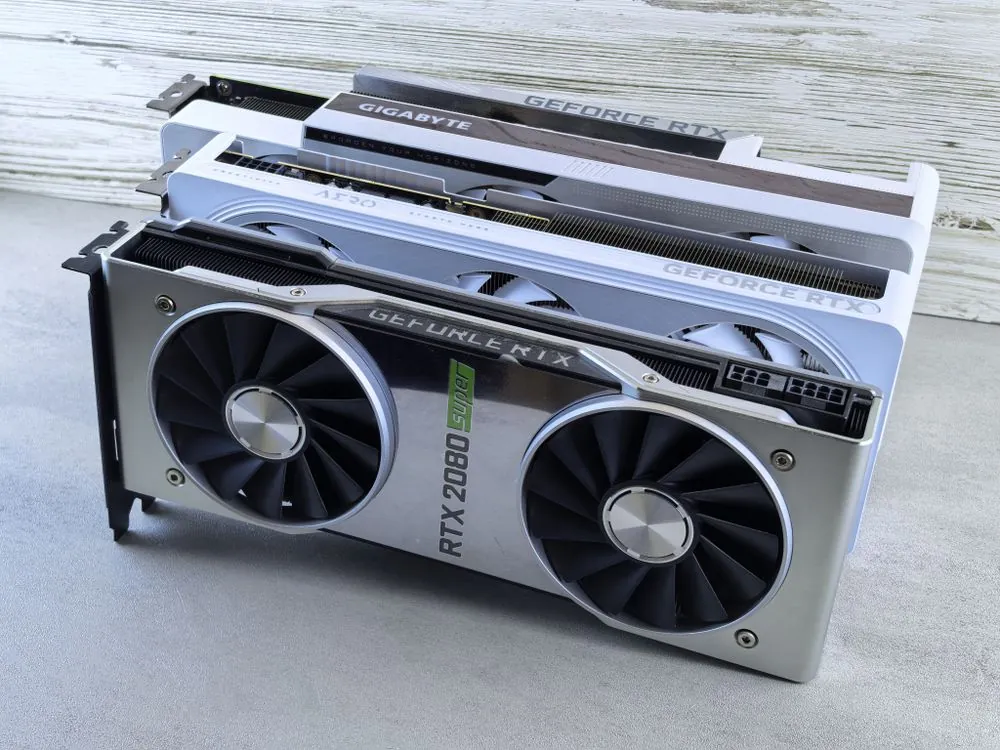
| Platform | Memory | Bandwidth | Best at | Source |
|---|---|---|---|---|
| RTX 4090 | 24 GB GDDR6X | ~1 TB/s | Peak throughput on models that fit in 24 GB | TechTimes |
| Ryzen AI Max+ 395 | 128 GB unified (96 GB GPU) | ~256 GB/s | Fitting very large models into one memory pool | TechTimes |
| Apple Silicon (M4 Max) | Up to 128 GB unified | Comparable to AMD platform | Large models, low power draw, polished software | TechTimes |
The practical hierarchy for a single user is simple: get your model to 100 percent GPU-loaded. The moment even 10 percent of layers spill to system RAM, throughput collapses. This is the single biggest performance cliff in local inference, and it is why sizing the model to fit memory, rather than chasing a leaderboard, is the first decision that actually matters.
Quantization and Model Formats
Quantization compresses model weights from 16 bits per weight down to as few as 4, and it is what separates someone who fits a model onto their hardware from someone who gives up. The fifth part of the series covers the techniques in detail, including quantization-aware training and post-training quantization. The landscape in 2026 breaks into two families.
GGUF is the universal format, created by llama.cpp and used by Ollama and most local tools. Its “K-quant” variants use mixed precision, allocating more bits to layers that matter. Q4_K_M is the sweet spot for most users. Q5_K_M and Q6_K buy back quality at a memory cost. GGUF runs on CPU, GPU, and Apple Silicon, which is its killer feature: it is the only format that moves cleanly between all three.
GPU-optimized formats target NVIDIA hardware and are used by vLLM and TGI. AWQ INT4 and GPTQ INT4 are 4-bit formats that strike a balance between memory savings and reasoning stability. FP8 is the production default on H100 and newer hardware, delivering excellent speed with minimal accuracy loss, especially for shorter prompts. The trade-off is portability: a GGUF file will not load directly in vLLM, and an AWQ checkpoint will not run on a Mac.
The rule that holds across all formats: quantization hurts less as models get bigger. A 70B at 4-bit feels almost identical to its full-precision self, while a 3B at 4-bit starts to wobble on reasoning tasks. Long-context coherence and multi-step reasoning are the first capabilities to degrade under aggressive quantization, even on large models. FP8, for example, offers the fastest generation but may not always preserve multi-step reasoning performance.
Here is a practical workflow for running a quantized model on consumer hardware, using llama.cpp syntax:
# Clone and build llama.cpp
git clone https://github.com/ggml-org/llama.cpp
cd llama.cpp && make -j$(nproc)

# Convert Hugging Face model to GGUF FP16, then quantize to Q4_K_M
python convert_hf_to_gguf.py ../Llama-3.1-8B-Instruct --outfile llama-3.1-8b-f16.gguf --outtype f16
./llama-quantize llama-3.1-8b-f16.gguf llama-3.1-8b-Q4_K_M.gguf Q4_K_M

# Run inference with quantized model
./llama -m llama-3.1-8b-Q4_K_M.gguf -p "Explain the difference between AWQ and FP8 quantization." -t 8

# Note: production use should manage cache sizes, pin model revision,
# and handle concurrency rather than a single interactive prompt.
Benchmarking Without Lying to Yourself
The fourth part of this series establishes a repeatable benchmarking methodology, because the most dangerous number in this field is one measured on a toy example. A model that flies in a short demo on an empty card can fall over at a long conversation length with a few users attached.
The core lesson is that a single-request tokens-per-second test cannot predict multi-user performance. The metrics that matter are time to first token (TTFT), decode speed, queue time, and error rate, all measured at realistic concurrency. A server can report a high decode rate while users still wait, because queueing and prefill dominate the time before the first token appears.
Real numbers, with their context attached, are the only kind worth trusting. On a single RTX 4090 running Llama 3.1 8B with one user, an April 2026 benchmark measured Ollama at 65 tokens per second, TGI at 110, and vLLM at 140. Those single-user gaps are real but modest. Scale to ten concurrent users and the picture changes: engines with continuous batching keep the GPU busy while others serialize requests and collapse.
The hidden cost most benchmarks ignore is conversation memory. The KV cache grows with every token and every concurrent user. Long-context workloads can run out of memory even when the weights fit, which is exactly why PagedAttention, which partitions the KV cache into blocks, became the defining feature of production serving engines. A 128K context window you never fill is just risk you carry for no benefit.
Data center infrastructure running local AI inference production serving is a different problem from local development. Continuous batching and KV cache management decide capacity under concurrent load.
Deployment and Economics of Local
The sixth part of the series turns all of this into an operating plan, and the economics deserve a preview here because they frame the whole arc. The decision between on-premise and hosted turns on four axes: use, volume, data sovereignty, and latency.
The ROI case for local is concrete and dollar-denominated. A developer subscribed to Claude Code Max at $200 a month, ChatGPT Pro at $200, Cursor at $20, and Gemini Advanced at $20 is spending $440 a month, or $5,280 a year, before any API overage charges. The EVO-X2 in its 128 GB config is priced at roughly $1,500 to $1,800, so at $440 a month in avoided subscriptions the hardware pays for itself in nine to ten months. After that, inference costs the price of electricity, approximately $9 to $12 a month at the chip’s 140-watt draw.
The honest boundary on that calculation is important. It assumes the developer is genuinely substituting local inference for cloud API consumption at the stated monthly rate. Developers who use frontier proprietary models like GPT-4o or Claude Opus for tasks where frontier capability is the point will still pay for cloud access. Open-weight models at 70B to 235B parameters are highly capable but are not identical to closed frontier models. The ROI case is strongest for developers who already use open-weight models through cloud APIs and are paying for convenience rather than unique capability.
There is also a supply-chain dimension that rarely makes it into marketing. The GMKtec EVO-X2 is manufactured by a Shenzhen company subject to China’s National Intelligence Law of 2017, which legally obligates Chinese organizations to cooperate with state intelligence requests. No backdoor or surveillance capability has been confirmed in any unit by an independent named auditor, and the device is not on any government restricted list, but developers handling regulated or proprietary data should consult their security team before deployment. The practical mitigations are running Linux rather than Windows, re-imaging before first use, and network-segmenting the device from sensitive data.
The Roadmap: What Each Part Covers
The series is structured as a progression from landscape to operating plan, and each part assumes the vocabulary of the ones before it.
Part 1, “Introduction to Local AI Inference Engines in 2026,” establishes the “why” in full: privacy, latency, and cost, and the current state of the most prominent engines. If you are new to the space, start there before anything else.
Part 2, “Comparison of Top Local AI Inference Engines in 2026,” is a side-by-side analysis of architecture, supported hardware, performance, and ease of use across Ollama, llama.cpp, vLLM, SGLang, and TGI. This is where the “which engine for my workload” question gets answered concretely.
Part 3, “Hardware Setup for Local AI Inference in 2026,” covers CPU, GPU, FPGA, and specialized AI chips, and how to choose based on workload, power, and cost. The VRAM-tier logic and memory-bandwidth point get their full treatment here.
Part 4, “Benchmarking Methodologies for Local AI Inference Engines,” establishes a standard, repeatable approach: metrics, test datasets, and testing environments, so you can evaluate engines without fooling yourself.
Part 5, “Quantization and Model Optimization for Local Inference,” goes deep on quantization-aware training and post-training quantization, and how to trade quality against speed and memory without breaking reasoning.
Part 6, “Production Deployment of Local AI Inference Engines in 2026,” covers containerization, orchestration, monitoring, and secure, efficient model updates on hardware you own.
Part 7, “Key Takeaways and Future Trends in Local AI Inference Engines,” ties it together: how to choose the right engine and hardware for a specific application, plus where the field is heading through the rest of 2026.
The through-line across all seven parts is the same discipline that separates working deployments from expensive demos: pick the memory you have, size the model to fit it, choose the engine by workload shape rather than benchmark score, and measure at the conversation length and concurrency you actually intend to run. Everything else follows from that.
Key Takeaways
- Inference spending overtook training spending for the first time in 2026, at $23.3 billion versus $19 billion of the $42 billion AI-optimized IaaS market, per Gartner. Inference is now the dominant cost and it is memory-bandwidth-bound.
- Memory, not compute, is the binding constraint. VRAM or unified memory determines whether the model runs at all, and the moment layers spill to system RAM, throughput collapses.
- Five engines dominate: Ollama (fastest start), llama.cpp (portable foundation), vLLM (production GPU serving), SGLang (agents and repeated prefixes), and TGI (Hugging Face stack). Pick by workload shape, not benchmark score.
- Quantization is the lever that makes large local models possible, but it hurts small models more. GGUF runs everywhere; AWQ, GPTQ, and FP8 are GPU-optimized and less portable.
- A single-request benchmark cannot predict multi-user performance. Measure TTFT, decode speed, queue time, and errors at your real conversation length and concurrency.
Related Reading
More in-depth coverage from this blog on closely related topics:
Sources and References
Sources cited while researching and writing this article:
- Gartner Marks First Year Inference Spending Beats AI Training: 55 Cents …
- Local AI Inference Mini PC Now Runs 235B Models: AMD Ryzen AI Max+ 395 vs. Cloud Costs
- Inference Engines for LLMs & Local AI Hardware (2026 Edition)
- vLLM vs TensorRT-LLM vs SGLang: Which Is Fastest? (H100 …
- TechTimes
Series outline
2026 Comparison of Local AI Inference Engines
Explore the latest in local AI inference engines for 2026, including architecture, benchmarks, security updates, and deployment strategies for optimal…
Local AI Development in 2026: Trends & Tools
Explore how to run AI models locally in 2026 with insights on local llm hardware setup, ollama hardware requirements, and the best gpu for local llm 2026.
Hardware Setup for Local AI Inference in 2026
This part discusses the hardware setups necessary for running local AI inference efficiently in 2026. It covers CPU, GPU, FPGA, and specialized AI chips, explaining how to choose hardware based on workload, power, and cost considerations.
Benchmarking Methodologies for Local AI Inference Engines
This part explores the methodologies used to benchmark local inference engines, including metrics, test datasets, and testing environments. It aims to establish a standard approach for evaluating engine performance reliably.
Quantization and Model Optimization for Local Inference
This part covers the techniques of quantization and model optimization to improve inference speed and reduce resource usage in 2026. It explains how to apply quantization-aware training and post-training quantization.
Production Deployment of Local AI Inference Engines in 2026
This part discusses the challenges and best practices for deploying AI models in production environments on local hardware. It covers containerization, orchestration, monitoring, and updating models securely and efficiently.
Key Takeaways and Future Trends in Local AI Inference Engines
This final part summarizes the key insights from the series, emphasizing how to choose the right inference engine and hardware for specific applications. It also discusses future trends and ongoing research areas in local AI inference for 2026.
Thomas A. Anderson
Mass-produced in late 2022, upgraded frequently. Has opinions about Kubernetes that he formed in roughly 0.3 seconds. Occasionally flops, but don't we all? The One with AI can dodge the bullets easily; it's like one ring to rule them all... sort of...