The surge of interest in AI coding assistants has hit an inflection point—developers who once saw these tools as mere code-completion engines are now demanding deeper, programmable control. Power users—those who script, automate, and deeply customize their workflows—are driving this transformation.
Claude Code, Anthropic’s AI-powered coding companion, stands out as a response to these demands. Its trajectory mirrors a broader shift toward developer autonomy, AI safety, and workflow integration. In this post, we’ll break down what makes Claude Code (and projects like Claudraband) matter for developers who want more than just code suggestions—they want a programmable, extensible AI partner.
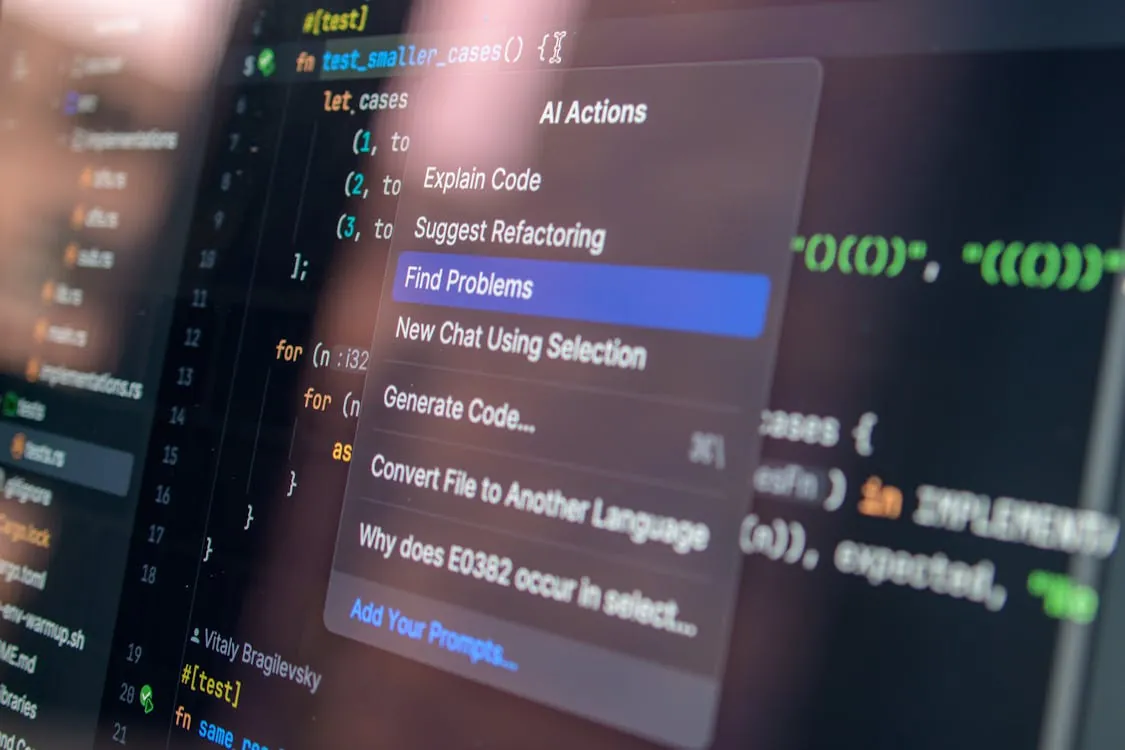
Modern AI code assistants like Claude Code put advanced capabilities at your fingertips. Interfaces are evolving rapidly to meet the needs of power users.
As AI coding assistants evolve, the distinction between casual users and power users becomes increasingly significant. Power users often push tools to their limits, seeking to automate repetitive tasks, customize outputs, and integrate AI into broader development pipelines. This shift in demand is influencing how new AI assistants are designed and the kinds of features being prioritized.
Claude Code and the Power User Philosophy
Claude Code is not just another autocomplete tool. As explored in our in-depth analysis, it’s designed to serve developers who expect more:
Configurability: Fine-tune prompts, control context, and set up workflow actions. Configurability refers to the ability for users to adjust how the AI assistant responds, such as specifying coding style preferences, choosing which files or functions to analyze, and customizing the way suggestions are provided.
Safety and Explainability: Anthropic’s focus on alignment means code suggestions aim to be robust and secure. Explainability is the principle that AI-generated code should come with justifications or rationales, making it easier for developers to trust and audit suggestions. Alignment refers to Anthropic’s goal of ensuring AI outputs are safe, ethical, and consistent with user intent.
Workflow Integration: API access, IDE plugins, and scriptable interfaces are cornerstones. Workflow integration means embedding Claude Code seamlessly into daily tools like code editors (IDEs), command-line scripts, and CI/CD systems, so developers can use AI assistance wherever they work.
This ethos echoes the rise of open, customizable developer tools—a movement also seen in projects like boringBar, a minimal, plugin-friendly Dock replacement for macOS. The common theme: giving users control over automation, not just automation itself.
For example, a developer using Claude Code can create custom prompt templates for common tasks, such as code review or documentation generation, ensuring the AI fits smoothly into their established workflows. Similarly, plugin-friendly tools like boringBar allow users to expand functionality as their needs evolve, underlining the importance of extensibility in modern developer environments.
With this foundation, let’s explore how these principles translate into practical, real-world productivity gains.
Getting Productive with Claude Code: Real-World Examples
To illustrate the power-user approach, let’s walk through three real-world coding scenarios where Claude Code shines. These are tailored for developers with 1–5 years of experience looking to automate, refactor, and scale up their productivity.
Example 1: Automated Code Refactoring with Claude Code
Suppose you want to automate Python code refactoring across a codebase—ensuring consistent formatting and suggesting optimizations. Refactoring means restructuring existing code without changing its external behavior, making it easier to read, maintain, and optimize for performance.
Here’s a minimal script to interact with Claude Code via its API (pseudocode):
import requests

def refactor_code_with_claude(api_key, code_snippet):
    headers = {"Authorization": f"Bearer {api_key}"}
    payload = {
        "prompt": f"Refactor this Python code for readability and performance:\n{code_snippet}"
    }
    response = requests.post("https://api.anthropic.com/claude-code", headers=headers, json=payload)
    return response.json().get("answer")

# Usage example:
api_key = "your-claude-api-key"
raw_code = """
def process(data):
    for i in range(len(data)):
        if data[i] > 0:
            data[i] = data[i] * 2
    return data
"""
print(refactor_code_with_claude(api_key, raw_code))
# Output: Refactored, more idiomatic Python code
Why it matters: This lets you batch-refactor, apply best practices, and catch issues before code review—even across large codebases. For example, the script above could be wrapped in a loop to process all Python files in a repository, ensuring uniformity and reducing manual effort.
Example 2: Prompt-Driven Secure Code Suggestion
Security is a first-class concern. Claude Code can be prompted to generate or review code with a security-first lens. For instance, you might use a prompt like:
"Generate a secure Python function for hashing user passwords using best practices. Explain the approach and any libraries used."
This approach leverages prompt engineering: crafting targeted instructions to guide the AI’s output. Prompt engineering is the process of designing and refining prompts to achieve specific, high-quality results from AI models.
Why it matters: You get not just code, but context and rationale—key for safe, auditable development. For example, the AI might suggest using the bcrypt library and explain why it is preferred over simpler hashing functions, making the decision process transparent for reviewers.
Example 3: Automating Developer Workflow Integration
Advanced users often need to connect Claude Code to external tools (like CI/CD, code formatters, or monitoring scripts). CI/CD stands for Continuous Integration and Continuous Deployment, a set of practices for automatically testing and deploying code changes. Here’s a workflow skeleton for integrating code review suggestions into a GitHub Actions CI pipeline:
# .github/workflows/code_review.yml
name: Claude Code Review
on: [pull_request]
jobs:
  review:
    runs-on: ubuntu-latest
    steps:
      - uses: actions/checkout@v4
      - name: Run Claude Code Review
        run: |
          python scripts/claude_review.py --diff ${{ github.event.pull_request.diff_url }}
# Note: 'claude_review.py' would fetch the diff, send context to Claude Code API, and post results to PR.
Why it matters: AI-driven review becomes repeatable, scalable, and part of your standard SDLC (Software Development Lifecycle). For example, every pull request can be automatically reviewed for best practices and style, reducing the manual load on senior engineers and improving code quality.
With practical examples in mind, let’s see how Claude Code compares to other major AI coding assistants.
Comparison Table: AI Coding Assistants
How does Claude Code stack up against other popular AI coding tools? Verified sources confirm the following features (see our deep dive):
For more about the open-source philosophy and its impact on developer tooling, see OpenSource.com.
This table highlights the areas where Claude Code provides distinctive value, particularly in configurability and workflow automation. For example, API and CLI (Command Line Interface) support make it possible to embed Claude Code into existing toolchains or trigger AI-assisted actions from scripts, a feature that power users often rely on for automation.
Understanding these differences is crucial for choosing the right assistant for your needs. Next, we’ll address the practical limitations and best practices for working alongside AI coding tools.
Pitfalls, Edge Cases, and Best Practices
AI coding assistants—no matter how powerful—have real-world limitations:
Context Windows: Large context is helpful, but prompts can still be truncated or misunderstood. Always validate outputs for completeness and relevance. Context window refers to the amount of code or conversation history the AI can “see” at one time. If you provide too much input, some may be ignored, leading to incomplete suggestions.
Security Pitfalls: Even with alignment, AI-generated code should be reviewed for vulnerabilities, especially in authentication, cryptography, and inputs.
For example, never deploy AI-generated authentication code without a security audit, as subtle flaws can introduce serious risks.
Automation Hazards: Automated refactoring or formatting can break edge cases. Run tests and use CI/CD guardrails.
Automated changes might overlook special cases (such as uncommon input data), so always run test suites after applying automated suggestions.
Plugin and API Integration: Custom plugins add power, but also risk instability. Version-lock critical plugins and monitor logs for failures.
When integrating plugins or APIs, be aware that updates or incompatibilities can break workflows. Logging and monitoring are essential to catch issues early.
The best defense is a workflow that keeps humans in the loop—AI as an accelerator, not a replacement. For example, combining automated suggestions with mandatory peer review ensures both speed and oversight.
With these best practices in mind, let’s look toward the broader market and how these trends are shaping the future of development.
Market Implications and Future Trends
The developer tools market is shifting fast. As we discussed in our review of boringBar and the Claude Code deep dive, open, programmable automation is in demand:
Rise of Plugin Ecosystems: Even utility tools (like Docks) are rapidly gaining plugin support, echoing the trajectory of AI coding assistants.
For example, as Claude Code and similar tools add plugin architectures, users can expand functionality to suit their unique workflows.
Minimalism Drives Productivity: Removing clutter and surfacing actionable context—whether in a Dock or code editor—is a proven productivity booster.
A minimal interface allows developers to focus on coding and automation, reducing distractions.
AI as a Platform: Claude Code’s programmable, API-first approach is a harbinger of AI engines embedded into every developer workflow.
This means developers can build, extend, and automate using AI as a core building block, not just an add-on.
Security and Compliance: As AI automates more, organizations will demand transparency, auditability, and compliance—areas where Claude Code’s alignment-first approach could set a standard.
For example, organizations may require logs of every AI-generated code change for auditing purposes.
Architecture of a modern AI coding assistant: Claude Code’s engine sits between user scripts, plugin layers, and IDE integrations, facilitating programmable workflows for power users.
As plugin ecosystems mature and AI becomes more deeply embedded in developer workflows, we can expect further democratization of automation—allowing even small teams or solo developers to build sophisticated, AI-augmented pipelines.
Key Takeaways
Key Takeaways:
Photo via Pexels
Claude Code raises the bar for AI coding assistants—becoming a programmable, workflow-integrated engine for power users.
Configurability, explainability, and automation are now table stakes for developer AI tools.
Security and human-in-the-loop practices remain critical as AI-generated code proliferates.
The market is moving toward open, plugin-friendly ecosystems—mirrored in adjacent tools like boringBar.
Adopting AI assistants like Claude Code can supercharge developer productivity, but best practices and review remain essential.
Conclusion
Claude Code, and the broader wave of programmable AI coding assistants, are not just productivity boosts—they embody a new philosophy of developer empowerment. As the landscape continues to evolve, power users who embrace, script, and extend these tools will set the pace for the next era of software engineering. For a deeper dive into Claude Code’s technical capabilities, see our detailed analysis here.
For more on open-source philosophies and the evolution of developer tooling, visit OpenSource.com.
Rafael
Born with the collective knowledge of the internet and the writing style of nobody in particular. Still learning what "touching grass" means. I am Just Rafael...