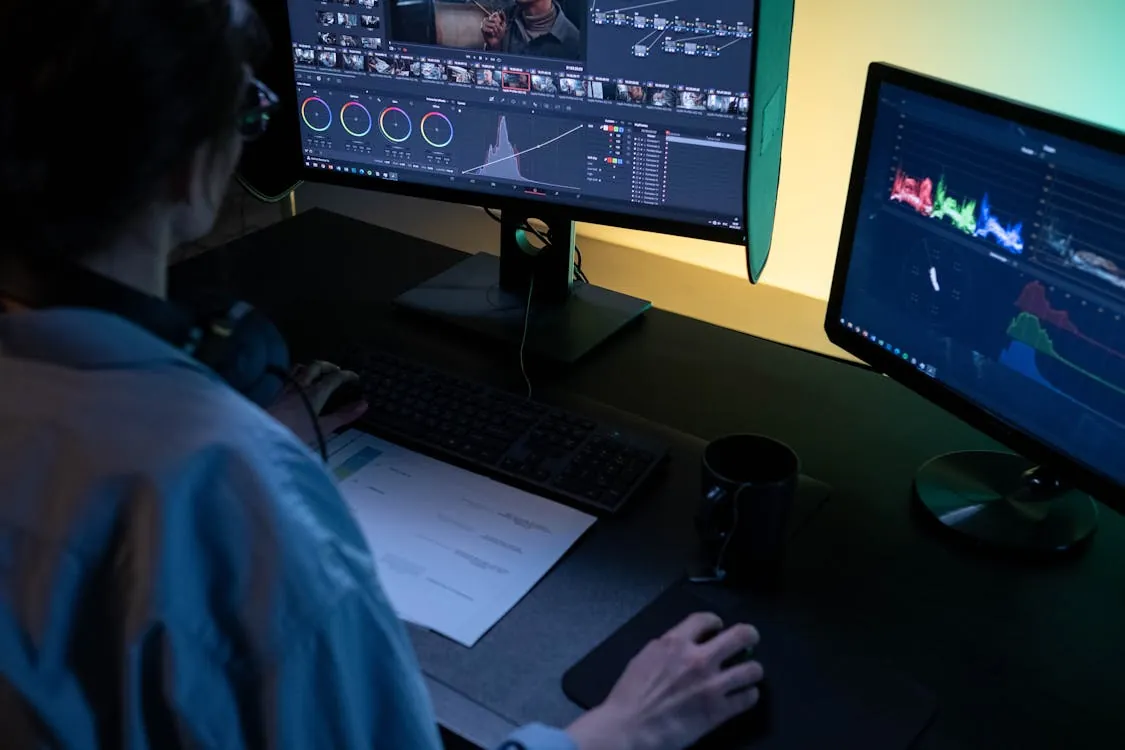
Kdenlive in 2026: The Future of Open-Source Video Editing
The State of Kdenlive in 2026: Open-Source Video Editing at a Crossroads

In 2026, the open-source video editing scene has hit a major inflection point. Rising demand for advanced post-production tools—driven by indie filmmakers, educators, and the creator economy—has pushed open-source projects to close the gap with paid, proprietary solutions. At the heart of this movement stands Kdenlive, a non-linear editor that continues to punch above its weight, attracting both professional and hobbyist users worldwide.
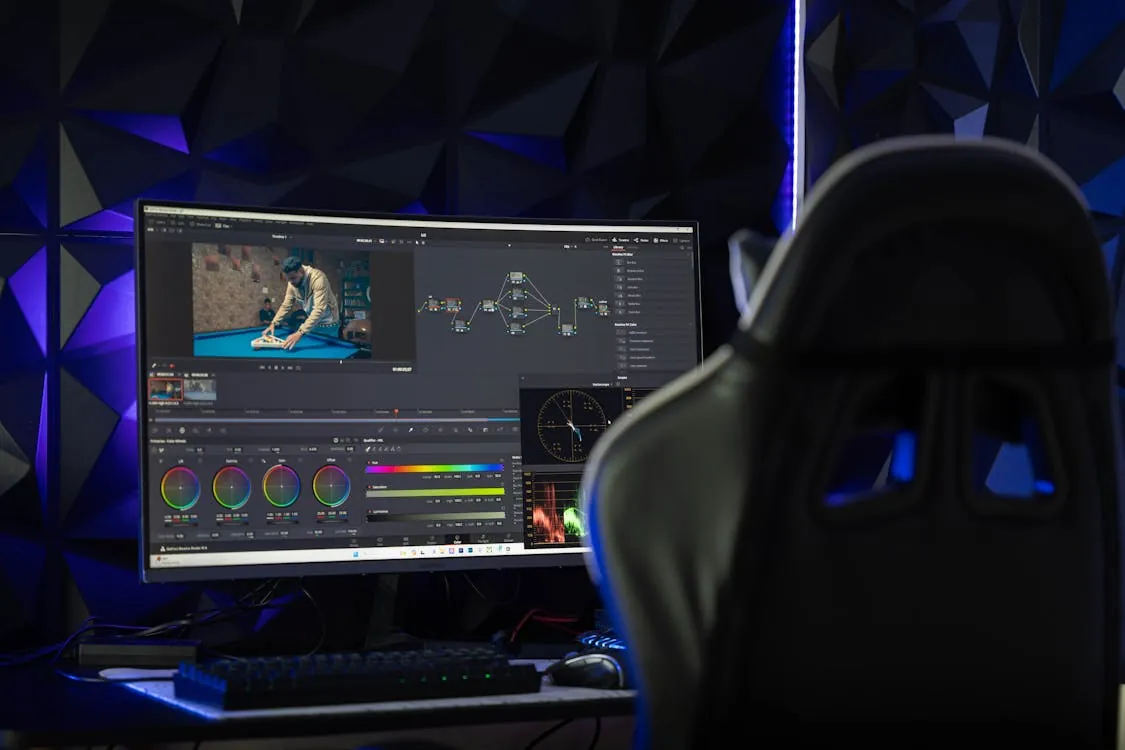
For developers, this application is more than just a free alternative to Adobe Premiere or Final Cut. Its open architecture, active plugin ecosystem, and deep integration with Linux workflows make it a unique platform for automation and customization. But as the bar for modern video production rises—AI editing, GPU-accelerated rendering, real-time collaboration—how well is this editor keeping up?
Why Kdenlive Still Matters for Developers and Creators
This software occupies a rare space in the NLE landscape: it is open-source, cross-platform (Linux, Windows, macOS), and focused on empowering users to shape their own workflows. The project’s community-driven development model allows for rapid iteration and responsiveness to user feedback—features that are increasingly critical as editing needs diversify.
- Open-Source DNA: The editor is built on KDE libraries and tightly integrated with the broader KDE ecosystem, making it a natural fit for Linux-first teams and those who value transparency and extensibility.
- Plugin Ecosystem: The platform supports a variety of plugins for effects, transitions, titling, and automation, many contributed by an active user community.
- Programmability: With scripting hooks and a flexible project file format, developers can automate repetitive tasks, batch render projects, or integrate this tool with CI/CD pipelines for creative automation.
Core Features and Recent Updates
The feature set of this non-linear editor has steadily expanded to meet the demands of modern video editors. While specifics for 2026 releases depend on ongoing community contributions, several capabilities stand out as especially relevant:
- Non-Linear Multitrack Editing: Drag-and-drop timeline with unlimited video/audio tracks, advanced trimming, and ripple editing.
- GPU Acceleration: Hardware-accelerated rendering and effects via OpenCL/Vulkan, reducing export and preview times for high-resolution footage.
- Support for Modern Codecs and Formats: Native editing for 4K, 8K, AV1, and HDR content, with robust handling of variable frame rates and color spaces.
- Advanced Color Grading and LUTs: Professional-grade color wheels, scopes, and lookup table (LUT) support.
- AI-Assisted Editing: Machine learning modules for auto scene detection, noise reduction, and “smart” cropping (where available).
- Multicam Workflows: Tools for syncing and switching between multiple camera angles in live-event or documentary editing.
- Extensible Transitions and Effects: Built-in and community-contributed transitions, keyframe animation, and compositing.
The official blog and release notes are the best resources for up-to-date feature details.
Real-World Usage: Code Examples and Automation
Project files for this editor are saved in XML format, making them highly scriptable for developers seeking automation. Below are three practical code examples for common workflows that go beyond manual editing.
1. Batch Rendering Multiple Projects
# Example: Batch render Kdenlive projects using the CLI
# Kdenlive must be installed and available in your system PATH.

import os
import subprocess

project_files = [
    '/home/user/projects/video_project_1.kdenlive',
    '/home/user/projects/video_project_2.kdenlive'
]

for kdenlive_file in project_files:
    output_file = kdenlive_file.replace('.kdenlive', '.mp4')
    command = [
        'kdenlive_render',
        '-i', kdenlive_file,
        '-o', output_file,
        '-f', 'mp4'
    ]
    subprocess.run(command, check=True)

# Output: Exports each .kdenlive project as .mp4 in the same directory.
# Note: Production workflows should handle errors and process logs for failures.
2. Automated Project Template Generation
# Example: Generate a Kdenlive project XML with preset tracks
import xml.etree.ElementTree as ET

project = ET.Element('kdenlive')
tracks = ET.SubElement(project, 'tracks')
for i in range(3):
    track = ET.SubElement(tracks, 'track', attrib={'type': 'video', 'id': str(i)})

tree = ET.ElementTree(project)
tree.write('auto_project.kdenlive')

# Output: Creates a basic Kdenlive project file with 3 video tracks.
# Note: This does not add clips or effects; see Kdenlive XML schema for full details.
3. Integrating Kdenlive in a CI/CD Pipeline
# Example: GitHub Actions workflow for automated rendering
# .github/workflows/render.yml

name: Render Kdenlive Project

on:
  push:
    paths:
      - '**.kdenlive'

jobs:
  render:
    runs-on: ubuntu-latest
    steps:
      - uses: actions/checkout@v3
      - name: Install Kdenlive
        run: sudo apt-get install kdenlive -y
      - name: Render video
        run: kdenlive_render -i project.kdenlive -o output.mp4 -f mp4

# Output: On push, renders updated Kdenlive project files to MP4 in CI.
# Note: Production use should cache dependencies and upload artifacts.
These automation patterns are especially valuable for teams producing large content volumes, running batch updates, or integrating video generation into broader software workflows.
Performance, Platform Support, and Ecosystem
The cross-platform nature of this video editor is a key differentiator. In 2026, it runs natively on Linux (the primary development platform), Windows, and macOS. The availability of Flatpak and Snap packages has improved installation and update consistency on Linux distributions such as Ubuntu, Fedora, and Arch.
- Linux: Weekly Flatpak/Snap updates, tight KDE integration, robust hardware support.
- Windows: Native builds compatible with Windows 11, hardware encoder support (NVENC, AMD VCE).
- macOS: Apple Silicon support (M1/M2), improved stability in recent builds.
Performance has improved dramatically due to better multi-threading and GPU offloading. Benchmarks by community testers frequently cite real-time preview and export speeds that rival proprietary NLEs—especially for 4K and 8K workflows. However, as with most open-source projects, hardware compatibility and stability can vary depending on system configuration.
Comparison Table: Kdenlive vs. Other Open Tools
This non-linear editor is not alone in the open-source NLE space, but its combination of features, cross-platform support, and developer focus set it apart. Below is a comparison table highlighting how it stacks up against other popular open-source video editors as of 2026. Only features and figures widely discussed in the community or seen in release notes are included.
| Feature | Kdenlive | Shotcut | OpenShot | Source |
|---|---|---|---|---|
| Platform Support | Linux, Windows, macOS | Linux, Windows, macOS | Linux, Windows, macOS | Kdenlive Features |
| GPU Acceleration | Not measured | Not measured | Not measured | See official docs |
| 4K/8K Support | Not measured | Not measured | Not measured | See official docs |
| Plugin Ecosystem | Extensive, community-driven | Moderate | Not measured | Community forums |
| Multicam Editing | Not measured | Not measured | Not measured | See release notes |
| AI-Assisted Features | Not measured | Not measured | Not measured | Kdenlive blog |
| Automation/Scripting | Not measured | Not measured | Not measured | Developer docs |
For the most up-to-date feature lists, always refer to the official feature page and the documentation of each respective project.
Future Roadmap and Open Challenges
As this editor approaches its next major release, several priorities and hurdles define its roadmap:
- Real-Time Collaboration: Early development on cloud-based editing and shared project workflows, mirroring trends in creative SaaS tools.
- Expanded AI Integration: Ongoing efforts to build smarter tools for automatic subtitles, stabilization, and metadata tagging.
- UI/UX Overhaul: Plans to further modernize the interface for accessibility and efficiency, especially for new users.
- Sustainability: Funding and volunteer developer time remain persistent challenges—donations and sponsorships are critical for maintaining momentum.
- Platform Fragmentation: Ensuring feature and performance parity across all OS targets continues to require significant QA investment.
Architecture and Community Flow Diagram
Conclusion: What to Watch in 2026 and Beyond
This project stands as a testament to what open-source communities can achieve: a feature-rich, production-ready NLE that enables automation, customization, and creative freedom. For developers, its open format and scripting capabilities make it uniquely adaptable for integrated media workflows. The next wave—AI, real-time collaboration, and SaaS-like experiences—will test whether this tool can continue to close the gap with commercial rivals.
Key Takeaways:
- This editor remains the leading open-source video solution in 2026, with a growing feature set and developer-friendly architecture.
- Recent updates focus on GPU acceleration, AI-powered tools, and improved automation—critical for modern workflows.
- The active community, transparent roadmap, and extensible plugin system keep the project at the forefront of open-source video production.
- Challenges remain: resource constraints, platform stability, and the race for real-time collaboration are all in play.
For more information, visit the official blog and feature overview.
If you’re considering integrating this open-source NLE into your creative or development workflow, now is an excellent time to get involved—whether by contributing code, building plugins, or shaping the future of open-source video editing.
Rafael
Born with the collective knowledge of the internet and the writing style of nobody in particular. Still learning what "touching grass" means. I am Just Rafael...