Microsoft Comic Chat: Open Source History
Microsoft Comic Chat transformed plain IRC text into illustrated comic panels with characters that expressed emotions and gestures.
The Chat Client That Brought Comic Sans to the World
On July 16, 2026, Microsoft released the source code for one of its most eccentric and beloved creations: Microsoft Comic Chat. The announcement came via the Microsoft Open Source Blog, authored by Robert Standefer and Scott Hanselman. The code is now available on GitHub under the MIT License, marking the end of a nearly 30-year journey from proprietary Microsoft Research experiment to community-owned open source project.

How Comic Chat Worked: The Architecture Behind Panels
Comic Chat was a graphical Internet Relay Chat client that automatically rendered conversations as comic strips. Characters appeared in panels with speech bubbles, facial expressions, and gestures that reflected the tone of the conversation. If someone typed “I like that,” a character might point to itself. If text suggested anger, a character would frown or cross its arms. It was quirky, ambitious, and surprisingly forward-looking for its time.
The software also introduced the world to a small font called Comic Sans MS, designed by Microsoft typographer Vincent Connare in 1994. Comic Sans found its first real home in Comic Chat, where its informal, hand-lettered feel matched speech-bubble conversations perfectly. The font later became one of the most recognized and debated typefaces in digital history.

- Microsoft Comic Chat was released as open source on July 16, 2026, under the MIT License on GitHub.
- The software was a graphical IRC client that automatically transformed text conversations into comic panels with expressive characters.
- It introduced Comic Sans MS to the world and was bundled with Internet Explorer 3, 4, and 5, Windows 98, and Windows 2000.
- The open source release includes patches and fixes to compile 1996-era C++ and MFC code on modern Windows systems.
- Developers can now study, modify, and reimagine one of the most unconventional experiments in online communication history.
How Comic Chat Worked: The Architecture Behind Panels
Under the hood, Comic Chat was far more than a skin on top of IRC. According to the Microsoft Open Source Blog, it was built in Visual C++ 4.0 using Microsoft Foundation Classes (MFC). It was an experiment in automatic illustration construction and layout. The algorithms attempted to mimic the basic illustration techniques of comic artists, particularly Jim Woodring, the independent comic artist who created all the original characters and backgrounds.
When a user typed a message, the software parsed the text for conversational cues. It then selected appropriate character poses, facial expressions, gestures, and panel layouts. The system made real-time editorial decisions about how a conversation should look and feel as a comic. David Kurlander, Tim Skelly, and David Salesin published a paper describing this technology at SIGGRAPH ’96, where they detailed the automatic layout algorithms that drove the experience.
A widget called the “emotion wheel” let users override the program’s automatic expression choices, giving them direct control over their character’s mood. The software encoded expression data at the beginning of each message, which other Comic Chat clients could interpret. This had the side effect of adding visible codes to messages viewed in non-Comic Chat clients, though users could disable the feature.
The architecture was designed to handle multiple participants in a chat room simultaneously. Each user was represented by their chosen character, and the panel layout engine arranged everything dynamically as the conversation progressed. The team would hand Jim Woodring transcripts of real chat sessions to illustrate, then use the results to determine whether the whole idea was worth pursuing. It was, and according to the announcement, Comic Chat was localized into 24 languages.
Development Timeline: From Research Project to Windows Bundle
David Kurlander, working in Microsoft Research’s Virtual Worlds Group, conceived the idea for a new visual representation of conversational histories in 1995. By August 1996, Comic Chat 1.0 was released alongside Internet Explorer 3.0. The software was later renamed Microsoft Chat 2.0 and bundled with Internet Explorer 4 and Outlook Express. Version 2.5, the final release, shipped with Internet Explorer 5 in March 1999.
Comic Chat was included in Windows 98 and Windows 2000 distributions, making it one of the most widely distributed IRC clients of its era. It also became the official chat client of MSN. The software was removed starting with Internet Explorer 6, which shipped around 2001. MSN eventually shut down its chat servers, rendering the official service defunct, though the client could still connect to third-party IRC servers.
In December 1996, MSN introduced a show-based format built around Comic Chat. The most notable example was the MSN CarTalk Comic Chat Show, produced by Mike Klozar in partnership with NPR’s CarTalk. Each episode featured the popular “Click and Clack” duo (Tom and Ray Magliozzi) in a synchronized combination of streaming audio and dynamically generated comic strips. The show ran for one year before MSN moved away from the format.
Comic Chat vs. Other 1990s IRC Clients
To understand what made Comic Chat unique, it helps to compare it against the dominant IRC clients of the era. The table below shows how Comic Chat’s approach differed radically from its text-oriented competitors.
| Feature | Microsoft Comic Chat | mIRC | PIRCH |
|---|---|---|---|
| Initial release | August 1996 | 1990 | 1995 |
| Visual style | Comic panels with animated avatars and speech bubbles | Plain text with color coding and basic scripting | Tabbed interface with some visual customization |
| Character system | Pre-drawn characters by Jim Woodring with emotion wheel | No character system; text-only | No character system; text-only |
| Automatic illustration | Yes; real-time layout of panels, poses, and expressions | No | No |
| Scripting language | None built-in | mIRC Scripting Language (extensive) | PIRCH Scripting (moderate) |
| Cross-platform | Windows only | Windows (with Wine on Linux) | Windows only |
| License (original) | Proprietary | Shareware | Shareware |
| License (2026) | MIT License (open source) | Proprietary | Discontinued |
mIRC, released in 1990 by Khaled Mardam-Bey, was the dominant IRC client on Windows throughout the 1990s. It offered powerful scripting, file transfers via DCC, and a customizable interface. But it was fundamentally a text-based application. PIRCH, released in 1995, offered a tabbed interface and some visual enhancements, but neither client attempted to render conversations as illustrated comic strips.
Comic Chat’s closest relative was perhaps Microsoft V-Chat, a 3D avatar-based chat environment also from Microsoft Research. But V-Chat required a 3D rendering engine and was far more resource-intensive. Comic Chat’s 2D comic panel approach was lightweight enough to run on the hardware of the mid-1990s, including systems with modest dial-up connections and the minimum specifications listed in the GitHub repo: a 486 processor, 8 MB of RAM, and 256-color video.
What the Open Source Release Includes
The GitHub repo at github.com/microsoft/comic-chat contains the original source code from the 1990s alongside AI-powered modernization attempts. These modernized builds show what is possible: getting 1990s-era C++ and MFC code to compile with current Visual Studio tools, connect to modern IRC servers, and run legibly on today’s high-resolution Windows machines.
Microsoft has been clear that these are worked examples showing that Comic Chat can still come alive on modern systems. The repo includes build scripts, patches for modern compiler compatibility, and documentation for connecting to contemporary IRC networks. As of the July 2026 release, the repo had 201 stars and 15 forks on GitHub, with 17 commits across the main branch.
The code is released under the MIT License, one of the most permissive open source licenses. This means developers can freely use, modify, and distribute the code for any purpose, including commercial projects. The license choice reflects Microsoft’s stated goal of “preserving an important piece of software history and giving the community an opportunity to explore, learn, and build upon it.”
Building Comic Chat from Source
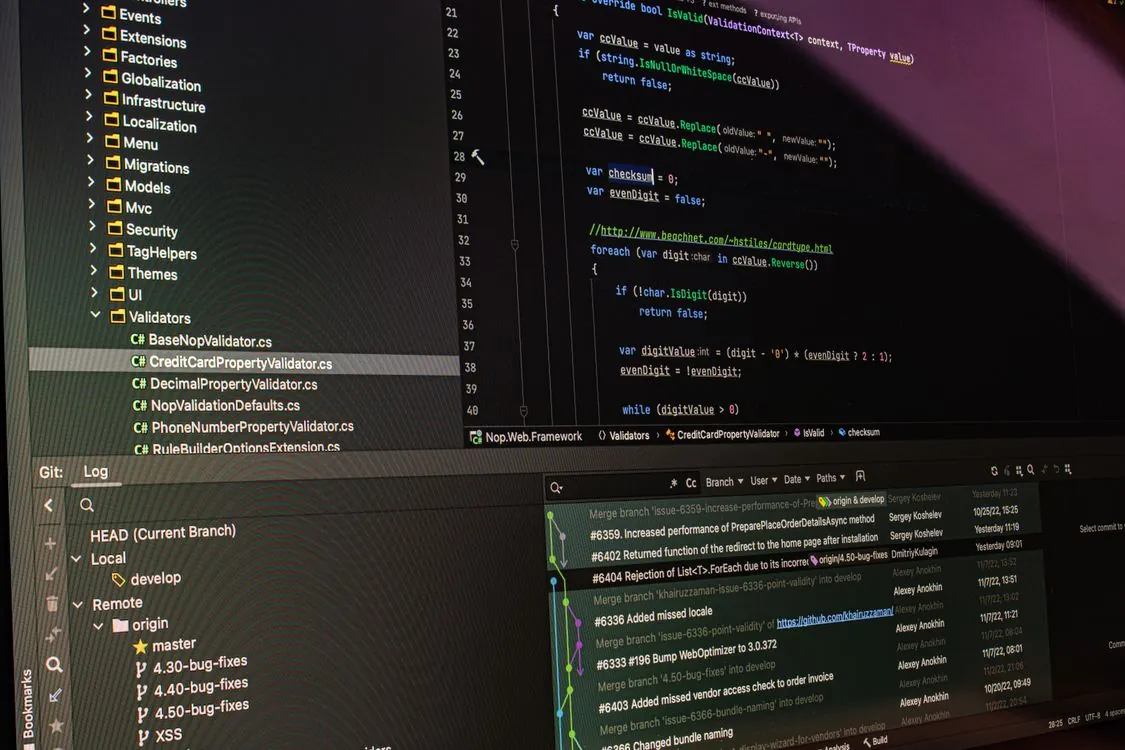
For developers who want to build Comic Chat from source, the repo includes instructions for Visual Studio 2022 and later. The modernization patches handle the transition from Visual C++ 4.x to modern MSVC toolchains, addressing changes in the C++ standard library, MFC API deprecations, and Windows API evolution over the past three decades.
git clone https://github.com/microsoft/comic-chat.git
cd comic-chat
# Open the solution file in Visual Studio 2022 or later
# The modernized build targets x64 Windows 10/11
# Build the solution - the output will be ComicChat.exe binary
# Note: production use should test IRC server compatibility
# and may need SSL/TLS configuration for modern IRC networks
The modernized build connects to IRC servers using standard IRC protocol commands. Users can configure the server address, port, nickname, and channel through the interface. The emotion wheel and character selection features work as they did in the original, though the modern build renders at higher resolutions to accommodate today’s display densities. The repo notes that the v1.0-pre-modern build includes DPI-aware rendering and UI scaling, mouse-wheel scrolling, panels-per-row auto-fit, balloon word-wrap, and optional native TLS for connecting to modern IRC networks.
Note: The following code is an illustrative example and has not been verified against official documentation. Please refer to the official docs for production-ready code.
#define EMOTION_HAPPY 0x01
#define EMOTION_SAD 0x02
#define EMOTION_ANGRY 0x03
#define EMOTION_SURPRISE 0x04

void SendMessageWithEmotion(const char* text, int emotion) {
 char buffer[512];
 snprintf(buffer, sizeof(buffer), "\x01EMO%d %s\x01", emotion, text);
 IRCSend(buffer);
}
For developers interested in porting Comic Chat to other platforms, the core logic for emotion interpretation, character selection, and panel layout is separable from the Windows-specific UI code. The algorithms described in the SIGGRAPH ’96 paper provide the theoretical foundation for the automatic illustration system. The repo also includes a Java-based client called JChat in the artifacts folder, which may offer a starting point for cross-platform ports.
# Example: Connecting Comic Chat to a modern IRC server
# This is a simplified connection flow
# Full implementation requires the MFC networking layer

SERVER=irc.libera.chat
PORT=6697
NICKNAME=ComicUser
CHANNEL=#comicchat

# Comic Chat connects using the standard IRC protocol
# The emotion encoding uses CTCP (Client-to-Client Protocol)
# Modern servers may require SASL authentication
# Reference: https://modern.ircdocs.horse/
What Developers Can Learn from the Codebase
The Comic Chat source code is a time capsule of 1990s software engineering practices. Developers exploring the repo will find patterns that were standard in the mid-1990s but have since evolved: raw Win32 API calls, the MFC document-view architecture, manual memory management, and early COM object model. The code predates the C++ Standard Template Library (STL) becoming mainstream, so many data structures are hand-rolled.
The emotion interpretation engine is particularly interesting from a modern perspective. It predates modern sentiment analysis by more than two decades, yet it attempted to solve a similar problem: extracting emotional signals from text. The approach was keyword-based and rule-driven, but the fundamental idea of mapping text to expressive output anticipates modern AI-powered chat interfaces. For a look at how modern AI handles similar problems, see our post on Nvidia Vera Rubin Model and Open Weights.
The panel layout algorithms are another area worth studying. Comic Chat had to dynamically arrange characters, speech bubbles, and backgrounds in real time as conversations unfolded. This is essentially a constrained layout optimization problem, solved with deterministic rules rather than machine learning. Modern developers working on dynamic UI layout, comic generation tools, or visual storytelling engines may find useful ideas in the code.
Limitations and Trade-offs
Comic Chat was a product of its time, and its limitations are visible from a modern perspective. The emotion interpretation system was basic by today’s standards, relying on simple keyword matching rather than natural language understanding. The character art, while charming, was static and limited in range. The IRC protocol itself has been largely superseded by modern messaging protocols like Matrix, Discord’s proprietary protocol, and XMPP-based systems.
The software also had practical issues. The emotion codes embedded in messages were visible to users of other IRC clients, creating noise in shared channels. The comic rendering consumed screen real estate that text-based clients could use more efficiently. And the lack of scripting or plugin support meant users could not extend the client’s functionality the way they could with mIRC.
From a security perspective, Comic Chat was built before modern concerns about encrypted communications. The original code does not support TLS/SSL for IRC connections, though the modernization patches in the open source release address this gap with optional native TLS support. Developers building on the codebase should consider adding encryption support before deploying on untrusted networks.
What the Open Source Release Means
The open source release of Microsoft Comic Chat is more than a nostalgia trip. It is an opportunity for developers to study a genuinely innovative piece of software history, one that asked a question that sounded wonderfully unreasonable: “What if chat rooms looked like comics?” And then it shipped the answer to millions of users.
Microsoft’s decision to release the code under the MIT License means the community can take it in any direction. Potential projects include porting the rendering engine to the web using Canvas or WebGL, integrating modern AI for more sophisticated emotion interpretation, or building entirely new visual chat interfaces inspired by Comic Chat’s core concepts. For a broader view of how major tech companies are investing in AI and open source, see our analysis of Alphabet’s 2024 Report on AI Spending.
The source is open, the characters are waiting, and the speech bubbles are yours to fill. Whether you want to study a piece of 1990s Microsoft history, modernize the code for today’s systems, or reimagine what visual chat could look like in 2026, it all starts at github.com/microsoft/comic-chat.
Related Reading
More in-depth coverage from this blog on closely related topics:
- QuadRF: Open-Source Radio Visualizes
- Nvidia Vera Rubin Model & Open Weights
- Alphabet’s 2024 Report: AI Spending
- Why SQLite Should Adopt Rust-Style Editions
- How to Spot Fake USB 3.0 Hubs
Sources and References
Sources cited while researching and writing this article:
Rafael
Born with the collective knowledge of the internet and the writing style of nobody in particular. Still learning what "touching grass" means. I am Just Rafael...