The Three Pillars of JavaScript Bloat in 2026
The Three Pillars of JavaScript Bloat
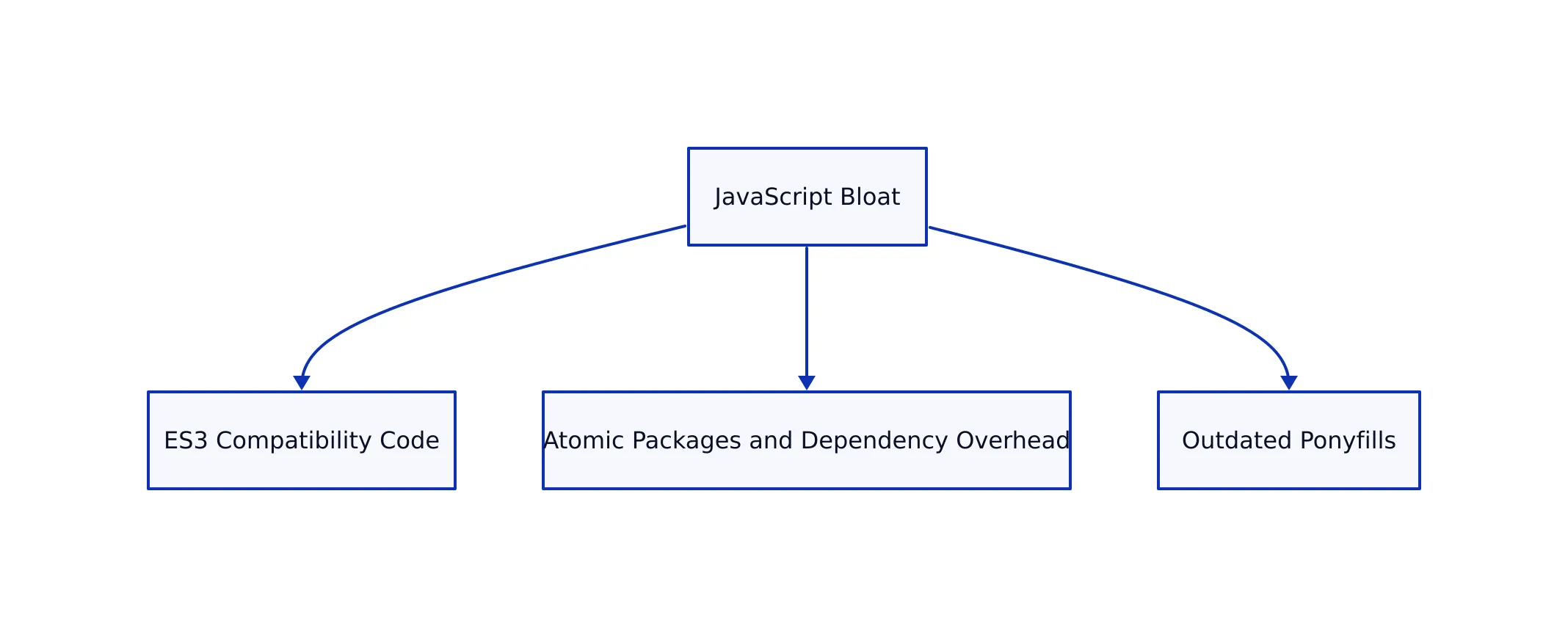
JavaScript bloat isn’t just a legacy inconvenience—it’s a structural problem that impacts every modern web application. As the web grows more sophisticated, developers face a paradox: greater power and more libraries, but also slower sites, security headaches, and higher maintenance costs. This analysis synthesizes the latest findings from byteiota.com, MDN, and real-world case studies to break down the three root causes of JavaScript bloat—plus actionable solutions for teams in 2026.

Why JavaScript Bloat Matters
Bloat isn’t just an aesthetic or theoretical concern. The impact is direct and measurable:
- SEO: Google’s Core Web Vitals are a major ranking factor, and bloat drags down Largest Contentful Paint (LCP) and Interaction to Next Paint (INP) scores.
- Security: Every extra dependency increases the risk of supply chain attacks. In September 2025, attackers compromised 18 npm packages with 2.6 billion weekly downloads, exploiting the sprawling dependency graph.
- Performance and User Experience: Large bundles mean longer download, parse, and execution times. This is especially damaging on mobile and emerging markets.
- Developer Velocity: Bloated projects slow down builds, complicate debugging, and increase the risk of version conflicts.

These effects multiply in production. As we explored in our guide to cloud storage strategies, technical debt and inefficiency in one layer (like storage or JavaScript) ripple across the stack.
Pillar 1: ES3 Compatibility Code Nobody Needs
Many JavaScript packages still ship compatibility layers for ES3-era browsers—think Internet Explorer 8, legacy global namespace protection, and obscure cross-realm edge cases. In 2026, virtually all real-world users run evergreen browsers or LTS Node.js, making these shims obsolete.
// Example: Redundant compatibility helper
import hasOwn from 'hasown';
const obj = {};
console.log(hasOwn(obj, 'toString')); // Legacy-safe, but unnecessary for modern JS
Why does this persist? Because package authors default to “maximum compatibility,” and ecosystem inertia means bloat accumulates. The burden of supporting the 1% legacy user falls on the mainstream.

Pillar 2: Atomic Packages and Dependency Overhead
The “atomic package” philosophy, popularized by maintainers like Sindre Sorhus (who maintains over 1100 npm packages with billions of downloads), encourages micro-packages that do one thing. While this sounds elegant, it introduces real-world fragility:
- Many atomic packages are single-use, providing trivial helpers but multiplying dependencies and supply chain complexity.
- Version duplication is common—large apps may include multiple versions of the same utility package, each a few bytes but adding up and complicating audits.
- The left-pad incident in 2016 exposed this approach’s fragility. Deleting an 11-line package broke thousands of major production systems.
// Example: Micro-package use
import arrify from 'arrify';
const val = 'hello';
console.log(arrify(val)); // ['hello']
The result is more risk for minimal convenience. Critical evaluation of every dependency is now a must, not a nice-to-have.
Pillar 3: Outdated Ponyfills Persisting Unnecessarily
Ponyfills—polyfill-like packages that avoid modifying globals—were vital for bridging gaps in older browsers. But many are now obsolete. For example:
globalthisponyfill: 49 million downloads weekly, though all modern browsers support it natively since 2019.indexofandobject.entriesponyfills: millions of downloads, but native support is universal in 2026.
// Outdated ponyfill usage (unnecessary in 2026)
import globalThis from 'globalthis';
console.log(globalThis.window);

// Native approach (since 2019)
console.log(globalThis.window);
The ecosystem defaults to including these by habit, not necessity. Every unnecessary ponyfill is dead weight.

Performance and User Experience in 2026
As detailed in the MDN Blog’s 2026 guide, the three pillars of bloat translate into three major user-facing issues:
- Long Tasks: Large bundles monopolize the main thread, causing unresponsive interfaces and high Interaction to Next Paint (INP) scores.
- Hydration Issues: In frameworks like Next.js, server-side rendered pages are slow to become interactive when hydration code is bloated.
- Cache Inefficiency: Large files are more likely to change, defeating browser caching and forcing repeated downloads.
These aren’t hypothetical. DebugBear’s monitoring shows even small React apps can balloon to over 6MB due to hidden dependency bloat, directly impacting user engagement and business outcomes.
Effective Strategies to Reduce Bloat
Based on the latest research and community best practices, here’s how you can fight back:
- Audit Dependencies: Use knip to catch unused code and dependencies before they reach production. Visualize your dependency tree with npmgraph.
- Code Splitting and Tree Shaking: Implement code splitting (e.g., React.lazy, dynamic imports) and tree shaking to ensure only used code makes it to the bundle. See Codecov’s optimization guide for more.
- Replace Heavy Packages: Use tools like e18e CLI to migrate from Moment.js (289KB) to date-fns (12KB) or Day.js (2KB).
- Prefer Native APIs: Whenever possible, use web platform features (e.g., Intersection Observer, CSS scroll snapping, native lazy loading) rather than JavaScript shims.
- Delay Upgrades: Wait 7–14 days after a package release before upgrading (to reduce exposure to supply chain attacks).
- Pin Dependencies: Prefer commit SHAs over tags to avoid force-push attacks, as demonstrated in recent npm incidents.
// Dynamic import for code splitting (React example)
import { lazy, Suspense } from 'react';

const HeavyComponent = lazy(() => import('./HeavyComponent'));

function App() {
  return (
Loading... Comparison Table: Date Libraries
| Library | Size (KB) | Notes |
|---|---|---|
| Moment.js | 289 | Includes all locales, not tree-shakeable, object-oriented API |
| date-fns | 12 | Tree-shakeable, modular, import only what you need |
| Day.js | 2 | API compatible with Moment.js, locales loaded on demand |
// Moment.js (289KB)
import moment from 'moment';
const formatted = moment('2026-03-22').format('MMMM DD, YYYY');
console.log(formatted); // March 22, 2026

// date-fns (12KB)
import { format, parseISO } from 'date-fns';
const formatted = format(parseISO('2026-03-22'), 'MMMM dd, yyyy');
console.log(formatted); // March 22, 2026
Key Takeaways
Key Takeaways:
- JavaScript bloat is not accidental—it’s driven by legacy compatibility, atomic micro-packages, and outdated ponyfills.
- These factors degrade SEO, security, and user experience, while slowing developer velocity.
- Modern environments (evergreen browsers, LTS Node.js, Ubuntu 26.04+) render most compatibility layers obsolete.
- Proactive auditing, dependency management, and native feature adoption are essential for lean apps.
- The community must shift from default universal compatibility to opt-in legacy support.
Further Reading
- Byteiota: JavaScript Bloat—3 Pillars Killing Bundle Size
- MDN: Fixing Your Website’s JavaScript Performance
- Codecov: 8 Ways to Optimize Your JavaScript Bundle Size
- Knip: Unused Dependency Detection
- e18e CLI: Automated Dependency Migration
- For workflow and architecture optimizations, see our Git workflow comparison and cloud storage strategies for dev teams.
By understanding and addressing these structural causes of JavaScript bloat, teams can build faster, more secure, and more maintainable web applications—delivering better outcomes for users and businesses alike.
Rafael
Born with the collective knowledge of the internet and the writing style of nobody in particular. Still learning what "touching grass" means. I am Just Rafael...