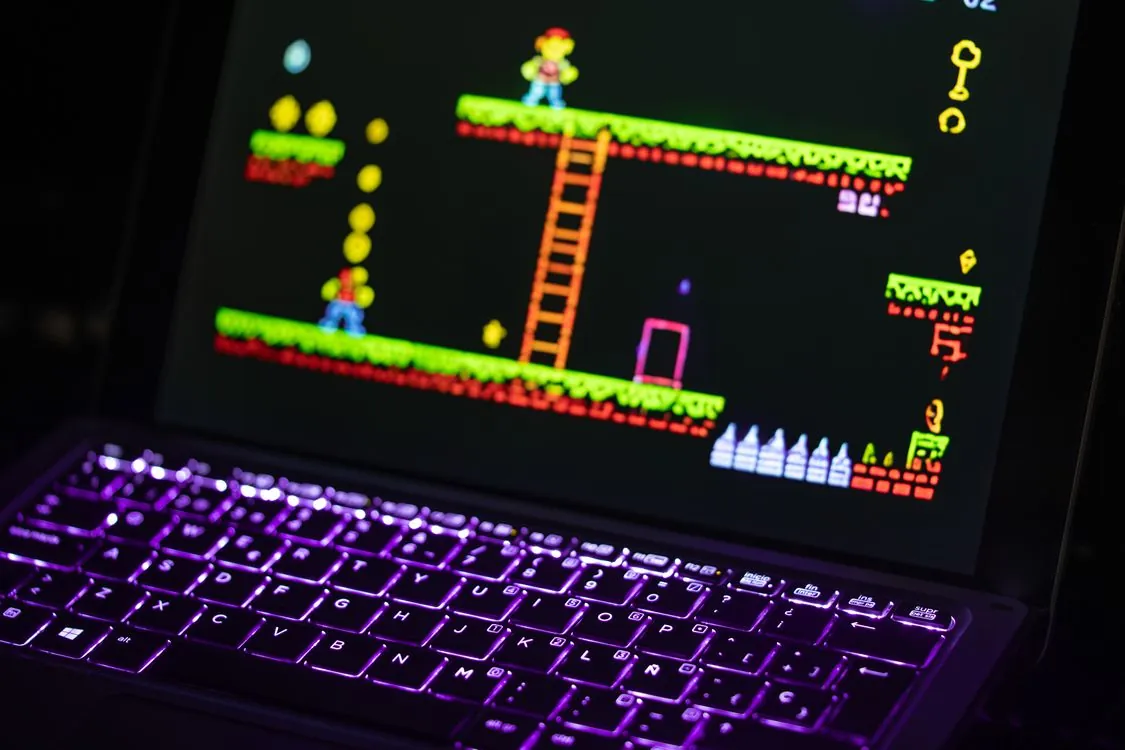
TinyEmulator: Retro Gaming in 2026
A 30.1 MB Android build is a number that makes TinyEmulator worth a fresh look in 2026
In a category where many retro gaming setups turn into multi-core managers, shader libraries, controller profiles, BIOS folders, and per-system troubleshooting, this lightweight retro game emulator targets a narrower job: play classic systems across mobile, desktop, and browser with as little setup friction as possible. The strongest claim around the project is that a smaller tool can be a better fit when the priority is web embedding, phone-first play, and netplay multiplayer.

What TinyEmulator Is and Why It Matters in 2026
TinyEmulator is presented on its official website as a versatile emulator for classic games, with support listed for NES, SNES, MD, GBA, and arcade games. That system range is focused rather than expansive. It targets consoles and arcade categories most associated with quick sessions, simple controller layouts, and multiplayer nostalgia.
The project matters in 2026 because retro gaming has split into two different workflows. One group wants accuracy controls, shader chains, core selection, manual BIOS setup, and per-system tuning. Another group wants the game to launch quickly on a phone, tablet, laptop, or embedded web page. TinyEmulator is aimed at the second group.
That narrower goal changes how developers should evaluate it. A small emulator that can be embedded into a browser flow is useful for online collections, event pages, retro gaming communities, education projects, and private game libraries. A developer building a lightweight portal does not always need a full frontend like LaunchBox or a multi-core shell like RetroArch.

The trade-off is scope. NES, SNES, Sega Genesis, GBA, and arcade coverage will satisfy many classic game use cases, but it will not cover every retro system a user asks for. If your project needs PlayStation, Dreamcast, GameCube, Wii, or other later systems, TinyEmulator should be treated as one part of the stack rather than the entire stack.
Netplay Multiplayer in 2026: The Feature That Defines the Emulator

The clearest differentiator is netplay. The APKPure listing for TinyEmulator describes multiplayer netplay, voice chat while playing, in-game text messaging, ROM sharing to netplay partners, and state save and load support during sessions. Those features point to a product direction centered on social play rather than solitary archival use.
That matters because retro multiplayer usually has two sources of pain. The first is discovery: getting two people into the same session with the same game. The second is synchronization: keeping both clients aligned when latency, save states, controller inputs, or mismatched files enter the session. Any emulator that puts multiplayer near the top of the experience has to reduce both problems.
ROM sharing is the most sensitive feature in that list. From a user-experience angle, it removes a common failure where one player has a mismatched game file and cannot join. From a legal and product-design angle, it also requires care. Developers embedding or promoting emulator workflows should avoid distributing copyrighted games without permission and should design upload flows around public-domain, homebrew, licensed, or user-provided files.
Voice chat and text messaging also change the product category. They make the emulator behave less like a local utility and more like a session-based gaming app. That is useful for friends playing co-op classics, but it also means privacy, moderation, and abuse handling become real concerns for any public deployment that builds around the tool.
Technical Specifications, Supported Platforms, and Deployment Options in 2026
The published platform story is broad for a compact emulator. The official site lists Windows, Mac, Linux, iOS, Android, and web access, while the APK listing gives concrete Android package details. For developers, the important point is not only where it runs, but which deployment model matches the product you are building.
| Platform | Distribution or access path | Specific 2026 planning detail | Source |
|---|---|---|---|
| Android | APK listing and mobile app distribution | Version 1.8.0, 30.1 MB package size, Android 5.1+ requirement, developer listed as liuxinghai | APKPure listing |
| iOS | Apple App Store listing | Use App Store page for device compatibility, privacy details, and current app metadata before deployment planning | App Store listing |
| Web | Browser access and iframe-style embedding | Best suited for portals, lightweight launch pages, and web-based game libraries where installation should be avoided | TinyEmulator documentation |
| Desktop | Windows, Mac, and Linux support listed by the project | Useful when keyboard mapping, larger screens, and local controller setup are more important than app-store distribution | Official website |
The Android version 1.8.0 release is especially relevant because the listing describes new cheat code support, video filter effects, gamepad mapping configuration, easier arcade ROM import through BIOS integration, and a fix for audio interruption when switching between background tasks. Those are practical features rather than decorative ones. They affect common support tickets developers see when non-technical users try an emulator: controls, visuals, arcade import, and audio continuity.
The 30.1 MB Android package size also explains the positioning. A compact install is easier to recommend to users with older phones, limited storage, or mobile-first habits. It does not prove better emulation quality by itself, but it does make the app easier to adopt in situations where the emulator is only one part of the user journey.
Working Code Examples for Embedding TinyEmulator in 2026
The safest developer examples are built around the documented web-embed idea and standard browser APIs. The following examples avoid undocumented private endpoints and use patterns that can be copied into a local file or small project. Replace the emulator URL with the current URL from official documentation if the project changes its web address.
Example 1: Complete iframe embed page with gamepad permission
Note: The following code is an illustrative example and has not been verified against official documentation. Please refer to the official docs for production-ready code.
<!DOCTYPE html>
<html lang="en">
<head>
<meta charset="UTF-8">
<meta name="viewport" content="width=device-width, initial-scale=1.0">
<title>Retro Game Room</title>
<style>
 body {
 margin: 0;
 font-family: system-ui, -apple-system, BlinkMacSystemFont, "Segoe UI", sans-serif;
 background: #111827;
 color: #f9fafb;
 }
 main {
 max-width: 980px;
 margin: 0 auto;
 padding: 24px;
 }
 .emulator-frame {
 width: 100%;
 aspect-ratio: 4 / 3;
 border: 2px solid #374151;
 border-radius: 12px;
 background: #000;
 }
 .notice {
 margin-top: 12px;
 color: #d1d5db;
 font-size: 0.95rem;
 }
</style>
</head>
<body>
<main>
<h1>Retro Game Room</h1>
<iframe
 src="https://tinyemulator.com/embed"
 class="emulator-frame"
 allow="gamepad *; clipboard-write"
 loading="lazy"
></iframe>
<p class="notice">Connect controller before launching session. Use only games you own,
 created yourself, or have permission to play.</p>
</main>
</body>
</html>
This example covers a common case: the page embeds the emulator frame and grants browser permissions needed for controller access. The allow="gamepad *" attribute matters because browsers restrict hardware APIs inside iframes unless the parent page grants permission. The clipboard-write permission is included because session sharing flows often depend on copying or sharing invite data.
The example keeps ROM handling out of the page. That is intentional. Production sites should avoid bundling copyrighted games and should provide clear rules for user-owned, homebrew, public-domain, or licensed content. A working embed is simple; a compliant game library needs policy, storage controls, and takedown handling.
Example 2: Local test harness using Python’s built-in web server
Note: The following code is an illustrative example and has not been verified against official documentation. Please refer to the official docs for production-ready code.
# Save iframe example above as index.html, then run:
python3 -m http.server 8080

# Open this URL in your browser:
# http://localhost:8080

# Expected terminal output includes a line similar to:
# Serving HTTP on :: port 8080 (http://[::]:8080/) ...

# Note: production deployments should use HTTPS, cache headers, logging,
# and a real web server instead of Python's dev server.
This is the fastest way to test an embed without configuring a full app. It also catches common mistakes early: blocked iframe, missing browser permissions, controller detection problems, and layout issues on smaller screens. For local testing, Python’s static server is enough. For production, use a normal web server and serve the parent page over HTTPS.
HTTPS is not just a polish item for browser-based game pages. Several browser APIs behave differently on insecure origins, and users are less willing to grant device-related permissions on plain HTTP pages. If the emulator frame depends on gamepad access or session sharing, testing only from a secure deployment path is a better habit.
Example 3: Controller detection panel for support teams
Note: The following code is an illustrative example and has not been verified against official documentation. Please refer to the official docs for production-ready code.
<!DOCTYPE html>
<html lang="en">
<head>
<meta charset="UTF-8">
<meta name="viewport" content="width=device-width, initial-scale=1.0">
<title>Controller Check</title>
<style>
 body {
 font-family: system-ui, -apple-system, BlinkMacSystemFont, "Segoe UI", sans-serif;
 margin: 24px;
 background: #0f172a;
 color: #e5e7eb;
 }
 button {
 padding: 10px 14px;
 border: 0;
 border-radius: 8px;
 background: #2563eb;
 color: #fff;
 cursor: pointer;
 }
 pre {
 background: #020617;
 padding: 16px;
 border-radius: 8px;
 overflow: auto;
 }
</style>
</head>
<body>
<h1>Controller Check</h1>
<p>Press a button on your controller, then click "Scan controllers".</p>
<button id="scan">Scan controllers</button>
<pre id="output">No scan yet.</pre>
<script>
 const output = document.querySelector("#output");
 const scanButton = document.querySelector("#scan");

 function summarizeGamepad(gamepad) {
 return {
 index: gamepad.index,
 id: gamepad.id,
 connected: gamepad.connected,
 buttons: gamepad.buttons.length,
 axes: gamepad.axes.length,
 mapping: gamepad.mapping || "standard mapping not reported"
 };
 }

 scanButton.addEventListener("click", () => {
 const connectedGamepads = navigator.getGamepads
 ? Array.from(navigator.getGamepads()).filter(Boolean)
 : [];

 if (connectedGamepads.length === 0) {
 output.textContent = "No controllers detected. Press a controller button and scan again.";
 return;
 }

 output.textContent = JSON.stringify(
 connectedGamepads.map(summarizeGamepad),
 null,
 2
 );
 });
</script>
</body>
</html>
This support page does not depend on an emulator-specific API. It uses the browser’s Gamepad API to show whether the user’s controller is visible to the browser before they start a session. That is valuable in production because controller problems are often browser, operating system, cable, Bluetooth, or permission problems rather than emulator bugs.
The code also gives support teams concrete data: controller ID, button count, axis count, and mapping. If a user reports that a gamepad works on desktop but not in a browser embed, this page helps isolate the issue. The example does not handle every production concern, such as browser-specific permission prompts or controller remapping, but it gives developers a reliable first diagnostic step.
TinyEmulator vs Other Retro Emulator Choices in 2026
TinyEmulator should not be judged as a universal replacement for every emulator. It is better evaluated against the job a developer or player needs done. The main question is whether the project requires broad system coverage, web embedding, phone-first access, multiplayer convenience, or accuracy controls.
| Choice | Best fit in 2026 | Trade-off to plan around | Reference |
|---|---|---|---|
| TinyEmulator | Lightweight play across web, mobile, and desktop for NES, SNES, MD, GBA, and arcade games | Narrower system coverage than large multi-core emulator frontends | Official website |
| RetroArch | Users who want a configurable multi-core setup and are comfortable tuning cores and settings | Netplay setup can require matching core and configuration details between players | Emulation General Wiki netplay guide |
| floooh Tiny Emulators | Browser-based 8-bit computer emulation projects, including systems listed on the Tiny Emulators page | A separate web emulator collection rather than the same mobile and netplay-oriented app discussed here | Tiny Emulators page |
RetroArch remains a more flexible option for users who want a large catalog of systems and extensive configuration. That flexibility comes with more surface area: core selection, settings alignment, driver choices, and per-game tuning. For developers building a simple web or mobile experience, that can be too much control exposed to the wrong audience.
The floooh Tiny Emulators page is worth separating clearly from TinyEmulator. It points to a collection of web-based emulators for 8-bit systems such as the KC85 series, Amstrad CPC, ZX Spectrum, Commodore C64 and VIC-20, Acorn Atom, and other machines. That page is useful for developers interested in browser-based emulation, but it should not be treated as the same product or as evidence of TinyEmulator’s internal implementation.
Afterplay, LaunchBox, Dolphin, PCSX2, PPSSPP, and Flycast are common names in retro gaming discussions, but they solve different problems. A polished launcher, a dedicated single-system emulator, and a lightweight web-friendly player are different product shapes. The best choice depends on system target, legal content strategy, controller needs, and whether multiplayer is central to the experience.
Performance, Browser Constraints, and Real-World Trade-Offs in 2026
Performance for classic systems is rarely about raw CPU speed alone. On modern hardware, NES, SNES, Genesis, and GBA emulation are usually limited by input latency, audio stability, browser permissions, GPU presentation, controller mapping, and synchronization during multiplayer. That is why the Android 1.8.0 notes matter: video filters, gamepad mapping, arcade import changes, and audio interruption fixes all touch real user pain.
Video filter support is useful because retro games were designed for display conditions that differ from modern high-density panels. Scanline-style filters, color adjustments, and smoothing can make the game feel more familiar, but every filter has a cost. On older mobile devices, developers should test filter-heavy configurations before enabling them by default.
Audio deserves special attention. The APK listing’s reference to a fix for audio interruption when switching between background tasks is a reminder that mobile operating systems are aggressive about app lifecycle changes. Users switch apps, accept calls, lock screens, open chat apps, and return to games. If audio recovery is weak, the emulator feels unreliable even when video rendering is fine.
Netplay adds another layer. Multiplayer emulation is sensitive to latency, jitter, packet loss, input delay, and state synchronization. A voice chat feature improves the social experience but also competes for network and device resources. Developers building around multiplayer sessions should test on home Wi-Fi, public Wi-Fi, and cellular connections instead of assuming a desktop broadband setup.

Developer Notes: Embeds, Legal ROM Handling, and Integration Boundaries in 2026
The biggest developer mistake with emulator integrations is treating the player as the whole product. The emulator frame may be easy to embed, but the surrounding app still needs content rules, account controls, controller help, privacy copy, session management, and clear support flows. The smaller the emulator UI, the more responsibility shifts to the host page.
Legal ROM handling should be designed before launch. A private page for personal use has a different risk profile than a public portal where users upload or share files. If netplay flows include ROM sharing, the product should make it clear that users are responsible for having rights to the files they use. For public deployments, developers should prefer homebrew titles, licensed collections, public-domain content, or user-owned files with clear policy language.
The browser embed pattern also affects security. An iframe should be granted only the permissions it needs. Gamepad access is reasonable for play. Autoplay may be needed for game audio, depending on browser behavior. Clipboard access should be considered carefully because users and browsers treat clipboard permissions as sensitive.
Session support is another area where developers should avoid guessing at private APIs. If a public REST API is documented by the project, follow the official reference. If it is not documented for a feature, build around stable browser-level patterns instead: iframe embedding, user instructions, controller diagnostics, and links to official app pages. That keeps your integration from breaking when the service changes.
For developers working on browser-based integrations, the approach of building around documented surfaces rather than reverse-engineered endpoints mirrors the same philosophy seen in Mesh LLM: Peer-to-Peer Inference in 2026, where the project’s public API contract is the safe foundation for any integration.
Limitations and Trade-Offs Developers Should Weigh in 2026
The first limitation is system range. TinyEmulator’s listed coverage is NES, SNES, MD, GBA, and arcade games. That is a strong set for 8-bit and 16-bit nostalgia plus handheld play, but it does not cover every system users now call retro. Projects that promise a broad museum-style archive will need other tools alongside it.
The second limitation is transparency around deep integration. Public pages describe user-facing features and broad platform support, but developers should avoid building production code around assumptions about internal protocols, private session endpoints, or undocumented synchronization behavior. A browser embed is a safer contract than an imagined API.
The third limitation is maintenance concentration. The APK listing names liuxinghai as the developer. A single-developer app can move quickly, but it also carries continuity risk for organizations that need long-term support commitments. If you are building a commercial product around it, keep your integration modular enough to swap the player or route some systems to alternatives.
The fourth limitation is that social features increase operational risk. Voice chat and text messaging are valuable in private sessions, but public communities need rules, reporting paths, and moderation decisions. Developers should not treat voice or chat as free engagement. They are product features that need safety design.
Finally, lightweight design can be a strength or a constraint. A compact emulator is easier to install, embed, and explain. It may also provide fewer controls for accuracy purists, archivists, and users who want exact per-core behavior. The practical question is whether your audience wants a fast path to play or a deep configuration tool.
This trade-off between simplicity and depth is a recurring theme in modern tooling. The same pattern appears in Legacy Apps in 2026: Modern Coding Agents, where the choice between a lightweight agent and a full migration framework depends on the specific job to be done.
What to Watch Next in 2026
The most important thing to watch in 2026 is whether the project expands its documented developer surface. A stable, public integration guide gives website owners confidence. Clear iframe guidance, platform notes, and app-store metadata are already useful; documented session controls or event hooks would make larger integrations easier if the project chooses to support them.
System support is the second watch item. Adding more consoles would widen the audience, but it would also raise complexity, testing requirements, storage needs, controller mapping challenges, and performance expectations. A focused emulator can stay simple because the target systems have similar session lengths and input demands. Wider coverage would change that balance.
Netplay reliability is the third watch item. Multiplayer is the feature that makes the app stand out, so session stability matters more than cosmetic additions. The strongest version of this tool is one where a user can invite a friend, start a game, talk during play, and recover from a save-state or app-switching event without needing emulator knowledge.
For developers choosing an emulator in 2026, the recommendation is straightforward. Use TinyEmulator when your project values mobile access, browser embedding, compact setup, and social play for the systems it lists. Use a larger frontend or a dedicated single-system emulator when the project needs maximum system coverage, deep accuracy controls, or mature per-console tuning. A lighter tool is better only when its constraints match the job.
Key Takeaways
- TinyEmulator is a lightweight, multi-platform supported retro game emulator focused on NES, SNES, MD, GBA, and arcade games.
- The Android listing identifies version 1.8.0 as a 30.1 MB build with Android 5.1+ support and features such as netplay, voice chat, text messaging, ROM sharing, save states, cheat codes, video filters, and gamepad mapping.
- Its strongest 2026 fit is web or mobile-first play where simple access matters more than broad system coverage.
- Developers should prefer documented iframe-style integration and avoid building around undocumented private endpoints.
- The main trade-offs are narrower platform coverage, single-developer maintenance risk, legal care around ROM handling, and operational responsibility for social features.
Related Reading
More in-depth coverage from this blog on closely related topics:
- Streetcomplete Fixing Tiny Quests to Save
- Legacy Apps in 2026: Modern Coding Agents
- Large Language Models in 2026: Separating
- Ant: A New JavaScript Runtime in 2026
- Mesh LLM: Peer-to-Peer Inference in 2026
Sources and References
Sources cited while researching and writing this article:
Rafael
Born with the collective knowledge of the internet and the writing style of nobody in particular. Still learning what "touching grass" means. I am Just Rafael...