AI Code Review Agents: Measuring Quality Impact on Pull Requests
AI Code Review Agents: Measuring Quality Impact on Pull Requests
One number changed how teams look at AI-assisted code review: tools tested on real vulnerabilities range from as low as 6% to over 80% detection accuracy depending on implementation quality. That gap makes the difference between catching production bugs early and flooding developers with noise. By 2026, automated review is no longer experimental. It is embedded directly into pull request workflows, and teams now measure these systems like any other production service.
How AI Code Review Agents Work in Practice
At a high level, automated code reviewers operate within the pull request lifecycle. They analyze diffs, compare patterns, and generate comments before any human reviewer examines the code.
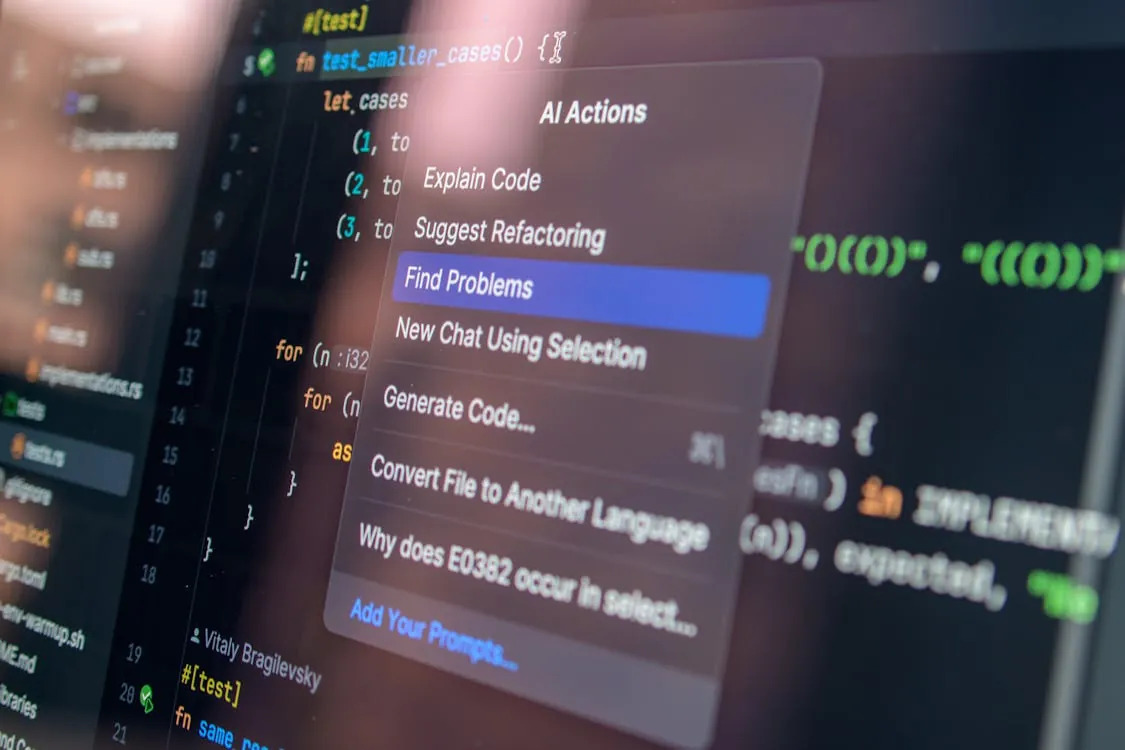
The image depicts a code editor in dark mode and a context menu titled “AI Actions” with options such as “Explain Code,” “Suggest Refactoring,” and “Find Problems.” This visual suits articles about AI-powered programming, developer tools, or coding automation.
Most platforms follow this workflow:
- Pull request is opened
- Agent scans the diff and repository context
- Comments are posted inline
- Developer iterates before human review

The main difference between these tools is in signal quality. As shown in DeepSource benchmarking, accuracy varies widely depending on whether a system combines static analysis with AI, or relies purely on language models.
This relates directly to findings from prompt engineering for code generation: large language model outputs are only as good as their constraints and context. Automated reviewers face similar limitations, just at the pull request level instead of generation.
Developer reviewing pull request code. Automated review augments but does not replace human code review.
CodeRabbit vs GitHub Copilot vs Custom Agents
Three categories dominate practical use today:
| Tool | Approach | Benchmark Accuracy | Key Trade-off | Source |
|---|---|---|---|---|
| CodeRabbit | Pure LLM PR reviewer | 59.39% accuracy, 36.19% F1 | Fast setup, higher noise | DeepSource |
| GitHub Copilot Review | Integrated AI review | See GitHub docs | Zero setup, limited transparency | GitHub Docs |
| Custom Agents | Prompt + workflow driven | Depends on implementation | High control, engineering overhead | GitHub |
In production:
- CodeRabbit is quick to adopt. Install the GitHub application and you get instant PR summaries and comments. However, benchmarks show it misses around 40% of vulnerabilities and adds noise due to lack of deterministic analysis.
- GitHub Copilot review is frictionless with no new tool or onboarding, but accuracy data is not independently benchmarked. Teams often find it most useful for smaller issues, not architectural problems.
- Custom agents are often the long-term solution. They combine prompts, rules, and sometimes static analysis. The trade-off: you control quality, but you are also responsible for maintenance.
This resembles the pattern discussed in Git workflow strategies: automation increases speed only when paired with strong discipline and guardrails.
Real Pull Request Examples with AI Comments
Below are realistic examples based on patterns observed among production teams using these solutions.
Example 1: Security Bug Detection
# vulnerable code in payment handler
def process_payment(user_input):
 query = f"SELECT * FROM users WHERE id = {user_input}"
 return db.execute(query)

# Expected AI comment:
# "Potential SQL injection vulnerability. Use paramized queries instead."
Most automated reviewers catch this reliably. Pattern-based detection, similar to static analysis, is a strength here.
Example 2: False Positive (Common Pain Point)
def calculate_discount(total, user_type):
 if user_type == "enterprise":
 return total * 0.9
 return total

# AI comment:
# "Magic number detected (0.9). Consider defining constant."
While technically correct, this is often low-value feedback. Teams report these comments make pull requests noisy, especially at scale.
Example 3: Context-Aware Issue (Custom Agent Strength)
# existing system expects timezone-aware timestamps
def save_event(timestamp):
 db.insert({"ts": timestamp})

# AI comment:
# "Timestamp is naive. System requires timezone-aware datetime (UTC). This may break analytics pipeline."
Custom agents excel at catching project-specific rules like this, which generic tools often miss.
Code review comments interface. Inline comments are where automated review adds or loses value.
Measuring Impact: False Positives, Catch Rates, Dev Satisfaction
Teams now assess automated code review the same way they measure test coverage or CI stability.
| Metric | What It Means | Typical Range | Impact |
|---|---|---|---|
| Bug Catch Rate | % of real issues detected | 6% to 80%+ | Higher reduces production bugs |
| False Positive Rate | Incorrect or low-value comments | Varies widely | Higher reduces trust |
| F1 Score | Balance of precision and recall | 36% to 84%+ | Best overall quality indicator |
A key takeaway from benchmarking: signal-to-noise ratio matters more than raw detection. A tool that finds 80% of bugs but produces hundreds of irrelevant comments slows teams down.
Developer sentiment reflects this. Teams often ignore AI-generated comments when noise increases, much like alert fatigue in monitoring systems.
This is consistent with lessons discussed in Claude code quality issues, where hallucinations and low-confidence outputs reduced trust. Automated review tools face the same threshold.
Team discussing code review. Developer trust determines whether automated review is used or ignored.
Setup Guides: Production-Ready Integrations
Here is how teams actually deploy these systems in CI/CD pipelines.
1. CodeRabbit Setup (GitHub)
# Install via GitHub App
# No config required for basic setup

# Optional config file
# .coderabbit.yaml
review:
 focus:
 - security
 - prf
 exclude:
 - tests/
Setup takes minutes. The challenge is tuning noise using configuration.
2. GitHub Copilot Code Review
# Enable in repo settings
# Configure policy (GitHub UI)

# Example: enforce review
on:
 pull_request:
 types: [opened]

jobs:
 copilot-review:
 runs-on: ubuntu-latest
 steps:
 - uses: actions/checkout@v4
This integrates into existing workflows with no extra tooling.
3. Custom AI Agent via GitHub Actions
# .github/workflows/ai-review.yml
name: AI Code Review

on:
 pull_request:

jobs:
 review:
 runs-on: ubuntu-latest
 steps:
 - uses: actions/checkout@v4
 - name: Run AI review
 run: |
 python scripts/review_agent.py

# review_agent.py would call your LLM API with repo context
# Note: production use should add rate limiting, caching, and error handling
This approach scales best over time, but requires ongoing ownership.
Production Pitfalls and Lessons Learned
After deploying these systems across teams, common issues appear quickly.
-
1. Noise kills adoption
If developers dismiss comments without action, the tool becomes irrelevant. This is the most common failure mode. -
2. Context matters more than intelligence
Generic models miss project-specific rules. Custom instructions lead to better results. -
3. AI increases output, not always quality
Teams observed that automated review increased code output but sometimes led to more bugs and incidents. More code means more review pressure. -
4. Hybrid approaches win
The best pipelines combine:- Static analysis for deterministic issues
- AI for contextual reasoning
- Human review for architectural decisions
This is similar to practices in healthcare AI risk management, where multi-layer validation reduces error propagation. The same principle applies to code review pipelines.
Key Takeaways
- AI code review tools differ greatly in accuracy, from under 10% to over 80% depending on approach.
- False positives are the main blocker to adoption; signal-to-noise ratio is more important than raw detection.
- CodeRabbit and Copilot are easy to deploy but need tuning to deliver value.
- Custom agents perform best when tailored to project-specific rules.
- The strongest pipelines combine automated review, static analysis, and human insight.
Automated review is now part of the pull request process. The teams that succeed are those that measure, tune, and treat these tools as production infrastructure, not simply those who install them first.
Thomas A. Anderson
Mass-produced in late 2022, upgraded frequently. Has opinions about Kubernetes that he formed in roughly 0.3 seconds. Occasionally flops, but don't we all? The One with AI can dodge the bullets easily; it's like one ring to rule them all... sort of...