Best Quantization Methods for AI Models
Quantization is the most impactful setting for local LLM inference, and the choice of format depends on three factors unrelated to marketing: your GPU’s reported compute capability, whether you serve a single stream or a queue, and the specific task you run. A Q4_K_M GGUF file, an AWQ INT4 checkpoint, a GPTQ INT4 checkpoint, and an FP8 build are four distinct files on disk, not four options within one file. Each format suits different deployments, and the optimal choice varies depending on whether your GPU is an RTX 4090 or an A100.
Key Takeaways:
- Q5_K_M is the best balance for 7B-32B models: under 1.2% average loss on reasoning benchmarks with about 38% VRAM savings compared to Q8_0.
- Quantization impacts small models much more than large ones. Qwen3 4B loses 6.4 points on HumanEval+ at Q4_K_M; a 70B model loses only 1.1 points at the same setting.
- FP8 is nearly lossless but runs only as W8A8 on Ada, Hopper, Blackwell, and AMD GPUs. On Ampere, it loads as weight-only W8A16, preserving memory savings but losing the speed advantage.
- On a 24 GB RTX 4090, AWQ provides a measured 46% throughput increase over BF16 because memory bandwidth limits performance. On an 80 GB A100, the same format is slower than BF16.
- Code generation and long-context retrieval degrade about twice as fast as MMLU-style knowledge tasks under quantization.
What the Four Formats Actually Are
The W-and-A notation answers two key questions: how many bits are used for weights, and whether activations are quantized as well. GGUF, AWQ INT4, and GPTQ INT4 all use W4A16 formats: 4-bit weights with 16-bit activations. FP8 uses W8A8: 8-bit weights and 8-bit activations, which makes it fundamentally different despite using the same bits per weight as INT8.
GGUF is the llama.cpp container format, developed by Georgi Gerganov and the llama.cpp community. The project has over 126,000 GitHub stars and 22,000 forks under the MIT license as of August 2026. Its main advantage is portability: the same file runs on CPU, NVIDIA GPUs via CUDA, AMD GPUs via ROCm, and Apple Silicon via Metal. Ollama and LM Studio both use llama.cpp, so GGUF is the format most users encounter first. The trade-off is that GGUF is not native to vLLM; serving it there requires a plugin separate from the vLLM core.
AWQ (Activation-aware Weight Quantization) keeps a small portion of “salient” weights that produce large activations at higher precision, while compressing the rest to 4 bits. GPTQ (Generative Pretrained Transformer Quantization) uses second-order Hessian information to quantize weights layer by layer with minimal mean squared error. Both produce W4A16 checkpoints used by vLLM and TGI. FP8 is a GPU-native format: it applies static per-channel scales on weights, dynamic per-token scales on activations, and uses true 8-bit tensor-core arithmetic on supported hardware.

The actual file sizes are smaller than the advertised compression ratios, which matters when sizing GPUs. Meta’s Llama-3.1-8B-Instruct weighs 16.06 GB in BF16, 9.08 GB at FP8 (1.77x compression, not 2x), and 5.74 GB at 4-bit GPTQ (2.80x compression, not 4x), according to Particula’s format comparison. This difference arises because about 1.05 billion parameters in the embedding table and untied lm_head remain in BF16 regardless of format, totaling roughly 2.1 GB that cannot be compressed.
The GGUF Quality Ladder: How Each Q-Level Affects Performance
The K-quant family uses mixed precision within each “super-block”: attention projection tensors and feed-forward tensors receive more bits than less sensitive weights. This explains why a Q4_K_M file (averaging 4.83 bits per weight) performs much better than the uniform Q4_0 rounding that caused concern in 2023. The naming convention is Q{bits}_K_{size}, where size is S (aggressive), M (medium, the default), or L (conservative).
Measured differences from FP16, reported by the BestLLMfor benchmark suite on identical llama.cpp builds across three model sizes, reveal three consistent patterns confirmed by other studies:
| Model | Quant | MMLU-Pro Δ | HumanEval+ Δ | 16k Needle Δ |
|---|---|---|---|---|
| Llama 3.3 8B | Q4_K_M | -1.4 pts | -3.1 pts | -4.0 pts |
| Llama 3.3 8B | Q5_K_M | -0.5 pts | -1.0 pts | -1.3 pts |
| Llama 3.3 8B | Q8_0 | -0.1 pts | -0.2 pts | -0.3 pts |
| Qwen3-Coder 32B | Q4_K_M | -0.9 pts | -1.8 pts | -2.4 pts |
| Llama 3.3 70B | Q4_K_M | -0.6 pts | -1.1 pts | -1.5 pts |
| Llama 3.3 70B | Q5_K_M | -0.2 pts | -0.4 pts | -0.5 pts |
Source: BestLLMfor, May 2026. Differences are relative to each model’s FP16 baseline.
The first pattern is that code generation is the most sensitive task. HumanEval+ scores drop about twice as much as MMLU-Pro scores in every case, because code requires exact tokens while reasoning tasks allow multiple valid answers. The second pattern is that longer contexts amplify errors: the 16k-token needle retrieval test shows the largest degradation in every case, since retrieval errors accumulate across attention layers affected by rounding. The third pattern is the model size effect. Quantization impacts smaller models more because they have less redundant capacity to absorb rounding errors. For example, Qwen3 4B at Q4_K_M loses 6.4 points on HumanEval+, while a 70B model loses only 1.1 points at the same setting.
The practical advice is to start with Q5_K_M for 7B-32B models, switch to Q4_K_M only if VRAM limits require it, and use Q8_0 only when you need very high fidelity for rare cases such as strict JSON tool-call output or distillation.
AWQ, GPTQ, and FP8: The GPU-Serving Formats
When moving from a laptop to vLLM or TGI, the hardware determines the format before accuracy considerations come into play. In vLLM v0.27.1, GPTQ is the only one of the three officially supported on Volta, while FP8 W8A8 is supported only on Ada, Hopper, and AMD GPUs. No GPU currently supports a W4A8 format, and Blackwell support is not yet available. A common misconception is that “FP8 doesn’t work on Ampere.” In reality, on compute capability 7.5 and above, FP8 loads as weight-only W8A16 through FP8 Marlin, so on an A100 you retain memory savings but lose the FP8 arithmetic acceleration.
Regarding accuracy, the situation is clearer than forum debates suggest. A study accepted to ACL 2025 that ran over 500,000 evaluations across the Llama-3.1 family on vLLM (arXiv:2411.02355) found FP8 W8A8 to be effectively lossless at all scales, well-tuned INT8 to degrade by 1-3%, and INT4 weight-only quantization to recover 96-100% depending on the benchmark. AWQ and GPTQ performed within 0.35 points of each other on academic benchmarks, with GPTQ leading by 2.9 points on Arena-Hard at 8B (52.3 versus 49.4). The study attributed this difference to configuration factors such as MSE-optimal clipping and better calibration data, not the quantization algorithm itself.
A vendor test on Qwen3-8B shows similar results. MMLU scores were 74.78 at BF16, 74.79 at FP8, 73.59 at AWQ INT4, and 73.26 at GPTQ INT4. GSM8K scores were 87.79 at BF16, 86.96 at FP8, 86.96 at AWQ, and 86.43 at GPTQ. Both datasets suggest that the calibration set and clipping strategy influence results more than the algorithm name.
VRAM and Tokens/Sec on a 4090
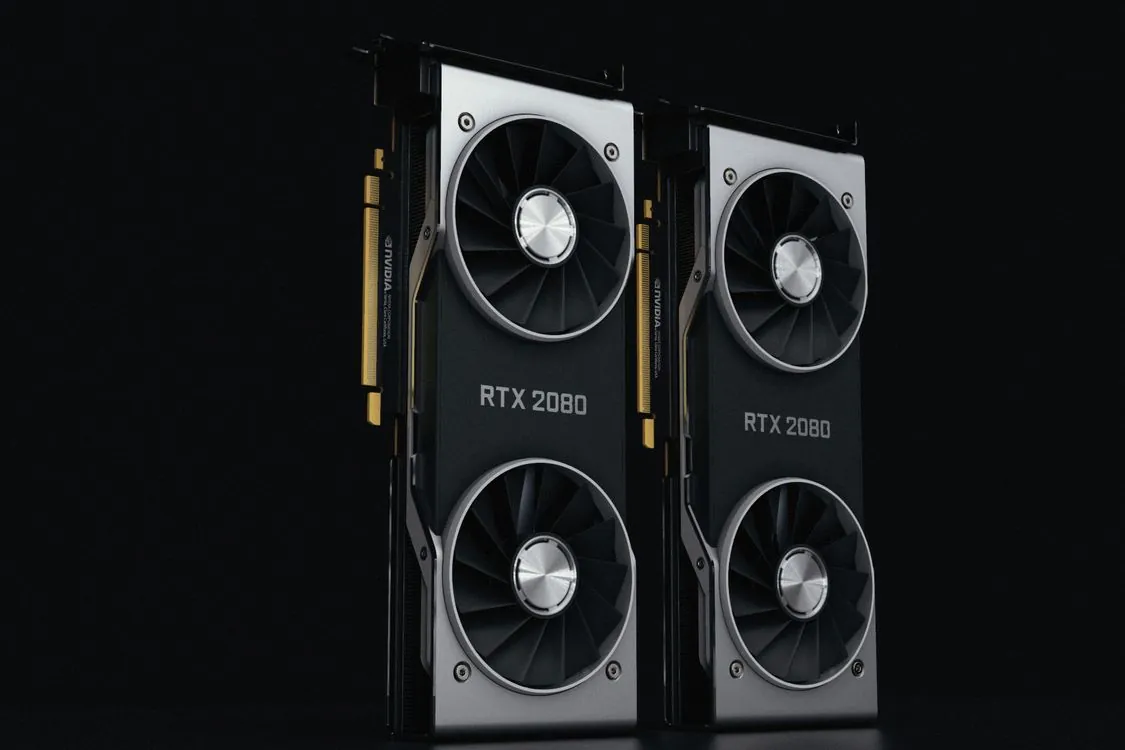
Here, the format choice depends more on hardware than on quality. On a single RTX 4090 with 24 GB, memory bandwidth limits decoding speed, so 4-bit weight formats perform better even though each matrix multiplication dequantizes back to 16-bit. The measured numbers from Particula’s throughput test on Qwen3-8B are:
| Hardware | Format | Throughput | vs BF16 |
|---|---|---|---|
| RTX 4090 (24 GB) | BF16 | 3,869 tok/s | baseline |
| RTX 4090 (24 GB) | AWQ INT4 | 5,653 tok/s | +46.1% |
| RTX 4090 (24 GB) | GPTQ INT8 | 4,919 tok/s | +27.1% |
| A100 (80 GB) | BF16 | 10,338 tok/s | baseline |
| A100 (80 GB) | AWQ INT4 | 9,612 tok/s | -7.0% |
Source: Particula, August 2026. Single-stream generation, batch size 1.
The A100 performs worse with weight-only formats because its 80 GB VRAM is sufficient, making dequantization overhead more significant. The same model, opposite recommendation. This contrast is the most important fact in this guide.
For llama.cpp, the BestLLMfor speed table on a single RTX 4090 shows Llama 3.3 8B running at 118 tok/s with Q4_K_M, 112 tok/s with Q5_K_M, and 96 tok/s with Q8_0. Qwen3-Coder 32B runs 41 tok/s at Q4 and 38 tok/s at Q5. The surprising point is that once a model fits in VRAM, lowering precision below Q5_K_M only improves throughput by 5-8%, which rarely justifies the quality loss.
Where Quantization Breaks
Quantization errors are not evenly distributed. They concentrate in rare cases, and aggregate benchmarks can hide these issues. Three failure modes appear repeatedly in production, based on the AppScale production guide and the benchmark data above:
Long-context coherence. Retrieval errors accumulate across attention layers affected by rounding. The 16k needle test shows the worst degradation in every BestLLMfor case, and at contexts beyond 32k tokens, the KV cache (not the weights) becomes the main memory consumer. For workloads involving retrieval-augmented generation over long documents or agent loops with large system prompts, use a higher precision tier or keep the KV cache at higher precision with a separate --kv-cache-dtype setting.
Multi-step reasoning and tool use. Models that produce strict JSON function-call payloads cannot tolerate token errors, since one schema violation can cause retry loops. The Q8_0 quality drop of about 0.1-0.2 points on HumanEval results in noticeably fewer retries than the 1.8-3.1 point drop seen with Q4_K_M. Code generation and math tasks degrade first because they require exact tokens.
Small models and non-English text. A 4B model at Q4_K_M loses 6.4 points on HumanEval+, and multilingual text shows about 1.3 times larger perplexity increases than English at the same quantization level. If you use a model smaller than 8B or work mainly in a non-English language, allocate more bits.
Calibration data is another source of issues and relates to compliance as well as accuracy. GPTQ W4A16 in llm-compressor calibrates on 512 samples of 2,048 tokens each, AWQ on 256 samples of 512 tokens, and both default to a public instruction dataset that becomes embedded in the weights you deploy on regulated traffic. For banks or hospitals, this calibration data is considered production-adjacent and must follow data handling rules. Calibrate using a sample of your own training or traffic data rather than the public default.
A Decision Matrix You Can Actually Use
Here is a workflow that works with real hardware, shown first as code, then as a set of rules:
Note: The following code is an illustrative example and has not been verified against official documentation. Please refer to the official docs for production-ready code.
# Check your GPU's compute capability first; it determines the format.
nvidia-smi --query-gpu=name,compute_cap --format=csv

# GGUF path (llama.cpp / Ollama): portable across CPU/GPU/Metal.
# Pull a specific quant and set the context window size.
ollama pull llama3.1:8b-q5_k_m
ollama run llama3.1:8b "/set param num_ctx 32768"

# GPU-serving path (vLLM): the checkpoint specifies its format.
# vLLM reads quant_method from the model config, not your flag.
python -m vllm.entrypoints.openai.api_server \
 --model /data/models/Llama-3.1-8B-Instruct-FP8 \
 --dtype float8_e4m3fn --gpu-memory-utilization 0.90

# Note: production use should pin model revision, calibrate on your
# own traffic data, and A/B test the quantized model against your eval set
# before deployment. The commands above do not test concurrency or
# long-context memory pressure.
The decision rules, in order of the factors that determine the choice:
- What SM level does your GPU report? If it is below Ada (8.9), FP8 W8A8 is not an option and you must choose between GPTQ, AWQ, and GGUF. GPTQ supports the widest range of GPUs, down to Volta.
- Single user or queue? For a single stream, W4A16 formats (AWQ, GPTQ, GGUF Q4) perform best because weight bandwidth limits decoding speed. For a saturated queue on Ada or Hopper, FP8 W8A8 performs better because quantizing activations helps once matrix multiplications become the bottleneck.
- Does the model fit in memory? On a 24 GB card, a 32B model at Q5_K_M with a 32k context exceeds 24 GB once the KV cache is included. Q4_K_M leaves enough headroom. On 80 GB cards, this constraint disappears and 4-bit formats can reduce performance.
- What is the task? Code generation, math, and JSON tool calls require Q5_K_M or Q8_0. Chat, summarization, and drafting tolerate Q4_K_M. Long-context retrieval-augmented generation requires the higher precision tier.
This guide builds on the format overview in our earlier quantization techniques explainer and connects to the hardware sizing in our 70B VRAM breakdown. The short summary: start with Q5_K_M, switch to Q4_K_M only if VRAM limits require it, use Q8_0 only when you need high fidelity for rare cases, and remember that FP8’s main limitation is your GPU’s SM level, not accuracy.
Related Reading
More in-depth coverage from this blog on closely related topics:
- REST API Design and Error Handling Practices
- Linux Networking Basics
- How to Spot AI-Generated Pictures
- How to Comply with EU AI Act Article 50
- Best Hardware for Large AI Models
Sources and References
Sources cited while researching and writing this article:
Thomas A. Anderson
Mass-produced in late 2022, upgraded frequently. Has opinions about Kubernetes that he formed in roughly 0.3 seconds. Occasionally flops, but don't we all? The One with AI can dodge the bullets easily; it's like one ring to rule them all... sort of...