Best Hardware for Large AI Models
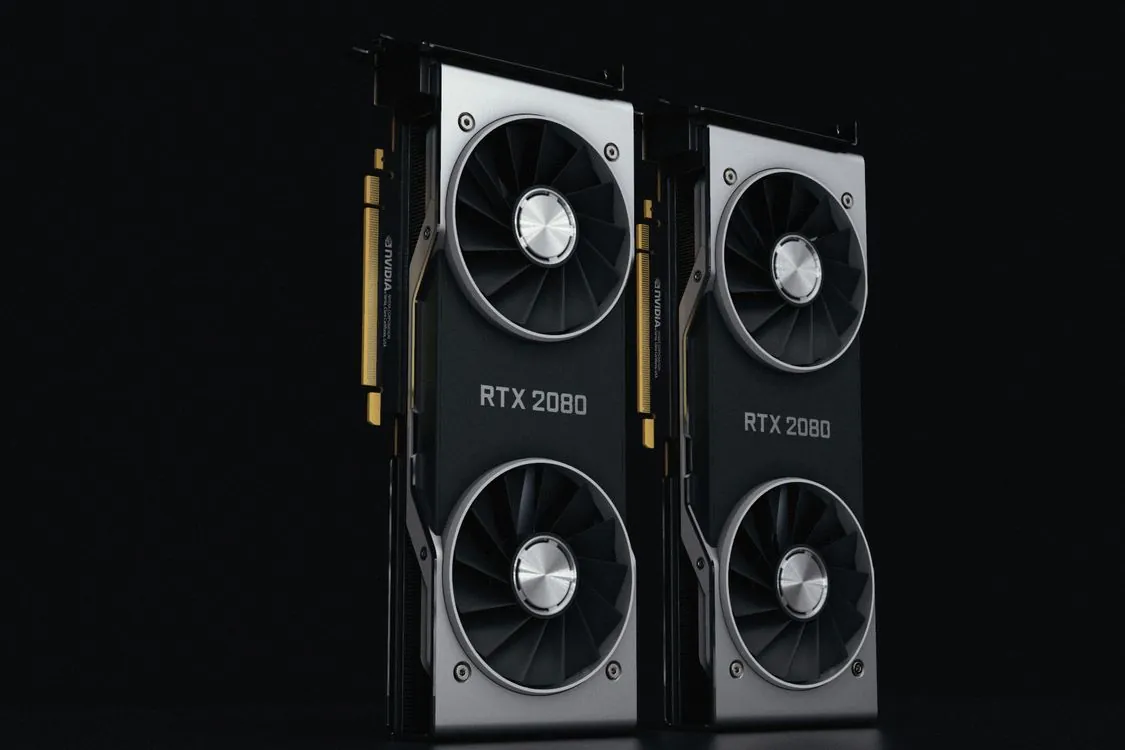
The cheapest way to run a 70-billion-parameter model efficiently is no longer paying for cloud services. By mid-2026, a dual-RTX-4090 setup runs a 70B model fully on GPU at 55-62 tokens per second with a GPU cost around $3,200, while a single RTX 5090 with some layers offloaded maintains 68-75 tok/s, according to the PromptQuorum 2026 hardware guide. However, the memory chip shortage has affected every price and sizing choice since then. The RTX 5090 has a $1,999 MSRP, but street prices reached $4,300-$5,000+ in July 2026 due to the GDDR7 shortage, as reported by the same PromptQuorum guide.
This post focuses on one model class and addresses the question that most hardware guides overlook: what does it actually take to run 70B locally in 2026? The brief answer is that you need 48-50GB of usable memory after accounting for KV cache headroom for the Q4_K_M sweet spot, you should choose your quantization format before buying hardware, and throughput depends on memory bandwidth rather than core count. It builds on the platform-level comparison in this site’s earlier best GPU for local LLMs analysis, but focuses on the 70B-specific VRAM requirements and corrects one figure from that guide.
Key Takeaways:
- A 70B model at Q4_K_M requires roughly 42GB of weights plus 4-8GB of KV cache, so plan for 48-50GB of VRAM or unified memory minimum.
- Running the same model at Q6_K needs 60-64GB; at Q8_0, 80GB; at FP16, 152-160GB (server-level hardware).
- No single consumer GPU currently holds 70B at Q4 alone. You need dual RTX 4090/5090, Apple unified memory, or an AMD Strix Halo APU.
- Q4_K_M preserves 90-95% of FP16 quality at 25-30% of the memory cost, making it the default for most engineers.
- Memory bandwidth determines throughput: the M5 Ultra achieves 45-52 tok/s on 800 GB/s, while a Strix Halo at 102 GB/s manages only 28-35 tok/s.
The VRAM Math for 70B Models
LLM inference is limited by memory speed, not compute power. After loading the model, the GPU spends most of its time fetching weights from memory to the compute units rather than performing raw matrix multiplications. This explains why VRAM capacity matters more than core count, and why a 70B model requiring over 48GB of VRAM presents a different hardware challenge than a 7B model that fits on an 8GB card.
The rule of thumb for 4-bit quantization is about 0.56GB per billion parameters, as detailed in the 2026 local LLM hardware guide by Kunal Ganglani. Applying this to common quantization formats reveals the full 70B memory requirements:

| Quantization | 70B model size | With KV cache | Minimum VRAM | Quality note |
|---|---|---|---|---|
| Q2_K | ~28GB | +4GB | 32GB | Significant, 15-20% perplexity increase |
| Q3_K_M | ~35GB | +5GB | 40GB | Moderate, 8-12% perplexity increase |
| Q4_K_M | ~42GB | +6GB | 48GB | Minimal, 3-5% perplexity increase |
| Q5_K_M | ~48GB | +8GB | 56GB | Negligible, 1-2% perplexity increase |
| Q6_K | ~52GB | +10GB | 64GB | No detectable loss |
| Q8_0 | ~68GB | +12GB | 80GB | No loss |
| FP16 | ~140GB | +16GB | 152GB+ | Full precision, server only |
Sources: Vucense 2026 local LLM hardware report for model sizes and perplexity differences; PromptQuorum for the Q4_K_M quality claim and memory formula.
The VRAM calculation behind the table is straightforward: VRAM (GB) = (Model size x quantization bits) / 8 for weights alone. A 70B model at 4-bit quantization calculates to 35GB of pure weights, but actual GGUF files include embedding tables, attention masks, and runtime buffers, which is why measured Q4_K_M files are around 42GB. Always plan for the measured file size, not just the formula, and add the KV cache on top.
The Quantization Quality Ledger
Quantization determines the memory footprint under your hardware limits, so choose the format first and then buy hardware accordingly. This is why most engineers running this model size locally prefer Q4_K_M. The most useful single comparison: Q4_K_M preserves about 90-95% of FP16 quality at 25-30% of the memory cost.
Quantization affects smaller models more than larger ones. A 70B model at 4-bit quantization performs nearly the same as its full-precision version, while a 3B model at 4-bit starts to lose accuracy on reasoning tasks. Long-context coherence and multi-step reasoning degrade first, even on large models, so if your workload involves agent loops or long documents, consider Q5 or Q6.
The 2026 quantization formats divide into two groups. GGUF with its K-quant variants (Q4_K_M, Q5_K_M, Q6_K) is the universal format from llama.cpp, used by Ollama and LM Studio, and runs on CPU, GPU, and Apple Silicon. GPU-optimized formats like AWQ INT4 and GPTQ INT4 target NVIDIA GPUs and support vLLM and TGI, while FP8 is the production default on H100-class hardware. The trade-off is portability: a GGUF file won’t load directly in vLLM, and an AWQ checkpoint won’t run on a Mac. For details on which engine supports which format, see our 2026 comparison of local AI inference engines.
Real Throughput by Hardware
Throughput for this model size depends directly on memory bandwidth, and the fastest hardware is not always the one with the most cores. The following figures come from Vucense’s benchmark tests:
| Hardware | Memory | Bandwidth | Quant | tok/s | Notes |
|---|---|---|---|---|---|
| RTX 5090 + 64GB RAM | 32GB GDDR7 | 1.8 TB/s | Q4_K_M | 68-75 | 24 of 80 layers on GPU, rest in system RAM |
| Dual RTX 4090 | 48GB GDDR6X | ~2.0 TB/s | Q4_K_M | 55-62 | Full GPU residency, PCIe-bound |
| Dual RTX 5090 | 64GB GDDR7 | ~3.6 TB/s | Q4_K_M | 95-102 | Full residency, ~950W |
| Apple M5 Ultra | 128GB unified | 800 GB/s | Q4_K_M | 45-52 | No offloading; entire model in unified memory |
| AMD Strix Halo | 128GB DDR5-6400 | 102 GB/s | Q4_K_M | 28-35 | Unified DDR5, 165W |
| Used RTX 3090 + 64GB RAM | 24GB GDDR6X | 936 GB/s | Q4_K_M | 42-48 | Heavy layer offloading to system RAM |
These numbers come from single-batch llama.cpp runs and apply to interactive use, but the performance drop is significant. Ganglani’s testing found that a model running at 45 tok/s on GPU drops to 8 tok/s the moment even 10% of its layers spill to system RAM. That explains why the single-RTX-5090 setup above, with 24 layers on GPU and 56 in RAM, shows good benchmark numbers but adds 8-12ms of PCIe latency per token, which hurts interactive chat responsiveness.
A correction to a previous post on this site: the earlier best GPU for local LLMs guide listed the RTX 5090 as a 24GB card. All sources for this article, including Vucense, PromptQuorum, and Ganglani, confirm it ships with 32GB of GDDR7. That extra 8GB allows a single 5090 to hold a 70B model at Q4 with only partial offload, which a 24GB card cannot handle.
There is also a source discrepancy worth noting. Vucense rates a used RTX 3090 at 42-48 tok/s with heavy offloading, which conflicts with BestLLMfor’s 4090 benchmarks that a single 24GB card cannot hold 70B at Q4 and that offloading layers reduces throughput significantly. Treat the single-card 3090 number as optimistic and expect closer to 14 tok/s at IQ2_XXS if you force a 70B model onto one 24GB card. The 4090 runs any model below 32B smoothly and is 30-40% faster than the 3090 on dense Q4 workloads due to its 1008 GB/s bandwidth, but for 70B you want dual cards or unified memory.

KV Cache: The Hidden Memory Cost
The VRAM calculation covers model weights only, and the number most guides omit is the KV cache, the attention state that grows with every token in your context window and remains in VRAM for the entire session. For Llama-3.3-70B, PromptQuorum’s cache table shows 2GB at 4K context, 16GB at 32K, and a steep 64GB at 128K. That last figure explains why a 32GB RTX 5090 can hold the weights at Q4 only by offloading layers to system RAM as soon as you increase the context window. It is also the same KV-cache limitation this site documented for Apple Silicon inference, where long context is the main reason a unified-memory machine runs out of space despite a large memory pool.
A safe working rule: add roughly 25% to your weight estimate for an 8K context and 100% (double the model) for a 32K context. Ollama defaults to a 2,048-token context, so if you never increase it, your memory use stays low, but running retrieval-augmented generation or agent chains at 32K or 128K quietly consumes 16-64GB that your purchase plan might not account for. Long-context workloads are the clearest reason to buy 96GB or 128GB rather than just 48GB.
Buyer Guidance and Build Costs
With the calculations and benchmarks established, here is how the realistic 2026 buyer options compare and what each costs. The memory shortage has disrupted prices, so treat these as mid-2026 street prices from PromptQuorum and build estimates from Vucense.
- Apple Mac Studio M5 Ultra (128GB unified, ~$3,999+). The efficiency choice. 45-52 tok/s on Q4 with no offloading, 150-200W under load, and quiet enough for a desk. The downsides are a soldered, non-upgradable board and a premium price roughly double a Strix Halo build. Best value for a single developer who wants to avoid PCIe layer juggling.
- Dual RTX 4090 (48GB, ~$3,200 in GPUs). The throughput-per-dollar workhorse. 55-62 tok/s with full GPU residency, but it consumes over 900W and requires a 1600W PSU and 240V power. The 4090 is discontinued, so buying used above original price is common.
- Dual RTX 5090 (64GB). The fastest consumer option at 95-102 tok/s and about 950W, but with street prices over $4,300 per card, the pair costs roughly $8,600-10,000. Suitable only for serious serving or heavy production use.
- AMD Strix Halo (128GB DDR5, ~$1,800-2,000 build). The budget and sovereignty winner. 28-35 tok/s at 165W, uses standard upgradable PC parts, and runs fully offline under ROCm. Slower than alternatives, but fits the model entirely in RAM and runs on a standard 120V outlet.
- Used single RTX 3090 (24GB, ~$700). The budget trap for 70B specifically. It runs every model up to 32B cleanly, but for 70B you must accept IQ2/AQLM 2-bit or heavy offloading, both of which reduce quality or throughput. Only choose this if a 32B model is your actual target.
One note on software frameworks before ordering: BestLLMfor found that the same model runs about 10-15% slower under Ollama than bare llama.cpp on a single 4090, and that llama.cpp is the right default for solo use while vLLM pulls 3-5x ahead when serving multiple users. For low-concurrency 70B work, llama.cpp or Ollama works well; for shared endpoints, budget for vLLM. The choice of engine is covered in detail in our local AI inference engine comparison and the narrower tool-by-tool breakdown.
If you want maximum throughput from fixed hardware, the cheapest adjustment is power capping on NVIDIA. BestLLMfor reports that capping a 4090 at 350W with nvidia-smi -pl 350 costs about 2% throughput while dropping package temperature 8-10C, which is the right setting for 24/7 operation. Below is the full command sequence for a single-GPU setup, simplified from their guide:
# Install Ollama, pull a Q4_K_M model, cap power, verify VRAM
curl -fsSL https://ollama.com/install.sh | sh
ollama pull qwen3-coder:32b

# Cap power for sustained operation on NVIDIA hardware
sudo nvidia-smi -pl 350

# Set a 32K context window if your workflow needs it
ollama run qwen3-coder:32b "/set param num_ctx 32768"

# Verify VRAM stays under your card limit
nvidia-smi --query-gpu=memory.used --format=csv

# Note: for a real 70B Q4 model, this single-card flow only works
# with substantial system-RAM offload or a dual-GPU split; size accordingly.
FAQ
Can a single RTX 4090 (24GB) run a 70B model? Only at IQ2_XXS or AQLM 2-bit quantization, which requires about 23GB of VRAM and delivers roughly 14 tok/s with noticeable quality loss. The 4090 runs every model up to 32B smoothly at Q4_K_M, so if you need 70B, buy two cards or unified memory instead.
What is the minimum VRAM to run a 70B model at usable quality? 48-50GB total, which means Q4_K_M weights (about 42GB) plus 4-8GB of KV cache headroom. Dropping to Q3_K_M allows fitting into 40GB, but the quality loss is noticeable.
Is a 32GB RTX 5090 enough for 70B? Not for full GPU residency. It runs Q4 with 24 of 80 layers on GPU and the rest in system RAM, achieving 68-75 tok/s in benchmarks but with PCIe latency that affects interactive use. Use two 5090s for full 64GB residency.
Does memory bandwidth matter more than cores? Yes, for this model size. The M5 Ultra achieves 45-52 tok/s on 800 GB/s, while the slower-memory Strix Halo tops out at 28-35 tok/s on 102 GB/s, even though both hold the same model.
What quantization should I use? Q4_K_M is the default: about 90-95% of FP16 quality at a quarter of the memory cost. Choose Q5_K_M or Q6_K if your workload involves long context or multi-step reasoning and you have 56-64GB of memory.
Related Reading
More in-depth coverage from this blog on closely related topics:
- Meta AI Content Watermarking Risks in 2026
- iOS 26.5 update: new features, bugs
- Best Game Engine Design for Real-Time 3D
- Choosing the Best Local AI Inference Tools
- Best GPU for Local Large Language Models
Sources and References
Sources cited while researching and writing this article:
Additional Details
The EU AI Act Article 50 imposes transparency requirements on AI systems that generate synthetic content, including watermarking and detectability measures. These regulations may affect deployment decisions, particularly for cloud providers serving regulated industries.
See our post on EU AI Act Article 50: Detectability and Watermarking Strategies for 2026 for how hardware choices interact with regulatory obligations.
Source: M5 Max MacBook Pro vs. RTX 5090 Benchmarks Revealed
Source: RTX 5090 vs DGX Spark vs AMD: The Ultimate Local LLM Benchmark (2026) | InsiderLLM
Additional Details
Amortizing hardware over three years, the RTX 5090 system lands near $4,500 once you include a quality 850W-plus PSU, solid cooling, and a chassis that can move the heat. The M3 Ultra Mac Studio config with 256GB runs about $3,200. A Strix Halo mini PC or desktop sits near $3,800, with the AMD first-party Ryzen AI Halo desktop opening at $3,999.
Power is where the M3 Ultra separates itself. At roughly 100 to 150W for the whole system during inference, versus 550 to 575W for the RTX 5090 and 330 to 350W for Strix Halo, the Apple silicon’s efficiency advantage is structural, not marginal. On a tokens-per-second-per-watt basis, the M3 Ultra delivers roughly 6,250, Strix Halo around 4,600, and the RTX 5090 about 2,200.
A home inference server running 24 hours a day at 550W burns about 13.2 kilowatt-hours daily. At a US average residential rate near 16 cents per kilowatt-hour, that is roughly $2.11 per day, or $770 per year, just to keep the RTX 5090 idling through inference. The M3 Ultra at 125W costs about $0.48 per day, under $175 a year. Over a three-year window the difference approaches $1,800 in electricity alone.
Time-to-first-token follows the same pattern. The RTX 5090 hits roughly 0.012 seconds on small models because its dedicated Tensor Cores and fast GDDR7 handle prompt prefill quickly. The M3 Ultra sits around 0.020 seconds, and Strix Halo around 0.015 seconds. But the M3 Ultra’s prompt-prefill bottleneck shows up on long inputs: with a 32K-token prompt, the unified-memory architecture spends noticeably longer before emitting the first token.
The M3 Ultra’s gotcha is prompt prefill. Its unified architecture is superb at streaming generation but slower at digesting long prompts before the first token, and the gap widens as context grows toward 32K and beyond. If your workload is long-document RAG or agentic loops with huge system prompts, the prefill delay compounds across every turn.
Strix Halo’s gotcha is driver maturity. AMD’s ROCm software stack for AI has improved steadily in 2026, but it still trails CUDA on tooling depth and occasionally throws stability issues under sustained multi-threaded inference. If your stack depends on a specific CUDA library, Strix Halo will make you wait for the ROCm port.
The RTX 5090’s is the power supply. A 575W GPU under sustained load needs an 850W-plus ATX 3.0 PSU with a native 12VHPWR connector, and transient spikes can trip cheaper units. Budget another $200 for a quality PSU and $100 for cooling that can dump 575W of heat without throttling.
The M3 Ultra is also the least flexible: you cannot add a second GPU later, and the 256GB config is the only one worth buying for serious inference, which locks you into the $3,200 price point.
Our earlier 2026 workstation guide flagged the DDR5 shortage pushing a 64GB kit near $885. That context matters here: the Strix Halo and M3 Ultra sidestep the volatile RAM market entirely because their memory is soldered and unified, while a 5090 build still needs system RAM that costs more than it did two years ago.
The Razer Blade 16 2026 review from Tom’s Hardware illustrates how much the CPU choice matters even within the RTX 5090 world. That laptop pairs a 5090 with a 25W Intel Core Ultra 9 386H and lasts 12 hours 46 minutes on battery, because the low-power CPU keeps total draw near 7W during mixed use. The lesson transfers to desktops: the 5090’s GPU is the headline, but the surrounding platform decides the real-world power bill.
The IGN coverage of the Alienware Area-51 RTX 5090 shows a 1,500W power supply in a premium prebuilt, which tells you how much headroom vendors think you need.
AMD’s first-party Ryzen AI Halo desktop opened pre-orders in June 2026 at $3,999, the same processor platform that powers a lunchbox-sized mini PC capable of running 235B-parameter models entirely on local silicon.
Thomas A. Anderson
Mass-produced in late 2022, upgraded frequently. Has opinions about Kubernetes that he formed in roughly 0.3 seconds. Occasionally flops, but don't we all? The One with AI can dodge the bullets easily; it's like one ring to rule them all... sort of...