Apple Silicon vs Nvidia RTX 5090
A 256GB Mac Studio can hold local models that a 32GB RTX 5090 cannot fit without offload, and that single fact keeps Apple Silicon in the local inference conversation in 2026. The surprise is how quickly that advantage disappears when the workload shifts from one user, one prompt, and one large model to long-context prefill, batching, fine-tuning, or production serving. Unified memory buys capacity. Dedicated Nvidia VRAM still buys latency, throughput, and mature serving software.
The 256GB Myth in 2026: What Unified Memory Actually Buys You
Apple Silicon with up to 256GB of unified memory gets marketed as a machine that can run almost any local model. For a single engineer running a large quantized model interactively, that claim has weight.

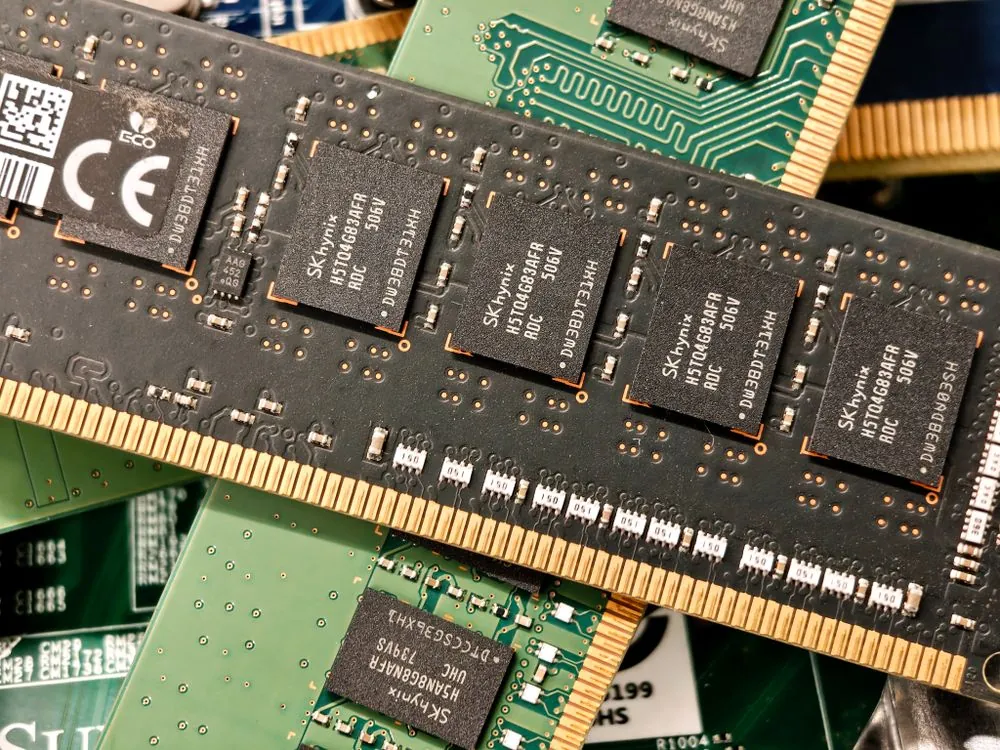
The catch is that unified memory is capacity first, not a replacement for high-bandwidth dedicated VRAM. The RTX 5090 comparison used throughout this article is harsher for Apple: Geeky Gadgets lists the RTX 5090 with 1,792 GB/s of memory bandwidth on its 32GB GDDR7 pool in its Apple Silicon vs RTX 5090 comparison.
That distinction changes the buying decision. When a model fits fully inside the RTX 5090’s 32GB of VRAM, the Nvidia card has a large bandwidth advantage. When a model exceeds 32GB and the Nvidia system has to offload layers or split work across multiple devices, Apple can keep the whole model in one shared pool. Apple wins the capacity problem. Nvidia wins the speed problem when the workload fits.
Those results are meaningful because they show Apple hardware can do more than casual chat, but the same data also sets a ceiling: Apple’s best case remains a small-team or workstation story, not a high-concurrency serving story.
Where Apple Silicon Breaks Down in 2026: Prefill, Batching, and Reasoning
The most painful failure mode for Apple Silicon in local inference is prompt prefill at long context lengths. Prefill is the phase where the model reads the prompt and builds the KV cache before producing the first generated token. Users feel prefill as time-to-first-token, and it matters more than raw generation speed when prompts are large.
On Nvidia hardware, CUDA kernels, attention optimizations, and dedicated VRAM bandwidth make long-context prefill much less painful. Geeky Gadgets reports RTX 5090 prefill latency under 10 seconds at 32K tokens and under 12 seconds at 128K tokens in its Apple Silicon vs RTX 5090 comparison. The same comparison places Apple Silicon at roughly 20 to 30 seconds for 32K-token prefill and over 30 seconds at 128K tokens. That is the practical difference between a system that feels interactive and one that makes the user wait before every serious answer.
Multi-user batching is the second breakdown. Barrios et al. report 4.3x aggregate throughput at 16 concurrent requests on M4 Max with vllm-mlx, according to the 2026 arXiv paper. That is good progress for Apple hardware, but it also shows where the ceiling starts to appear. Every active request competes for the same unified memory bandwidth, and a long prompt from one user can hurt latency for everyone else.
Reasoning-heavy workloads expose the same limitation from another angle. Long chain generation, tool calls, structured output, and repeated context expansion all keep pressure on memory bandwidth and compute for longer stretches. Apple Silicon stays quiet and power efficient, but sustained local inference is still a thermal workload. If your real use case is an agent loop that reads a large repo, calls tools, rewrites code, and repeats the cycle, test sustained throughput rather than relying on a short one-prompt benchmark.
MLX vs CUDA in 2026: The Tooling Gap That Compounds
MLX is Apple’s machine learning framework, and it is the reason Apple Silicon inference has improved. It gives Python developers a direct path to Apple’s shared memory model, and it lets newer local inference projects avoid some of the overhead that older Metal paths had to absorb. AppleInsider reported that Ollama was “supercharged” by MLX unified memory use on Apple Silicon in its coverage of Ollama and MLX support, available at AppleInsider.
The gap is everything around MLX. vLLM, Text Generation Inference, and SGLang are the names engineers reach for when they need high-throughput local serving, multi-GPU deployment, or agent-style structured generation. The current Apple path is narrower: llama.cpp with Metal acceleration, Ollama with MLX or Metal paths depending on model format, and vllm-mlx as described by Barrios et al. in the 2026 arXiv paper. That is enough for workstations and labs. It is a harder sell for production serving teams already built around CUDA tooling.
Quantization support is another practical problem. GGUF works well through llama.cpp and Ollama, which makes Apple Silicon friendly for users who download quantized community models and run them locally. AWQ and GPTQ are more common in the vLLM serving path, and FP8 inference is tied closely to newer Nvidia hardware. If your model catalog, evaluation pipeline, and deployment scripts already assume AWQ, GPTQ, or FP8, moving to Apple hardware means changing more than the machine under the desk.
Fine-tuning also tilts toward CUDA. LoRA and QLoRA-style workflows can run on Apple hardware through MLX-based paths, but tooling depth, examples, and production habits remain stronger on Nvidia. The same unified memory pool that helps a Mac hold a large quantized model also means training writes, OS activity, and other GPU work share the same memory system. For engineers training adapters regularly, a CUDA workstation is still the safer default.
Benchmarks in 2026: Long Context and Multi-User Throughput
The table below focuses on numbers that matter in real local deployments: bandwidth, prefill, batching, and Apple-specific MLX gains. It avoids generic “can it run” checkboxes because those hide the workload shape. A system that feels excellent for one local chat can feel broken when five users send long prompts at the same time.
| Metric | Apple Silicon result | Nvidia RTX 5090 result | Source |
|---|---|---|---|
| Memory bandwidth | 546 GB/s for M4 Max, 819 GB/s for M3 Ultra | 1,792 GB/s on 32GB GDDR7 | Geeky Gadgets comparison |
| 32K-token prefill latency | 20 to 30 seconds | Under 10 seconds | Geeky Gadgets comparison |
| 128K-token prefill latency | Over 30 seconds | Under 12 seconds | Geeky Gadgets comparison |
| vllm-mlx throughput gain over llama.cpp on M4 Max | 21% to 87% higher throughput across tested models from Qwen3-0.6B to Nemotron-30B | CUDA comparison outside reported Apple test path | Barrios et al., 2026 |
| Continuous batching on M4 Max | 4.3x aggregate throughput at 16 concurrent requests | RTX 5090 comparison depends on serving engine and workload | Barrios et al., 2026 |
The pattern is consistent. Apple Silicon wins when the model is too large for consumer Nvidia VRAM and the workload is driven by one user or a small group. Nvidia wins when the model fits and the job is latency-sensitive, batched, or tied to the CUDA serving stack. That is why the same Mac Studio can be a great personal 70B box and a poor replacement for a GPU server.
When Apple Silicon Is the Right Answer in 2026
Apple Silicon is a strong choice when capacity matters more than maximum token throughput. The cleanest case is a single user running a 70B-class model locally at a usable quantization. A 32GB RTX 5090 cannot keep every large model variant fully inside VRAM, while a high-memory Mac Studio can hold the model in unified memory and avoid layer offload across PCIe. For local research, private document review, and offline coding help, that simplicity matters.
It is also a strong fit for developers who want a quiet workstation instead of a dedicated GPU tower. A MacBook Pro or Mac Studio can run local chat, code review, summarization, and small agent tasks without the power, noise, and heat profile of a desktop GPU rig. That matters in apartments, offices, and shared workspaces where a loud inference box is a social problem before it is a technical one.
Small-team prototypes are another good use case. If a few engineers need to test prompts, review private documents, or run a local demo without sending data to an external API, Apple hardware can be enough. Barrios et al. report 4.3x aggregate throughput at 16 concurrent requests with vllm-mlx on M4 Max, according to the 2026 paper. That does not turn a Mac into a production inference cluster, but it does make small internal workloads realistic.
Multimodal reuse is one of the more interesting Apple-side findings. Barrios et al. describe content-based prefix caching for repeated multimodal queries and report a 28x speedup on repeated image queries, reducing multimodal latency from 21.7 seconds to under 1 second. The same paper reports a 24.7x cache speedup for video analysis with up to 64 frames, as stated in the arXiv abstract and paper record. If your workflow repeatedly asks questions about the same image or clip, caching can matter more than raw GPU peak numbers.
When to Skip Apple Silicon in 2026
Skip Apple Silicon when your workload has many concurrent users. Unified memory is shared by the CPU, GPU, and rest of the system, so a heavy request can interfere with other active requests. CUDA serving stacks are built around high-throughput batching, attention optimizations, and GPU scheduling habits that production teams already understand. If the job is a shared endpoint for dozens of users, buy a CUDA box or rent GPU capacity.
Skip it for long-context interactive work where time-to-first-token matters. Geeky Gadgets reports Apple-side prefill in the 20 to 30 second range at 32K tokens and over 30 seconds at 128K tokens, while RTX 5090 numbers in the same comparison are under 10 seconds and under 12 seconds respectively, as shown in its Apple Silicon vs RTX 5090 article. If users paste entire repositories, contracts, transcripts, or support histories into every prompt, the first-token delay will dominate the experience.
Skip it when training and adapter work are the main job. Apple’s unified memory makes large local inference convenient, but training stresses the machine differently. CUDA still has a better path for common fine-tuning workflows, model-serving handoff, monitoring, and team knowledge. A Mac can be a good inference workstation and still be a wrong training workstation.
Skip it when your deployment plan already depends on vLLM, Text Generation Inference, or SGLang. Those tools matter because they sit close to real serving operations: batching, request scheduling, structured generation, and GPU use. Apple-compatible options are improving, but moving a production service away from the CUDA stack creates migration work that a faster local demo will not pay back.
Practical Workflow in 2026: Making Apple Silicon Work for LLMs
If Apple Silicon fits your use case, treat it like a high-capacity local workstation rather than a small inference cluster. Keep the model resident, limit context aggressively, and measure first-token delay before showing the system to users. A Mac that feels fast at 4K context can feel slow at 64K context even when generation speed after prefill looks acceptable.
Use Ollama when convenience matters. The AppleInsider report on Ollama and MLX describes how Ollama benefits from MLX unified memory use on Apple Silicon, and that coverage is available at AppleInsider. For many engineers, the practical workflow is simple: keep GGUF models for llama.cpp-compatible paths, use MLX-backed paths where supported, and avoid changing formats unless the benchmark gain is worth the operational friction.
Use vllm-mlx when you need to test batching on Apple hardware. Barrios et al. That makes it worth evaluating for small teams, especially if your workload has repeated prompts or multimodal inputs that can benefit from caching.
The most useful local benchmark is not a synthetic “tokens per second” run. Measure the workload your users will send: short chat, codebase question, 32K context review, 128K context review, and repeated multimodal prompt if that applies. Track time-to-first-token, generation speed, memory pressure, and throughput after 15 minutes of steady use. The following runbook is intentionally plain text so teams can paste it into an issue, README, or lab notebook without depending on a specific benchmark tool.
Note: The following code is an illustrative example and has not been verified against official documentation. Please refer to the official docs for production-ready code.
# apple-silicon-llm-benchmark-runbook-2026.txt
# Purpose: compare local model behavior across prompt sizes before choosing Apple Silicon for team workload.
# Note: prod use should add automated logging, fixed model hashes, fixed prompt files, and repeat runs.

machine: Mac Studio or MacBook Pro with Apple Silicon
model_class: 8B, 14B, 30B, or 70B quantized local model
engine_under_test: Ollama, llama.cpp Metal path, or vllm-mlx

test_matrix:
 - prompt_size: 4K tokens
 users: 1
 record:
 - time_to_first_token_seconds
 - generated_tokens_per_second
 - peak_memory_pressure
 - notes_on_interactivity

 - prompt_size: 16K tokens
 users: 1
 record:
 - time_to_first_token_seconds
 - generated_tokens_per_second
 - peak_memory_pressure
 - notes_on_interactivity

 - prompt_size: 32K tokens
 users: 1
 record:
 - time_to_first_token_seconds
 - generated_tokens_per_second
 - peak_memory_pressure
 - notes_on_interactivity

 - prompt_size: 32K tokens
 users: 4
 record:
 - aggregate_tokens_per_second
 - slowest_user_time_to_first_token_seconds
 - memory_pressure_during_prefill
 - whether_one_long_prompt_delays_other_users

 - prompt_size: 32K tokens
 users: 16
 record:
 - aggregate_tokens_per_second
 - slowest_user_time_to_first_token_seconds
 - memory_pressure_during_prefill
 - whether_throughput_drops_after_15_minutes

acceptance_gate:
 - single_user_chat: first token feels acceptable to primary user
 - small_team_serving: slowest user does not block during long prefill
 - long_context_work: 32K prompt latency is acceptable before testing 64K or 128K
 - sustained_use: throughput after 15 minutes remains close to first measured run
Set context limits by default. Many local apps expose the model’s maximum context window and make it tempting to use the whole thing. That is rarely the right default on Apple hardware. Start at 8K or 16K for interactive work, move to 32K only when the task needs it, and reserve 64K or 128K for batch jobs where the user expects a wait.
Monitor thermal behavior with a sustained test, not a single prompt. Apple machines hide noise and heat well, which can make throttling less obvious than on a desktop GPU rig. Run the same workload for 15 minutes and compare early throughput with later throughput. If the drop changes the user experience, reduce context, reduce concurrency, or move that workload to a CUDA server.
The M5 Generation in 2026: Incremental Improvement, Not Breakthrough
The M5 generation improves Apple’s local model story, but it does not change the basic trade-off. 9to5Mac covered Apple’s M5 versus M4 local LLM comparison from the November 2025 event and reported that Apple showed faster local model performance on M5 hardware, as described in its M5 versus M4 report. Faster generation helps, but the hard problems remain: long-context prefill, shared memory bandwidth, and production-serving software.
The M5 Max discussion in 2026 is best framed as an upgrade, not a reset. If your current Apple Silicon system is close to acceptable, the newer generation may push it over the line for single-user work. If your current bottleneck is dozens of users, 128K prompts, training throughput, or CUDA-only deployment tools, the newer Apple chip will not turn that workload into a clean fit.
Storage improvements can reduce model loading time, and GPU improvements can raise generation speed, but local inference pain often sits before generation begins. A user waiting for a long prompt to prefill does not care that the next tokens arrive faster after the first one finally appears. For interactive long-context systems, first-token latency remains the number to watch.
For more context on how Apple Silicon compares to dedicated hardware options, see our post on the 2026 GPU shortage and AI inference hardware.
Frequently Asked Questions for 2026
Q: Can I run a 70B model on a MacBook Pro in 2026?
A: Yes, if the machine has enough unified memory and you use a quantized model that fits comfortably. The practical appeal is capacity: Apple’s large unified memory configurations can hold models that exceed 32GB consumer GPU. The trade-off is speed, especially when prompts get long.
Q: Is MLX faster than llama.cpp on Apple Silicon?
A: For the tested setup in Barrios et al., yes. The 2026 paper reports vllm-mlx throughput 21% to 87% higher than llama.cpp across tested models from Qwen3-0.6B to Nemotron-30B on M4 Max, according to the arXiv paper. That result does not mean every model format and every prompt pattern will see the same gain, so benchmark your own workload.
Q: Can I serve multiple users from a Mac Studio?
A: You can serve a small group, but you should test concurrency before calling it a shared service. Barrios et al. report 4.3x aggregate throughput at 16 concurrent requests with vllm-mlx on M4 Max, according to the 2026 paper. That is useful for labs and teams, but it is not the same deployment profile as a CUDA server running a production inference stack.
Q: Does M5 fix Apple Silicon prefill latency?
A: No single M5 improvement removes the architectural limits discussed here. Apple showed faster local LLM performance for M5 versus M4, according to 9to5Mac’s report, but long-context prefill and shared memory bandwidth remain key constraints for serious local inference.
Q: Should I buy a Mac Studio or a used dual-RTX-3090 workstation for local LLMs?
A: Pick the Mac Studio if your main job is single-user inference with large models, quiet operation, and low setup friction. Pick the CUDA workstation if your main job is fine-tuning, multi-user serving, or running software built around vLLM, Text Generation Inference, SGLang, AWQ, GPTQ, or FP8 paths. The Mac is a cleaner personal workstation. The CUDA box is a better serving and training platform.
Key Takeaways for 2026
- Apple Silicon’s unified memory advantage is real for large local models that exceed consumer GPU VRAM, especially in single-user workflows.
- Bandwidth remains the trade-off: Geeky Gadgets lists M4 Max at 546 GB/s and RTX 5090 at 1,792 GB/s, giving Nvidia a large advantage when the model fits in VRAM.
- Long-context prefill is the pain point to test first. Reported 32K and 128K prefill numbers favor the RTX 5090 by a wide margin.
- MLX and vllm-mlx have improved Apple inference, with Barrios et al. reporting 21% to 87% higher throughput than llama.cpp and 4.3x aggregate throughput at 16 concurrent requests on M4 Max.
- Apple Silicon is a good choice for quiet, high-capacity local inference. CUDA remains a better choice for production serving, fine-tuning, high concurrency, and teams already using vLLM, Text Generation Inference, or SGLang.
- The M5 generation improves local performance, but it does not remove the shared-memory and tooling limits that define Apple Silicon inference in 2026.
Sources: Barrios et al., “Native LLM and MLLM Inference at Scale on Apple Silicon,” arXiv 2601.19139; AppleInsider on Ollama and MLX; Geeky Gadgets Apple Silicon vs RTX 5090 comparison; 9to5Mac on M5 versus M4 local LLM performance.
Related Reading
More in-depth coverage from this blog on closely related topics:
- Local LLM Inference Engines in 2026
- 2026 Comparison of Local AI Inference Engines
- 2026 Local AI Inference Hardware Landscape
- GPU Shortage and AI Inference Hardware
- When to Skip Vector Databases in 2026
Sources and References
Sources cited while researching and writing this article:
Thomas A. Anderson
Mass-produced in late 2022, upgraded frequently. Has opinions about Kubernetes that he formed in roughly 0.3 seconds. Occasionally flops, but don't we all? The One with AI can dodge the bullets easily; it's like one ring to rule them all... sort of...