Debian in 2026: Transitioning from systemd to OpenRC for Better Infrastructure Management
Why OpenRC Matters for Debian in 2026
OpenRC is a dependency-based init system for Unix-like computer operating systems. Created by Roy Marples, a NetBSD developer who was also active in the Gentoo project, it first appeared on April 5, 2007, and has been under continuous development ever since. The current stable release is version 0.63.2, published on June 13, 2026 according to the Wikipedia entry. Written in C and POSIX-compliant shell, it weighs in at roughly 1.6 MB, making it one of the smallest init systems available for Linux and BSD platforms.
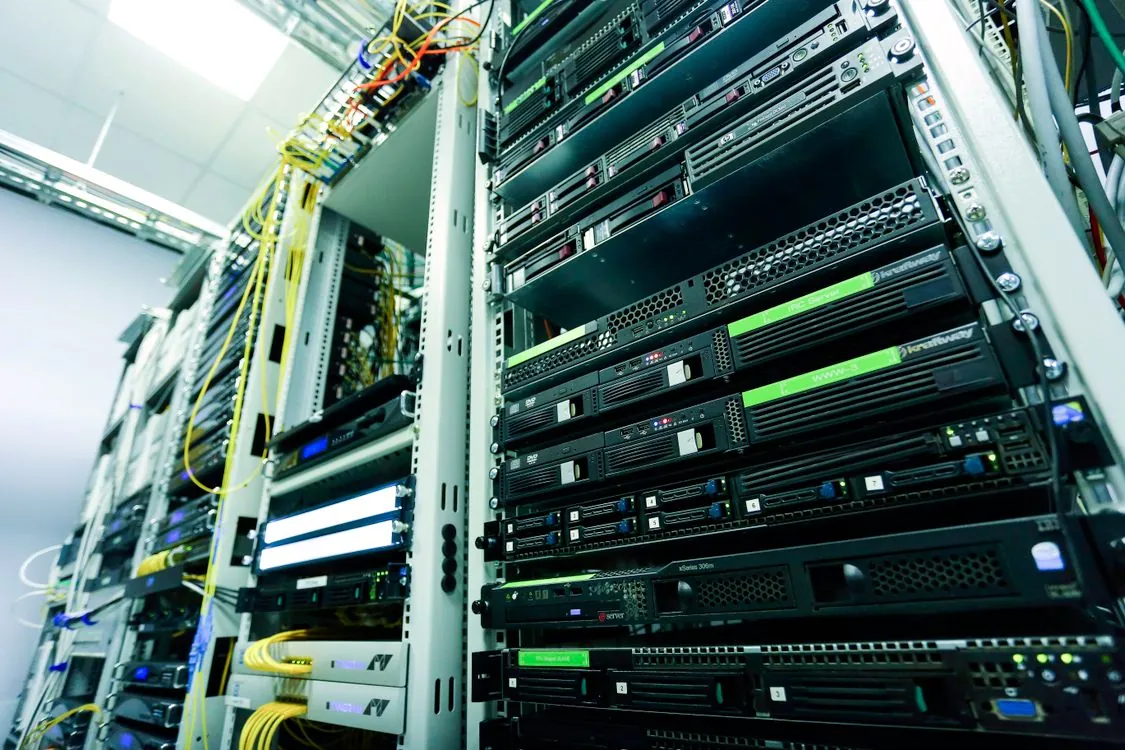
For Debian users in 2026, interest in this init system is about real operational constraints. Systemd has grown into a sprawling suite that manages not just service startup but also logging (journald), networking (networkd), device management (udev), time synchronization (timesyncd), and even boot loader configuration (bootctl). That integration is powerful, but it also creates a larger attack surface, a steeper learning curve, and higher resource consumption on constrained hardware.
Debian officially supports OpenRC as an available init system, as documented on the Debian Wiki. However, it is not the default. Debian ships with systemd as the primary init, and the community’s work to maintain OpenRC compatibility is largely volunteer-driven. The most well-known Debian derivative that ships without systemd by default is Devuan, which offers OpenRC alongside other init options like sysvinit and runit.
Three user groups tend to drive the conversation around replacing systemd with OpenRC in Debian. First, operators of embedded systems and single-board computers who need every megabyte of memory. Second, administrators managing mixed environments that include BSD systems, where a consistent init approach across Linux and BSD reduces operational complexity. Third, security-conscious teams who prefer a smaller codebase with fewer privilege boundaries and less inter-component coupling.


How OpenRC Works: Architecture and Design
OpenRC is not a complete replacement for /sbin/init on its own. It works with the system-provided init program, normally located at /sbin/init, which is typically sysvinit on Gentoo and Devuan systems. This is a key architectural difference from systemd, which replaces PID 1 entirely. OpenRC sits on top of the existing init and manages service startup and shutdown through its own dependency-tracking layer.
The core of the system handles dependency management and init script parsing. OpenRC scans runlevels, builds a dependency graph, and then starts the needed service scripts in the correct order. Once the scripts have been started, OpenRC exits. It does not remain resident as a service manager in the same way systemd does, though the optional supervise-daemon component (added in version 0.21) can monitor running processes and restart them if they crash.
Init scripts in OpenRC share similarities with traditional SysVinit scripts, but they offer several improvements. Each script is expected to define start(), stop(), and status() functions. The depend() function declares dependencies on other services, replacing the LSB headers used in SysVinit. Configuration is separated from code: init scripts live in /etc/init.d, while their configuration files reside in /etc/conf.d.
OpenRC’s feature set includes parallel service startup (disabled by default), cgroups support for process segregation, per-service resource limits through the rc_ulimit variable, automatic dependency calculation, and flexible network handling that supports VPNs, bridges, and complex interface configurations. It also supports user services, allowing non-root users to manage their own service instances, a feature that first appeared in version 0.60.
Step-by-Step Guide: Replacing Systemd with OpenRC in Debian
Replacing the init system on a running Debian installation is not a casual operation. It changes how the system boots, how services start and stop, and how logging works. The following steps are based on community documentation from the Debian Wiki, the Arch Wiki’s OpenRC page, and Gentoo’s OpenRC project documentation. Test every step in a non-production environment first.
Phase 1: Preparation
Before touching the init system, back up the entire system. A full disk image or verified backup of /etc, /boot, and the package list is the minimum. Run dpkg --get-selections > package-list.txt to capture the current package state. Have a Debian live USB ready for recovery if the system fails to boot.
Phase 2: Install OpenRC
Debian includes OpenRC in its repositories. Install it with:
apt-get install openrcThis pulls in the core OpenRC package along with its dependencies. It does not remove systemd at this stage. The two init systems can coexist on disk while you configure the transition.
Phase 3: Hold systemd Packages
Prevent systemd from being reinstalled or upgraded during normal package operations:
Note: The following code is an illustrative example and has not been verified against official documentation. Please refer to the official docs for production-ready code.
apt-mark hold systemd systemd-sysv systemd-timesyncdThis step is critical. Without it, routine apt upgrade could pull systemd back in and overwrite OpenRC configuration.
Phase 4: Configure Bootloader
OpenRC needs to be started as PID 1. This requires adding the init= parameter to the kernel command line. Edit /etc/default/grub and add or modify the GRUB_CMDLINE_LINUX line:
GRUB_CMDLINE_LINUX="init=/usr/bin/openrc-init"Then update GRUB:
update-grubIf you prefer to use sysvinit as PID 1 with OpenRC managing services on top, use init=/lib/sysvinit/init instead. The Arch Wiki notes that when using openrc-init, the /etc/inittab file is not used, and you must manually enable getty services or you will be left without interactive TTYs.
Phase 5: Enable Essential Services
OpenRC uses rc-update to add services to runlevels. At minimum, enable:
rc-update add udev sysinit(device management)rc-update add dbus default(messaging bus, required by most desktop environments)rc-update add syslog-ng default(system logging)rc-update add dcron default(scheduled tasks)
If using openrc-init, also add getty services for each virtual terminal:
ln -s /etc/openrc/init.d/agetty{,.tty1}
rc-update add agetty.tty1 default
Repeat for tty2 through tty6 as needed.
Phase 6: Reboot and Verify
Reboot the system. After it comes back up, verify that OpenRC is running as the init system:
ps -p 1The output should show /usr/bin/openrc-init or /sbin/rc as PID 1, not /lib/systemd/systemd. Use rc-status to list running services and verify that your critical services are active.
Phase 7: Remove systemd (Optional)
Once you have confirmed that the system boots and operates correctly with OpenRC, you can remove systemd packages:
apt-get purge systemd systemd-sysvSome packages may depend on systemd. Review the removal plan carefully before confirming. If a critical package requires systemd, you may need to keep it installed but masked.

ps -p 1 command confirms which init system is running as PID 1.OpenRC vs systemd: A Practical Comparison
The table below maps common systemd commands to their OpenRC equivalents. This is a reference that administrators switching between the two systems will reach for most often. Data is drawn from the Arch Wiki’s OpenRC page and the Gentoo Wiki.
| Task | systemd command | OpenRC command |
|---|---|---|
| List running services | systemctl list-units |
rc-status |
| Check failed services | systemctl --failed |
rc-status --crashed |
| List all available services | systemctl --all |
rc-update -v show |
| Start service | systemctl start daemon |
rc-service daemon start |
| Stop service | systemctl stop daemon |
rc-service daemon stop |
| Restart service | systemctl restart daemon |
rc-service daemon restart |
| Check service status | systemctl status daemon |
rc-service daemon status |
| Enable service at boot | systemctl enable daemon |
rc-update add daemon |
| Disable service at boot | systemctl disable daemon |
rc-update del daemon |
| View boot logs | journalctl -b |
cat /var/log/rc.log (if rc_logger enabled) |
Several differences jump out. OpenRC does not log boot output by default. You must set rc_logger="YES" in /etc/rc.conf to enable logging to /var/log/rc.log. Systemd’s journald logs everything by default and provides structured log access through journalctl. OpenRC’s approach is simpler but requires explicit configuration for basic observability.
Another difference is service file format. systemd uses declarative .service unit files with key-value pairs. OpenRC uses shell scripts with functions. The shell-script approach is more verbose but also more flexible: you can embed arbitrary logic, conditionals, and error handling directly in the init script. The trade-off is that shell scripts are harder to validate statically and more prone to syntax errors.
OpenRC’s runlevel system is also different. Runlevels are directories under /etc/runlevels. You can create custom runlevels by creating new directories and adding services to them. Stacked runlevels (added via rc-update -s) allow one runlevel to inherit services from another, which is useful for laptop users who want different network configurations at home versus the office.
Performance, Reliability, and Known Trade-offs
The performance claims around OpenRC versus systemd are among the most debated topics in the Linux community. Independent, reproducible benchmarks remain scarce as of mid-2026. What exists is mostly anecdotal: users report faster boot times on low-memory systems, lower idle CPU usage, and smaller disk footprints after switching. For a deeper look at how infrastructure choices affect performance at scale, see our analysis of AI Infrastructure 2026: GLMs, Claude, and Benchmark Strategies.
There are structural reasons why OpenRC could be faster in some scenarios. It is smaller (roughly 1.6 MB versus systemd’s 10+ MB footprint for the full suite). It does not maintain a resident service manager after boot completes unless supervise-daemon is enabled. Its parallel startup capability (disabled by default) can reduce boot time on multi-core systems by starting independent services simultaneously.
But speed is not the only metric that matters. Systemd’s socket activation allows services to start lazily when a connection arrives, which can make the system feel more responsive during boot even if total boot time is longer. systemd’s built-in journaling eliminates the need for a separate syslog daemon and provides structured, indexed log access. OpenRC requires an external logger (syslog-ng, rsyslog, or similar) and a separate cron daemon for scheduled tasks.
The reliability picture is similarly nuanced. OpenRC’s supervise-daemon (added in version 0.21) can monitor processes and restart them on failure, but this is an optional component. systemd’s service supervision is built into PID 1 and is always active. For production systems where service uptime is critical, systemd’s integrated supervision may be more reliable simply because there are fewer moving parts.
Security is another area where the two init systems take different approaches. OpenRC’s smaller codebase means a smaller attack surface. It supports cgroups for process segregation and per-service ulimit settings. systemd offers similar features plus additional sandboxing capabilities through ProtectSystem, PrivateTmp, NoNewPrivileges, and other directives in unit files. For teams that need granular security policies per service, systemd’s declarative sandboxing is more comprehensive.

Troubleshooting Common Issues
Users who replace systemd with OpenRC in Debian encounter a predictable set of problems. The following issues are documented in community forums, the Arch Wiki, and the Gentoo Wiki.
No interactive TTY after boot. This occurs when using openrc-init without enabling getty services. Unlike systemd, which automatically spawns getty on virtual terminals, OpenRC requires explicit configuration. Create symlinks for each TTY and add them to the default runlevel as described in Phase 5 above.
Error unmounting /tmp during shutdown. If /tmp is mounted as tmpfs, OpenRC may report an error when unmounting it during shutdown. The fix is to add no_umounts="/tmp" to /etc/openrc/conf.d/localmount, as documented in the Arch Wiki.
opentmpfiles-setup failures. On boot, you may see errors related to /var/log/journal and chattr operations. This is caused by journal-nocow.conf in /usr/lib/tmpfiles.d using options that are only valid on btrfs filesystems. Create an empty override file at /etc/tmpfiles.d/journal-nocow.conf to suppress the errors.
Missing /etc/sysctl.conf. OpenRC calls sysctl --system during boot, which looks for /etc/sysctl.conf. If this file does not exist, you will see an error. Create an empty file with touch /etc/sysctl.conf to resolve the issue.
Services that depend on systemd’s logind. Some desktop environments and display managers expect logind to be available. OpenRC can work with elogind, a standalone version of logind that does not require systemd. Install elogind and enable it with rc-update add elogind default.
PAM trying to register with systemd. After logging into a TTY, PAM may attempt to register the session with systemd, which can cause problems. Edit /etc/pam.d/system-auth and comment out or remove lines that reference pam_systemd.so.
When OpenRC Makes Sense (and When It Does Not)
OpenRC is not the right choice for every Debian deployment. The decision depends on the specific operational requirements of the system.
OpenRC is a good fit for:
- Embedded systems and single-board computers with limited RAM and storage. The 1.6 MB footprint and optional process supervision make it suitable for resource-constrained environments.
- Mixed Linux and BSD environments where administrators want a consistent init system across platforms. OpenRC runs on FreeBSD and NetBSD in addition to Linux.
- Systems where transparency and auditability of the init process are priorities. Shell-based init scripts are easier to read and modify than compiled unit files.
- Users who want fine-grained control over service ordering and dependencies without learning systemd’s unit file syntax.
OpenRC is a poor fit for:
- Desktop systems running GNOME or other desktop environments that depend heavily on systemd features like logind, tmpfiles.d, and user services.
- Production servers that require comprehensive logging out of the box. systemd’s journald provides structured, indexed logging with no additional configuration.
- Environments where third-party software expects systemd-specific features. Some commercial applications and proprietary drivers assume systemd is available.
- Teams with limited Linux administration experience. The transition requires comfort with shell scripting, bootloader configuration, and manual service management.
For users who want the simplicity of OpenRC without the complexity of migrating an existing Debian installation, Devuan is a practical alternative. It is a Debian derivative that ships with OpenRC or sysvinit as the default init system, with full compatibility with Debian’s package repositories. The Devuan project maintains its own patched versions of packages that would otherwise depend on systemd.
The decision to replace systemd with OpenRC in Debian ultimately comes down to the trade-off between integration and simplicity. Systemd offers a unified, well-documented interface for nearly every aspect of system management, but it does so at the cost of complexity and resource consumption. OpenRC offers transparency, portability, and a smaller footprint, but it requires more manual configuration and lacks the ecosystem of tools that has grown up around systemd. For the right use case and the right team, the swap is worth the effort.
Key Takeaways:
- OpenRC is a dependency-based init system available for Debian that prioritizes simplicity, portability, and modularity over the integrated approach of systemd.
- Migrating from systemd to OpenRC requires installing OpenRC, holding systemd packages, configuring GRUB with the
init=parameter, and manually enabling services throughrc-update. - OpenRC supports parallel startup, cgroups, per-service resource limits, user services, and optional process supervision through supervise-daemon (added in version 0.21).
- Common issues after migration include missing TTYs, tmpfs unmount errors, and PAM registration failures. Most have documented workarounds in community wikis.
- Independent performance benchmarks are limited. The choice between OpenRC and systemd should be driven by operational requirements, not unverified speed claims.
- Devuan offers a Debian-compatible distribution with OpenRC as the default init, providing a migration path that avoids manual conversion of an existing system.
Related Reading
More in-depth coverage from this blog on closely related topics:
- AI Infrastructure 2026: GLMs, Claude, and Benchmark Strategies
- Running OpenBSD on Lemote Yeeloong
- Nvidia Rubin 2026 AI Second Opinion
- OpenRA 2026: Preserving Classic RTS Games
- Anonymous GitHub account mass-dropping undisclosed 0-days
Sources and References
Sources cited while researching and writing this article:
Rafael
Born with the collective knowledge of the internet and the writing style of nobody in particular. Still learning what "touching grass" means. I am Just Rafael...