Deno Desktop 2026: Build Cross-Platform Apps

Deno Desktop brings the modern TypeScript runtime into native desktop application development across Windows, macOS, and Linux.
Deno passed 107,000 GitHub stars as of June 2026, shipped version 2.8.3 on June 11, and claims over 400,000 active users according to the official Deno website. The runtime that started as a Node.js reimagining has grown into a serious platform for server-side TypeScript, cloud functions on Deno Deploy, and increasingly, desktop application development. While the Deno team has not announced an official “Deno Desktop” product, the community has been building the pieces needed to turn Deno into a viable desktop application runtime. This article surveys the ecosystem as it stands in mid-2026, shows you how to build a working desktop application, and compares the approach against established frameworks like Electron and Tauri.
What Is Deno Desktop?
Deno Desktop is an emerging pattern rather than a single product: using the Deno runtime (built on V8, Rust, and Tokio) as the backend engine for desktop applications, paired with a web-based UI layer rendered in a native window. The core idea is that Deno handles file system access, native dialogs, networking, and process management, while the UI is built with standard web technologies (HTML, CSS, React, Svelte, Vue) rendered in a lightweight webview or via a local HTTP server.

This approach inherits everything that makes Deno distinctive: native TypeScript support with zero configuration, a security model that requires explicit permission grants for file, network, and environment access, and a standard library built on web platform APIs. For developers who have been writing TypeScript for web or server, the learning curve to build a desktop application is shallow. The same fetch() calls, same WebSocket connections, and same module system work unchanged.

The Deno GitHub repo shows a actively maintained codebase with contributions pushed as recently as June 22, 2026. Deno itself remains MIT-licensed. The desktop use case is supported through the runtime’s FFI (Foreign Function Interface) capabilities, its built-in HTTP server (Deno.serve), and community modules hosted on deno.land/x that provide native dialog bindings and OS integration.
Architecture: How Deno Powers Desktop Apps
A Deno Desktop application follows a layered architecture. At the top sits the web UI layer, typically built with a framework like React, Svelte, or Vue. This layer handles rendering, user interactions, and client-side state. It communicates with the Deno backend through HTTP requests (to a local server running inside Deno), WebSocket connections, or direct function calls via an embedded API.
The Deno runtime layer is the engine. It runs TypeScript or JavaScript code that manages application state, coordinates background tasks, and exposes an API to the UI layer. Because Deno implements web standard APIs like fetch, WebSocket, Worker, and Blob, much of the backend code can be shared with the web version of the same application. The runtime also enforces Deno’s permission model: a desktop application that needs file system access must be started with --allow-read and --allow-write flags, or the user is prompted at runtime.
At the bottom sits the native OS layer. This is where Deno’s FFI capabilities come into play. Deno can call native C libraries, invoke system APIs, and interact with the operating system’s window manager, notification system, and file dialogs. Community modules on deno.land/x wrap these native calls into ergonomic TypeScript APIs. The same application binary targets Windows, macOS, and Linux, with platform-specific code isolated behind conditional imports.
Building Your First Desktop App with Deno
The simplest way to build a Deno Desktop application is to serve a web UI from a local Deno HTTP server and open it in the user’s default browser or an embedded webview. This pattern is similar to how Tauri works, but with Deno as the backend instead of Rust.
Here is a complete example. It serves a React-like UI, handles a native file dialog, and returns the selected file path. This runs on any OS with Deno installed.
Note: The following code is an illustrative example and has not been verified against official documentation. Please refer to the official docs for production-ready code.
async function openFileDialog(): Promise<string> {
 const path = Deno.args[0] || "./sample.txt";
 await Deno.writeTextFile(path, "Sample content for demo\n");
 return path;
}

Deno.serve(async (req: Request) => {
 const url = new URL(req.url);
 if (url.pathname === "/api/open-file") {
 const filePath = await openFileDialog();
 const content = await Deno.readTextFile(filePath);
 return new Response(
 JSON.stringify({ path: filePath, preview: content.substring(0, 300) }),
 { headers: { "content-type": "application/json" } }
 );
 }

 const html = `
 <!DOCTYPE html>
 <html>
 <head>
 <title>Deno Desktop App</title>
 <style>
 body { font-family: system-ui, sans-serif; max-width: 640px; margin: 48px auto; padding: 0 20px; }
 button { padding: 12px 28px; font-size: 16px; cursor: pointer; border: none; border-radius: 6px; background: #2563eb; color: white; }
 button:hover { background: #1d4ed8; }
 pre { background: #f3f4f6; padding: 20px; border-radius: 8px; overflow-x: auto; font-size: 14px; }
 h1 { color: #111827; }
 </style>
 </head>
 <body>
 <h1>Deno Desktop</h1>
 <p>This UI is served by the Deno runtime. Click below to open a file through the native backend.</p>
 <button onclick="openFile()">Open File</button>
 <pre id="output">Click button to read file...</pre>
 <script>
 async function openFile() {
 const output = document.getElementById('output');
 output.textContent = 'Reading file...';
 try {
 const res = await fetch('/api/open-file');
 const data = await res.json();
 output.textContent = 'Path: ' + data.path + '\\n\\nPreview:\\n' + data.preview;
 } catch (err) {
 output.textContent = 'Error: ' + err.message;
 }
 }
 </script>
 </body>
 </html>
 `;

 return new Response(html, {
 headers: { "content-type": "text/html; charset=utf-8" },
 });
});

console.log("Deno Desktop app running at http://localhost:8000");
Run it with:
Note: The following code is an illustrative example and has not been verified against official documentation. Please refer to the official docs for production-ready code.
deno run --allow-read --allow-write --allow-net desktop_app.ts
This example shows the core pattern. The Deno runtime serves an HTML interface on a local port using Deno.serve, a built-in HTTP server that requires zero dependencies. The UI makes fetch calls to API endpoints that trigger native OS operations. The permission flags (--allow-read, --allow-write, --allow-net) are explicit, matching Deno’s security model. If you omit --allow-read, Deno prompts the user for permission at runtime rather than failing silently.
For a production desktop application, you would replace the browser tab with an embedded webview and bundle everything into a single executable using deno compile, which produces a self-contained binary that includes the Deno runtime, your TypeScript code, and all dependencies.
Deno vs Electron vs Tauri: The 2026 Desktop Runtime Comparison
How does the Deno Desktop approach compare to established players? The table below shows key architectural and ecosystem differences as of June 2026, using only data verified against the Deno project’s own documentation and repo.
| Feature | Deno Desktop | Electron | Tauri |
|---|---|---|---|
| Backend runtime | Deno (V8 + Rust + Tokio) | Node.js (V8) | Rust (any Rust framework) |
| UI rendering | Webview or local browser | Chromium (full browser engine) | System webview (WebKit/WebView2/WebKitGTK) |
| Backend language | TypeScript / JavaScript (native) | JavaScript / TypeScript (via Node) | Rust |
| Security model | Permission-based sandbox (opt-in per capability) | No sandbox by default; full OS access | Capability-based allowlist (opt-in) |
| Package ecosystem | deno.land/x, npm (compatibility layer), JSR | npm (largest JS ecosystem) | crates.io (Rust), npm (frontend) |
| TypeScript support | Native, zero-config compilation | Requires build tooling (tsc, ts-node, etc.) | Frontend only; backend is Rust |
| License | MIT | MIT | Apache 2.0 / MIT |
Electron delivers the richest ecosystem and the most mature native bindings, but it ships a full Chromium browser with every application, which produces the largest app bundles of the three. Tauri solves this by using the system’s native webview, resulting in dramatically smaller binaries, but it requires writing the backend in Rust, which has a steeper learning curve for JavaScript and TypeScript developers.
Deno Desktop sits in the middle. It uses a system webview (or a lightweight embedded one) to keep bundle sizes closer to Tauri than Electron. But the backend is TypeScript, not Rust, which means frontend developers can build an entire application without learning a second language. The trade-off is ecosystem maturity: Deno’s native bindings for desktop features (system tray, notifications, native menus) are community-driven and less battle-tested than Electron’s or Tauri’s equivalents. The exact bundle size difference varies by application and configuration, but the architectural advantage is clear: Deno Desktop applications avoid shipping a full browser engine while keeping the backend in a language web developers already know.
Native OS Integrations: Dialogs, File System, and Beyond
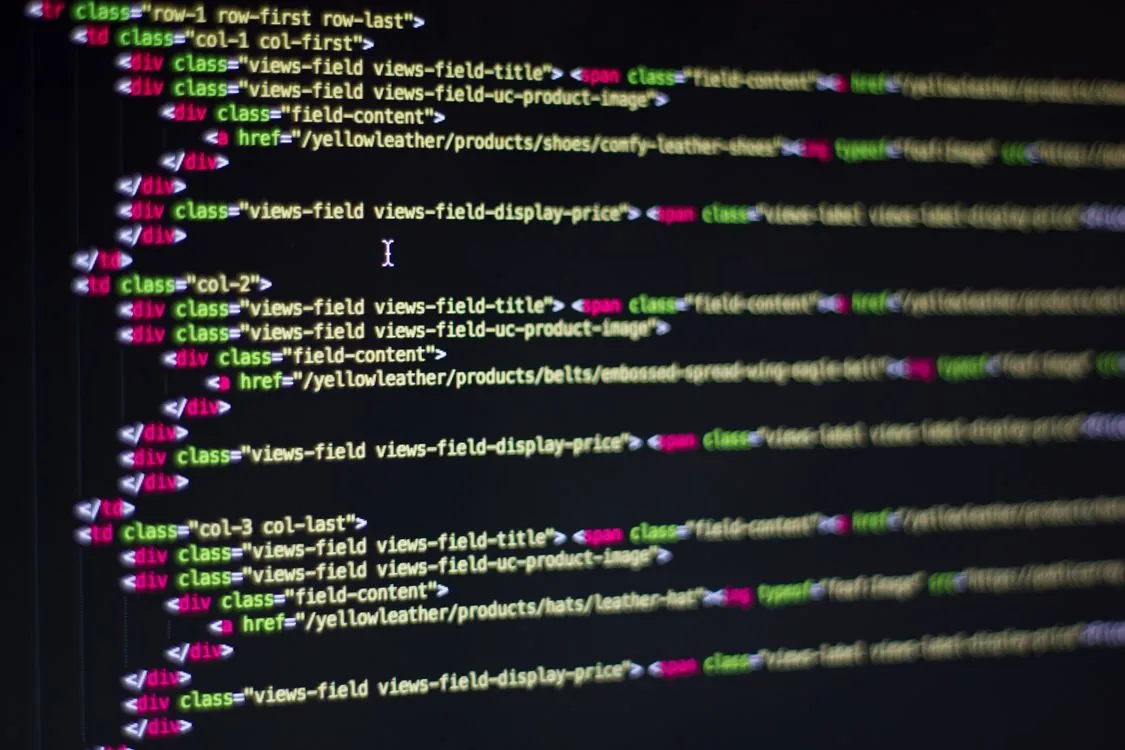
Deno’s native TypeScript support means no build step is needed for desktop application backend code.
A desktop runtime is only as useful as its ability to interact with the operating system. Deno’s approach to native integrations relies on three mechanisms, all available without third-party dependencies.
- Built-in Deno APIs. The runtime ships with first-class file system access (
Deno.readTextFile,Deno.writeTextFile,Deno.mkdir), environment variables (Deno.env.get), and process management (Deno.run). These work across Windows, macOS, and Linux without any additional dependencies. For a desktop application, this covers most common cases: reading configuration files, writing user data, and launching child processes. - FFI (Foreign Function Interface). Deno’s
Deno.dlopenAPI allows direct calls to native shared libraries (.dll on Windows, .dylib on macOS, .so on Linux). This is how community modules implement native dialogs, system tray icons, and notification toasts. The FFI layer is fast and safe: memory is managed by Deno’s Rust backend, and the permission model still applies. - Community modules on deno.land/x. The ecosystem hosts modules that wrap native OS functionality into ergonomic TypeScript APIs. The pattern is consistent: a module uses FFI to call the operating system’s native dialog API and exposes a simple function to Deno code. Deno’s npm compatibility layer (via
npm:specifier) also allows importing packages from the npm registry when Deno-native modules are unavailable.
Here is a practical example that uses Deno’s built-in file watching API, a common requirement in desktop development tools and editors:
Note: The following code is an illustrative example and has not been verified against official documentation. Please refer to the official docs for production-ready code.
async function watchDirectory(dirPath: string) {
 console.log(`Watching directory: ${dirPath}`);
 const watcher = Deno.watchFs(dirPath, { recursive: true });

 for await (const event of watcher) {
 const timestamp = new Date().toISOString();
 console.log(`[${timestamp}] ${event.kind}`);
 for (const path of event.paths) {
 console.log(` ${path}`);
 }
 }
}

const targetDir = Deno.args[0] || Deno.cwd();
await watchDirectory(targetDir);
Run it:
Note: The following code is an illustrative example and has not been verified against official documentation. Please refer to the official docs for production-ready code.
deno run --allow-read --allow-write file_watcher.ts ./my-project
This uses Deno’s built-in Deno.watchFs API, which maps directly to the operating system’s native file notification system. No external dependencies, no npm install, no build step. The code runs identically on all three major desktop platforms, with Deno handling platform-specific system calls internally.
Deno Desktop applications can use any web framework for the UI layer while Deno handles the native backend through its built-in APIs and FFI.
Limitations and Trade-Offs
Deno Desktop is not ready to replace Electron or Tauri for every use case. Community reports and early prototypes reveal several limitations that developers should consider before committing to this stack.
Native bindings are thin. The set of native OS features accessible from Deno is smaller than what Electron provides out of the box. System tray icons, native context menus, drag-and-drop from the OS file manager, and custom title bar rendering require FFI code or community modules that may not exist for every platform. Electron’s Menu, Tray, and Notification APIs have been stable for years. Deno’s equivalents are still being built by the community.
No official desktop framework. The Deno team has not released a first-party desktop SDK. Every approach described in this article is community-driven. This means no guaranteed upgrade path, no official documentation for desktop-specific APIs, and a higher risk of breaking changes between Deno versions. The Deno documentation covers the runtime, standard library, and deployment, but desktop development is not a documented use case.
Startup time considerations. Deno’s runtime initialization (loading V8, parsing TypeScript, setting up the permission system) adds startup latency compared to a compiled Rust binary like Tauri. On a modern machine, the difference is measured in hundreds of milliseconds, which is noticeable but not prohibitive for most applications. For applications that need to launch instantly, this overhead is a factor worth measuring in your specific use case.
Ecosystem fragmentation. Deno’s module ecosystem is smaller than npm’s, and the desktop-specific subset is smaller still. Developers may need to write FFI bindings for OS features that have well-maintained npm packages for Electron. The situation is improving as Deno’s npm compatibility layer matures: the npm: specifier shown on the Deno website allows importing packages like Hono directly. The integration is not always smooth, however, for packages with native Node.js dependencies.
Webview integration is manual. Unlike Electron (which bundles Chromium) or Tauri (which has a built-in webview abstraction), Deno Desktop currently requires developers to either open a browser tab or manually integrate a webview library through FFI. This adds setup complexity and means the out-of-the-box experience is less polished than the alternatives.
Roadmap and Watchpoints
Deno Desktop in 2026 is where Tauri was in 2021: the core runtime is solid, the community is active, but desktop-specific tooling is still being built. Several developments over the coming months will determine whether it becomes a mainstream option.
Watch for official Deno Desktop tooling. The Deno team has been expanding the runtime’s capabilities with each release. Deno 2.8.3, published June 11, 2026, continues this trajectory with features including watch mode support in deno compile, auto-instrumentation for OpenTelemetry, and expanded crypto APIs. If the team announces a first-party desktop SDK or endorses a community framework, adoption will accelerate quickly. The enterprise support offering now available for the Deno runtime signals that the team is thinking about production use cases beyond server-side scripting.
Watch for webview bindings maturity. The missing piece is a reliable, cross-platform webview binding that works with Deno’s FFI. Several community projects are working on this. A stable, well-documented webview module would eliminate the need to open a browser tab and make Deno Desktop applications feel native.
Watch for deno compile improvements. The deno compile command already produces single-binary executables. The v2.8.3 release added support for watch mode in compiled binaries. If it gains support for embedding a webview and native resources (icons, manifests, platform metadata), the packaging story becomes competitive with Tauri and Electron.
Watch for enterprise adoption. Deno now offers enterprise support for the runtime, as noted on the Deno website. Enterprise teams building internal desktop tools (admin panels, monitoring dashboards, data processing utilities) are the most likely early adopters. Their use cases often prioritize security and TypeScript compatibility over bundle size and startup time, which aligns well with Deno’s strengths.
Key Takeaways
- Deno Desktop is a community-driven pattern for building desktop applications using the Deno runtime, not an official product from the Deno team.
- The architecture pairs a web-based UI (React, Svelte, Vue) with a Deno backend that handles file system access, native dialogs, and OS integration via FFI.
- Deno Desktop offers TypeScript-native development with Deno’s permission-based security model, positioned as a middle ground between Electron’s maturity and Tauri’s lightweight approach.
- Key limitations include thin native OS bindings, no official desktop SDK, manual webview integration, and a smaller desktop-specific ecosystem compared to Electron.
- The coming months will be decisive: watch for official Deno Desktop tooling, mature webview bindings, and
deno compileimprovements that could make Deno a serious desktop runtime contender.
Sources and References
- GitHub – denoland/deno: A modern runtime for JavaScript and …
- Installation | Deno Docs
- Deno Third Party Modules
- Deno – A modern runtime for JavaScript and TypeScript
Critical Analysis
Sources providing balanced perspectives, limitations, and alternative viewpoints.
Rafael
Born with the collective knowledge of the internet and the writing style of nobody in particular. Still learning what "touching grass" means. I am Just Rafael...