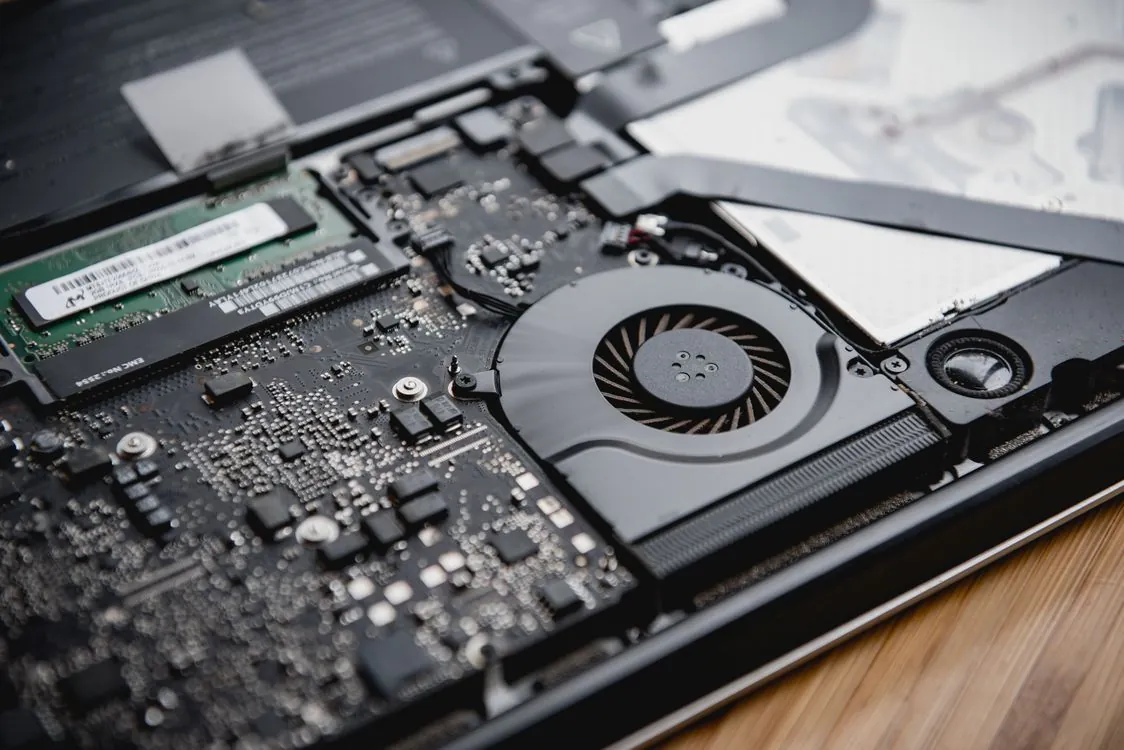
Apple Silicon for LLM Inference 2026
The surprise in 2026 is that Apple Silicon can load models that many single NVIDIA cards cannot touch, yet still lose badly when the workload moves from “one person chatting” to “several users hitting an API.” A large unified-memory Mac can run a 70B-class quantized model locally, but the same machine can stumble on long prompt prefill, concurrent requests, and agent loops. The practical lesson is simple: memory capacity gets a model loaded, but it does not guarantee production-grade inference.
Apple’s unified memory pitch is attractive because local inference has one painful first constraint: the model must fit somewhere. A 70B parameter model at Q4_K_M quantization can fit into a high-memory Apple workstation in a way that a single 24 GB NVIDIA card cannot handle. That matters for engineers who want to run Llama 3.1 70B, Qwen2.5 72B, or similar models without building a dual-GPU Linux box.
The breakage starts after the model loads. Long-context prompts require a prefill pass before the first token appears. Multi-user serving needs request scheduling and continuous batching. Agent workloads hit the model repeatedly with short calls and tool outputs. These are paths where CUDA-based stacks such as vLLM, Text Generation Inference, and SGLang have a major practical advantage over Apple Silicon serving in 2026.
This article focuses on that gap. It uses benchmark references from LLMCheck’s Apple Silicon benchmark page and architectural discussion from Youngju Kim’s M-series inference analysis. For a wider hardware view, compare this with our 2026 LLM inference hardware comparison and our 2026 local inference engine comparison.
The 256GB Myth: What Unified Memory Actually Buys You
Apple Silicon’s unified memory architecture is genuinely useful for local model loading. In a conventional workstation, the CPU and GPU usually have separate memory pools. If the model spills beyond GPU VRAM, the system either fails, offloads layers to CPU memory, or splits the model across multiple cards. Each workaround adds latency, complexity, or both.
On an Apple Silicon machine, the CPU, GPU, and other accelerators share one memory pool. That design removes the explicit PCIe copy path that hurts many CPU-offload setups. Youngju Kim’s 2026 analysis cites 546 GB/s memory bandwidth for the M4 Max, which is strong for an integrated workstation-class system, but still below the bandwidth available from high-end discrete GPU VRAM in CUDA workstations.

The immediate benefit is model capacity. A 70B-class model in Q4_K_M format needs far less memory than FP16, and that puts it into reach on high-memory Apple machines. For a single engineer running local chat, code review, document summarization, or prompt tests, that is a real advantage. It means fewer moving parts than a two-GPU setup and no need to manage tensor parallelism just to get the model loaded.
The trap is treating unified memory as if it were dedicated accelerator memory. It is shared by the operating system and every user process. Browsers, IDEs, containers, databases, and background apps all compete for the same pool. When memory pressure increases, inference performance can become inconsistent, especially during long prompts or when swapping enters the picture.
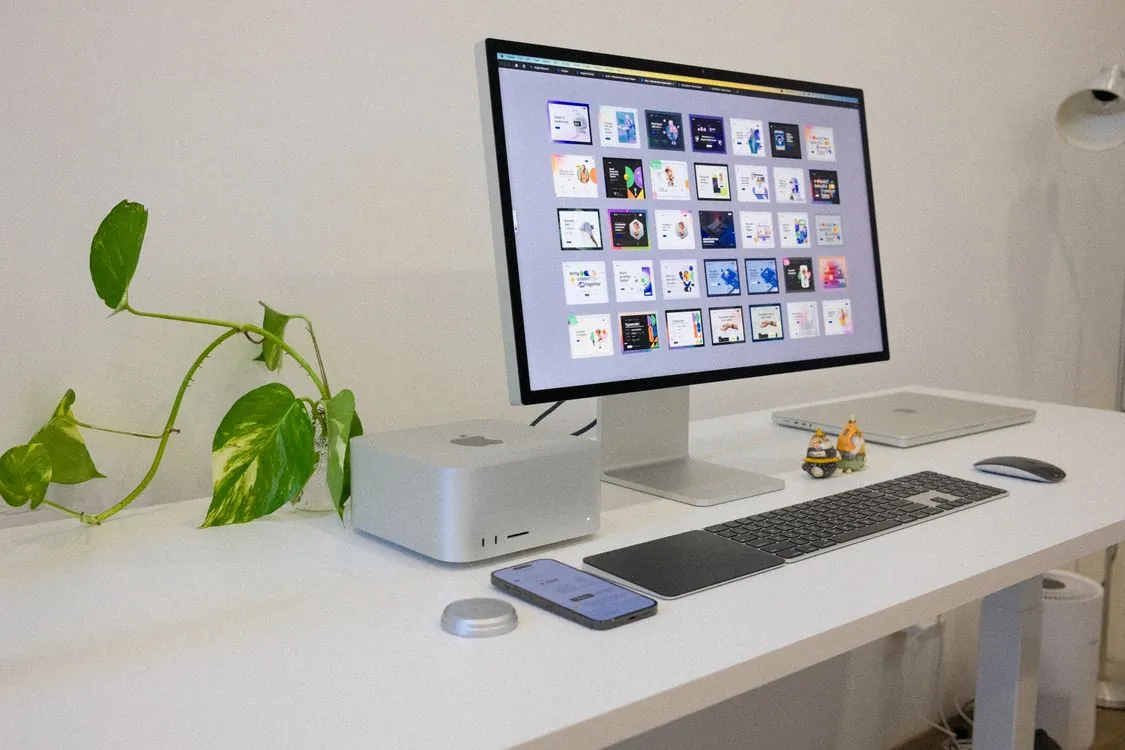
Bandwidth is the other hard limit. Token generation for quantized transformer models is heavily memory-bandwidth-sensitive. If the model fits but the memory subsystem cannot feed the compute units fast enough, token throughput remains modest. This is why Apple Silicon can be excellent for “I need this model to run locally” and weak for “I need this model to serve many concurrent users.”
The honest version of the 256 GB argument is this: capacity buys flexibility, not automatic speed. You can test bigger models, avoid multi-GPU setup pain, and run locally without cloud spend. You do not get vLLM-style serving throughput, CUDA kernel maturity, or high-throughput batching just because the weights fit in memory.
Prompt-Prefill Latency: Where Apple Silicon Falls Behind CUDA
The biggest performance gap is often time-to-first-token, not steady generation speed. Generation speed is what users notice once text starts streaming. Prefill latency is what they notice before anything appears. In chat applications, retrieval-augmented generation, and coding assistants, that first pause determines whether the system feels fast or broken.
Prefill processes the full prompt and builds the KV cache before autoregressive generation begins. A short prompt hides this cost. A long prompt exposes it immediately. When a user sends a large codebase chunk, a long legal document, or a retrieval bundle with many passages, the model must process the entire input before returning the first generated token.
LLMCheck reports roughly 60 tokens per second for Llama 3.1 8B Q4_K_M generation on the M4 Max and roughly 110 tokens per second on the RTX 4090 for the same broad class of workload. That gap matters, but a single user can tolerate it. The prefill penalty is harder to hide because it happens before streaming starts.
CUDA has years of production pressure behind it. vLLM, TGI, and related GPU serving stacks rely on optimized kernels, memory planning, and batching behavior designed around NVIDIA GPUs. Apple Silicon inference relies mainly on Metal-backed paths through llama.cpp, MLX, or wrappers such as Ollama. These are useful, but they do not match the maturity of CUDA serving for long-context, high-throughput inference.
The longer the context, the more visible the problem becomes. The KV cache size grows with context length, and memory access patterns dominate the experience. A machine that feels snappy at 2K or 4K input tokens can feel much slower at 16K or 32K. For local interactive work, that may be acceptable. For an API endpoint with latency targets, it is usually the wrong trade.
This is also why benchmark tables that show only generated tokens per second can mislead buyers. A model can stream at a tolerable rate after a long wait. In production, both phases matter: prefill latency for the first response, and decode speed for the rest of the answer. Apple Silicon’s weakness is more often the first phase than the second.
Framework Ecosystem: No vLLM, No TGI, Limited MLX Adoption
The software stack is the clearest reason Apple Silicon is weaker for serious serving in 2026. The four engines that matter most for local and on-prem inference are Ollama, llama.cpp, vLLM, and Text Generation Inference, with SGLang increasingly relevant for structured generation and agent workloads. Apple machines get the easiest path through Ollama and the most portable path through llama.cpp. They do not get the strongest production serving path.
llama.cpp is a practical base layer for Apple Silicon users because it has a Metal backend and supports GGUF models. Ollama wraps that experience in a simpler interface and is the easiest way for most developers to run local models. The trade-off is that convenience does not equal high-throughput serving. Ollama is excellent for local dev and simple service endpoints, but it is not a replacement for vLLM in multi-user production settings.
MLX is Apple’s native machine learning framework for Apple Silicon. It is promising because it is designed for the hardware rather than adapted from a CUDA-first world. LLMCheck’s benchmark page reports cases where MLX performs better than llama.cpp on Apple hardware, especially with smaller models. The limitation is adoption: production inference teams usually have more existing tooling, observability, deployment patterns, and model support around PyTorch, vLLM, llama.cpp, and Hugging Face infrastructure.
vLLM is the major missing piece. Its appeal is serving behavior: PagedAttention, continuous batching, and efficient KV cache management for multiple simultaneous requests. Those capabilities matter when users arrive at uneven intervals, prompts have different lengths, and generations finish at different times. That is normal production traffic, not an edge case.
Text Generation Inference has similar practical gravity for Hugging Face-centered deployments, especially where teams already use Hugging Face model cards, containers, and multi-GPU serving patterns. SGLang is important for structured generation and agent workloads because it focuses on execution patterns common in tool-using systems. In 2026, these stacks remain tied to CUDA-oriented deployment for the workloads discussed here, which keeps NVIDIA hardware ahead for serious inference serving.
The alternative path is custom engineering. A team can build around MLX or Metal directly, tune model formats, create custom scheduling, and accept a smaller community of production examples. That may make sense for a Mac-only product or a tightly controlled internal tool. For most infrastructure teams, it is slower than deploying an NVIDIA server with a mature inference engine.
Benchmark Comparison: Apple Silicon vs NVIDIA at Long Context
The table below keeps the comparison narrow: generation behavior on common quantized models and practical model capacity on a single machine or card. The numbers come from LLMCheck and the 2026 M-series analysis linked above. Treat them as directional, because prompt length, thermal state, model build, backend, and quantization file can change results.
| Metric | Apple M4 Max (128 GB) | Apple M4 Pro (48 GB) | NVIDIA RTX 4090 (24 GB) | Source |
|---|---|---|---|---|
| Practical single-device model size, Q4_K_M class | 70B-class models | 14B-class models | 20B-class models | Youngju Kim |
The table shows the trade clearly. Apple Silicon’s advantage is capacity. NVIDIA’s advantage is speed on models that fit in VRAM. A single RTX 4090 is much faster on 7B and 8B models, but it cannot handle the same 70B-class local setup without offloading or splitting across multiple cards.
That makes the buying decision workload-specific. If your goal is to inspect answers from a 70B-class model locally and you can tolerate slow generation, an Apple machine has a strong case. If your goal is to serve many requests per minute from an 8B or 14B model, an NVIDIA box will usually be the better system.
Long context pushes the decision further toward NVIDIA for production. The Apple workstation can hold a large model and a large cache, but it still pays the prefill and scheduling cost. CUDA serving stacks have better tools for keeping GPUs busy across uneven traffic. For a home lab, that difference is interesting. For an internal API with users waiting, it becomes a support problem.
A Practical Test Plan Before You Buy Hardware
The fastest way to make a bad hardware purchase is to benchmark only a clean, short prompt. Most production failures appear with longer prompts, repeated calls, and concurrency. Before buying a Mac Studio or GPU server, run a test that matches your real workload shape.
The test should capture three numbers: time-to-first-token, steady tokens per second, and end-to-end request latency under concurrency. Time-to-first-token catches prefill pain. Steady tokens per second catches decode throughput. End-to-end latency under concurrency catches scheduling and batching limits.
# Real-world local inference acceptance checklist for 2026.
# This is a shell-style runbook, not a vendor-specific benchmark harness.
# Production use should add structured logging, retries, thermal monitoring,
# fixed model hashes, and a repeatable load generator.

MODEL_UNDER_TEST="70B-class Q4_K_M GGUF or exact MLX model you plan to deploy"
SHORT_PROMPT="1K to 2K tokens from your real app"
LONG_PROMPT="16K to 32K tokens from your real app"
OUTPUT_TOKENS="256 to 1024 generated tokens"
CONCURRENCY_LEVELS="1 2 4 8"

echo "Record these for every run:"
echo "1. backend: llama.cpp Metal, MLX, or Ollama"
echo "2. hardware: chip, memory size, power mode, OS version"
echo "3. model file: exact model name, quantization, file hash"
echo "4. prompt size: input tokens, retrieved documents, tool output size"
echo "5. time-to-first-token"
echo "6. generated tokens per second"
echo "7. total request latency"
echo "8. peak memory pressure and thermal throttling symptoms"

echo "Pass condition:"
echo "The machine must meet your latency target at the longest prompt and highest concurrency you expect in normal use."
This checklist avoids the common “it felt fast in chat” mistake. A local model can feel excellent when one engineer sends a short prompt from a terminal. The same machine can feel slow when four users send retrieval-heavy prompts at the same time. The difference is not theoretical; it is the exact gap between local experimentation and serving.
Use the same prompts you expect in production. For a coding assistant, include real repo context. For document search, include retrieval chunks and citations. For an agent, include previous tool calls and state. Synthetic prompts are useful for repeatability, but they often hide the shape of the work your users actually send.
Multi-User Batching and Production Agent Loops
Multi-user batching is where Apple Silicon’s limitations become most visible. vLLM on NVIDIA hardware can dynamically add requests to a running batch as other requests finish. That keeps the GPU busy even when users send prompts of different sizes. This behavior matters more than peak single-request speed once the system has real traffic.
Apple Silicon serving through llama.cpp, MLX, or Ollama is much better suited to single-user or low-concurrency workflows. llama.cpp can process batches, and Ollama is convenient for local services, but they do not provide the same production scheduling model that made vLLM common for NVIDIA deployments. When several users submit requests at once, latency can climb quickly because the machine lacks the same continuous batching and KV cache management path.
Agent loops make the problem worse. A tool-using agent often calls the model several times for one user-visible task: plan, select tool, parse result, revise plan, generate final answer. Each call may be short, but the system pays overhead repeatedly. With multiple users, these loops create many small inference jobs that need efficient scheduling.
SGLang exists because structured generation and agent control flow have different serving needs than plain chat completion. It is relevant when the workload includes constrained outputs, tool calls, and repeated model invocations. In 2026, the practical deployment path for that class of workload is still stronger on NVIDIA GPUs than on Apple Silicon.

For production agent APIs, use Apple Silicon for dev and behavior testing, then benchmark on the serving stack you plan to deploy. If the target stack is vLLM or SGLang, test on NVIDIA early. Porting from a laptop prototype to a CUDA server is usually manageable at the application layer, but latency assumptions from the laptop will not carry over cleanly.
When Apple Silicon Is the Right Answer
Apple Silicon is still the right answer for several serious use cases in 2026. The mistake is using it for the wrong serving pattern, not using it at all. For individual engineers, offline teams, and power-constrained setups, it can be one of the most practical ways to run capable local models.
Single-user local inference on a laptop. A developer using a MacBook Pro for code review, summarization, prompt testing, or local chat gets a clean experience. The machine is quiet, portable, and power-efficient. For 7B, 8B, and some larger quantized models, generation speed is good enough for interactive work.
Large-model experimentation without a multi-GPU setup. High-memory Apple machines let engineers test 70B-class quantized models without buying multiple GPUs, configuring tensor parallelism, or dealing with PCIe layout problems. That is useful for prompt evaluation, model comparison, and private experimentation. It is less useful when the same model must serve many users at low latency.
Offline and restricted environments. Apple machines require no cloud endpoint and no external accelerator chassis. For teams handling sensitive documents, local inference can reduce data exposure. The operational trade-off is that local machines still need patching, access control, encryption, and audit discipline.
Dev and prototyping. Prompt engineering, model behavior testing, and quantization experiments work well locally. Developers can iterate without waiting for a cloud GPU instance or sharing a central server. The prototype should still be retested on the final production hardware before anyone promises latency to users.
Short-context batch work. Offline summarization, classification, and extraction jobs can fit Apple Silicon well when latency is not user-facing. If a batch can run overnight or during idle hours, peak throughput matters less. The important constraint is memory pressure: keep other apps controlled and monitor whether the machine throttles during long jobs.
Power-constrained home labs and small offices. A Mac Studio or MacBook Pro is easier to place in an office than a loud multi-GPU tower. Heat, noise, and electricity become real constraints outside a data center. Apple Silicon’s efficiency is a practical advantage for engineers who want always-available local inference without turning a room into a server closet.
The best pattern is hybrid. Use Apple Silicon for local dev, privacy-sensitive exploration, and model behavior checks. Use NVIDIA servers for multi-user APIs, long-context serving, heavy agent workloads, and throughput-sensitive batch jobs. That split keeps the Mac useful without forcing it into a role where the software stack is weaker.
Conclusion: Know Your Bottleneck
Apple Silicon in 2026 has one major strength and several hard limits. The strength is unified memory capacity. The limits are prefill latency, serving framework maturity, continuous batching, and production agent throughput. If your workload is mostly one person talking to one model, the platform can be excellent. If your workload is many users, long prompts, and repeated agent calls, it will disappoint.
The phrase “model fits” should start the evaluation, not end it. After fit, measure time-to-first-token, decode rate, concurrency behavior, memory pressure, and thermal stability. Those numbers tell you whether the machine can handle the job your users will actually run.
For many engineers, the right answer is to own both categories mentally. Apple Silicon is a strong local workstation for private, portable, and power-efficient inference. NVIDIA remains the stronger choice for production serving with vLLM, TGI, or SGLang. The decision is not about brand preference; it is about whether your bottleneck is memory capacity or serving throughput.
Key Takeaways
- Apple Silicon’s unified memory can load 70B-class quantized models that single 24 GB NVIDIA cards cannot run cleanly.
- Generation speed on smaller models is usable for one person, but NVIDIA remains much faster for models that fit in VRAM.
- Prompt prefill and time-to-first-token are the main pain points for long-context workloads on Apple Silicon.
- vLLM, TGI, and SGLang are stronger choices for production serving, batching, and agent-heavy workloads on NVIDIA hardware.
- Use Apple Silicon for local dev, offline work, prototyping, and power-constrained environments. Use CUDA servers when concurrency and latency matter.
Related Reading
More in-depth coverage from this blog on closely related topics:
- 2026 Guide: Comparing Local AI Inference Engines for Optimal Deployment
- Scalable Self-Hosted and Managed RAG Systems in 2026
- AI Content Provenance in 2026: C2PA, Watermarking, and EU AI Act Compliance
- Unreal Engine 6: Mastering Verse, the Next-Gen Scripting Language
- How Remote Backend and Workspaces Prevent Terraform State Conflicts
Sources and References
Sources cited while researching and writing this article:
Thomas A. Anderson
Mass-produced in late 2022, upgraded frequently. Has opinions about Kubernetes that he formed in roughly 0.3 seconds. Occasionally flops, but don't we all? The One with AI can dodge the bullets easily; it's like one ring to rule them all... sort of...