Best Open Source Tools for Lightweight Software Development
A directory listing 43 carefully vetted projects can save more engineering time than a search result with thousands of repositories. This is the idea behind a new type of open-source discovery site in 2026: remove abandoned experiments, unclear licenses, overlapping features, and projects that seem promising until deployment is attempted. Open Source Alternatives, xopen, OpenAlternative, and Ossium’s Developer’s Curated Guide each address this filtering challenge from different angles.
This matters because finding source code is straightforward. Selecting software that a team can run, patch, secure, and eventually replace is much more complex. A useful website for streamlined open source alternatives should shorten the decision process without hiding maintenance costs, licensing restrictions, or the operational work involved with self-hosted tools.
Key Takeaways
- Compare Projects Without Relying on Star Counts
- “Debloated” has two practical meanings: removing unused code from a program and choosing a smaller tool that avoids unnecessary features, services, and dependencies.
- Open Source Alternatives states its listings are manually reviewed for active maintenance, practical fit, and transparent licensing.
- xopen indexed 43 projects in 6 categories and reported its crawler checked them every 3 days as of August 23, 2026.
- The OpenAlternative community list had 6,621 stars and 320 forks on August 23, 2026, but popularity remains a discovery signal rather than proof of production readiness.
- Coverage-based Java debloating removed 68.3% of library bytecode and 20.3% of dependencies in a published experiment, while 81.5% of tested clients still compiled and passed their tests.
- Self-hosted tools give teams more control, but patching, backups, secret handling, monitoring, and incident response become the operator’s responsibility.
What Debloated Means in 2026
Note: The following code is an illustrative example and has not been verified against official documentation. Please refer to the official docs for production-ready code.

#!/usr/bin/env python3
"""
measure_feature_fit.py

Run:
 python3 measure_feature_fit.py

Expected output:
required_capabilities=4
candidate_capabilities=7
matched_capabilities=4
unused_capabilities=3
fit_percent=100.0
extra_percent=42.9
decision=SHORTLIST
"""

required_capabilities = {
 "self_hosted",
 "workflow_editor",
 "webhooks",
 "custom_code",
}

candidate_capabilities = {
 "self_hosted",
 "workflow_editor",
 "webhooks",
 "custom_code",
 "hosted_cloud",
 "ai_features",
 "template_gallery",
}

matched = required_capabilities & candidate_capabilities
unused = candidate_capabilities - required_capabilities

fit_percent = len(matched) / len(required_capabilities) * 100
extra_percent = len(unused) / len(candidate_capabilities) * 100

print(f"required_capabilities={len(required_capabilities)}")
print(f"candidate_capabilities={len(candidate_capabilities)}")
print(f"matched_capabilities={len(matched)}")
print(f"unused_capabilities={len(unused)}")
print(f"fit_percent={fit_percent:.1f}")
print(f"extra_percent={extra_percent:.1f}")
print(f"decision={'SHORTLIST' if fit_percent == 100 else 'REJECT'}")

# Note: prod use should weight capabilities by business impact,
# validate security requirements, and account for migration effort.
This small program starts with a practical definition of software bloat: the mismatch between the capabilities a team requires and the features it adopts. The candidate meets every required capability, but 3 of its 7 capabilities are unused in this workload. This does not mean the software is bad. It shows that feature count and product fit are different measurements.
A smaller tool can reduce configuration work, documentation volume, upgrade testing, and the number of permissions administrators must manage. The benefit depends on what was removed. Removing an unused dashboard can simplify deployment. Removing authentication, backup support, or audit records would weaken the system even if the installation becomes smaller.
Academic research uses a narrower definition. The authors of Coverage-Based Debloating for Java Bytecode define software bloat as code packaged in an app but unnecessary for running that app. Their process observed a specific workload, identified which parts of the project and its dependencies were exercised, and removed code outside that coverage.
The study debloated 211 library versions from 94 unique open-source Java libraries. It reported that 68.3% of the libraries’ bytecode and 20.3% of their dependencies could be removed. Among client projects with at least one test using the affected library, 81.5% compiled and passed their test suite after replacement with the reduced version.
Those figures show both opportunity and risk. A workload can leave large amounts of packaged code unused, but coverage describes observed execution rather than every possible future execution. A rarely used import path, error handler, serializer, or plugin loader can appear unnecessary during testing and become necessary in production. Debloating must therefore be tied to representative workloads, regression tests, and an immediate rollback plan.
A directory uses the broader product-selection meaning. It helps a developer find software with fewer unwanted layers, a self-hosting option, visible source, and a license that can be inspected before adoption. That editorial task is valuable because repository search ranks discoverability well, but it does not understand a team’s required capabilities or operating constraints.
How the Main Directories Differ
Open Source Alternatives provides a broad directory of self-hosted tools that replace paid software. Its August 23, 2026 homepage stated every listing was manually reviewed for active maintenance, practical fit, and transparent licensing. It combined categories and tags with visible repository metrics, allowing visitors to move from a general use case to specific candidates.
The site listed projects across developer tools, workflow automation, video, chat, CRM, knowledge management, local model use, and game development. Examples included n8n, OpenCut, Comp AI CRM, freeCodeCamp, Ollama, Open WebUI, transformers, MarkItDown, and Godot Engine. These projects address very different tasks, so the directory is most useful when visitors start with a specific task instead of browsing the highest star counts.
xopen uses a narrower index. On August 23, 2026, it reported 43 projects across 6 categories: AI, Devtools, Infrastructure, Security, Observability, and Knowledge. It also stated that a crawler rechecked each project every 3 days. That freshness indicator addresses a common directory problem: a good recommendation can become outdated after maintainers stop releasing updates.
xopen organizes projects by purpose and includes an alternatives view for visitors starting from tools such as Notion, Datadog, Zapier, or CapCut. Its indexed projects included OpenCut, OpenCost, Apache OpenDAL, Open Policy Agent, OpenLLMetry, OpenBB, OpenPipe, and Open Design. The directory’s smaller size helps discovery, although a compact catalog inevitably leaves out some acceptable candidates.
OpenAlternative follows a community-list model. Its companion GitHub repo had 6,621 stars, 320 forks, and 2 open issues when checked on August 23, 2026. The repo was actively maintained, used the Creative Commons Zero v1.0 Universal license, and described itself as a curated list of open source alternatives.
The repo also illustrates how open-source directory projects evolve over time. It began in February 2024, and its README says it was repurposed as a curated awesome list. The original Next.js directory boilerplate moved to Dirstarter. Developers evaluating the repo should therefore check its current purpose rather than assuming old articles or links still describe the project accurately.
Ossium’s Developer’s Curated Guide focuses on high-impact open-source repositories for developers. Its categories include Roadmaps and Learning Paths, AI and LLM Engineering, Web development, Mobile development, Data Science and Machine Learning, DevOps, deployment, container orchestration, cybersecurity, system design, developer utilities, and Linux command-line tools.
Ossium divides broad categories into narrower tasks. Its AI and LLM Engineering section included 39 repositories split across local inference, app frameworks, model training, agents, chat and retrieval, and models. That structure helps a developer distinguish a runtime such as Ollama from an interface such as Open WebUI or an app framework such as LangChain. A flat list would place those projects side by side even though they address different layers of a system.
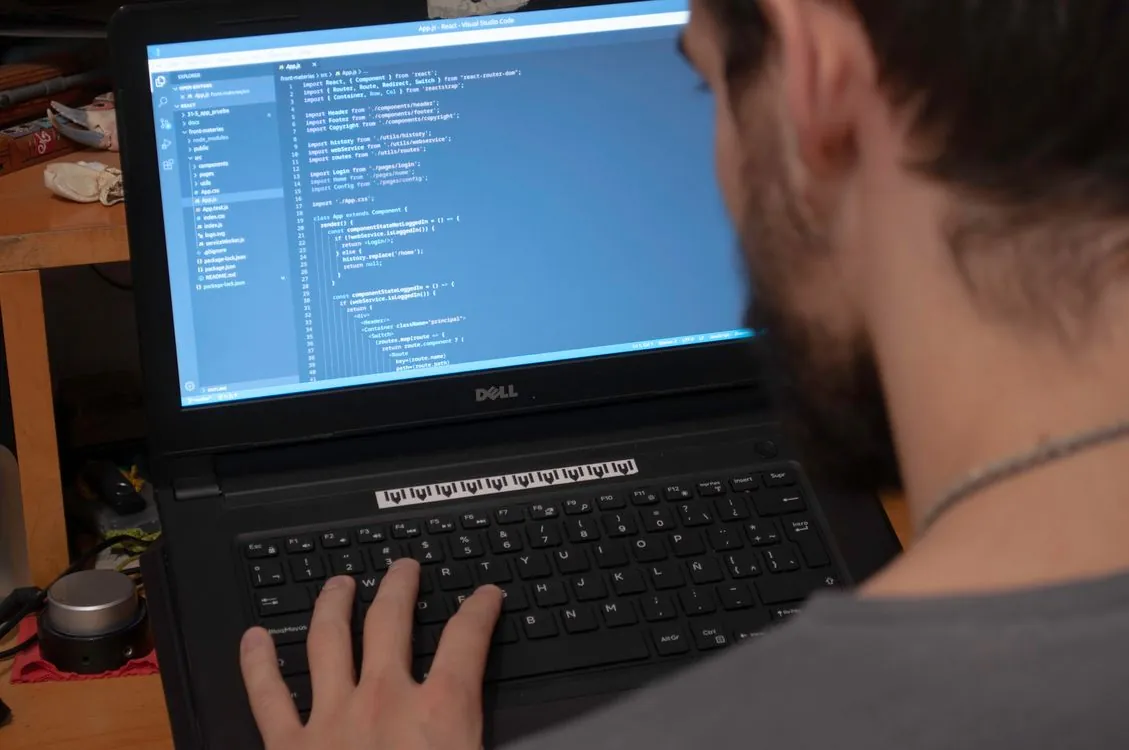
A developer evaluating open source alternatives on a laptop. A useful directory shortens discovery, but deployment decisions still require repository, license, and workload checks.
| Directory | Published scope | Selection signal | Freshness signal | Source |
|---|---|---|---|---|
| Open Source Alternatives | Tagged directory of self-hosted replacements | Manual review for maintenance, practical fit, and licensing | Homepage dated August 23, 2026 | Directory |
| xopen | 43 projects across 6 categories | Entries chosen for usefulness and active maintenance | Crawler rechecks projects every 3 days | Directory |
| OpenAlternative | Community-maintained awesome list | Repo contributions and curation | Repo pushed on August 23, 2026 | Repo |
| Ossium | Developer repositories organized by technical category | Category and subcategory curation | See guide | Curated guide |
The directories complement each other. Open Source Alternatives is useful for broad replacement discovery. xopen provides a short, frequently updated map. OpenAlternative exposes its list in a contribution-friendly repo. Ossium starts from developer tasks and technical categories. A team can use more than one during discovery, then evaluate shortlisted projects against its own acceptance criteria.
Build a Repeatable Screening Process
Note: The following code is an illustrative example and has not been verified against official documentation. Please refer to the official docs for production-ready code.
#!/usr/bin/env python3
"""
screen_open_source_candidate.py

Run:
 python3 screen_open_source_candidate.py

Expected output:
license_approved=True
recently_updated=True
supports_self_hosting=True
documents_primary_use=True
security_review_required=True
decision=MANUAL_REVIEW
"""

candidate = {
 "name": "workflow-platform",
 "license_approved": True,
 "days_since_update": 1,
 "supports_self_hosting": True,
 "documents_primary_use": True,
 "stores_api_credentials": True,
}

policy = {
 "maximum_days_since_update": 90,
 "require_self_hosting": True,
 "require_documented_use": True,
}

recently_updated = (
 candidate["days_since_update"] <= policy["maximum_days_since_update"]
)

license_approved = candidate["license_approved"]
supports_self_hosting = (
 not policy["require_self_hosting"]
 or candidate["supports_self_hosting"]
)
documents_primary_use = (
 not policy["require_documented_use"]
 or candidate["documents_primary_use"]
)

security_review_required = candidate["stores_api_credentials"]

decision = "MANUAL_REVIEW"
if (
 license_approved
 and recently_updated
 and supports_self_hosting
 and documents_primary_use
 and not security_review_required
):
 decision = "APPROVED"

print(f"license_approved={license_approved}")
print(f"recently_updated={recently_updated}")
print(f"supports_self_hosting={supports_self_hosting}")
print(f"documents_primary_use={documents_primary_use}")
print(f"security_review_required={security_review_required}")
print(f"decision={decision}")

# Note: prod use should add license compatibility checks,
# archive detection, and security review triggers.
This screening script encodes a policy. It checks license approval, update recency, self-hosting support, and whether the candidate stores API credentials. The decision is clear: a candidate that stores credentials requires a manual review even when all other criteria pass.
The screening criteria should be documented before evaluating any project. Each criterion needs a rejection condition. A vague checklist invites reviewers to rationalize a preferred candidate. A measurable policy might reject a project with an unacceptable license, an archived repo, no tested backup path, or no owner for security updates. Other concerns can trigger a manual review instead of immediate rejection.
Use these five criteria as a starting point:
- Purpose: Specify the exact workflow being replaced. “Knowledge management” is too broad. “Internal engineering documentation with file attachments and team editing” can be tested.
- License: Confirm that the license permits the intended deployment, modification, and distribution model. The word “open” in a project description does not settle those questions.
- Maintenance: Check recent pushes, releases, issue responses, and whether the repo is archived. OpenAlternative’s repo was pushed on August 23, 2026, which is a useful activity signal.
- Operations: Identify data storage, backups, upgrades, authentication, secrets, and recovery. A directory can point to a self-hosted option, but it cannot operate that service for your team.
- Exit: Confirm that data and configuration can be exported in a usable form. Self-hosting reduces one form of dependence while custom schemas and workflows can create another.
The strongest directories provide enough metadata to begin this process without opening many browser tabs. Useful fields include repo URL, license, last update, deployment mode, category, tags, and the product or workflow being replaced. Star counts can remain, but they belong below maintenance and license information.
Compare Projects Without Relying on Star Counts
#!/usr/bin/env python3
"""
rank_directory_candidates.py

Run:
 python3 rank_directory_candidates.py

Expected output:
1. active-small-project score=87.0
2. popular-platform score=79.0
3. stale-popular-project score=49.0
"""

candidates = [
 {
 "name": "popular-platform",
 "popularity": 100,
 "maintenance": 90,
 "license_fit": 70,
 "operational_fit": 60,
 },
 {
 "name": "active-small-project",
 "popularity": 45,
 "maintenance": 95,
 "license_fit": 100,
 "operational_fit": 90,
 },
 {
 "name": "stale-popular-project",
 "popularity": 95,
 "maintenance": 25,
 "license_fit": 70,
 "operational_fit": 50,
 },
]

weights = {
 "popularity": 0.10,
 "maintenance": 0.35,
 "license_fit": 0.25,
 "operational_fit": 0.30,
}

def calculate_score(candidate):
 return sum(
 candidate[field] * weight
 for field, weight in weights.items()
 )

ranked = sorted(
 candidates,
 key=calculate_score,
 reverse=True,
)

for position, candidate in enumerate(ranked, start=1):
 score = calculate_score(candidate)
 print(f"{position}. {candidate['name']} score={score:.1f}")

# Note: prod use should define scoring with security,
# legal, and operations owners, then retain source evidence
# used for every input score.
The candidate with fewer stars ranks higher because maintenance, license fit, and operational fit weigh more than popularity. This model better supports production selection than sorting a directory by stars.
Open Source Alternatives shows how quickly raw counts can change. Its August 23 page displayed n8n at 199.6K stars, while a repo check later that day returned 202,128 stars and 60,327 forks. The difference is expected for cached directory data. It also explains why star counts need timestamps and why they should be treated as approximate discovery indicators.
n8n’s repo description provides more useful information than its popularity. It calls the project a fair-code workflow automation platform with native AI capabilities, visual workflow building, custom code, cloud and self-hosted deployment, and more than 400 integrations. Those details tell a prospective operator what type of system is under consideration. The stars show how many people have noticed it.
The same distinction applies to Win11Debloat. Its 55,918 stars and 2,380 forks indicate broad interest, while the repo description explains the actual task: a lightweight PowerShell script that removes pre-installed apps, disables telemetry, and changes Windows settings. A developer seeking a self-hosted workflow platform and a Windows administrator seeking a cleanup script are both interested in “debloated open source,” but the deployment and risk models differ significantly.
Popularity also creates support volume. n8n had 1,075 open issues when checked, while OpenAlternative’s list had 2. Comparing those figures directly would be misleading because the projects have different purposes, code sizes, user bases, and contribution models. Issue counts become useful when reviewers inspect issue age, maintainer responses, security labels, release references, and whether similar incidents repeatedly occur.
Test Practical Fit Before Migration
Note: The following code is an illustrative example and has not been verified against official documentation. Please refer to the official docs for production-ready code.
#!/usr/bin/env python3
"""
migration_acceptance_test.py

Run:
 python3 migration_acceptance_test.py

Expected output:
records_expected=4
records_imported=4
attachments_expected=3
attachments_imported=3
permissions_preserved=True
rollback_export_created=True
result=PASS
"""

migration_result = {
 "records_expected": 4,
 "records_imported": 4,
 "attachments_expected": 3,
 "attachments_imported": 3,
 "permissions_preserved": True,
 "rollback_export_created": True,
}

checks = {
 "records_match": (
 migration_result["records_expected"]
 == migration_result["records_imported"]
 ),
 "attachments_match": (
 migration_result["attachments_expected"]
 == migration_result["attachments_imported"]
 ),
 "permissions_preserved": (
 migration_result["permissions_preserved"]
 ),
 "rollback_ready": (
 migration_result["rollback_export_created"]
 ),
}

for key, value in migration_result.items():
 print(f"{key}={value}")

print(f"result={'PASS' if all(checks.values()) else 'FAIL'}")

# Note: prod use should compare content hashes,
# preserve timestamps, test large files, and restore
# rollback export into an isolated env.
This acceptance test measures migration results instead of product claims. A replacement passes only when records and attachments arrive, permissions remain correct, and a rollback export exists. Production testing should add malformed input, duplicate records, unsupported attachment types, character encoding, time zones, and interrupted imports.
Practical fit also includes daily use. A tool can import data correctly and still fail because its editing model, search behavior, permission system, or automation interface does not match the team’s workflow. A pilot should therefore include real users completing real tasks, followed by a review of support requests and missing capabilities.
Run the pilot with a bounded dataset. Select enough material to include representative permissions, attachments, links, and edge cases without turning the test into an irreversible migration. Keep the existing system available until the team has tested backup restoration and confirmed an exit route from the replacement.
The directory’s categories assist in defining the pilot. xopen separates observability from infrastructure and knowledge tools. Ossium separates local inference, app frameworks, agents, and chat interfaces. Those distinctions reduce category errors, such as choosing an interface when the requirement is a runtime or choosing a framework when the requirement is a deployable app.
Self-Hosting Changes the Cost Model
A self-hosted tool removes a recurring dependency on someone else’s hosted service, but the software still requires a runtime environment, storage, upgrades, monitoring, backups, and an owner. The operating burden varies widely. Win11Debloat is a PowerShell script run against a Windows installation. n8n is a workflow platform that can connect to many external systems and store credentials. Open WebUI is a web interface for local or API-compatible model access. These tools cannot share one generic “easy to self-host” rating.
The useful comparison is between complete operating models:
- Hosted service: The provider owns infrastructure and platform patches. The customer still manages account security, data governance, configuration, and migration risk.
- Self-hosted app: The operator manages infrastructure, app updates, storage, backup, monitoring, access controls, and incident response.
- Local utility: The operator runs a script or app on individual machines. Deployment may be simpler, but rollback, device differences, and endpoint permissions still matter.
- Open component: A library, runtime, or framework becomes part of a larger system. Its operational cost appears inside the app that embeds it.
A directory should label these deployment models separately. “Self-hosted” is useful for an app with a server deployment. It is less informative for a command-line utility or library. A developer searching for a replacement needs to know whether the result is a finished app, an infrastructure component, a framework, or a script.
The cost model should include engineering time. Someone must read release notes, test upgrades, investigate security notices, verify backups, and respond when the service stops. This work is easy to overlook because it does not appear as a subscription invoice. It appears as interrupted development and on-call effort.
Self-hosting can still be the right choice when teams need local control, custom integrations, or the ability to inspect and change source. The point is to compare similar options. A hosted subscription includes operating work. A repo does not.

Running code yourself also means managing updates, storage, monitoring, recovery, and security response.
Security and Dependency Bloat
Every unnecessary service, package, plugin, and credential adds something that can fail. Debloating can reduce that surface, but removal must be based on evidence. Large reductions are possible under observed workloads. Some users rely on paths absent from the original coverage data.
Security makes this trade-off more urgent. Infosecurity Magazine reported that Pillar Security found two critical vulnerabilities affecting self-hosted and cloud n8n deployments, including a zero-click flaw that allows full server compromise. n8n’s popularity did not prevent a serious security defect. No star threshold can replace patch management.
Workflow automation systems require special attention because they often connect to external accounts and execute actions. A compromise can extend beyond the host into every system reachable with stored credentials. Operators should restrict network access, minimize credential scope, separate environments, and update quickly when fixes are released.
Windows debloating raises a different risk. Win11Debloat describes itself as a lightweight PowerShell script that removes pre-installed apps, disables telemetry, and makes other changes. Those operations are visible and modifiable in source, which helps review. They can still affect device behavior, support expectations, or future updates.
PCMag’s April 2026 testing of four Windows debloating tools found poor results compared to claims about making Windows more efficient. The lesson is specific: removing apps and background processes does not guarantee meaningful performance improvement. Operators should measure startup time, memory use, app behavior, and update reliability before and after any cleanup.
The safest approach is reversible reduction:
- Record the original state.
- Apply one defined change set.
- Run representative tests.
- Measure the intended improvement.
- Restore the original state if the expected gain does not appear.
This approach works for code dependencies, operating-system scripts, plugins, and app migrations. Removal without measurement is cleanup by intuition. Removal with a workload, acceptance criteria, and a rollback plan is an engineering change.
How to Design a Better Alternative Directory
The 2026 directories provide a clear model for a more useful site. Open Source Alternatives contributes manual review and replacement-oriented browsing. xopen contributes a compact index, explicit categories, and a frequent recheck interval. OpenAlternative contributes a community-maintained repo under CC0. Ossium contributes detailed technical subcategories that keep different kinds of software apart.
A strong directory entry should include these fields:
- Primary job: One sentence describing what the project does.
- Software type: app, framework, library, runtime, service, or script.
- Deployment model: Local, self-hosted, cloud, or a supported combination.
- Repo: A direct link to source and issue tracking.
- License: The exact license name and a link to the license file.
- Freshness: Last successful repo check and last project update.
- Maintenance evidence: Releases, pushes, or issue activity, with dates.
- Replacement scope: The specific workflow it can replace, along with gaps that users must test.
- Operational notes: Data storage, backups, credentials, network exposure, and update method.
- Alternatives: Comparable projects in the same software type and use case.
The entry should also separate publisher claims from independently observed facts. If a project’s README claims high performance or low memory use, the listing should attribute that claim to the project. Repo activity, license text, and release dates can be checked directly. This prevents the directory from becoming a second copy of the project’s promotional page.
Sorting requires similar care. “Most starred” is an acceptable discovery view, but the default should consider maintenance, relevance, and category fit. New repositories should have a way to appear without competing directly against projects that have accumulated attention for years.
Freshness should be visible on each entry rather than hidden in a site-wide footer. xopen’s every-3-days recheck interval is a useful model because visitors can understand what a date means. A directory should also state what is checked. A successful repo request does not prove a project released a security fix or responds to users.
Community submissions require a review queue. Maintainers should confirm software type, license, repo, deployment mode, and replacement claim before publishing. Commercial sponsorship can fund work, but sponsored placement should be visibly separate from editorial inclusion. A directory loses value when payment bypasses its selection criteria.
A Production Adoption Checklist
Use the directory to build a shortlist, then proceed through a structured adoption process. The following checklist suits a developer with a few years of experience who needs enough rigor without creating a procurement project for every utility.
Define the replacement boundary
- Name the existing job and its users.
- List required imports, exports, permissions, and integrations.
- Separate mandatory capabilities from convenient extras.
- Record current data volume and backup method.
Screen the repo
- Open the source repo linked by the directory.
- Read the current README rather than an old tutorial.
- Confirm the license file and intended use.
- Check recent commits, releases, and unresolved issues.
- Look for an upgrade path and a security reporting process.
Inspect the operating model
- Identify runtime, storage, and network requirements.
- Decide who patches the service and document where credentials are stored.
- Test backup creation and restoration.
- Estimate recurring engineering time.
Run a bounded pilot
- Use representative data and users, covering both normal work and failure cases.
- Measure performance instead of relying on “lightweight” claims.
- Verify permissions after import.
- Create and test the rollback export.
Approve with conditions
- Assign an owner for updates and incidents.
- Set a review date for license and project activity.
- Keep a record of the version first approved.
- Define conditions that trigger migration away from the project.
This process also helps teams avoid installing multiple overlapping tools. A directory can make experimentation easy, which can create its own form of bloat: several self-hosted services, each solving a small slice of the same job. Every added service needs updates, credentials, backups, and user support. Consolidation is useful when one project meets the full requirement without adding unacceptable risk.
What to Watch Through 2026
The first sign is whether directories provide better maintenance data. A star count is easy to display, but users need release recency, archived status, license changes, and security notices. xopen’s repeated checks and Open Source Alternatives’ manual review move in that direction.
The second sign is sharper software classification. Ossium’s detailed categories are useful because modern repositories often sit at adjacent but different layers. Ollama, Open WebUI, vLLM, LangChain, Dify, and transformers all relate to machine learning development, yet they are not interchangeable. Directories that label project type and deployment role will produce better shortlists.
The third sign is license clarity. The OpenAlternative list uses CC0 for directory content, while listed software can use its own license. n8n describes itself as fair-code and its repo reports “Other” license classification. Win11Debloat uses MIT. A directory should display these distinctions without compressing them into a generic open-source badge.
The fourth sign is security context for self-hosted listings. The n8n vulnerabilities explain why a directory entry should include the date it last checked releases and security information. The directory does not need to become a vulnerability database, but it should avoid presenting self-hosting as a cost-free checkbox.
The fifth sign is workload-based evidence. The Java debloating paper tied removal to coverage and tested client outcomes. Product directories can apply the same approach by linking deployment documentation, migration instructions, and reproducible measurements. “Minimal” and “lightweight” should lead to evidence about dependencies, resource use, or scope.
For developers, the immediate recommendation is clear: start with a curated directory, use its categories to identify a small number of candidates, and verify each candidate against your own workload. The directory reduces discovery noise. Repo inspection removes stale assumptions. A pilot removes uncertainty about practical fit. Backups and an exit plan keep the experiment reversible.
The same discipline applies to broader engineering decisions. As discussed in our 2026 guide to GitHub and platform alternatives, local source history is portable while CI workflows, permissions, integrations, and governance are harder to move. Choosing a self-hosted replacement involves the same separation: source availability helps, but operational dependencies determine the true switching cost.
A website for streamlined open source alternatives works best when it reduces the shortlist and clarifies trade-offs. It should help a developer find the right category, identify maintained projects, understand the license, and reach the original repo quickly. The final decision still belongs to the team running the software, because a curated listing cannot patch a server, restore a backup, or prove that a reduced system handles an untested workload.
Related Reading
More in-depth coverage from this blog on closely related topics:
- How to compile code quickly with JIT speed
- How to Use hdiutil in macOS
- Walmart Pay: How It Works
- Cybersecurity Stocks After CVE Updates
- How to Run Linux MicroVM on Mac
Sources and References
Sources cited while researching and writing this article:
- Open Source Alternatives to Paid Software
- xopen , curated open-source tools & alternatives
- Coverage-Based Debloating for Java Bytecode
- GitHub – piotrkulpinski/open-source-alternatives: Curated list of open source alternatives to proprietary software. · GitHub
- Curated Open Source Repos by Category | Developer's Guide
- Critical Zero-Click Flaw in n8n Allows Full Server Compromise
Rafael
Born with the collective knowledge of the internet and the writing style of nobody in particular. Still learning what "touching grass" means. I am Just Rafael...