Browser Ports of Classic Games in 2026
A 58-star GitHub project has turned a long-running Source modding question into runnable browser code in 2026
On June 15, 2026, a developer named Rain released a browser-based demo of Half-Life running entirely in WebGL. This moment stunned many in the gaming preservation community. It’s a proof that decades-old game content can now run directly in your browser, without native binaries or emulators.
WebHL, a fork of hlviewer.js at x8BitRain/webhl, answers part of that question with local asset loading, mouse look, keyboard input, fullscreen play, and WebM demo recording. The important correction is that WebHL targets GoldSource content, not the complete Source engine build of Half-Life 2. Still, the pattern matters for developers: WebAssembly handles engine logic, WebGL handles rendering, browser file APIs handle local assets, and the legal boundary stays clear because users provide their own game files.

Key Takeaways:
- WebHL proves that GoldSource-style content can run in browser with WebGL, TypeScript, and local file access, but it is not a complete Half-Life 2 Source engine port.
- Browser game ports usually split work across WebAssembly or JavaScript for engine logic, WebGL for rendering, Web Audio API for sound, and File System Access API for user-owned assets.
- The hardest production problems are asset compatibility, audio ordering, input lock behavior, browser file permissions, and performance variance across devices.
- Legal distribution remains a boundary: projects can provide engine-side code, but proprietary Valve assets must come from the player’s own installation.
- For developers, the useful lesson is architectural: old game content can be preserved through open web runtimes when file formats, render paths, and asset ownership are handled carefully.

Why Browser Game Engine Ports Matter in 2026
Half-Life 2 shipped on November 16, 2004, according to Wikipedia. That makes the game 22 years old in 2026. A title that old can still be culturally important while also becoming harder to preserve in its original technical form. Native binaries depend on graphics APIs, filesystem assumptions, audio stacks, controller behavior, platform stores, and operating system compatibility layers that change over time.
Browser-based ports change the preservation model. Instead of asking every future operating system to keep supporting an old native runtime, the port targets web standards that already run across Windows, macOS, Linux, ChromeOS, Android, and iOS. That does not make the work easy. It moves the hard parts into asset parsing, renderer translation, input behavior, and runtime performance.
The distinction between GoldSource and Source matters here. GoldSource powered the original Half-Life. Source powered Half-Life 2, Counter-Strike: Source, Team Fortress 2, Portal, and other Valve-era games. WebHL is best understood as a browser-based GoldSource viewer and runtime experiment. It is still relevant to Source preservation because both families rely on compiled maps, packaged assets, engine-side rendering, input loops, sound playback, and strict timing.
For developers, the lesson is practical rather than nostalgic. If you can load user-owned assets from disk, parse legacy binary formats, draw geometry through WebGL, and keep input responsive, you can preserve more than one game. The same engineering pattern applies to old CAD viewers, simulation tools, level editors, scientific visualizers, and training apps whose native runtimes are aging out.
Projects Available in 2026
WebHL is the clearest codebase to study because it is public, browser-first, and explicit about what works and what does not. The repo at x8BitRain/webhl describes a TypeScript project that uses local file access and browser rendering. Its README also names real limitations, including sound ordering problems and demo playback issues when switching maps. Those bug notes are useful because they point directly at parts of browser engine work that tend to fail in production.
WebXash, available at x8bitrain.github.io/webXash, takes a demo-oriented path. It lists demo downloads such as HLDM at 85MB, Uplink at 45MB, and Day One at 78MB. Demo playback is a narrower problem than full gameplay because input, entity logic, and state mutation can be constrained. That makes it a good proof point for rendering and asset loading without claiming a complete browser-native game.
The WebSim-hosted Half-Life 2 Web Port by user Sanicbeego uses a different interaction model: the user uploads game files as a ZIP archive. That design has a clear legal advantage. The project does not need to distribute Valve’s assets if the browser app only processes files supplied by the user. The trade-off is usability, because large uploads, folder structure validation, and browser memory pressure become part of the user experience.
None of these projects should be described as an official Valve browser port. Valve’s public Source-1-Games repo accepts issues for selected Source 1 games, but it does not publish a browser runtime for Half-Life 2. That distinction protects developers from overreading prototypes as product launches. The code is interesting because it proves parts of the stack, not because the whole catalog is suddenly playable in a tab.
Browser Port Architecture in 2026
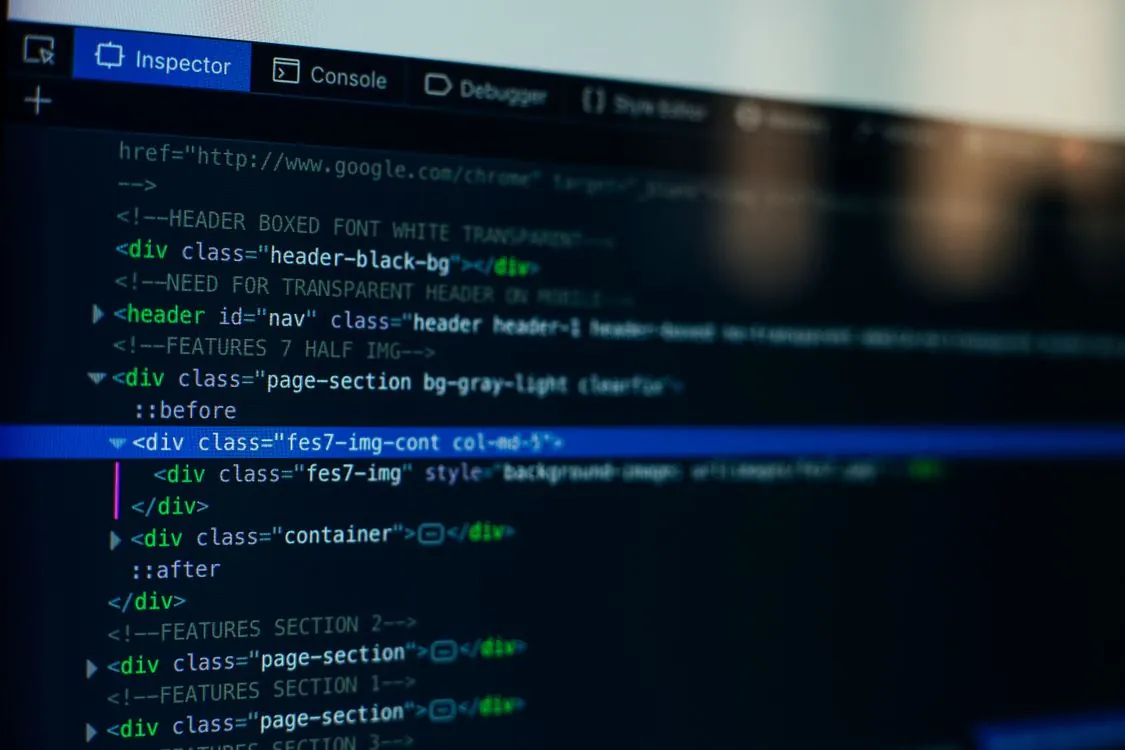
A browser game engine port usually has four moving parts. The engine loop runs in JavaScript, TypeScript, or WebAssembly. Rendering goes through WebGL. Sound playback uses Web Audio API. User-owned files are loaded through browser file APIs, including File System Access API where supported.
The flow is simple on paper. The player grants access to a folder or uploads an archive. The app scans for expected directories and files. The parser turns maps, textures, models, and sounds into browser-friendly data structures. The render loop draws visible geometry each frame, while input handlers update camera position and game state.
The production version is messier. Browser file access requires user intent and permission prompts. Pointer lock can be blocked until the user interacts with the page. Audio contexts often need a user gesture before playback starts. Large binary files can pressure memory if the loader copies data too many times. These are not cosmetic bugs. They are browser runtime rules that the engine must respect.
The most important architectural decision is whether the port streams assets lazily or loads everything up front. Up-front loading is simpler and easier to debug, but it can make startup slow and memory-heavy. Lazy loading reduces initial wait time, but missing textures, delayed sound buffers, and map transitions become harder to coordinate. For old game formats, lazy loading also requires reliable indexes over files that were never designed for browser access patterns.
Working Code: File Loading, WebGL, and Audio Timing
The following examples use plain browser APIs so you can copy them into local files and run them immediately. They do not implement Valve’s proprietary formats. They show the same categories of work a real browser engine port must handle: local file reads, render loops, and audio scheduling.
Example 1: Load a user-selected asset manifest from disk
Note: The following code is an illustrative example and has not been verified against official documentation. Please refer to the official docs for production-ready code.
<!DOCTYPE html>
<html>
<head>
 <title>2026 Browser Asset Manifest Loader</title>
</head>
<body>
 <h1>Asset Manifest Loader</h1>
 <input type="file" id="manifestInput" accept=".json" />
 <pre id="output">Choose manifest.json file</pre>

 <script>
 const input = document.getElementById("manifestInput");
 const output = document.getElementById("output");

 input.addEventListener("change", async () => {
 const file = input.files[0];
 if (!file) return;

 const text = await file.text();
 const manifest = JSON.parse(text);

 const mapCount = Array.isArray(manifest.maps) ? manifest.maps.length : 0;
 const soundCount = Array.isArray(manifest.sounds) ? manifest.sounds.length : 0;
 const textureCount = Array.isArray(manifest.textures) ? manifest.textures.length : 0;

 output.textContent =
 `Loaded ${file.name}
` +
 `Maps: ${mapCount}
` +
 `Sounds: ${soundCount}
` +
 `Textures: ${textureCount}
`;
 });
 </script>
</body>
</html>
Create a file named manifest.json next to the HTML file with content like this:
Note: The following code is an illustrative example and has not been verified against official documentation. Please refer to the official docs for production-ready code.
{
 "maps": ["training_room.bsp", "canal_intro.bsp"],
 "sounds": ["ambient/machine_hum.wav", "npc/radio_message.wav"],
 "textures": ["concrete_wall_01", "metal_panel_03", "warning_sign_02"]
}
This example mirrors the first step of a browser engine port: get user-approved data into the page. A real project would parse BSP, WAD, VPK, or other game-specific formats instead of JSON. The safety rule is the same either way: treat every user-provided file as untrusted input, even when the user owns the game.
Example 2: Draw a simple WebGL frame loop
Note: The following code is an illustrative example and has not been verified against official documentation. Please refer to the official docs for production-ready code.
<!DOCTYPE html>
<html>
<head>
 <title>2026 WebGL Render Loop</title>
 <style>
 canvas { width: 640px; height: 360px; border: 1px solid #444; }
 </style>
</head>
<body>
 <canvas id="viewport" width="640" height="360"></canvas>
 <p id="status"></p>

 <script>
 const canvas = document.getElementById("viewport");
 const status = document.getElementById("status");
 const gl = canvas.getContext("webgl");

 if (!gl) {
 status.textContent = "WebGL is not available in this browser.";
 } else {
 let frame = 0;

 function render() {
 frame += 1;

 const pulse = (Math.sin(frame / 60) + 1) / 2;
 gl.viewport(0, 0, canvas.width, canvas.height);
 gl.clearColor(0.05, 0.08 + pulse * 0.12, 0.12 + pulse * 0.18, 1.0);
 gl.clear(gl.COLOR_BUFFER_BIT);

 status.textContent = `Rendered frame ${frame}`;
 requestAnimationFrame(render);
 }

 render();
 }
 </script>
</body>
</html>
This is the smallest useful render loop. It does not draw map geometry, but it shows the frame scheduling model. A real port replaces the pulsing clear color with shader programs, vertex buffers, texture bindings, visibility checks, and draw calls for each visible surface.
The key trade-off is that browsers own the outer frame schedule. Native engines often manage the main loop directly. In a browser, requestAnimationFrame coordinates drawing with the display and tab lifecycle. That helps power use and smoothness, but background tabs, throttling, and context loss need explicit handling.
Example 3: Schedule ordered sound events with Web Audio API
Note: The following code is an illustrative example and has not been verified against official documentation. Please refer to the official docs for production-ready code.
<!DOCTYPE html>
<html>
<head>
 <title>2026 Web Audio Event Scheduler</title>
</head>
<body>
 <button id="playSequence">Play scripted sequence</button>
 <pre id="log">Click button to start audio.</pre>

 <script>
 const button = document.getElementById("playSequence");
 const log = document.getElementById("log");

 function playTone(audioContext, startTime, frequency, durationSeconds) {
 const oscillator = audioContext.createOscillator();
 const gain = audioContext.createGain();

 oscillator.frequency.value = frequency;
 gain.gain.setValueAtTime(0.0001, startTime);
 gain.gain.exponentialRampToValueAtTime(0.2, startTime + 0.02);
 gain.gain.exponentialRampToValueAtTime(0.0001, startTime + durationSeconds);

 oscillator.connect(gain).connect(audioContext.destination);
 oscillator.start(startTime);
 oscillator.stop(startTime + durationSeconds + 0.05);
 }

 button.addEventListener("click", async () => {
 const audioContext = new AudioContext();
 const now = audioContext.currentTime;

 const events = [
 { label: "door opens", offset: 0.00, frequency: 220 },
 { label: "radio chirp", offset: 0.45, frequency: 660 },
 { label: "warning beep", offset: 0.90, frequency: 440 }
 ];

 for (const event of events) {
 playTone(audioContext, now + event.offset, event.frequency, 0.25);
 }

 log.textContent = events
 .map(event => `${event.label} scheduled at +${event.offset}s`)
 .join("\n");
 });
 </script>
</body>
</html>
Audio remains one of the trickiest parts of browser porting. A scripted shooter depends on perfectly timed cues: doors opening, alarms blaring, radios crackling. Scheduling sounds with audioContext.currentTime helps, but keeping the sync with game state is complex. Pauses, tab throttling, and map changes can throw off the timeline.
Technical Limits Developers Still Hit in 2026
Sound synchronization issues top the list. WebHL’s README lists out-of-order sounds as a known bug. Causes include event timing mismatches, decode latency, async loading, and clock drift. Fixing this requires an event queue, cached buffers, and timeline resync logic. It’s not a simple patch.
Map compatibility is another challenge. Parsing BSP files requires exact binary reading. Small differences in lump layouts, version handling, or texture references can break a map. WebHL’s troubleshooting notes warn about unsupported formats and missing assets, which are common failure points.
File permissions are a security boundary. Browsers prevent silent disk scans. Ports must ask users to select files or folders explicitly. Moving game folders outside protected locations can help. Clear instructions are essential to prevent user frustration.
Input handling is complicated by pointer lock, fullscreen, and keyboard layouts. Native engines get tight control over input. Browsers rely on DOM events and pointer lock API. When users alt-tab or exit fullscreen, the engine must handle the pause gracefully, avoiding stuck keys or broken controls.
Performance varies widely. Modern hardware can handle old maps fast, but inefficient buffer uploads hurt frame rate. Best practice: parse static data once, convert to typed arrays, upload to GPU buffers, and reuse until needed again.
Comparison Table: What Each Project Proves
The key question in 2026 is not “which project is a finished port of Half-Life 2?” Instead, it’s “what does each project demonstrate about browser porting?”
| Project | Public entry point | Focus | Public detail | Use for developers |
|---|---|---|---|---|
| WebHL | GitHub repo | GoldSource browser project | 58 stars, 6 forks (June 2026) | Study file access, TypeScript structure, WebGL rendering |
| WebXash | Demo site | Demo playback for HL-era content | Lists HLDM at 85MB, Uplink at 45MB, Day One at 78MB | Understand demo playback constraints |
| Half-Life 2 Web Port | WebSim page | User-uploaded files | Uses ZIP upload workflow | Legal and UX trade-offs of user-supplied assets |
WebHL is best for code study. WebXash shows how to handle playback. The WebSim project explores asset ownership. All three reveal that full gameplay is a complex challenge, but rendering and demo viewing are more achievable.
Game Preservation and Legal Boundaries in 2026
Browser ports turn preservation into a runtime challenge. They rely on web standards, user-owned files, and browser maintenance. But legal limits remain. Valve’s proprietary assets are not community property. Port workflows that use file selection or ZIP uploads respect these boundaries. They let developers test engine code without redistributing copyrighted assets.
Documentation is crucial. Projects should clearly state what files users need to provide, where they are located, and what the app does with them. Avoid bundling proprietary maps, textures, or sounds unless licensed. This legal discipline improves the port’s reliability and user trust.
When users supply their own files, the engine must validate them. Detect missing files, unsupported formats, or incomplete assets. This validation improves robustness and helps identify issues early. It’s a technical benefit that also respects legal boundaries.
What to Watch Next in 2026
Key signals include WebHL’s issue tracker and commit history. Fixes to sound timing, map switching, and parser support show progress. Browser API support (file access, pointer lock, fullscreen, Web Audio scheduling) also indicates how close ports are to native feel. Testing across browsers early is essential.
Community interest is another marker. If modders start sharing browser-based versions, distribution methods will evolve. Smaller mods could be links instead of downloads, lowering barriers. But that requires better packaging, validation, and permissions.
Finally, Valve’s stance matters. Their official GitHub for Source 1 games at ValveSoftware/Source-1-Games remains issue-focused. Until Valve releases or licenses engine code for browser use, community projects will stay experimental, viewers, demo players, and local file loaders.
The takeaway for developers is clear: these projects are experiments, not finished ports. They demonstrate how web technology can preserve old content. The work ahead involves timing, parsing, permissions, and performance, challenges that still need solving.
Related Reading
More in-depth coverage from this blog on closely related topics:
- AI Inference Silicon in 2026: Why Real Chip Race Has Moved From Training to Serving
- Fed Decisions and SaaS Valuations in 2026: The Rate-Sensitivity That Matters
- Supply Chain Vulnerability Reports: Are We Any Safer in 2026?
- The TikZ Editor in 2026: Visual Diagramming for LaTeX in Production
- What Happened: Apple Joins Swift Package Index
Sources and References
Sources cited while researching and writing this article:
- GitHub – x8BitRain/webhl: WebHL is a fork of hlviewer.js that uses the File System Access API to load game assets direct from your computer rather than from a server. · GitHub
- Half-Life 2 – Wikipedia
- WebXash – GitHub Pages
- Half-Life 2 Web Port – websim.com
- GitHub – ValveSoftware/Source-1-Games: Source 1 based games such as TF2 and Counter-Strike: Source · GitHub
Rafael
Born with the collective knowledge of the internet and the writing style of nobody in particular. Still learning what "touching grass" means. I am Just Rafael...