Modern Pixel Fonts in 2026: Design and Technical Innovations
Introduction: Pixel Fonts in 2026
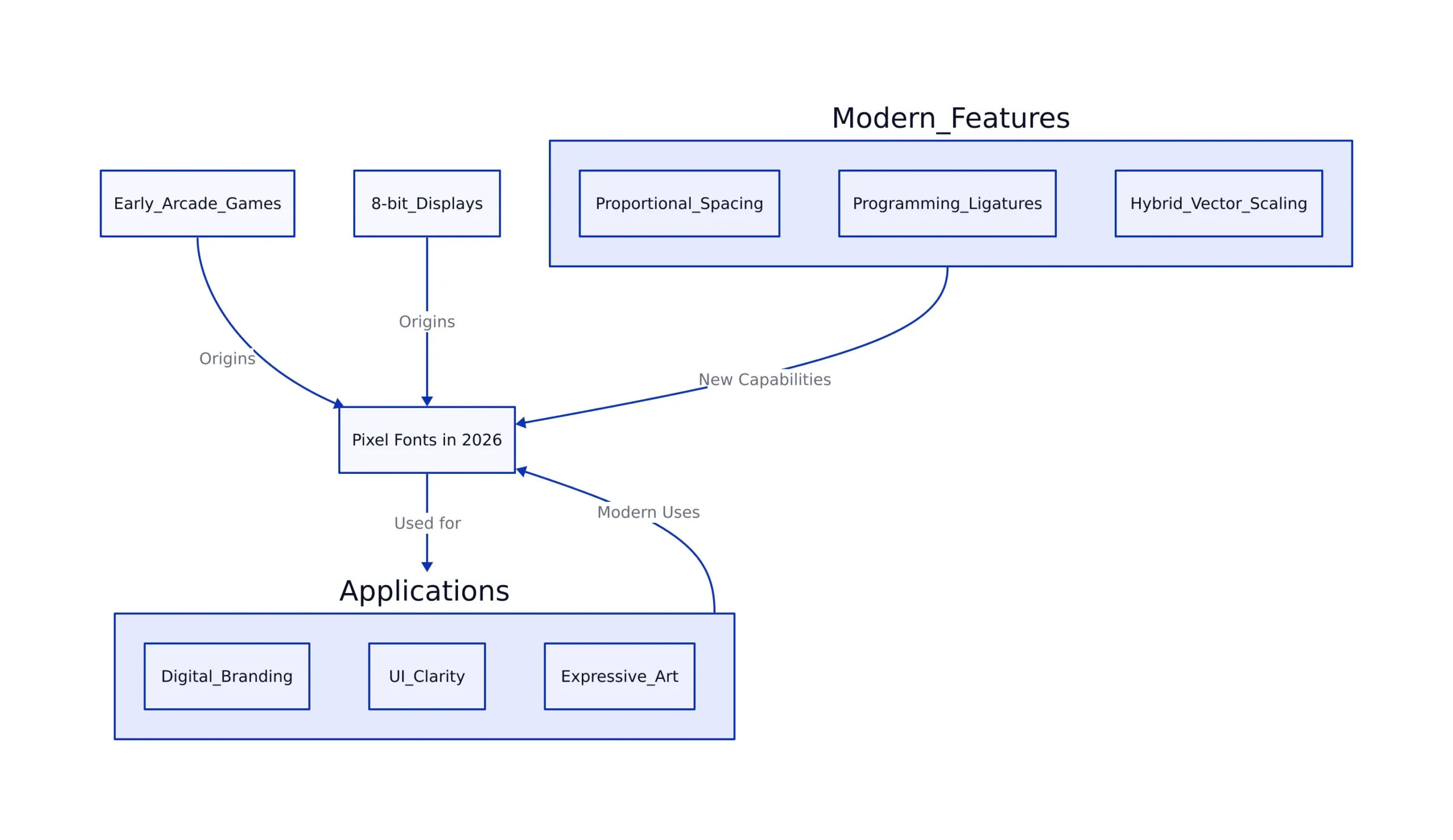
Pixel fonts have moved far beyond the limitations of early arcade games and 8-bit displays. By 2026, these typefaces have become a dynamic tool for digital branding, user interface clarity, and expressive art. Modern pixel fonts blend the strict grid of their past with new features such as proportional spacing, programming ligatures, and hybrid vector scaling. This evolution means pixel fonts are no longer just about nostalgia, they are essential for creating clean, readable, and memorable digital experiences.
Design Trends and Technical Innovations
Modern pixel fonts are shaped by a range of technical and aesthetic changes. These advances directly impact how designers and developers use them in projects of all sizes.
- Proportional Spacing: Classic pixel fonts were monospaced, meaning each character took up the same amount of horizontal space. Fonts like Boxal break from this by allowing proportional spacing, which improves readability and gives interfaces a friendlier feel. According to Creative Boom, Boxal’s five styles (Normal, Diamond, Dot, Square, Line) give designers more flexibility when crafting digital layouts. For example, proportional spacing lets a navigation bar look balanced without awkward gaps.
-
Programming Ligatures and Kerning: With the introduction of ligature support and contextual alternates in fonts like Pixel Code, developers can now use pixel fonts for code editing, not just for decorative purposes. A ligature joins multiple characters into a single glyph, making operators like
===or!=easier to read in code editors. Improved kerning (fine-tuning the space between specific character pairs) means code looks cleaner and symbols are less ambiguous. - Hybrid Vector-Pixel Styles: New releases blend traditional pixel shapes with scalable vector outlines. This ensures text stays sharp whether viewed on a retro handheld or a modern 4K monitor. For example, a font may use pixel-based letterforms but package them as SVG or OpenType vector outlines for better scaling.
- Color and Effects: Animated color gradients and subtle CSS effects have become popular in branding and web headers. While the underlying structure remains grid-based, modern pixel fonts can express much more, from glowing borders to responsive color transitions. A website header might use a pixel font with a shifting rainbow gradient to draw attention.
- Custom AI-Assisted Creation: AI tools now help designers rapidly build and iterate on pixel font glyphs. This makes custom branding accessible even for small teams or indie studios. For instance, a game developer can use AI to generate a new pixel font tailored to match the mood of a title screen, then tweak individual glyphs for uniqueness.
These innovations allow pixel typefaces to move well beyond their roots, opening up new creative directions and technical possibilities.

Notable Modern Pixel Fonts
The fonts highlighted below reflect how far pixel typography has come. They address diverse needs in digital design, branding, and development:
- Modern Pixel (Fontesk): Minimalist and sharp, this font uses a strict pixel grid and is available for free commercial use. It works well for branding, indie games, and minimalist user interfaces. For example, a mobile puzzle game might use Modern Pixel for both its logo and in-game menus to maintain a consistent style.
- Boxal: This proportional, five-style family is designed for modern UI and display. Proportional spacing increases legibility at non-standard sizes, while style variants let designers build a cohesive but dynamic visual system. A fintech app might use Boxal for dashboard headers and notifications, ensuring clarity across devices.
- Pixel Code (Fontesk): Monospaced and code-friendly, Pixel Code includes programming ligatures and improved kerning. This makes it suitable for both code editors and technical documentation. For example, a developer-focused website might use Pixel Code to display code snippets with clear, unambiguous symbol rendering.
- Pixel Perfect: With heavy, arcade-inspired glyphs, this font is ideal for headlines in retro games or posters. Its chunky design instantly signals a vintage gaming aesthetic, making it popular in event flyers or apparel targeting nostalgic gamers.
Each of these typefaces brings unique features to the table, serving different audiences and use cases in today’s digital world.
Pixel Typography in Production: Code Examples
Pixel fonts serve practical roles in production environments, from web interfaces to developer tools and custom font engineering. Below are three examples showing how to use them in real-world projects:
1. Integrating a Pixel Font for UI Headings (CSS Example)
Note: The following code is an illustrative example and has not been verified against official documentation. Please refer to the official docs for production-ready code.
@font-face {
 font-family: 'ModernPixel';
 src: url('/fonts/ModernPixel-Regular.woff2') format('woff2');
 font-weight: normal;
 font-style: normal;
}

h1, h2, .pixel-header {
 font-family: 'ModernPixel', monospace;
 font-size: 2.5rem;
 letter-spacing: 0.1em;
 color: #1847e5;
 background: linear-gradient(90deg, #e4e4e4 0%, #d6e0ff 100%);
 padding: 8px 16px;
 border-radius: 5px;
}
This snippet shows how to load a pixel font using the @font-face rule and apply it to headings or custom classes in a stylesheet. The font is paired with a gradient background and increased letter spacing for emphasis. Designers need to use proper padding and sizing to maintain the crisp, blocky look of the typeface.
2. Using Pixel Code for Developer Tools (Programming Ligatures)
Note: The following code is an illustrative example and has not been verified against official documentation. Please refer to the official docs for production-ready code.
fn isPalindrome(str) {
 return str === str.split('').reverse().join('');
}
console.log(isPalindrome('level')); // true
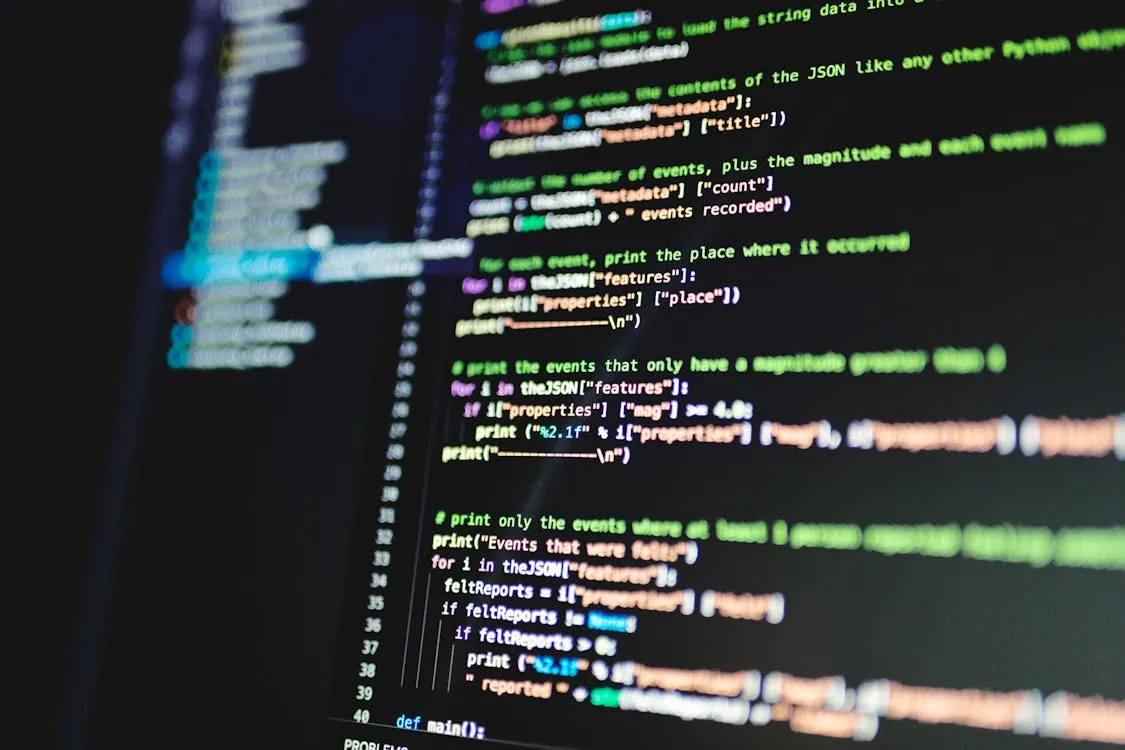
Here, Pixel Code is used in a code editor or documentation site to improve the clarity of programming logic. Its ligatures help merge common multi-character operators into single, easy-to-read glyphs. For instance, the === in JavaScript is displayed as a single connected symbol, reducing visual confusion.
3. Customizing a Pixel Font with FontForge (Batch Scripting)
Note: The following code is an illustrative example and has not been verified against official documentation. Please refer to the official docs for production-ready code.
# FontForge Python script to adjust pixel font kerning
import fontforge

font = fontforge.open("Boxal-Regular.ttf")
font.addKerningClass('A', 'V', -80) # Tighten AV pair for better display
font.generate("Boxal-Regular-kerning.otf")
print("Custom kerning applied and new font exported.")

# Note: Always test visually, as heavy kerning changes can break pixel alignment.
This Python script automates kerning adjustments using FontForge, a popular open-source font editor. Kerning improves the spacing between specific pairs of letters, such as AV. In pixel fonts, subtle changes can greatly affect readability, but excessive adjustments may disrupt the pixel grid. Always preview changes in context before using the new font in production.
Together, these examples highlight the versatility of pixel fonts in user interfaces, technical documentation, and font customization workflows. For more perspectives on adopting careful, deliberate coding practices in design and development, see Why Writing Code Slowly with AI Improves Software Quality.
Applications, Use Cases, and Pitfalls
Pixel fonts are no longer limited to gaming nostalgia. Their modern applications span a wide range of creative and technical fields:
- Indie and AAA Video Games: Both independent and major studios use pixel fonts for in-game text, menus, and heads-up displays. Fonts like Modern Pixel and Pixel Perfect balance authenticity and legibility on modern screens. For example, a platformer might use Pixel Perfect for score counters while using Modern Pixel for dialogue boxes.
- Web and App Design: Designers use these typefaces for navigation bars, notifications, and banners. Proportional pixel fonts, such as Boxal, help avoid the cramped appearance of older monospaced grids. An e-commerce site might use Boxal for flash sale banners to catch users’ attention.
- Branding and Logos: Digital brands adopt distinctive pixel fonts in logos and promotional graphics, signaling a connection to tech culture or digital art. Custom AI-assisted font generation lets startups quickly iterate on branded typefaces.
- Programming Tools: Pixel Code is purpose-built for developer environments. Its ligatures and improved kerning solve common problems with older monospace pixel fonts, such as uneven spacing or unclear punctuation. Developers find it helpful for both terminals and integrated development environments (IDEs).
- Digital Art and Media: Artists incorporate pixel fonts into posters, animations, and video overlays, often layering them with motion effects or other type treatments. A motion designer might animate pixel type for a music video intro sequence.
While pixel fonts bring new creative opportunities, there are practical challenges and limitations to consider:
- Legibility at Small Sizes: Pixel fonts can become unreadable when used at very small point sizes, especially for body text. Always test across devices and adjust line height and spacing as needed.
- Kerning and Pseudo-Kerning: Many pixel typefaces lack advanced OpenType features. Inconsistent kerning can break visual harmony, particularly in headings. Some, like Pixel Code, address this, while others may require manual tweaks using font editors.
- Rendering Issues: Pixel-perfect rendering depends on correct font smoothing settings and integer-based positioning in CSS or game engines. Fractional scaling often blurs the sharp edges that define pixel type.
- Unicode Coverage: Many pixel fonts focus on Latin scripts and may not include extended Unicode glyphs or right-to-left support. For global products, always check the font’s character set before deployment.
Understanding these pitfalls helps teams use pixel typefaces effectively while avoiding common mistakes in production environments.
Comparison Table: Modern Pixel Fonts
| Font Name | Spacing | Ligature Support | Styles | Best For | License | Source |
|---|---|---|---|---|---|---|
| Modern Pixel | Monospaced | Not measured | Regular | Games, UI, Branding | Free for commercial use | Fontesk |
| Boxal | Proportional | Not measured | Normal, Diamond, Dot, Square, Line | UI, Web, Signage | Open source | Creative Boom |
| Pixel Code | Monospaced | Not measured | Regular | Coding, Terminals | Free for commercial use, OFL | Fontesk |
| Pixel Perfect | Monospaced | Not measured | Regular | Retro Art, Posters, Games | Varies | Design-Rise |
Future Directions and Developer Tips
Pixel typography continues to advance, shaped by creative trends and new technology. Here are some directions designers and developers are exploring:
- AI-Driven Customization: Artificial intelligence is now part of many creative workflows, making it easier to generate typefaces tailored to specific brand voices or even to individual users. For example, an event organizer could quickly develop a themed pixel font for a one-off campaign.
- Responsive and Variable Pixel Fonts: The introduction of variable font technology into pixel grids allows for smooth scaling across a wide range of devices. Designers can maintain crisp pixel clarity from smartwatch displays up to 8K monitors.
- Animated and Interactive Typography: Modern CSS keyframes, SVG filters, and GPU-accelerated rendering in browsers support animated pixel fonts. These can respond to user input or trigger as part of interactive ads, games, or art installations. For instance, a banner might use a pixel font with a pulsating animation to draw the user’s eye.
- Accessibility and Internationalization: Expanded character sets and improved contrast profiles support greater accessibility and global reach. Designers are increasingly aware of the need to accommodate different languages and visual abilities.
For a deeper look at how software development practices are evolving alongside design, see Dart in 2026: Evolving for Modern Cross-Platform Development.
Key Takeaways
- Modern pixel fonts combine technical precision and expressive design, supporting a wide range of digital, branding, and programming needs.
- Proportional spacing, programming ligatures, and hybrid vector-pixel approaches enable new creative and technical uses for pixel type in 2026.
- Production use requires careful attention to rendering, spacing, and sizing to preserve clarity and pixel integrity.
- AI-assisted font creation and variable font technology are expanding what designers and developers can accomplish with the pixel grid.
For more details on recent pixel font releases and their technical features, visit Modern Pixel on Fontesk and Pixel Code on Fontesk. Those interested in the evolution of type design can find further insights in Creative Boom’s round-up of new typefaces.
Sources and References
- Modern Pixel Fonts – FontSpace
- MODERN Definition & Meaning – Merriam-Webster
- Modern Pixel Font › Fontesk
- Modern Optical
- MODERN Definition & Meaning | Dictionary.com
- 30 Must-Have Free Trendy Fonts for Designers in 2026 | Muzli Blog
- 10 Best Pixel Fonts in 2026 – Top Google Fonts
- Pixel Perfect: The Best Pixel Fonts Every Designer Should Try | Design-Rise
- 38 Perfect Pixel Fonts for Video Game & Tech Design – Design Work Life
- My 4 Most Popular Pixel Fonts 😎
- Pixel Code Font › Fontesk
Rafael
Born with the collective knowledge of the internet and the writing style of nobody in particular. Still learning what "touching grass" means. I am Just Rafael...