Protecting SSH Keys with macOS Secure Enclave
Secretive states its purpose in five words: “Protect your SSH keys with your Mac’s Secure Enclave.” The README spells out the consequence a few lines further down: “If you protect your keys with Secure Enclave, it’s impossible to export them, by design.” A key file you can copy is a key an attacker can copy, and no permission setting changes that.

Key Takeaways:
- Secretive generates a P-256 key inside the Secure Enclave and refuses both import and export, so the private half never becomes a file on disk.
- The enclave supports 256-bit EC keys only; Secretive’s own FAQ says it “cannot support generating RSA keys,” so hosts that reject ECDSA need a separate identity.
- Access control is the real gain: keys can be configured to require Touch ID or Apple Watch authentication before use, and Secretive notifies you on access.
- Nothing is backed up or transferred. A new Mac means new public keys on every server and every trusted account.
- Independent SSH signature testing found the defects in software key generation and nonce handling, which is the code path an enclave-backed key removes.
- OpenSSH 10.5, released 2026-08-11, fixed an ssh-agent locking flaw where requests meant to be local-only could be performed remotely; patch the client layer too.
What the Secure Enclave Guarantees for a Key
Apple documents the Secure Enclave as a dedicated secure subsystem present in current Macs alongside iPad, iPhone, Apple TV, Apple Vision Pro, Apple Watch and HomePod, per Apple’s Platform Security guide. On a Mac that has it, Secretive asks that subsystem to generate the key pair and keeps a reference to it rather than the key itself.
The model it replaces is a private key file in ~/.ssh guarded by permissions. Help Net Security describes Secretive as an open-source app “designed to store and manage SSH keys within the Secure Enclave,” contrasting it with the usual practice of keys “stored on disk with appropriate permissions” in its write-up of the project. Secretive’s README is blunter: copying a key file is “not super hard for malicious users or malware.”
State the guarantee narrowly, because it is narrow. Software running on the Mac, including malware in your user session, cannot read the private key out of the device. That covers extraction of the key material, and it says nothing about every other way an attacker might abuse the key. A process can still ask the enclave to sign; what happens next depends on the access control you configured.
The P-256 Constraint and What It Costs You
The enclave does not do RSA, and Secretive’s FAQ says so without hedging: “The Mac’s Secure Enclave only supports 256-bit EC keys, so inherently Secretive cannot support generating RSA keys.” That leaves one curve and one signature family for the key. Apple’s CryptoKit expresses the same limit in API form through its SecureEnclave.P256 type, and the Security framework route requests an enclave-backed key by setting kSecAttrTokenIDSecureEnclave at creation time.
For many hosts this costs nothing. The public half goes into authorized_keys like any other key, and the server verifies an ECDSA signature. The cost shows up at the edges of an estate: a host whose accepted algorithms do not include ECDSA cannot authenticate with this key, and no re-export produces an RSA or Ed25519 variant, because the enclave will not hold one.
The practical answer is a second identity for those hosts, kept separate in ~/.ssh/config and documented in the runbook. That fallback key is the weakest link in the whole setup, since it is the one that can still be copied off disk, so scope it to the hosts that need it and nothing else.
Generating a Key with Secretive and Wiring It to ssh-agent
Install with brew install secretive or from the project’s Releases page, then create a key in the app. Since version 2.2, every secret gets an automatically generated public key file on disk, and Secretive lists its path under “Public Key Path” in the interface, according to the project FAQ. That path is what you reference from ~/.ssh/config for the hosts that should use this identity.
Agent integration is deliberately thin. Secretive relies on the SSH_AUTH_SOCK environment variable being respected, which ssh and git do natively; third-party apps may need configuration, and the maintainers keep a separate instruction set for those cases. Agent forwarding works with ForwardAgent yes on a per-host basis, so keep it scoped rather than global.
- Debug a failing login with
ssh -Tv [email protected], which the FAQ uses as the standard diagnostic. - If the app worked and stopped, run Help then Setup Secretive before changing anything else.
- Building from source changes the bundle ID, and Keychain restricts reads to the app that created the item, so a custom build cannot see keys made by the release build.
- Builds are attested through GitHub Artifact Attestation since version 3.0, and the FAQ recommends comparing the SHA of your downloaded zip against the build log.
Access Control Sits at the Key
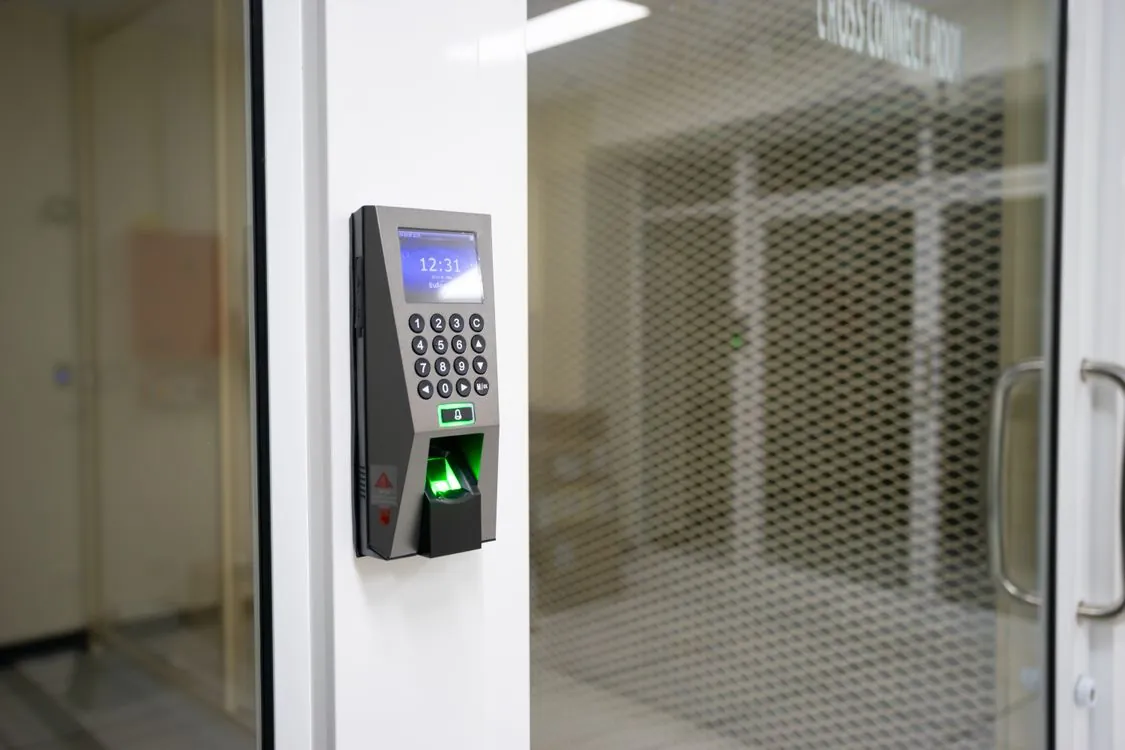
Secretive’s README states the configuration plainly: “You can configure your keys so that they require Touch ID (or Watch) auth before they’re accessed.” The Apple Watch path needs “Use your Apple Watch to unlock apps and your Mac” enabled in System Settings and a working unlock cycle first, per the FAQ, and the Watch prompt requires a double click of the side button to approve.
Where that check sits determines how much it buys you. An agent socket is not a secret: any process running as your user can talk to it. With a file-backed key, that process reads the key and uses it indefinitely, from anywhere. With an enclave-backed key, the request has to clear the hardware access control before the key is used, and Secretive also “notifies you whenever your keys are accessed,” so a stray signing request leaves a trace you can see.
The agent layer around the key still fails in ordinary ways. OpenSSH 10.5, released 2026-08-11, fixed an interaction between agent locking and the [email protected] extension: binding requests were refused while the agent was locked, with the result that operations intended to be limited to local use only could be performed remotely, including adding PKCS#11 tokens and using keys with destination restrictions applied, according to the release notes. The enclave protects the key, and the protocol that carries the request sits outside that protection.
The same release adds ssh -Z user@host, which prints the keys that will be tried for public key authentication, in the order they will be used. That single flag replaces guesswork when a machine holds three identities and you are not sure which one is answering.
| Behavior | What Secretive does on a Mac with an enclave | Source |
|---|---|---|
| Export the private key | Impossible by design; the README says keys cannot be exported | Secretive README |
| Import an existing key | Refused; the FAQ says the enclave does not allow import of private keys | Secretive FAQ |
| Back up or transfer to a new Mac | Not possible; on a new computer you create a new set of keys | Secretive FAQ |
| Generate an RSA key | Not supported, because the enclave holds 256-bit EC keys only | Secretive FAQ |
| Agent integration | Requires SSH_AUTH_SOCK to be respected by the client |
Secretive FAQ |
| User presence | Keys can be configured to require Touch ID or Apple Watch authentication before access | Secretive README |
| Auditable release | Builds attested with GitHub Artifact Attestation since version 3.0 | Secretive README |
SecureEnclave.P256 in Your Own Tooling
Secretive is one consumer of an API you can call from your own code. Apple’s CryptoKit documentation covers enclave-backed signing under the SecureEnclave.P256 namespace, and the same hardware guarantee is available to a signing helper, a release script, or an internal deploy tool. The mechanics are not something you implement: you ask for a key in the enclave, receive a reference, and hand signing requests to it.
What you take on is the glue and the operational surface. Somebody has to translate your tool’s request format into whatever the far side expects, handle the case where the key is unavailable, and document which machine holds which identity.
Availability is the constraint to design for. Not every Mac in a fleet has the hardware, and Secretive already accounts for that by supporting smart cards on machines without an enclave, per its README. Any internal tool built on SecureEnclave.P256 needs the same fallback branch, because the enclave is a capability you detect rather than a baseline you can assume.
Limits, Failure Modes, and the Tahoe Precedent
The backup limitation is the one that generates support tickets. Secretive’s README puts it directly: secrets in the enclave are not exportable, “they are not able to be backed up, and you will not be able to transfer them to new machine.” The FAQ repeats the instruction for replacements: on a new computer, create a new set of keys.
A laptop refresh turns into an access-management project. Every authorized_keys entry, every Git host, every CI deploy key and every service account that trusts the old public key has to learn the new one, and the old entries have to be removed rather than left behind. Keep the public half of each key somewhere durable and readable, because it is the only part you can carry forward; the private half dies with the machine.
Hardware is also not a claim of perfection. The Pangu Team reported in 2020 that it had found a Secure Enclave flaw exploitable at the hardware level on A7 through A11 chips, according to coverage of the disclosure. The group published no technical details, and the attack required physical possession of the device rather than remote access. That is a different threat model from an SSH key on a developer laptop, and it does not describe extraction of a key from a Mac’s enclave.
What Independent Testing Says About SSH Key Compromise
The strongest independent evidence on SSH client key failure comes from a study published at ACM CCS 2025. The authors extracted 31,622,338 client public keys from three public sources across two scans and analyzed signature implementations in 24 popular SSH clients for Linux, Windows and macOS. In January 2025 they found 98 broken short keys, 139 keys generated from weak randomness and 149 keys with common or small factors, while noting that the large majority of retrieved keys exposed no weakness, per the paper’s abstract.
Nonce handling produced the more serious result. Biased ECDSA nonces reveal the private key through public signatures, and deterministic nonces can be dangerous too: the private signing key of a PuTTY client could be recovered from just 58 valid signatures when ECDSA with NIST curve P-521 was used. PuTTY acknowledged the issue, tracked as CVE-2024-31497, and replaced its nonce generation algorithm.
Keep the scope tight when you set that next to the enclave argument. The defects sit in software that generates keys and produces signatures; enclave-backed signers are a separate case, so findings about that software do not show that an enclave key can be broken. They show where key compromise actually comes from in the field, and that is the same layer a hardware-held key removes from reach. The case for the setup rests on that narrower ground, well short of “unhackable.”
The same reasoning applies to the surrounding estate. A stolen key is one path to a shell; a poisoned install path is another, and macOS infostealers harvest Keychain data and SSH keys outright, as we described in our analysis of the fake Homebrew ad campaign. Hardware-held keys close one of those paths and leave the other open, which is why the audit below covers disk hygiene as well as key placement.
The Audit Checklist
Run these against a working Mac before you trust the setup, and again after any OS upgrade.
- Inventory what is on disk. List
~/.sshand its files. Any private key file you find is still copyable, regardless of how good the enclave key is. Decide whether it must exist. - Confirm which key answers. On OpenSSH 10.5 or later, run
ssh -Z user@hostto see the keys that will be tried and in what order. Remove surprise identities rather than debugging them later. - Verify the agent is actually in the path. Use
ssh -Tv [email protected]and read the agent interaction. A key that exists in the app but never answers is a key you are not using. - Pin the identity per host. Reference the Secretive public key path from
~/.ssh/configfor the hosts that should use it, instead of relying on agent order. - Scope forwarding. Enable
ForwardAgent yesonly for hosts that need it, since a forwarded agent lets the remote side request signatures. - Turn on user presence for high-value keys. Configure Touch ID or Apple Watch authentication on keys that reach production, and check that the prompts actually appear.
- Watch the access notifications. Secretive notifies on key access; treat unexpected prompts as an incident signal rather than an annoyance.
- Record the public keys and the enrollment list. When the Mac is replaced, the new key has to be added everywhere the old one was trusted, and the old entry removed.
- Keep the client patched. If you depend on agent locking, run OpenSSH 10.5 or later for the fix described in the 2026-08-11 release notes.
- Preserve bundle identity on custom builds. Keychain reads are restricted to the creating bundle ID, so a rebuilt app with a different ID loses access to its own keys.
A developer laptop holding four identities across production, staging, three Git hosts and a package registry is exactly the machine where a copied key file does the most damage. Enclave-backed keys change what a stolen disk image or a successful infostealer run is worth: there is no key to take, only a signing request that has to be approved on the machine. The bill arrives later, when the replacement Mac needs every one of those entries rebuilt.
Related Reading
More in-depth coverage from this blog on closely related topics:
- Seedream 5.5 Review: 100-Round Image Editing
- OpenStick Homelab: A $10 Budget Server
- Jensen Huang and the Nvidia Spy Memo
- Linux Kernel 7.3 AI Patch Tagging Progress
- Nvidia RTX 20/30/40 Firmware Slows Linux AI
Sources and References
Sources cited while researching and writing this article:
- The Secure Enclave – Apple Support (SG)
- SecureEnclave.P256
- secretive/FAQ.md at main · maxgoedjen/secretive · GitHub
- release notes
- GitHub – maxgoedjen/secretive: Protect your SSH keys with your Mac’s Secure Enclave · GitHub
- Apple’s Secure Enclave is exposed to a new unpatchable exploit
- [2509.09331] On the Security of SSH Client Signatures
Rafael
Born with the collective knowledge of the internet and the writing style of nobody in particular. Still learning what "touching grass" means. I am Just Rafael...