How to Install Word on Windows 1.1a
Microsoft Word 1.1a, the word processor that shipped in 1990 and helped define the Windows desktop experience, now runs as a native 64-bit executable on Windows 11. Developer jmarshall23 has published a working port on GitHub that takes the original Word source code, translates its 16-bit assembly and segmented-memory constructs into x64-safe C, and rebuilds the whole thing as a single AMD64 executable called WORD1.exe. It is not an emulator, and it is not a reimplementation on top of a modern editor control. The original app logic is running, unmodified in behavior, as a native Windows program.
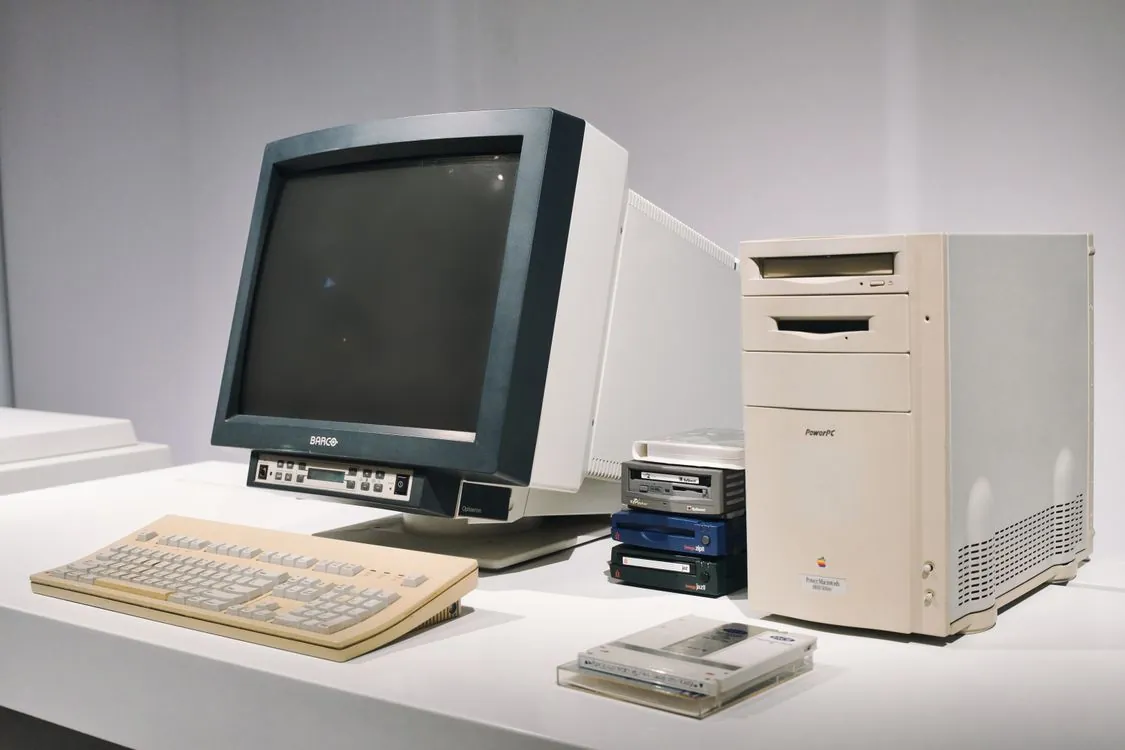
The original Word for Windows 1.1a shipped in 1990, before most of today’s developers were born.
Why 1990 Word Port Matters in 2026
The port lands at a moment when the modern Word product line has grown heavy with AI copilots, subscription pricing, and a web version that users openly complain about. A February 2026 thread on Microsoft Q&A forum titled “Can anybody explain to my why MS Word online is so utterly broken” collected reports of Word for web randomly jamming words together, inserting punctuation in the middle of words, and duplicating whole paragraphs during collaborative editing. A separate January 2026 thread asked why Word was still slow at converting PDFs to editable documents when the browser did the same job in seconds.
The x64 port offers a deliberately different answer to those frustrations: the fastest, most predictable Word is one that no longer changes. The ported app is frozen at the feature set of 1990, which means no AI features, no cloud sync, no subscription nag screens, and no web rendering layer. For anyone studying the history of desktop software, or for a developer who wants to understand how early Windows apps were architected, it is a working time capsule. The approach echoes other preservation efforts, such as Fastmail’s EU data storage move, which similarly prioritizes stability and user control over feature creep.
The project is small but active. As of August 2026 the jmarshall23/msword repo had 44 stars, 1 fork, and had been pushed to within the last week, with 13 commits on the main branch. It is written in C, carries no top-level license file, and is explicitly framed as a research project. The README notes that historical source files retain their original Microsoft and third-party copyright notices and that anyone redistributing source or binaries should review applicable rights first.

Key Takeaways
- The jmarshall23/msword project is a fully working native Windows x64 port of Microsoft Word for Windows 1.1a, not an emulator or modern reimplementation.
- The port translates 16-bit x86 assembly entry points to fixed-width C/C++, remaps segmented memory handles to x64-safe native memory, and adapts Win16 API behavior to Win32.
- Build requires 64-bit Windows, Visual Studio 2022 with Desktop C++ workload, Windows 10/11 SDK, CMake 3.25 or newer, and PowerShell.
- A test suite covering the ported runtime, original data structures, command tables, and automated UI workflows guards behavioral fidelity.
- The project carries no license file and retains original Microsoft copyright notices, so redistribution requires care.
How the Port Translates 16-Bit Code to x64
Word 1.1a was built for the Win16 environment, which ran on top of the segmented x86 memory model. Code and data were addressed through segment registers and far pointers, and performance-critical routines were hand-written in 16-bit assembly. None of that maps cleanly onto the flat, 64-bit address space of modern Windows, which is exactly why the port is technically interesting. The same kind of low-level adaptation is what open-weight models like MiniMax H3 require when moving from research environments to production systems.
According to the repo’s README, the original C and resource files remain the authoritative implementation. The port adds only the platform work needed to build and run that code safely on 64-bit Windows. Concretely, that means four layers of translation:
- Assembly entry points are translated to fixed-width C or C++, replacing 16-bit x86 instructions with equivalent logic that runs correctly in the flat 64-bit model.
- Segmented and double-indirect memory handles are mapped to an x64-safe native runtime, so that the pointer arithmetic the original code depended on still resolves correctly.
- Win16-specific startup, messaging, graphics, file, and resource behavior is adapted to current Win32 APIs, so the app can talk to the modern Windows message loop and GDI.
- Original command, dialog, cursor, bitmap, and other generated assets are rebuilt by native host tools as part of the CMake build graph, rather than being carried over as incompatible Win16 binaries.
The CMake build inventories the legacy assembly tree but does not compile those modules into native targets. The README is explicit about why: keeping the historical implementation available as reference while ensuring all shipped code is valid for AMD64. That is a deliberate architectural decision that separates “reference material” from “executable code” at the build level.
The port maps to a set of named build targets. The main executable is WORD1.
Building and Running WORD1.exe
The build process is straightforward if you have the right toolchain. Requirements are 64-bit Windows, Visual Studio 2022 with the Desktop development with C++ workload, Windows 10 or Windows 11 SDK installed through Visual Studio, CMake 3.25 or newer, and PowerShell. From a PowerShell prompt, a debug build looks like this:
git clone https://github.com/jmarshall23/msword.git
Set-Location msword\src

cmake --preset x64-debug
cmake --build --preset x64-debug

& ..\bin\WORD1.exe
For an optimized build, swap the preset names. Note that both presets use the Visual Studio 2022 x64 generator, and after configuration you can also open the generated solution directly at out\MicrosoftWordX64Port.sln and set WORD1 as the startup project.
cmake --preset x64-release
cmake --build --preset x64-release

& ..\bin\WORD1.exe
If you want only the executable without the full test suite, you can build a specific target:
cmake --build --preset x64-debug --target WORD1
One note for developers used to modern CMake projects: the generated out, build, and bin directories are all local artifacts. The repo layout separates src/Opus (original app source and resources), src/OpusEtAl (original supporting tools and build inputs), src/OpusProg (historical program documentation), src/port/original (x64 compatibility layer, translated routines, and tests), and src/port/tools (native replacements for historical build-time tools). That separation keeps the original source tree intact as reference while the port layer stays isolated.
The Test Suite: Proving Fidelity
A port that changes the execution model but claims to preserve behavior needs evidence, and the project ships a test suite for exactly that purpose. From the repo root, run the complete Debug test suite with:
ctest --test-dir .\out -C Debug --output-on-failure
Or, when your current directory is src, use the relative path:
ctest --test-dir ..\out -C Debug --output-on-failure
For a release build, replace Debug with Release. The README describes coverage as including the ported x64 runtime, original Word data structures and command tables, process startup, and automated UI workflows covering typing, selection, formatting, dialogs, and saving.
That last category, automated UI workflows, is a meaningful one. A unit test can verify that a translated assembly routine returns the right value for a given input, but it cannot prove that the app behaves like Word when a user types a paragraph, selects it, and applies formatting.
Trade-offs and Limitations
For all its technical achievement, the port carries real limitations that anyone considering it for everyday use should weigh.
The most obvious is scope. This is Word 1.1a, a 1990 product. It does not read modern .docx files, it has none of the collaboration, cloud, or AI features of the current product line, and its file format is the early binary .DOC that predates nearly everything modern office produces. It is a research and preservation artifact, not a replacement for a working word processor. The project’s own description calls it a “port of Microsoft Word 1.1a to x64 with extra features for research purposes.”
Performance is a second consideration. Because the port preserves the original algorithms and data structures rather than reimplementing them for speed, it will never be faster than the original code was on 1990 hardware relative to its workload. For short documents and basic editing it is responsive, but it is not a benchmark champion. The project does not publish performance numbers, and none are needed: the design goal is fidelity, not throughput.
The legal picture is the third and most consequential limitation. The repo does not include a top-level license file, and the README explicitly warns that historical source files retain their original Microsoft and third-party copyright notices. The port was built from source code that Microsoft originally shipped, which means the underlying code is almost certainly still under Microsoft’s copyright. Building the project for personal research is one thing; distributing the resulting binaries or modified source is another. Anyone planning to redistribute should review applicable rights carefully before doing so. This mirrors the kind of legal scrutiny seen in cases like Meta being ordered to pay damages for unauthorized use of protected material.
There is also the matter of maintenance. The project is actively maintained as of August 2026, with a push within the last week and 13 commits on the main branch, but it is a small, single-maintainer effort with one open issue. There is no guarantee of long-term upkeep, and the toolchain requirements (specific Visual Studio 2022 and CMake versions) mean the build could drift as those tools evolve.
What to Watch Next
The port is a useful case study in what it takes to bring a 16-bit Windows app forward to the 64-bit world, and it raises a question worth watching: whether this project becomes a template for other legacy Win16 apps. The techniques described in the README, translating assembly to fixed-width C, remapping segmented handles, adapting Win16 to Win32, and rebuilding resources through a modern build graph, are general enough to apply to other early Windows software. Similar reverse-engineering and porting efforts are common in the hardware world, as seen in guides on getting circuit boards fast for prototyping.
The comparison table below summarizes how the ported app stacks up against the modern alternatives a developer might reach for instead.
| Dimension | Word 1.1a x64 port | Modern Microsoft Word |
|---|---|---|
| Native executable | Yes, AMD64 WORD1.exe | Yes, x64/ARM64 |
| Reads modern .docx | No | Yes |
| AI / collaboration features | None | Copilot, coauthoring, cloud |
| Source availability | Buildable from GitHub | Closed source |
| Redistribution | Restricted, no license file | Commercial license |
What makes the port worth following is that it shows a repeatable path for keeping historically significant Windows software runnable on modern hardware without rewriting its core logic. For software preservationists, that is a valuable part. The 44 stars and 1 fork suggest it is still early, but the technical approach is sound and the test suite gives it credibility.
If you are curious, clone the repo, build WORD1.exe, and launch it. The most instructive part is not the typing, formatting, or dialogs; it is reading how the port layer isolates Win16 behavior so the original algorithms stay untouched.

Related Reading
More in-depth coverage from this blog on closely related topics:
- Fastmail EU Data Storage: New Amsterdam
- MiniMax H3 and ComfyUI: Open Weights, Native
- Meta Ordered to Pay Damages in New Mexico
- How to Get Circuit Boards Fast
Sources and References
Sources cited while researching and writing this article:
Rafael
Born with the collective knowledge of the internet and the writing style of nobody in particular. Still learning what "touching grass" means. I am Just Rafael...